

Build a Chemical Peel Consent Form Tied to Each Client's Record
Build a chemical peel consent form that keeps your wording intact and logs each signed visit of a peel series.
Build a chemical peel consent form that saves every response to a database I own.
Trusted by Builders Worldwide
Active Builders Worldwide
Apps Successfully Created
Countries Globally Reached



What a Chemical Peel Consent Form Holds
Your provider writes the wording. The form presents it in short sections and files every signed visit on the client's record.
Your wording, one section at a time
Paste the consent text your provider or lawyer approved. Each paragraph becomes its own section with an initials box, and the app shows the sentences exactly as written.
Intake questions your provider chose
List the questions your provider asks before a peel, and each one becomes a required field. A yes answer appears at the top of that client's record, ahead of the signature.
A signature with the name and date
The client signs with a finger or a mouse on the last screen. The app captures the e-signature with the client's name and the date, and saves it with the answers above it.
One record for a series of peels
A client booked for 6 peels signs the full form at visit 1. Each later visit adds a dated confirmation to that same record. Staff open one page and see the whole series of peels.
Emails that reach the right esthetician
Pick the answers that should reach a person, such as a client asking for a call. The app emails the esthetician on the booking, and the reply lands on the consent record.
Signed forms in a table you own
Each submission is a row in a database you own, searchable by client, date, or location. Ask Emergent for a new column or a filter, and it changes the app from your prompt.
How Skin Clinics Use Peel Consent
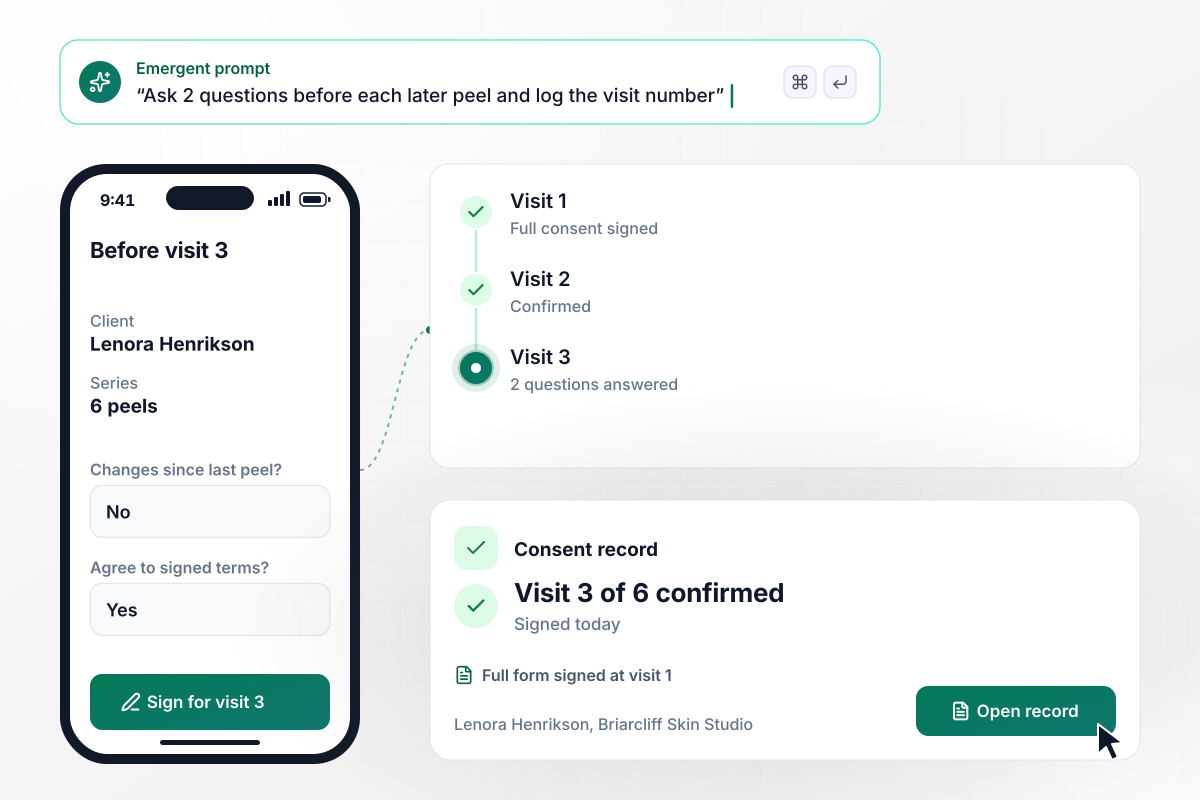
Before visit 3 of 6, Lenora answers 2 questions
Lenora Henrikson signs the full consent once, at visit 1 of a 6-peel series at Briarcliff Skin Studio. Before visit 3, her link opens 2 questions instead of the whole form: any changes since her last peel, and does she still agree to the signed terms. She signs, and her record reads visit 3 of 6 confirmed.
window.awbMockup = { peelSeries: "I run Briarcliff Skin Studio. Build a chemical peel consent form for clients who buy a series of 6 peels. At visit 1 they sign the full form. Before each later visit, send a link with 2 questions: has anything changed since the last peel, and do they still agree to the signed terms. Save each answer and signature on the same client record with the visit number, such as visit 3 of 6.", threeLocations: "Fernwell Med Spa has 3 locations: Riverside, Northgate, and Elm Street. Build one chemical peel consent form whose first question asks the client which location they are visiting. Give each location manager a screen that lists the forms signed at their location this week, with the total across all 3 locations at the top.", day3CheckIn: "Build a chemical peel consent form for Halcyon Aesthetics that also sends each client a 3-question check-in email 3 days after their peel. If the client answers yes to a call from their esthetician, email that esthetician with the client's name. Save the check-in answers to the client's consent record.", lobbyTablet: "Celandine Skin Bar keeps a tablet in the lobby for clients who arrive without a signed consent form. Build a chemical peel consent form for that tablet. After each signature, clear the answers and open a blank form for the next client. Give the front desk a list of today's clients showing who has signed." };
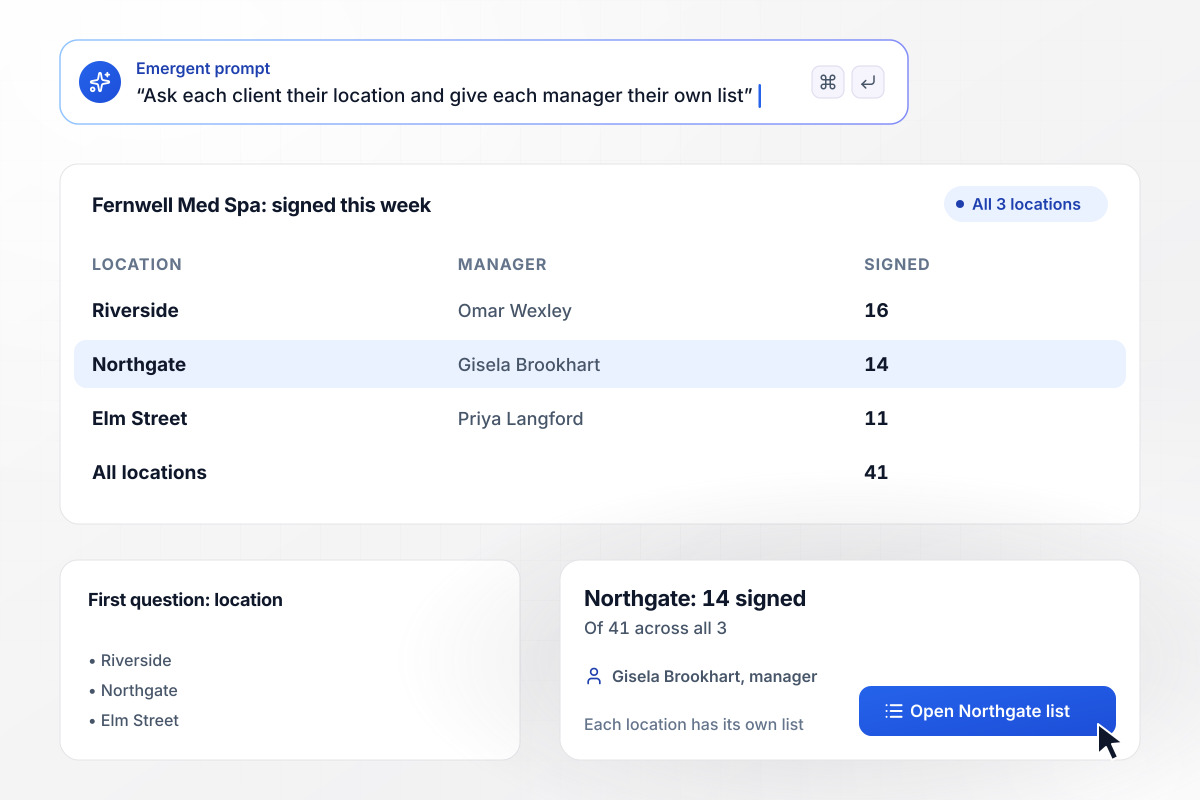
Three locations share one form, and each sees its own list
Fernwell Med Spa sends one link for peel consent at all 3 of its locations, and the first question asks the client to pick Riverside, Northgate, or Elm Street. Gisela Brookhart manages Northgate. Her screen lists the 14 forms signed there this week, out of 41 across all 3 locations.
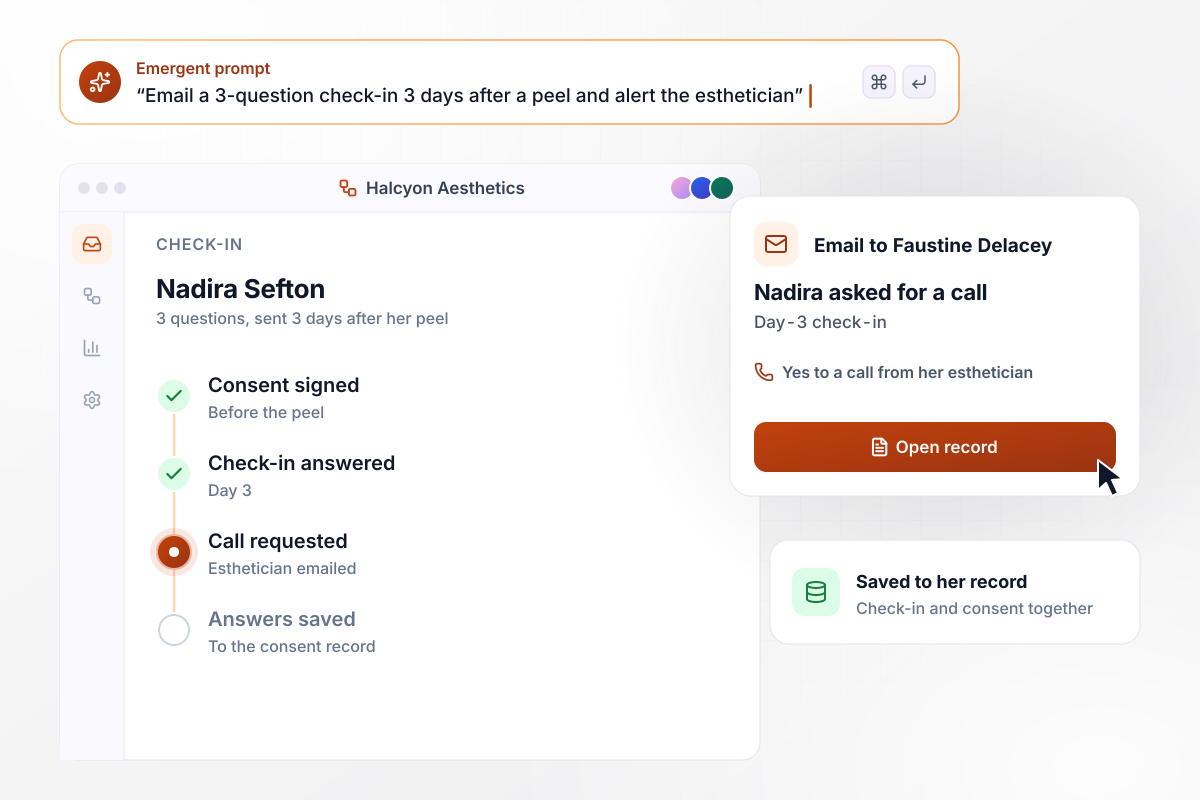
When Nadira asks for a call on day 3, Faustine gets an email
Three days after her peel at Halcyon Aesthetics, Nadira Sefton gets a 3-question check-in email. She answers yes to a call from her esthetician. Faustine Delacey gets an email that says Nadira asked for a call, and the check-in answers save to Nadira's consent record.
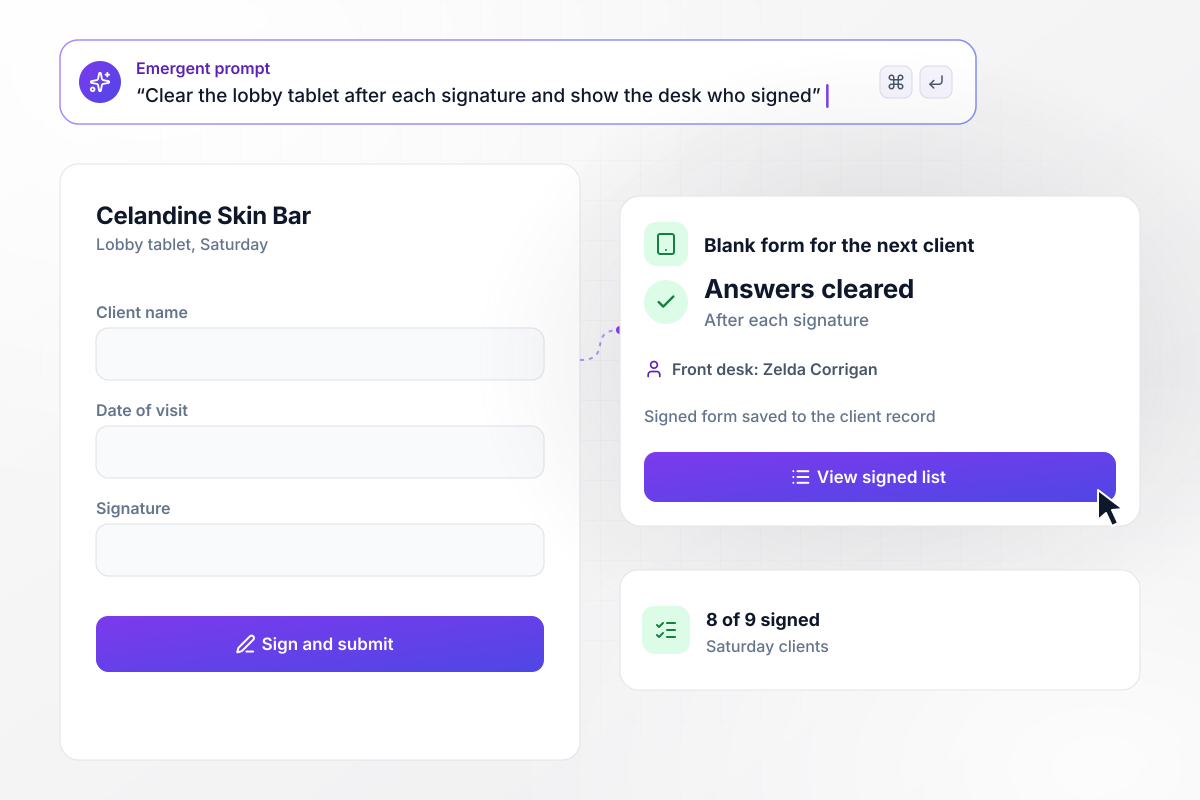
After each signature, the lobby tablet starts a blank form
A client who walks in unsigned at Celandine Skin Bar fills in the form on the lobby tablet before her peel. When she taps submit, the tablet clears her answers and opens a blank form for the next client. At the front desk, Zelda Corrigan sees 8 of 9 Saturday clients signed.






How to Build a Chemical Peel Consent Form
Seven steps to an online chemical peel consent form your provider approved and clients sign before a peel.
Paste the text of the form you use now into one prompt, or describe its sections if it only exists on paper. Name your clinic, the peels on your menu, and whether clients book a single peel or a series.
Send the consent wording to your provider or lawyer before any client sees it. Treat their version as final text: the form displays it, and it should not be rewritten to fit the screen.
Group the approved wording into sections a client can read on one phone screen each. Put the signature on the last screen, after the final section, and ask for initials on any section your provider names.
Type the questions your provider wants answered before a peel, and mark each one required. Choose which answers should email the esthetician on the booking.
Read the draft the way a first-time client would: open the form on a phone and fill it in as a new client, with no help from staff. Note every word you had to read twice, then ask Emergent to change it.
Tell Emergent where signed forms go: one table for every location, a visit count for a series, or a check-in email days after the peel. Each is a sentence in your prompt.
Publish the form and send its link with the booking confirmation, or open it on a lobby tablet. Building and publishing are covered by the free tier.
Why Use Emergent for Peel Consent?
Describe your peel consent once, and Emergent builds the form and its records. Responses stay in a database you own.

|
Jotform | Google Forms | Typeform | |
|---|---|---|---|---|
| How you build | Describe it in plain English | Templates, editor, AI generator | Editor, with Gemini drafting on some Workspace plans | Templates, editor, AI assist |
| Where responses live | A database table you own, plus any integration | Jotform account | Google Sheets | Typeform account |
| Response limits | No response caps | Monthly submission caps by plan; the form stops at the cap | No limit | Monthly response caps by plan; the form closes at the cap |
| Code ownership | Full code export to GitHub on paid plans | None | None | None |



Pick the Pricing Plan That Works for You
Choose the plan that fits your building ambitions. From weekend projects to enterprise applications, we've got you covered.




Find the right form
for whatever you're collecting















Frequently Asked Questions
Your Questions, Answered
Don't change this element unless you know what you are doing
More things you can build
with Emergent









on Emergent today


