

Build a Demo Request Form That Books the Call on Submit
Build a demo request form that shows open times on submit and sends the prospect's answers to whoever runs the call.
Build a demo request form that saves every response to a database I own.
Trusted by Builders Worldwide
Active Builders Worldwide
Apps Successfully Created
Countries Globally Reached



What Happens Between Submit and the Demo
A demo request form works when it ends in a booked call. These six pieces carry each request from the first field to the calendar.
Open times right after submit
The prospect picks a 30-minute slot from the presenter's free times on the page that follows the form. A confirmation email goes out with the agenda and a calendar invite.
A work email check before booking
A request sent from a personal email address gets a link to the recorded product tour in place of a live slot. Requests from work addresses go on to the booking step.
Questions that shape the call
Ask for team size, the tool the prospect uses today and the two things they most want to see. Each answer is saved on the request, so the demo can be built around it.
Answers in the presenter's inbox
The presenter gets an email or a Slack message with the prospect's answers as soon as a slot is booked. Nobody has to open the call by asking what the company does today.
Every request in your own database
Each request is saved to a database you own. The app can also send it to HubSpot or any CRM with an API, with the booked time and every answer attached to the contact.
Code that can live beside your site
On paid plans, export the full codebase to your GitHub repository. Run the form on your own servers next to the rest of the marketing site, and keep building on it there.
Four Demo Requests, Start to Booked Call
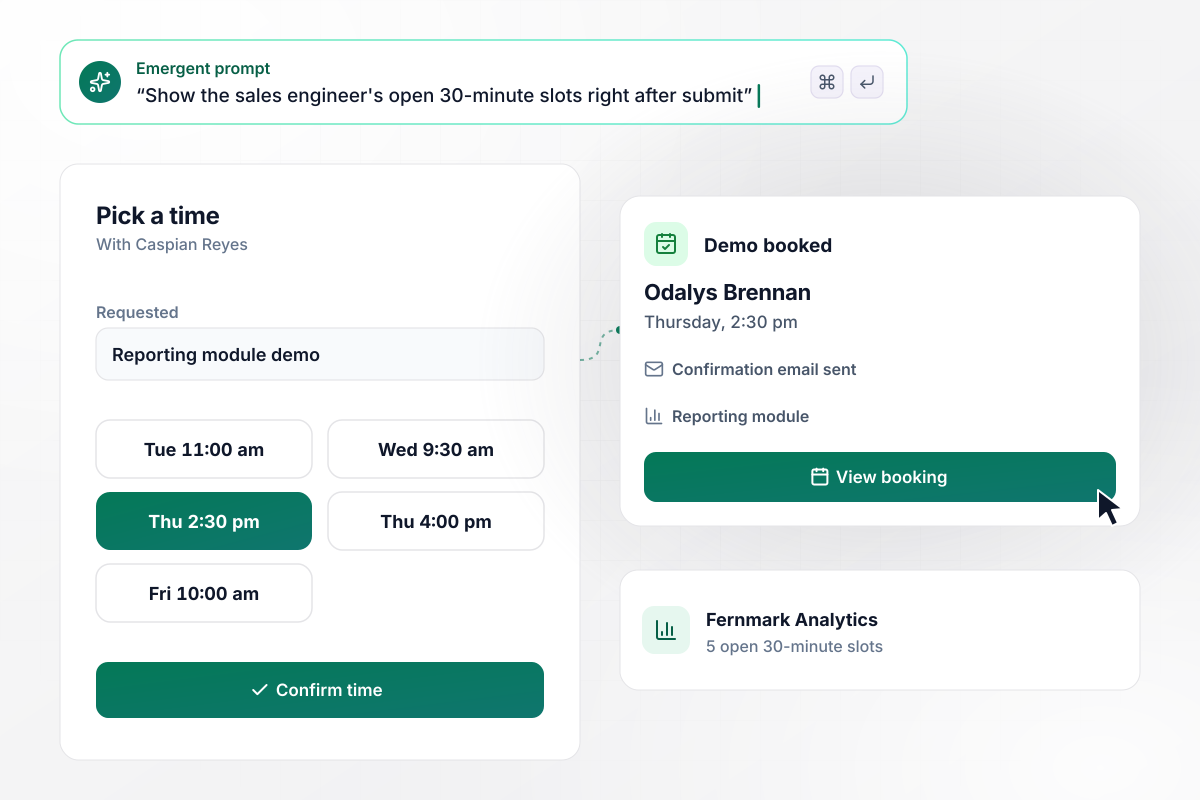
A Thursday slot is booked before the tab closes
Odalys Brennan wants a look at the reporting module from Fernmark Analytics. She submits the demo request form, and the next screen shows 5 open 30-minute slots with Caspian Reyes, the sales engineer. She picks Thursday at 2:30 pm. The confirmation email is in her inbox before she closes the tab.
window.awbMockup = { selfServeBooking: "Build a demo request form for my analytics software. After the prospect submits name, work email, company, and the module they want to see, show the open 30-minute slots on our sales engineer's calendar for this week. When they pick a time, send a confirmation email with the agenda and a calendar invite, and save the booking with the request.", workEmailScreening: "Check the email address on every demo request my HR software gets. If it is a personal address, skip the booking step and send a link to our recorded product tour. If it is a work address, show the booking calendar. Give me a weekly count of requests, how many got the tour, and how many booked a live call.", presenterPrep: "My fleet software demo form should ask for fleet size, the tool they use today, and what they most want to see. When a prospect books a slot, email the sales engineer running the call with every answer, the company name, and the booked time, so the demo can open on the feature they asked about.", noShowRecovery: "Track every demo my accounting software team books as held, upcoming, or missed. If a prospect does not join a booked call, wait 1 hour and email them 3 new times from the same presenter's calendar. Move the request to a rebooking step and show me this week's counts on one screen." };
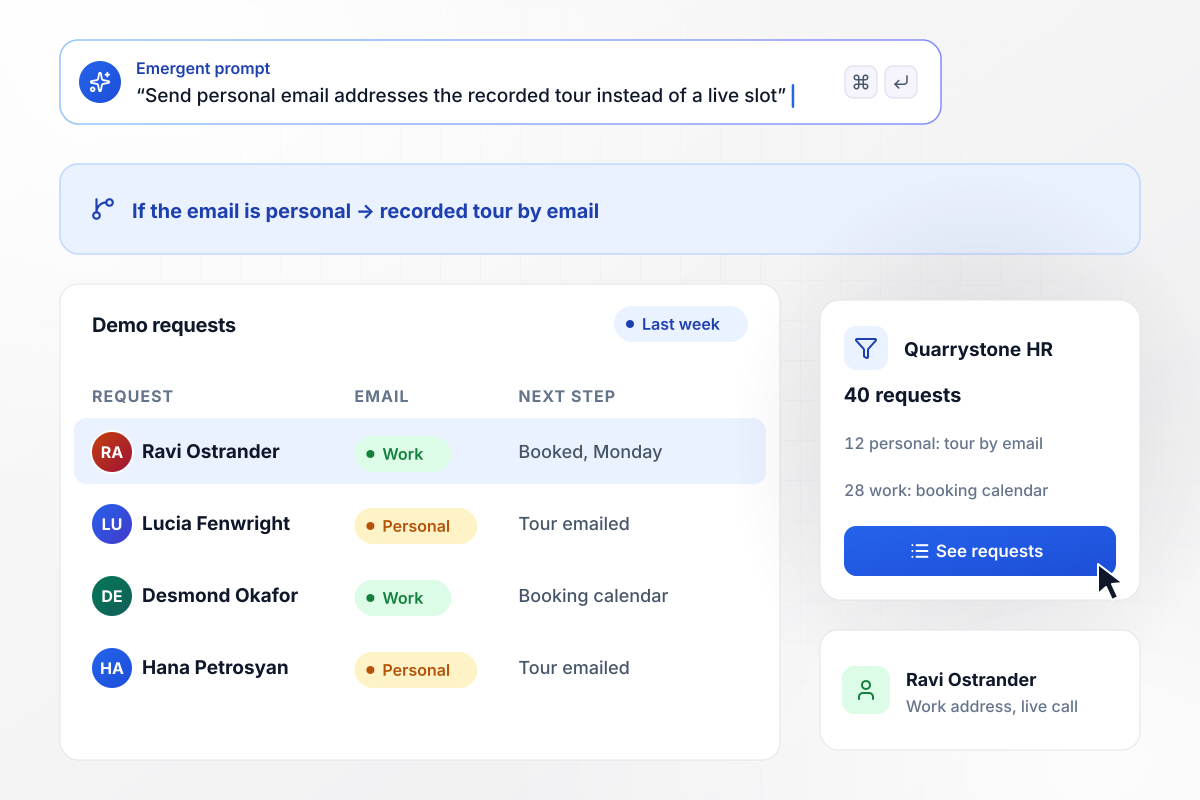
Personal email addresses go straight to a recorded tour
Last week Quarrystone HR received 40 demo requests. The form checks each email address on submit, and the 12 sent from personal addresses got the recorded tour by email. The other 28 went on to the booking calendar. Ravi Ostrander used his work address and booked a live call for Monday.
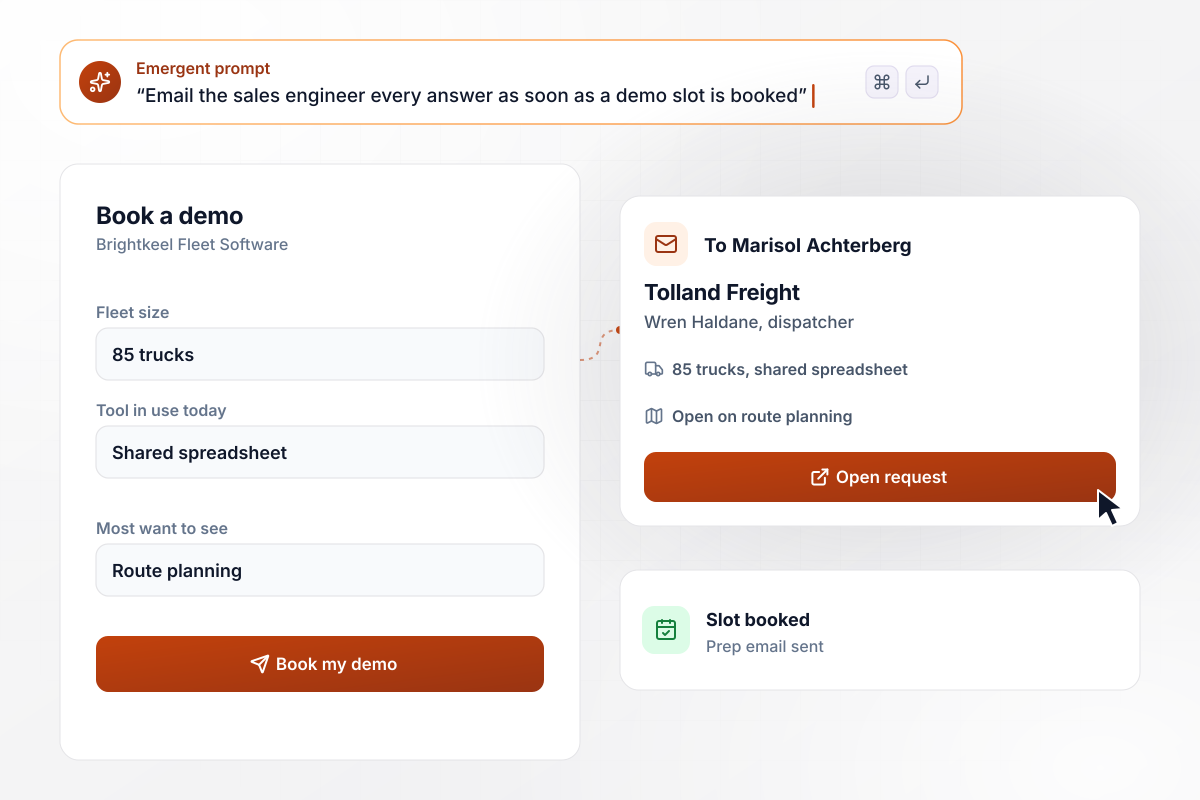
Before the call, Marisol knows it is 85 trucks
Wren Haldane, a dispatcher at Tolland Freight, books a demo of Brightkeel Fleet Software. She answers the form's questions: 85 trucks, a shared spreadsheet, and route planning. Marisol Achterberg, the sales engineer, gets an email with those answers as soon as the slot is booked, and plans to open on route planning.
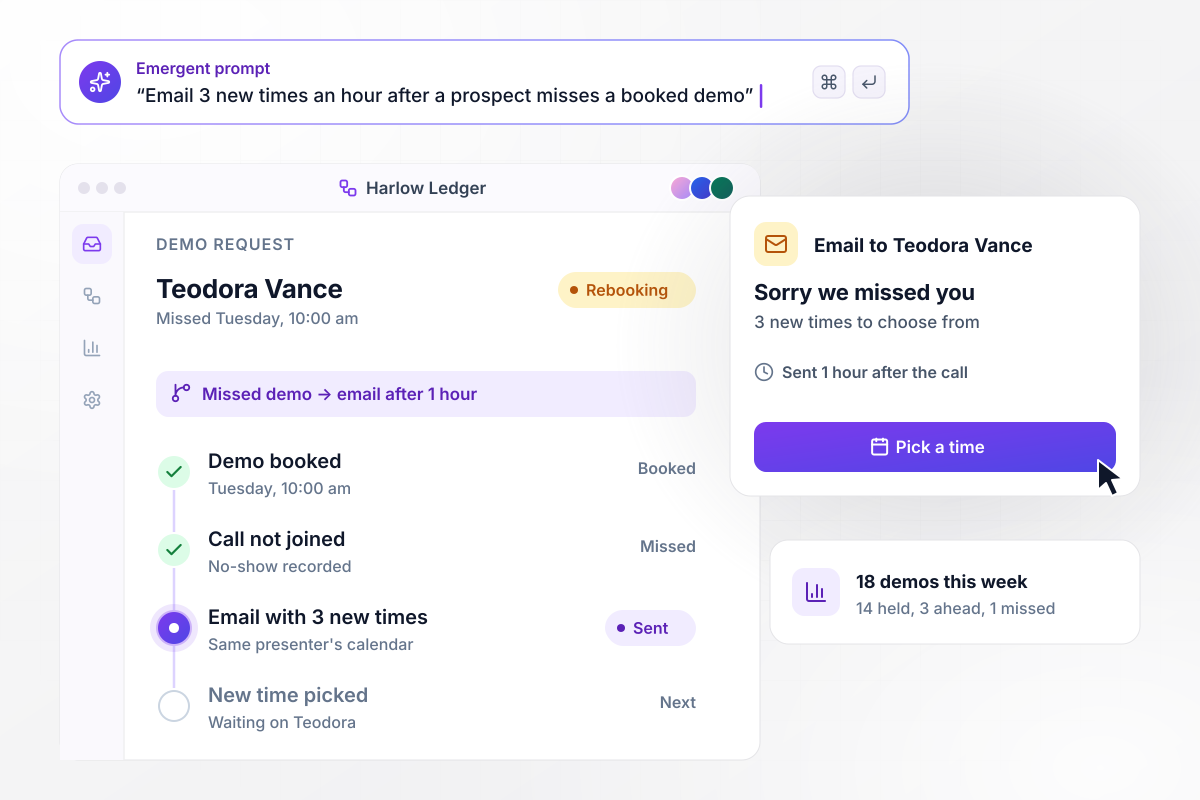
An hour after a missed demo, three new times arrive
Harlow Ledger booked 18 demos this week. Of those, 14 have been held, 3 are still ahead, and 1 was missed. Teodora Vance never joined her Tuesday 10:00 am call. After 1 hour, the app emailed her 3 new times from the same presenter's calendar and moved her request to the rebooking step.






How to Create a Demo Request Form
Follow 7 steps to build a demo request form that books each call on submit and gets the presenter ready for it.
Decide who gets a live call and who gets the recorded tour. A three-person team trying a small add-on may only need the tour, while a company-wide rollout needs a sales engineer. Write that rule down before you pick a single field.
Ask for name, work email, and company on the first screen. Move team size and the current tool to a second step, after the prospect has started. Leave the phone number optional unless sales calls every prospect before the demo.
Choose two or three questions whose answers change the demo, such as fleet size, the tool in use today, or the feature the prospect wants to see first. Cut any question the presenter would not read before the call.
Connect the presenter's calendar so the page after submit lists real open slots. Pick a length, such as 30 minutes, and a gap between calls. The prospect books on the spot instead of waiting for a reply by email.
Write the fields, the email check, the booking step, and the follow-up into one prompt. Emergent builds the form, the database behind it, and the screen the sales team works from, and changes any of it when you ask in plain English.
Decide what happens when a prospect does not join. Set a wait, such as 1 hour, then send a fresh set of slots by email. Mark each request as held, upcoming, or missed, so the weekly count adds up.
Submit one request from a personal address and one from a work address. Check that the first gets the tour by email, the second sees open slots, and the presenter's prep email lists every answer before the form goes live.
Why Build Demo Request Forms With Emergent?
A template collects a name and an email. Emergent builds a form that also books the call, and the app hands the presenter every answer.

|
Jotform | Google Forms | Typeform | |
|---|---|---|---|---|
| How you build | Describe it in plain English | Templates, editor, AI generator | Editor, with Gemini drafting on some Workspace plans | Templates, editor, AI assist |
| Where responses live | A database table you own, plus any integration | Jotform account | Google Sheets | Typeform account |
| Response limits | No response caps | Monthly submission caps by plan; the form stops at the cap | No limit | Monthly response caps by plan; the form closes at the cap |
| Code ownership | Full code export to GitHub on paid plans | None | None | None |


Pick the Pricing Plan That Works for You
Choose the plan that fits your building ambitions. From weekend projects to enterprise applications, we've got you covered.




Find the right form
for whatever you're collecting















Frequently Asked Questions
Your Questions, Answered
Don't change this element unless you know what you are doing
More things you can build
with Emergent









on Emergent today


