

Build a Forklift Inspection Form That Routes Every Defect
Build a forklift inspection form that logs each pre-shift check and sends any failed item to maintenance.
Build a forklift inspection form for a warehouse with a pass or fail check on brakes, horn, forks, and tires each shift.
Trusted by Builders Worldwide
Active Builders Worldwide
Apps Successfully Created
Countries Globally Reached



What the Form Records and Where a Fail Goes
Operators see a short checklist on a phone. The six parts below cover what sits behind it once they press submit.
Checks written for your trucks
Emergent builds the form from a plain-English description of your fleet, such as battery checks for electric trucks. Ask for a new item later and Emergent adds it to the form.
Pass or fail, with a note on a fail
The operator marks every item on the list pass or fail. A fail opens a note field where the operator writes what they saw, such as a brake pedal that sinks almost to the floor.
Failed items reach maintenance
The form sends the truck number and the operator's note to the maintenance contact you name, in Slack or by email. Name a backup as well for any fails found on the night shift.
A live board of this shift's checks
The dashboard updates as each check is submitted. A shift lead can see at a glance which trucks are cleared to run and which ones still have no check logged against them.
Every check in a database you own
Each submission is stored with the truck number, the operator, and the time. Emergent sets no cap on responses, even for a large fleet checked after every single shift.
One question per screen
Operators can step through the checklist one item at a time on a phone. Each screen holds one check with its pass and fail buttons, and nothing else on it to scroll past.
What a Forklift Check Sets in Motion
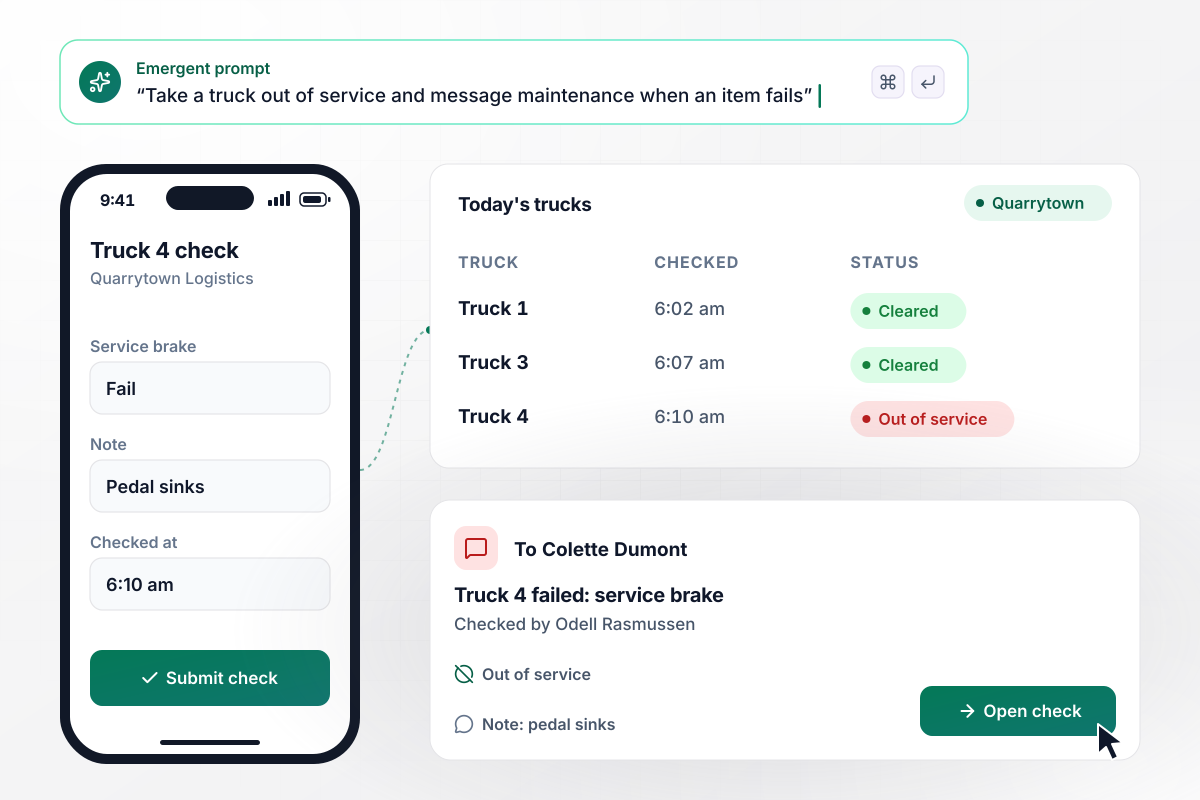
Truck 4 fails its brake check and comes off the floor
Odell Rasmussen starts his shift at Quarrytown Logistics by checking Truck 4 on his phone. At 6:10 am he marks the service brake as a fail and notes that the pedal sinks. The form sets Truck 4 to out of service, and maintenance lead Colette Dumont gets a Slack direct message with his note.
window.awbMockup = { preShiftDefects: "Build a forklift inspection form for my warehouse. Operators check their truck on a phone before each shift, marking each item pass or fail with a note on any fail. A failed item sets the truck to out of service and sends our maintenance lead, Colette Dumont, a Slack direct message.", roundTheClock: "Build a forklift inspection form for a cold storage site that runs 12 trucks around the clock. Each truck is checked after every shift. Show a board of which trucks are checked this shift, and send the operator a Slack reminder if their truck has no check 30 minutes in.", electricFleets: "Build an inspection form for my electric forklifts. Operators log battery charge and electrolyte level before each shift. If a battery reads under 30%, send the truck to the charging area and email the shift lead, Junie Pascoe.", repairs: "Build a forklift inspection form with a repair log for my lumber yard. A truck that fails a check stays out of service until a mechanic records the repair and signs it on a tablet. Then mark the truck as back in service." };
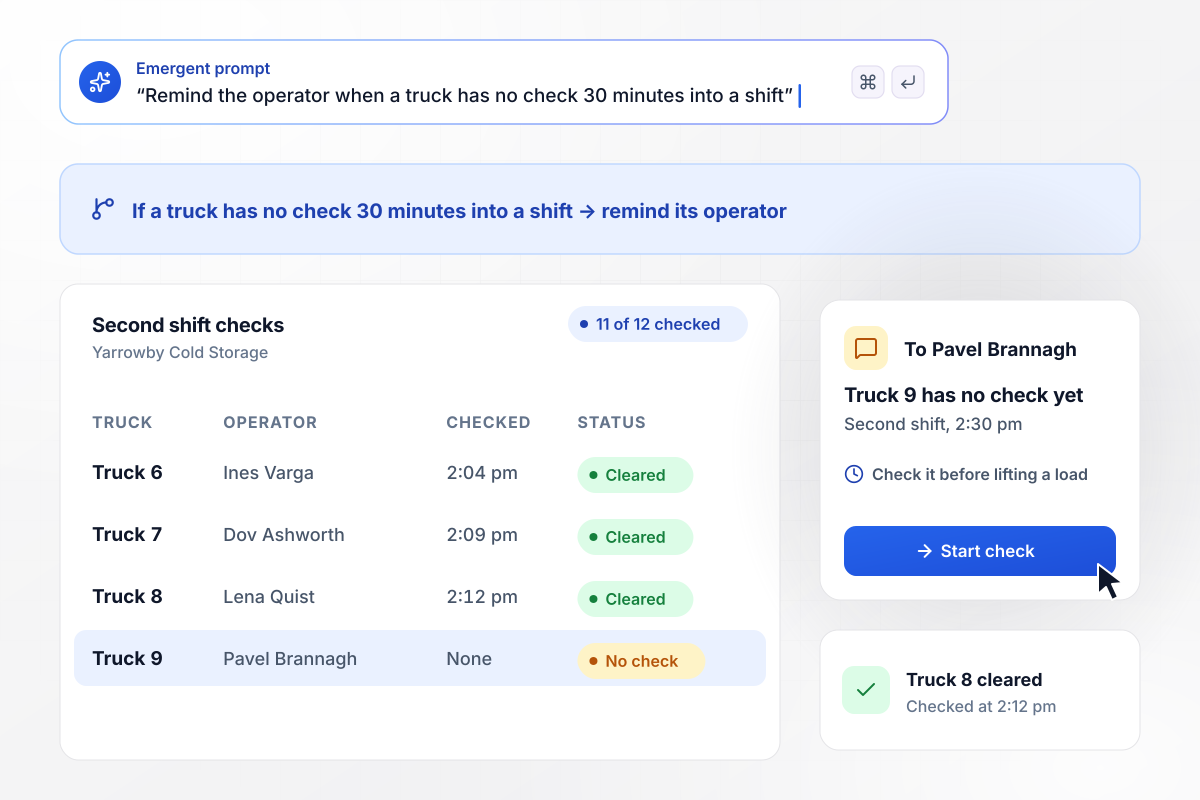
No check 30 minutes into a shift means a reminder
Yarrowby Cold Storage runs its 12 trucks around the clock and checks each one after every shift. At 2:30 pm, 30 minutes into the second shift, the board showed 11 of 12 trucks checked. Truck 9 had no check yet, and its operator, Pavel Brannagh, got a Slack reminder to do it before lifting a load.
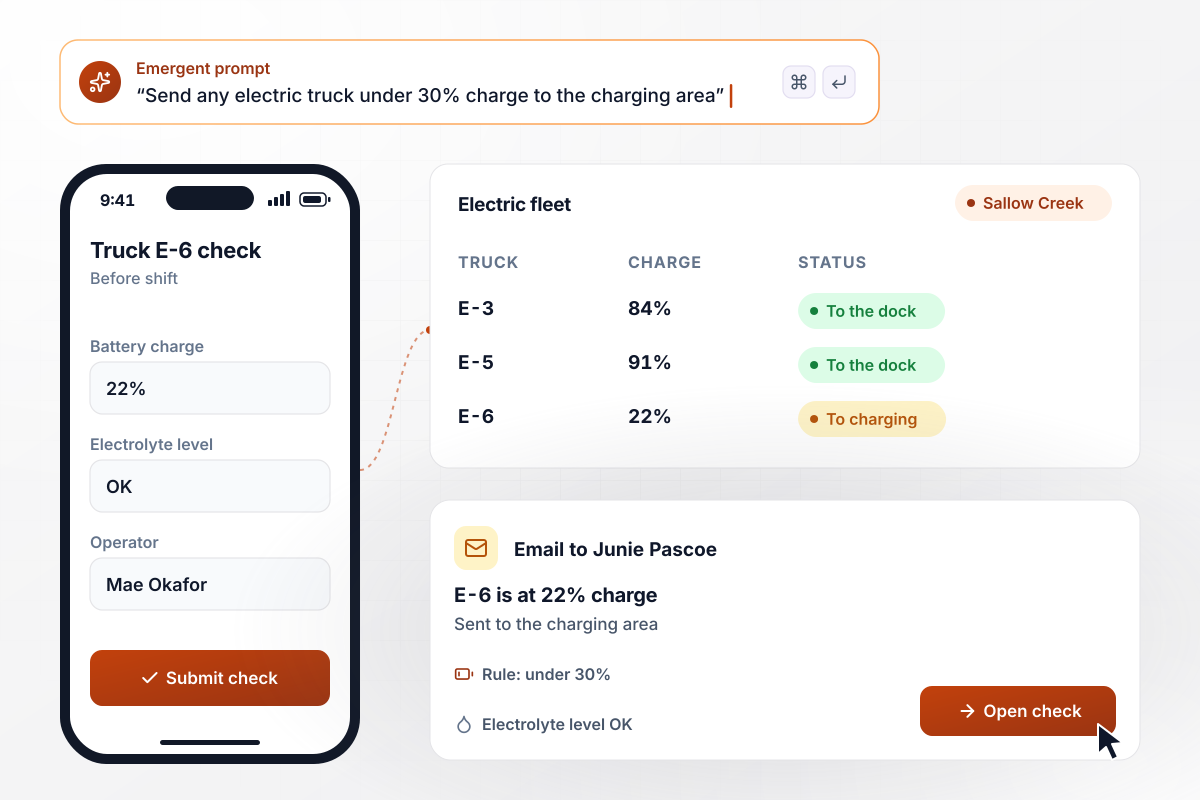
Any battery reading under 30% sends its truck to charge
Sallow Creek Distribution runs an electric fleet, and its operators log battery charge and electrolyte level before each shift. This morning Truck E-6 came in under 30%. The form sent it to the charging area instead of the dock, and shift lead Junie Pascoe got an email naming the truck.
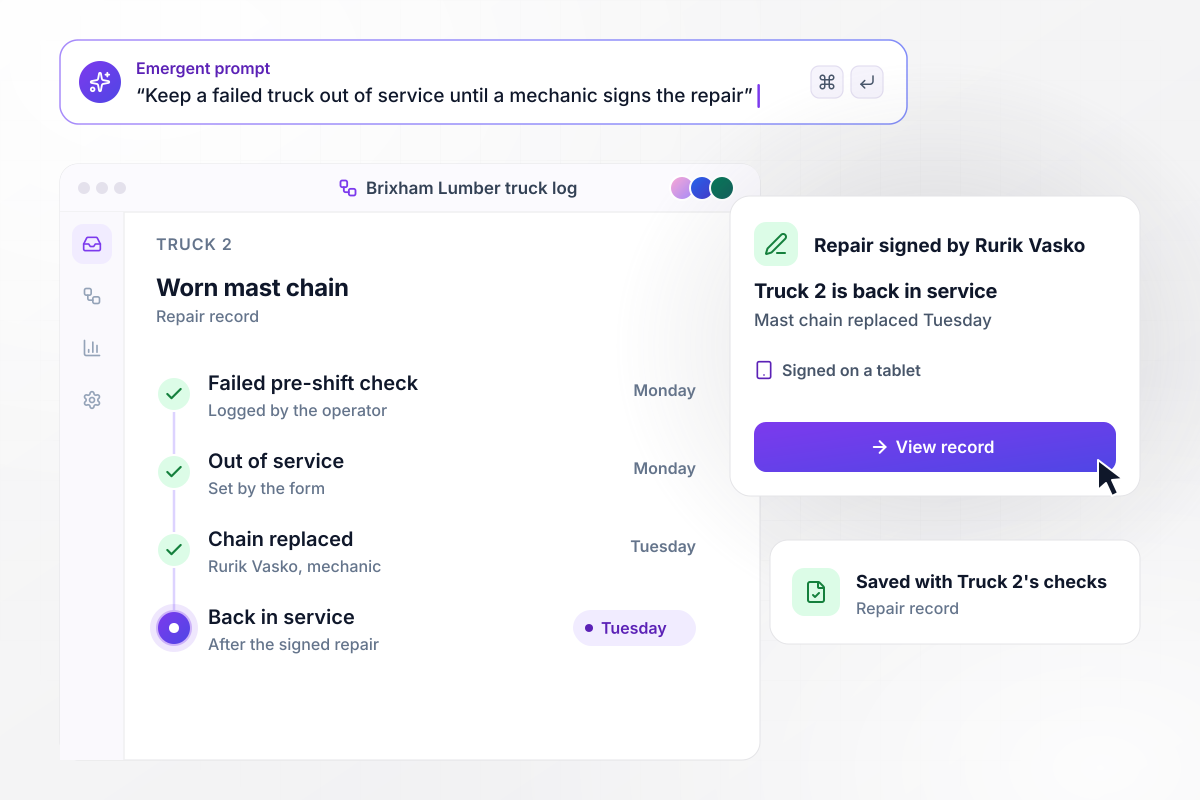
Trucks come back after a mechanic signs the repair
A truck that fails a check at Brixham Lumber stays out of service until its repair is signed. On Monday an operator failed Truck 2 for a worn mast chain. Mechanic Rurik Vasko replaced the chain on Tuesday and signed the repair on a tablet, and only then did Truck 2 show as back in service.






How to Create a Forklift Inspection Form
Follow these steps to set up a forklift inspection form that operators finish before each shift and that routes failed items to maintenance.
Write down each truck's number and its power type, electric or propane. Give each power type its own checklist and keep the battery checks on the electric one only.
OSHA publishes sample daily checklists for powered industrial trucks on its website. Copy the items for your truck type, then add what your own trucks carry, such as a clamp attachment.
Choose which fails take a truck out of service and who hears about each one. A failed brake goes to the maintenance lead at once; a torn seat cover can wait for the weekly review.
Make the check due before each truck's first use of the day. If your trucks run round the clock, OSHA's rule calls for an examination after each shift: set a due time for every shift change.
Paste your checklist and your fail rules into the prompt in plain English. Emergent builds the form with its truck statuses and alerts. Change any part later by asking for it.
Submit a test check with the service brake marked as a fail. Confirm the truck shows out of service and that the maintenance lead gets the message before operators see the form.
If your maintenance team works from a system with an API, connect the form to it. A failed item can then open a work order there as well as send the Slack message.
Why Build Forklift Inspection Forms on Emergent?
Emergent builds the checklist with its defect alerts and truck board, and saves every check to a database you own with no response cap.

|
Jotform | Google Forms | Typeform | |
|---|---|---|---|---|
| How you build | Describe it in plain English | Templates, editor, AI generator | Editor, with Gemini drafting on some Workspace plans | Templates, editor, AI assist |
| Where responses live | A database table you own, plus any integration | Jotform account | Google Sheets | Typeform account |
| Response limits | No response caps | Monthly submission caps by plan; the form stops at the cap | No limit | Monthly response caps by plan; the form closes at the cap |
| Code ownership | Full code export to GitHub on paid plans | None | None | None |




Pick the Pricing Plan That Works for You
Choose the plan that fits your building ambitions. From weekend projects to enterprise applications, we've got you covered.




Find the right form
for whatever you're collecting















Frequently Asked Questions
Your Questions, Answered
Don't change this element unless you know what you are doing
More things you can build
with Emergent









on Emergent today


