

Build a Guest List Form the Door Can Work From
Build a guest list form that caps each host's names, closes at a set time, and saves every guest to a database you own.
Build a guest list form for my club's Saturday night where each promoter can add up to 25 names before the list closes at 8 pm.
Trusted by Builders Worldwide
Active Builders Worldwide
Apps Successfully Created
Countries Globally Reached



What the Door Needs Before the First Guest
A guest list form sets who can add names and when the list closes. The door ends up with one final list, sorted and counted.
A name limit on every host's link
Give each promoter or host their own link with a set number of names. The form counts what each one has added and stops taking names from that link once the limit is reached.
Plus-ones listed by name, not as +1
Let each guest add one companion by name instead of a blank +1. Both names go on the list, both count toward the event's capacity, and the door sees who arrived with whom.
A waitlist that opens when the list fills
When the list reaches capacity, new sign-ups land on a waitlist in the order they arrived. Remove a guest from the list and the first waitlisted name takes the open spot.
A cutoff kept to the minute
Set the time the list closes, such as 8 pm on the night. After that the form shows a closed message, and the door manager gets the final list by email, sorted by last name.
A door view that marks guests arrived
Open the list on a tablet at the door, search a last name, and tap once to mark the guest arrived. The count of guests inside updates as staff work through the line outside.
Code that leaves with you
On paid plans, export the full code to your GitHub repository. Host the guest list on your own servers and keep its table beside the rest of your event and venue systems.
Who Adds the Names, and Who Reads Them
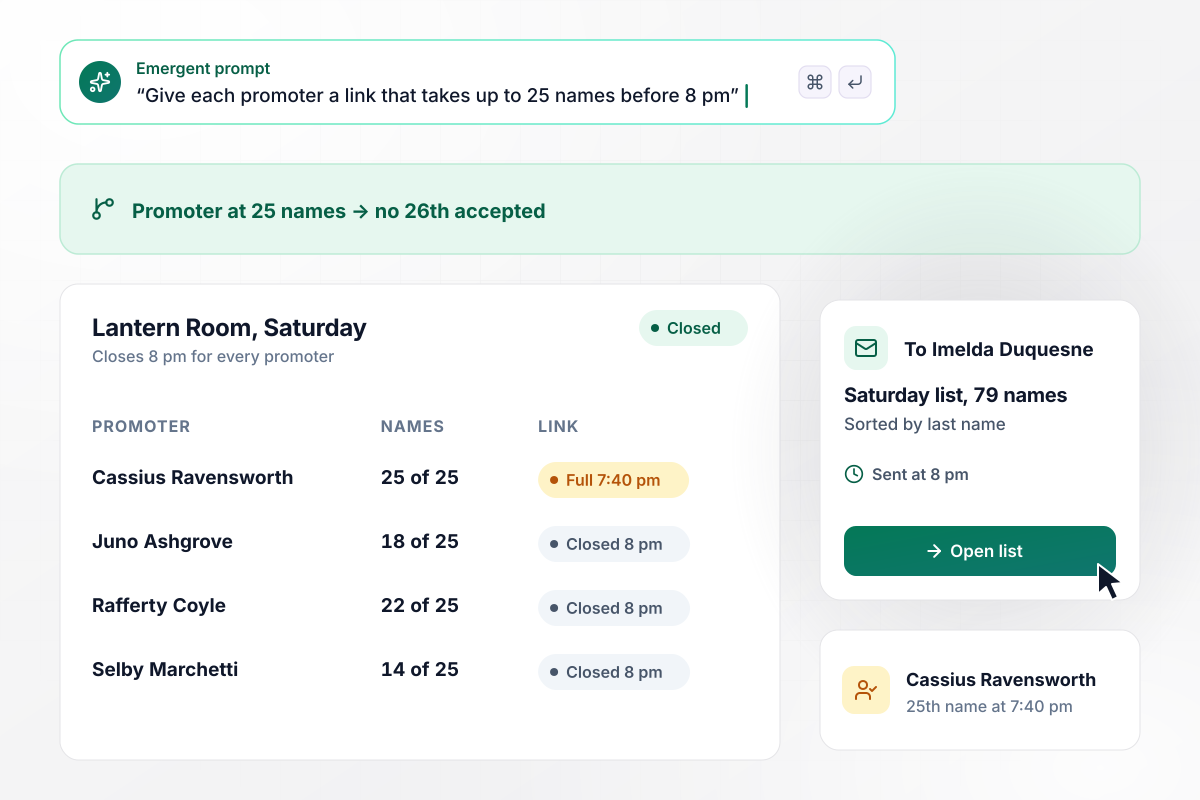
One promoter link, 25 names and no 26th
Cassius Ravensworth promotes Saturday nights at the Lantern Room, and his link takes up to 25 names. He adds his 25th guest at 7:40 pm, and the form stops taking names from him. The list closes for every promoter at 8 pm. Door manager Imelda Duquesne then gets an email with all 79 names, sorted by last name.
window.awbMockup = { promoterLists: "Build a guest list form for my club's Saturday nights. Give each promoter their own link that takes up to 25 names, first and last. Close the list for every promoter at 8 pm, then email my door manager, Imelda Duquesne, the full list sorted by last name.", plusOnes: "Build a guest list form for my 40th birthday party. Each guest adds their name and can add one plus-one by name. Cap the party at 60 people, plus-ones included. Once it is full, put new sign-ups on a waitlist in order, and move the first one onto the list if someone drops out.", officeEvents: "Build a guest list form for my company's launch night in the office lobby. Employees add each guest with the name on their photo ID, their company, and the employee's own name as host. Close the list at 6 pm the day before and email it to my security lead, Bartholomew Nkemelu.", doorArrivals: "Build a guest list form for my gallery opening with 140 names. Give door staff a tablet view where they search a last name and tap once to mark the guest arrived. Show a live count of arrivals out of 140 that I can watch on my phone during the evening." };
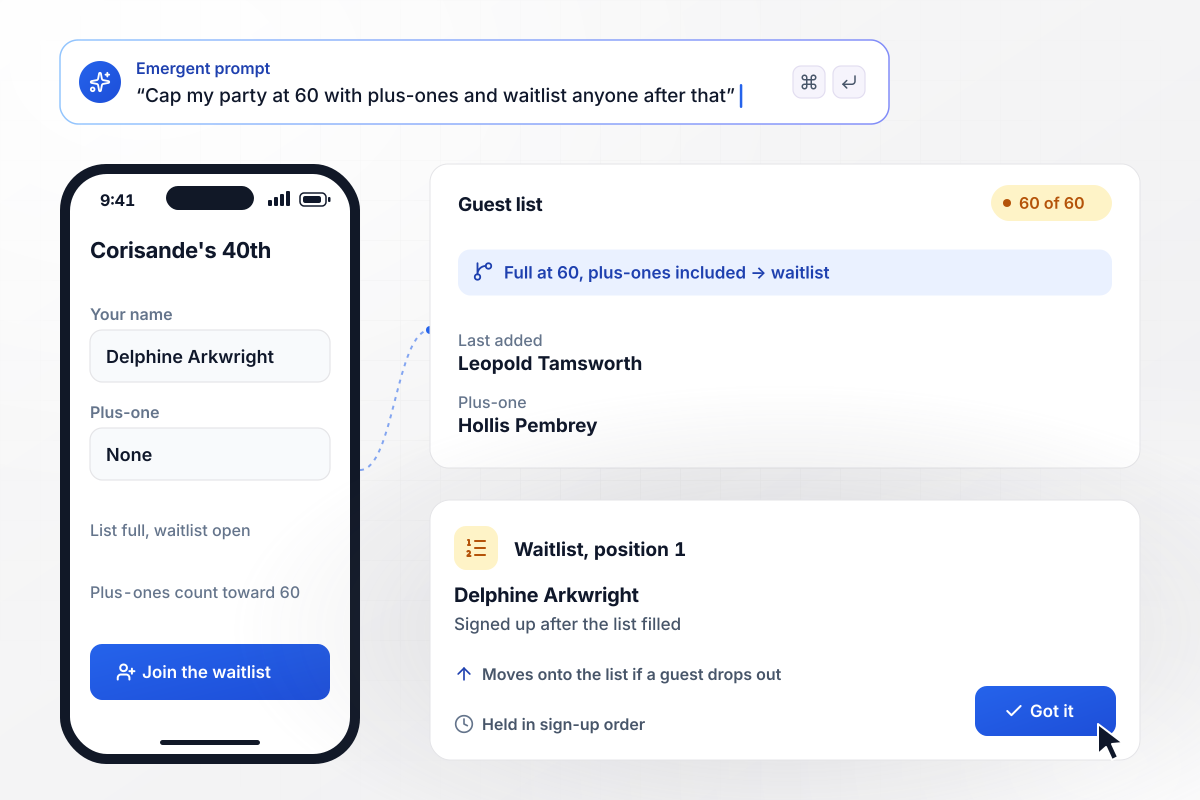
When a plus-one fills spot 60, the next guest waits
Corisande Mott caps her 40th birthday at 60 people, plus-ones included. Leopold Tamsworth adds his name and his partner, Hollis Pembrey, which brings the list to 60. Delphine Arkwright signs up that evening and lands first on the waitlist. If anyone drops out, her name moves onto the list.
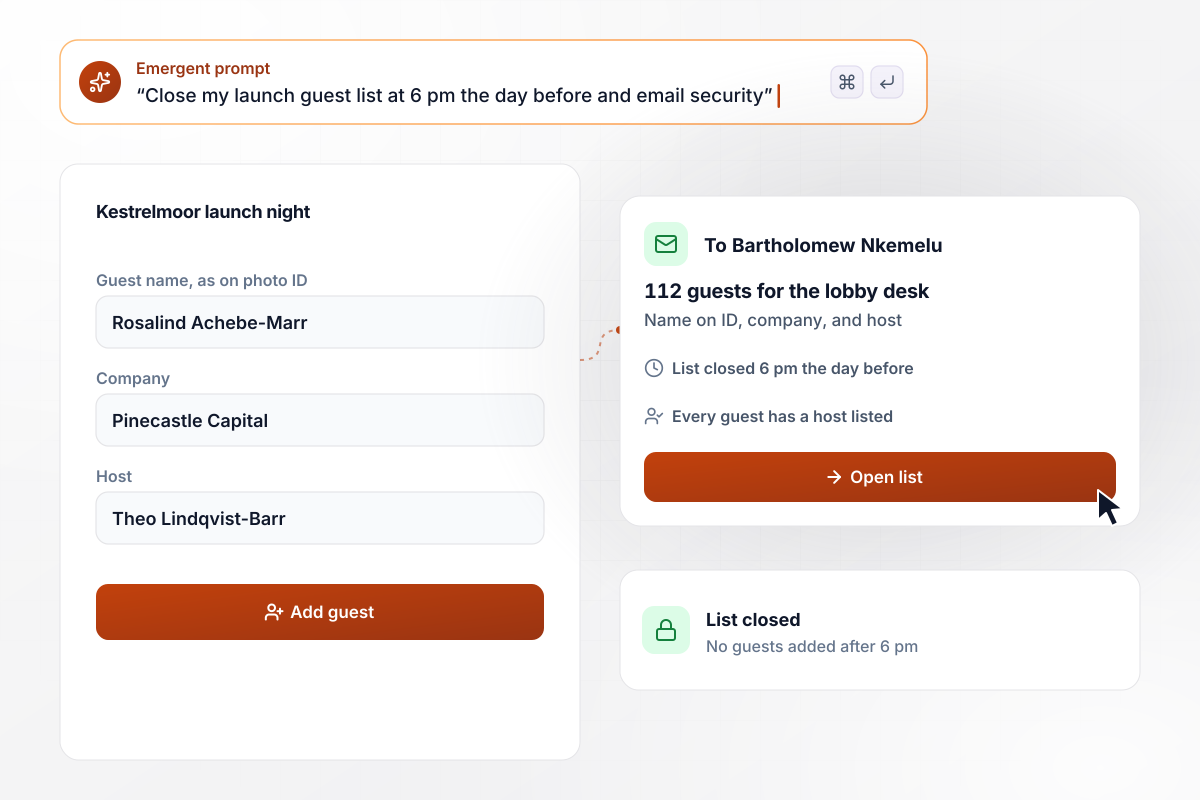
All 112 names reach security by 6 pm
Kestrelmoor Robotics hosts a launch night in its office lobby. Employees add each guest with the name on their photo ID, their company, and their own name as host. The list closes at 6 pm the day before, and security lead Bartholomew Nkemelu gets all 112 names by email.
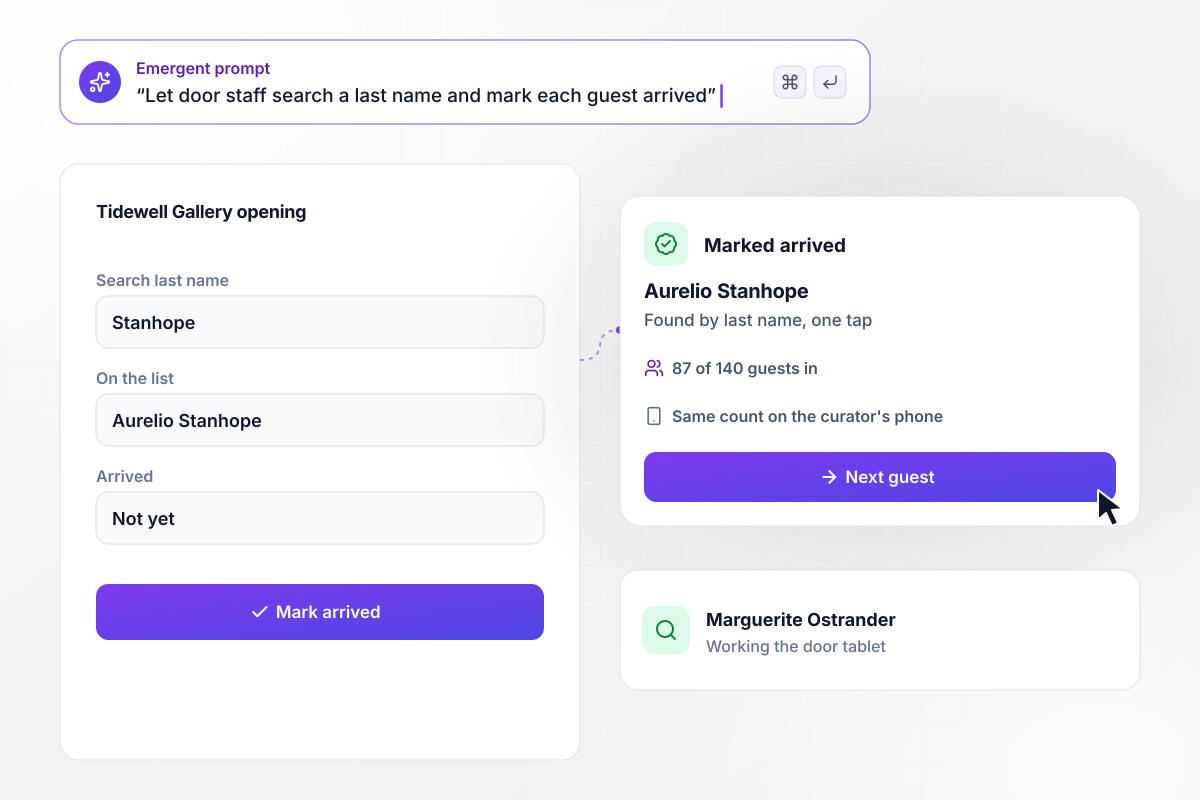
On the door tablet, 87 of 140 are in
The Tidewell Gallery opening has 140 names on its list. At the door, Marguerite Ostrander searches Aurelio Stanhope by last name and taps once to mark him arrived. The live count moves to 87 of 140. The curator watches the same count on her phone and starts the talk when the room fills.






How to Create a Guest List Form
Seven steps to a guest list form that limits who adds names, closes on time, and hands the door a list to check off.
Write down who is allowed to add names: the guests themselves, hosts, promoters, or employees. A birthday party can let guests sign up directly, while a club hands each promoter a link. That choice decides whether the form needs a host field.
Pick a number for each host and a capacity for the whole event, and decide whether plus-ones count toward it. Settle what happens at the limit, a waitlist or a closed message, before anyone sees the form.
Ask for first and last names in separate fields so the list sorts cleanly. Add a plus-one name, a company, or a host only when someone at the door will read it. Every extra field slows down the person filling it in.
Pick a cutoff the door can live with, such as two hours before doors open, or the evening before for a building lobby. Decide who gets the final list at that moment and in what order it arrives.
Put the people, limits, fields, and cutoff into one prompt. Emergent builds the guest list form, the database behind it, and a door view for staff. Change a limit or a field later by asking in plain English.
Open the door view on a tablet and search a few names to see how quickly they come up. Give a second staff member the link if the line will be long, since both screens show the same arrivals count.
Run a test entry through every link, including once past the limit and once after the cutoff. Check that the waitlist catches the extra name and that the final list email reaches the right inbox.
Why Build Your Guest List Form With Emergent?
A shared spreadsheet takes any name at any hour. The form Emergent builds gives each host a limit and closes at the time you set.

|
Jotform | Google Forms | Typeform | |
|---|---|---|---|---|
| How you build | Describe it in plain English | Templates, editor, AI generator | Editor, with Gemini drafting on some Workspace plans | Templates, editor, AI assist |
| Where responses live | A database table you own, plus any integration | Jotform account | Google Sheets | Typeform account |
| Response limits | No response caps | Monthly submission caps by plan; the form stops at the cap | No limit | Monthly response caps by plan; the form closes at the cap |
| Code ownership | Full code export to GitHub on paid plans | None | None | None |



Pick the Pricing Plan That Works for You
Choose the plan that fits your building ambitions. From weekend projects to enterprise applications, we've got you covered.




Find the right form
for whatever you're collecting















Frequently Asked Questions
Your Questions, Answered
Don't change this element unless you know what you are doing
More things you can build
with Emergent









on Emergent today


