

Build a Gym Membership Cancellation Form With Clear Final Dates
Build a gym membership cancellation form that dates each member's final charge and saves every request to a database you own.
Build a gym membership cancellation form for my 24-hour gym that asks for name, member number, reason, and signature, then emails a confirmation.
Trusted by Builders Worldwide
Active Builders Worldwide
Apps Successfully Created
Countries Globally Reached



What Gets Settled Before a Member Walks Out
A gym membership cancellation form that gives each member a final date and a signed record the staff can find.
Final dates from your notice rule
Put the gym's notice period and billing day in the prompt. The form reads the day a member submits and shows the final charge and the last day of access before they confirm.
Reasons that change the next question
Pick Injury and the form offers a freeze before anything is canceled. Other reasons go straight to the signature. Each reason is saved as its own value for the monthly count.
Member numbers checked first
The form checks each member number and name against the gym's member table. A number with no match asks the person to check it again, and nothing is saved until both agree.
A signature on the request itself
Members sign on screen as the last step, and the signature is saved with the request, the reason, and the dates. Staff can open the signed record if a charge is questioned.
The right person hears about each one
A freeze request emails the studio manager, and the owner gets a monthly count by reason. Every member gets a confirmation email with a cancellation number to quote later.
Take the full code with you
Export the full codebase to your GitHub repository on paid plans. Then host the cancellation form wherever the gym's other software runs, and keep editing it there or by prompt.
What Happens After a Member Taps Cancel
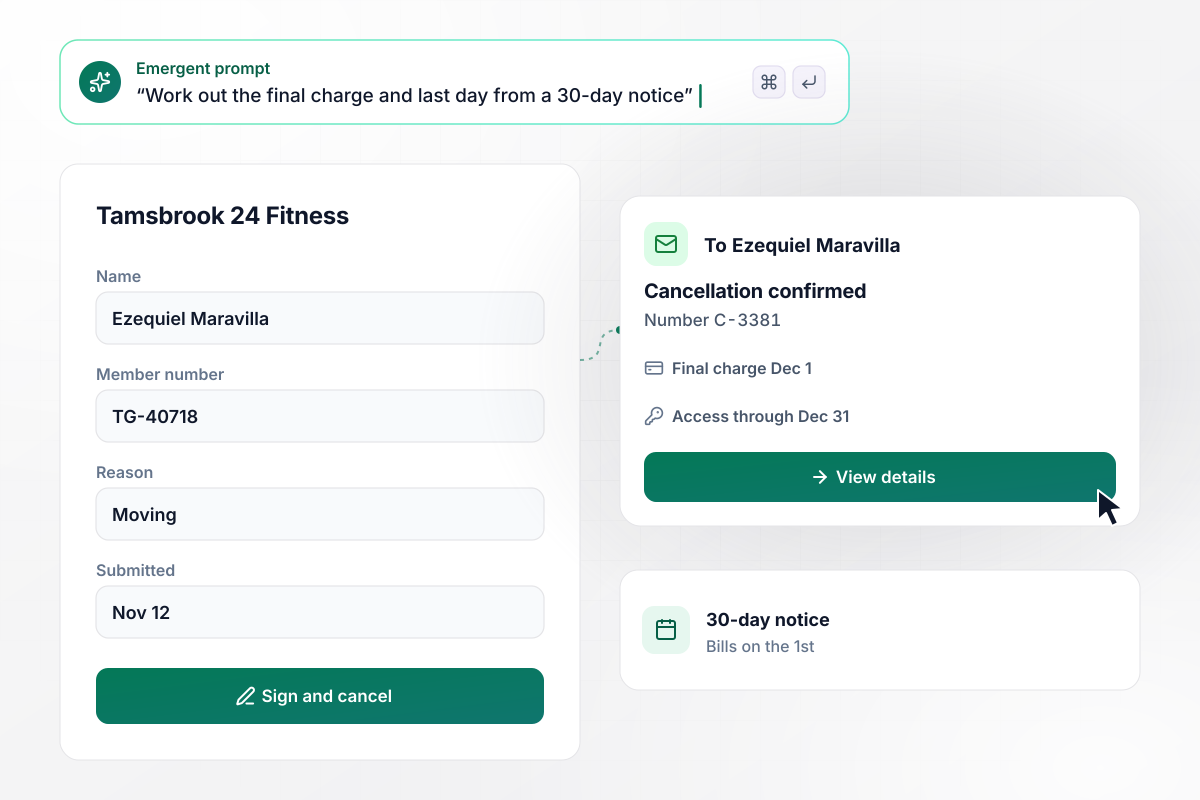
A November 12 notice puts the final charge on December 1
Ezequiel Maravilla is moving out of state. He cancels at Tamsbrook 24 Fitness on November 12 with Moving as the reason. The gym bills on the 1st and asks for 30 days' notice. His final charge lands on December 1 and his key fob works through December 31. His confirmation email carries cancellation number C-3381.
window.awbMockup = { twentyFourHourGyms: "Build a cancellation form for my 24-hour gym. Ask for the member's name, member number, reason, and a signature. The gym bills on the 1st and asks for 30 days' notice. Work out the final charge and the last day of access from the day they submit. Email the member a confirmation with both dates and a cancellation number.", cyclingStudios: "Build a cancellation form for my cycling studio. When a rider picks Injury as the reason, offer a freeze of up to 3 months at $10 a month before the cancellation goes through. If they take the freeze, email my studio manager, Odalie Vrba, with the length and the date regular billing resumes, and leave the reason out of the email.", familyPlans: "Build a cancellation form for my athletic club's family plans. Let the primary member remove one add-on and keep the rest. Recalculate the dues from $79 for the primary member and $25 per add-on, starting on the next billing date, and email a confirmation that lists who is still on the plan.", multiLocationGyms: "Build a cancellation form for my gym's 3 locations. Save the reason and the location with every cancellation in one table. On the 1st of each month, email me the count from the month before, split by location, with the top reason at each one." };
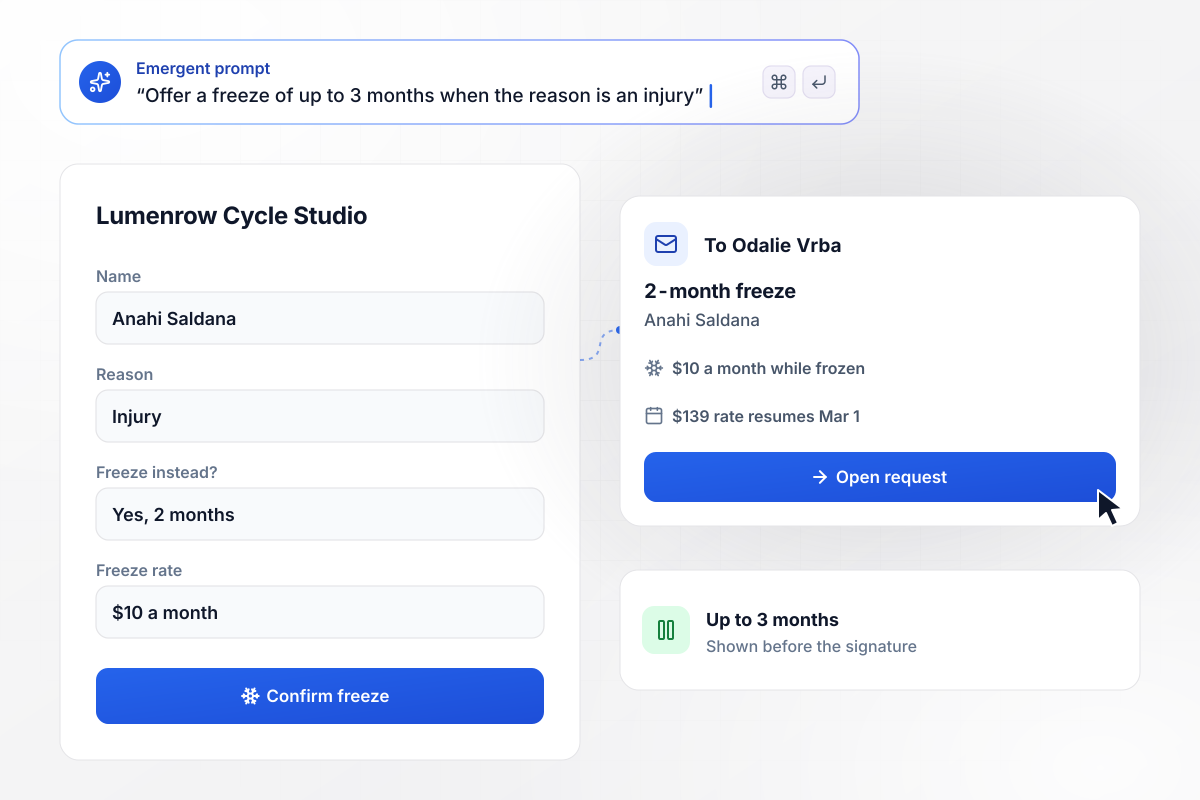
Before she cancels, an injury opens a freeze offer
Anahi Saldana starts a cancellation at Lumenrow Cycle Studio and picks Injury as her reason. Before the request goes through, the form offers a freeze of up to 3 months at $10 a month instead of her $139 dues. She takes 2 months. Studio manager Odalie Vrba gets an email, and the $139 rate resumes on March 1.
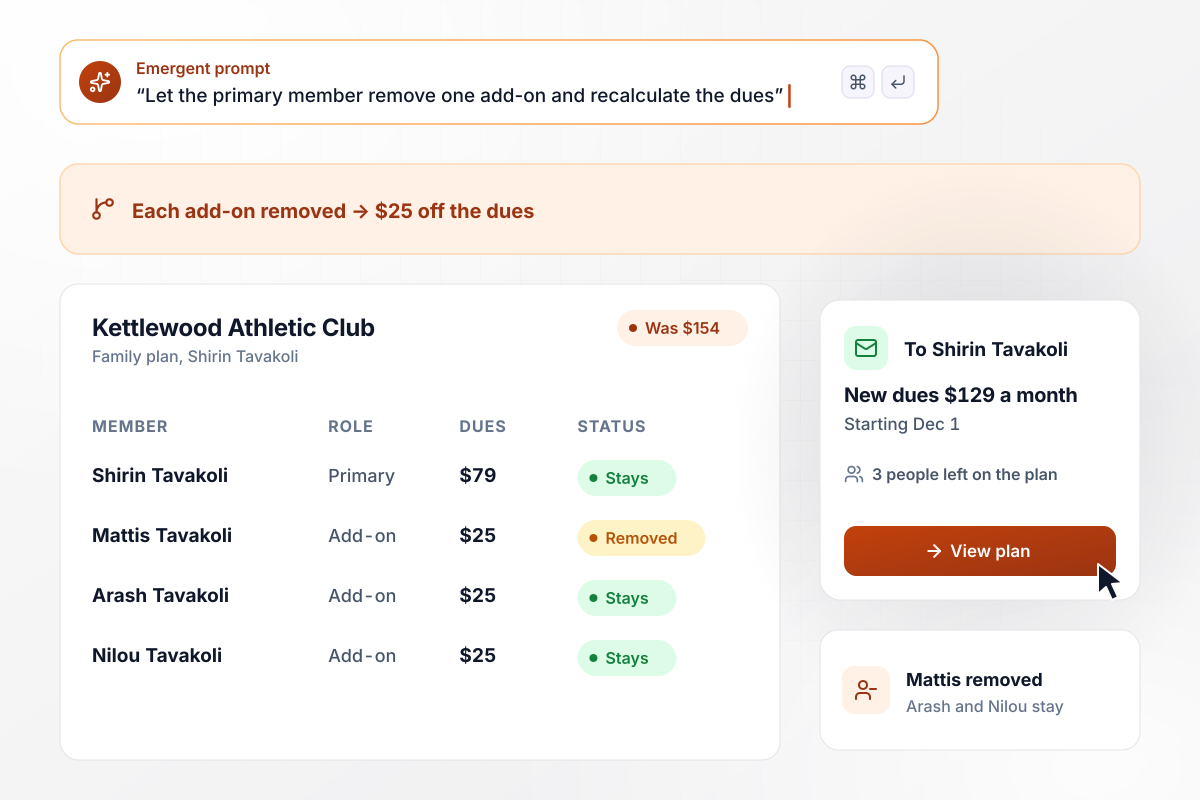
Removing Mattis takes the plan from $154 to $129
Shirin Tavakoli pays for a family plan at Kettlewood Athletic Club: $79 for herself and $25 for each of 3 add-ons. Mattis leaves for college, and she removes only him. Arash and Nilou stay on. From December 1 her dues drop from $154 to $129 a month, and her confirmation lists the 3 people left on the plan.
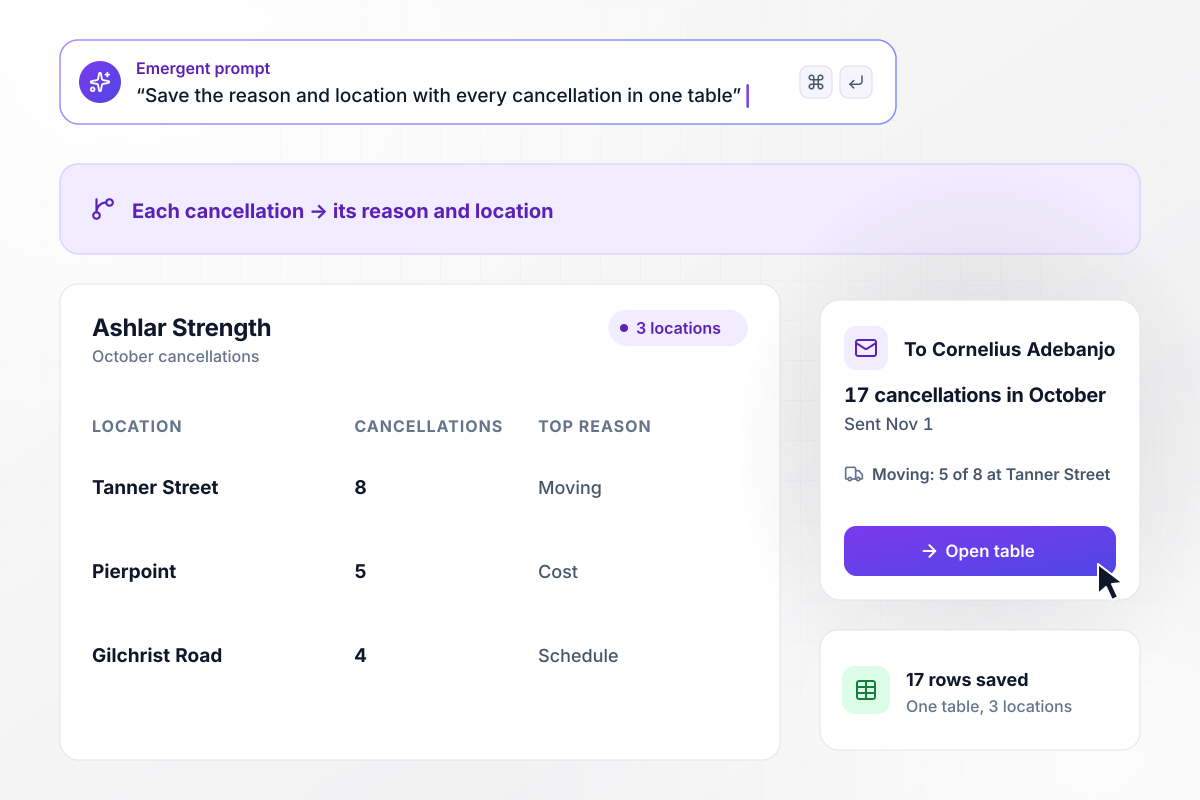
October's 17 cancellations, split across 3 locations
Ashlar Strength runs 3 locations, and every cancellation saves its reason and location to one table. October brought 17: 8 at Tanner Street, 5 at Pierpoint, and 4 at Gilchrist Road. Moving was the top reason at Tanner Street, with 5 of its 8. Owner Cornelius Adebanjo gets the count by email on November 1.






How to Create a Gym Cancellation Form
Seven steps to create a gym membership cancellation form that applies your contract terms and confirms every final date.
Pull the notice period, the billing day, and any cancellation fee from the contract your members signed. Copy them word for word, because the form will apply them to every request.
Keep the list short: Moving, Cost, Injury, Schedule, and Other with a text box. Fixed choices add up cleanly at the end of the month, while free text has to be read one by one.
Choose which reasons get an offer before the request goes through, like a freeze for an injury. Set its length and monthly rate, and name the staff member who hears when someone takes it.
Put the contract terms and the offer for each reason in one prompt. Emergent builds the form, the database behind it, and a dashboard where staff see every request. Change any part later by prompting.
Load your member table, or connect the gym's membership software if it has an API. The form needs that list to match each member number to a name before a request is saved.
Tell members the final charge date, the last day of access, and their cancellation number. Leave out anything they cannot act on, and add the front desk phone number for questions.
Submit a request as a test member on the 15th and check both dates in the email against your contract. Then pick Injury as the reason and confirm the freeze offer appears before the signature.
Why Build Gym Cancellations With Emergent?
Every cancellation lands as a row with its dates, reason, and signature in a database the gym owns, with no cap on how many arrive.

|
Jotform | Google Forms | Typeform | |
|---|---|---|---|---|
| How you build | Describe it in plain English | Templates, editor, AI generator | Editor, with Gemini drafting on some Workspace plans | Templates, editor, AI assist |
| Where responses live | A database table you own, plus any integration | Jotform account | Google Sheets | Typeform account |
| Response limits | No response caps | Monthly submission caps by plan; the form stops at the cap | No limit | Monthly response caps by plan; the form closes at the cap |
| Code ownership | Full code export to GitHub on paid plans | None | None | None |




Pick the Pricing Plan That Works for You
Choose the plan that fits your building ambitions. From weekend projects to enterprise applications, we've got you covered.




Find the right form
for whatever you're collecting















Frequently Asked Questions
Your Questions, Answered
Don't change this element unless you know what you are doing
More things you can build
with Emergent









on Emergent today


