

Build a Home Insurance Quote Form That Reaches the Right Agent
Build a home insurance quote form that asks about the house and its current policy, then sends each request to the right agent.
Build a home insurance quote form for my agency where homeowners enter the year built, the roof's age, and the date their current policy renews.
Trusted by Builders Worldwide
Active Builders Worldwide
Apps Successfully Created
Countries Globally Reached



What the Form Asks Before an Agent Quotes
Six pieces gather the home's details and its existing coverage, then put each request in front of the agent who will quote it.
Questions about the house itself
Ask for the address, the year built, the square footage, and the roof's age. Each answer lands in its own field, so an agent can start quoting without calling the homeowner back.
The current policy, read from one upload
Let the homeowner upload the declarations page of the current policy. The app reads the insurer, the dwelling limit, and the renewal date, and an agent checks what it cannot read.
Requests routed by the age of the home
Set a year-built line, such as 1960, and send every older home to the agent who handles them. Newer homes go to the shared quoting queue, and each agent hears by email or Slack.
Reminders before the renewal date
Pick how many days before renewal a request should have its quote, such as 45. When an open request crosses that line with no quote sent, the app emails the agent who owns it.
One question per screen on a phone
Offer the form one question at a time, so it reads well on a phone. An early answer about the kind of home hides questions that do not apply, like the roof's age for a condo unit.
Requests kept in a database you own
Every request saves to a database you own, with no response caps. On paid plans, export the full code to your GitHub repository and keep building on it with your own developer.
How Four Agencies Take Quote Requests
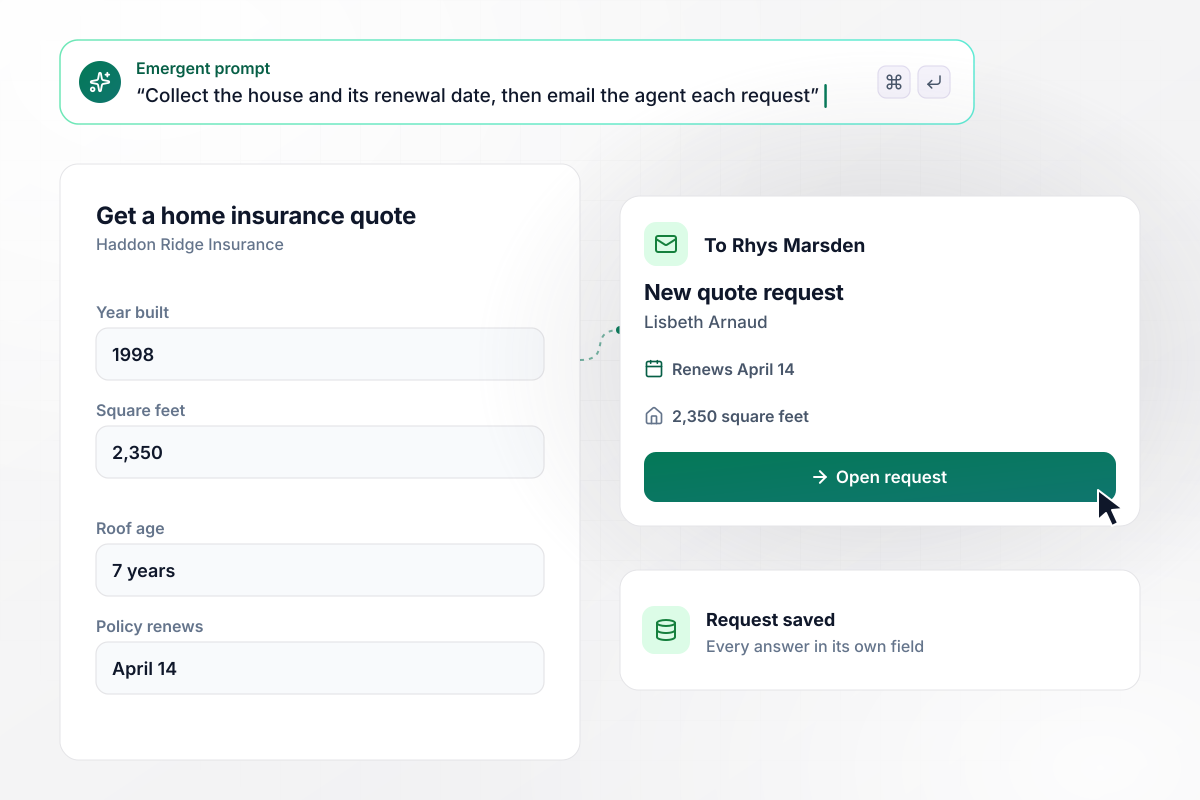
A 1998 house arrives with its roof age and renewal date
Lisbeth Arnaud's policy renews April 14, and she is collecting quotes first. On her phone, she fills out the Haddon Ridge Insurance form for her 2,350-square-foot house, built in 1998 with a 7-year-old roof. Agent Rhys Marsden gets the request by email, every answer in its own field, and starts quoting that afternoon.
window.awbMockup = { shoppingAround: "Build a home insurance quote form for my agency. Ask for the homeowner's name, the address, the year built, the square footage, the roof's age, and the date the current policy renews. Make it easy to fill out on a phone. Email each new request to the agent on duty with every answer in its own field, and save it to my database.", olderHomes: "Build a home insurance quote form for my agency that asks for the address and the year built. Send any home built before 1960 to my senior agent, Agathe Quayle, in a Slack direct message. Put every newer home in the shared quoting queue so the next free agent can pick it up, and save every request.", switchingCarriers: "Build a home insurance quote form where homeowners can upload the declarations page of their current policy instead of typing it in. Read the insurer, the dwelling limit, and the renewal date into the request. If a value like the deductible cannot be read, send the request to the agent who owns it to confirm with the homeowner.", renewalDeadlines: "Build an agent dashboard for my home insurance quote requests that lists each open request by renewal date. When a request is within 45 days of renewal and no quote has been sent, email a reminder to the agent who owns it. Requests renewing later than 45 days get no reminder until they cross that line." };
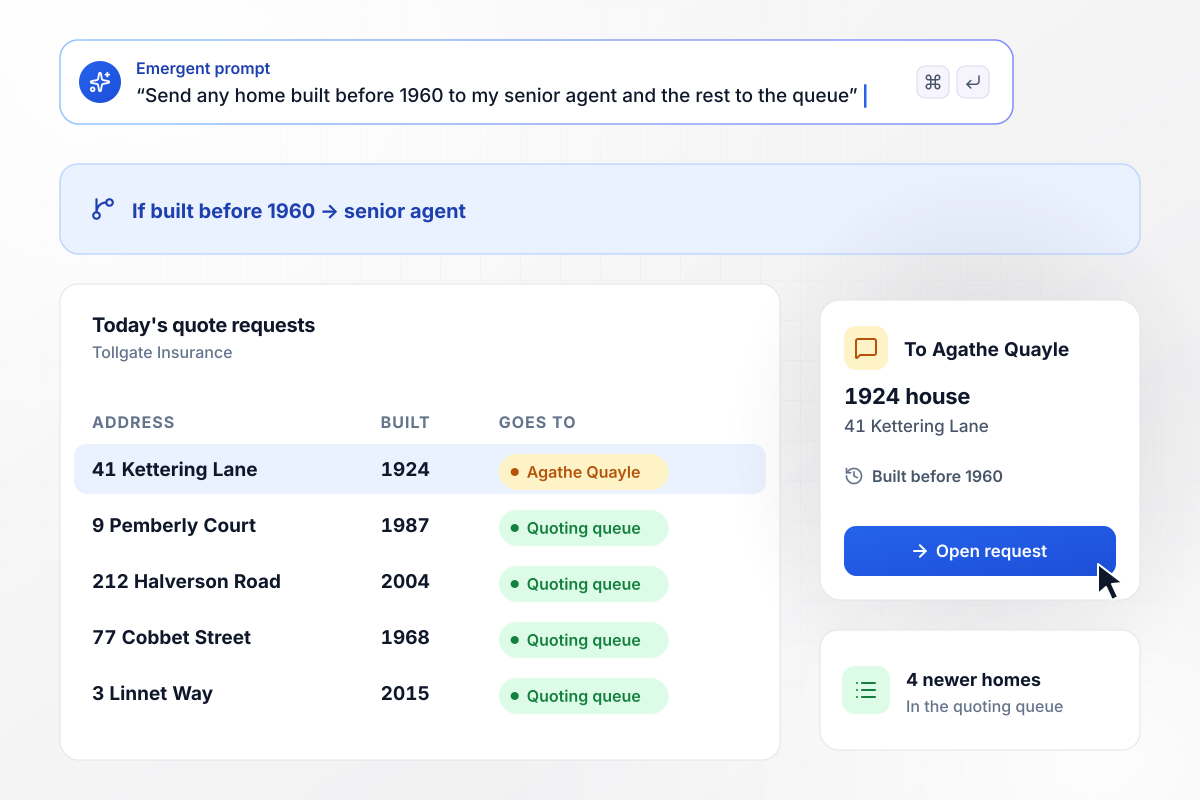
Homes built before 1960 go to the senior agent
Tollgate Insurance sends any home built before 1960 to its senior agent, Agathe Quayle, in a Slack direct message. This morning the rule caught a 1924 house at 41 Kettering Lane. The 4 newer homes from the same morning stay in the shared quoting queue, where the next free agent picks each one up.
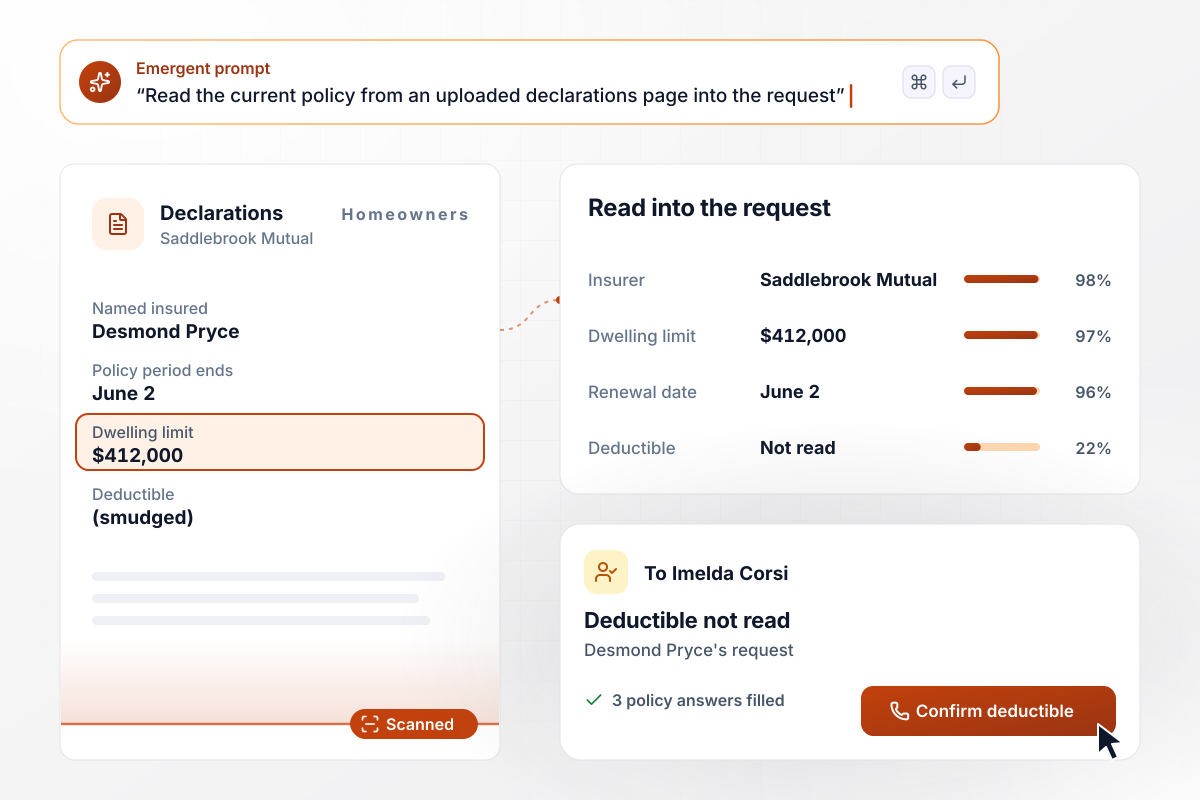
One upload answers 3 policy questions for Desmond
Desmond Pryce wants prices before his Saddlebrook Mutual policy renews on June 2. He uploads its declarations page to the Stonecrop Insurance form. The insurer, the $412,000 dwelling limit, and the June 2 renewal date fill in from the page. The deductible did not come through, and agent Imelda Corsi confirms it.
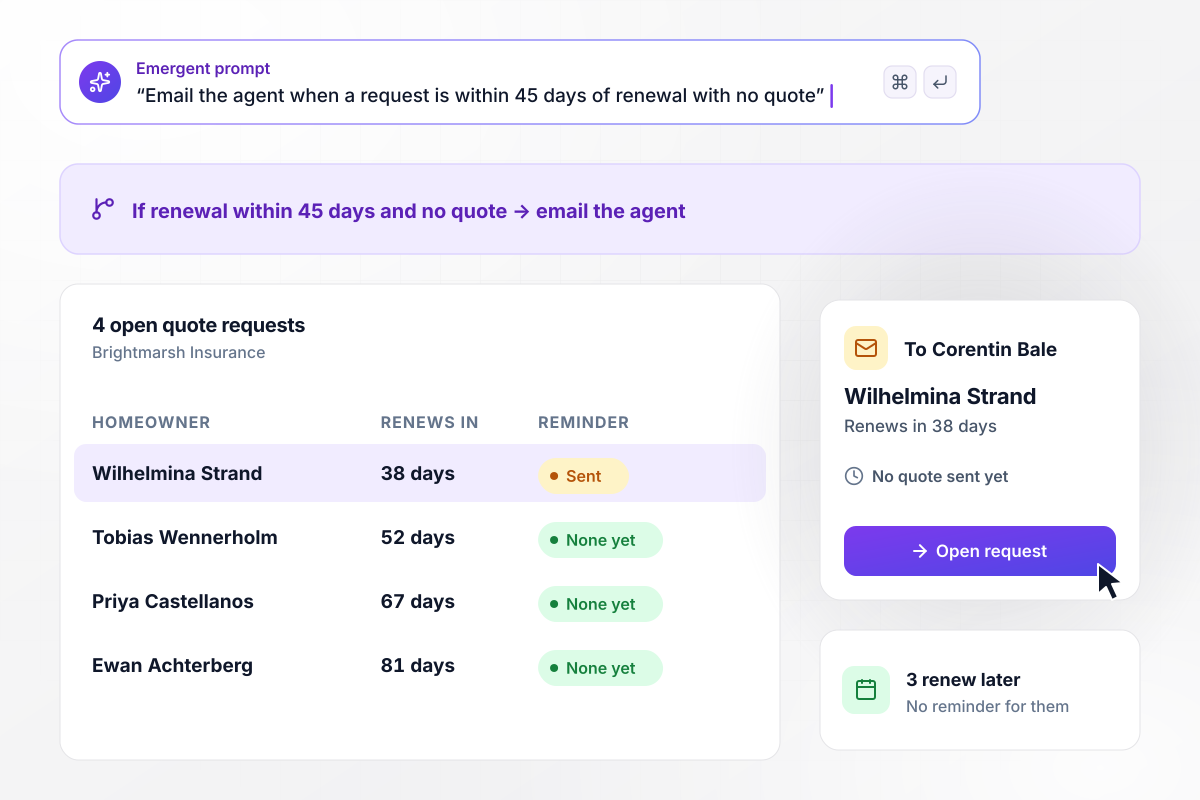
Renewal is 38 days out, and a reminder reaches her agent
Brightmarsh Insurance lists 4 open quote requests on its agent dashboard by renewal date. Wilhelmina Strand's policy renews in 38 days, and no quote has gone out. Any open request within 45 days of renewal with no quote gets a reminder, here an email to her agent, Corentin Bale. The 3 renewing later get none.






How to Create a Home Insurance Quote Form
Seven steps to plan a home insurance quote form, build it with Emergent, and test that each request reaches its agent.
Pull 20 quote requests from last year and mark every detail an agent had to call the homeowner back for. Those details belong on the form. A question no agent used in any of the 20 can come off it.
Ask for the address and the kind of home first, then the details of the house itself. Word each question the way a homeowner talks. Nobody filling it out should have to look up a term like dwelling before answering.
Put the declarations page upload before the typed policy questions. A homeowner with the page at hand skips the typing, and one without it fills in the insurer and the renewal date by hand instead.
Write down your routing rules before you build: a year-built line for older homes, a shared queue for the rest, and whether alerts go by email or Slack. Name a backup agent for days the usual one is out.
Put the questions, the upload, and the routing rules into one prompt. Emergent builds the form, the database behind it, and a dashboard for your agents. Change a question later by asking in plain English.
Choose how many days before renewal counts as too close for a request with no quote, then write that number into the prompt. Sort the agent dashboard by renewal date. The requests nearest the line sit at the top, where agents see them first.
Submit a test request from a phone for a made-up 1950 house with a sample declarations page. Check that it reaches the senior agent, that the upload filled the right fields, and that the request sits in the table.
Why Build Home Insurance Forms With Emergent?
Emergent builds the form, the agent routing, and the dashboard from one prompt. Every request lands in a database you own.

|
Jotform | Google Forms | Typeform | |
|---|---|---|---|---|
| How you build | Describe it in plain English | Templates, editor, AI generator | Editor, with Gemini drafting on some Workspace plans | Templates, editor, AI assist |
| Where responses live | A database table you own, plus any integration | Jotform account | Google Sheets | Typeform account |
| Response limits | No response caps | Monthly submission caps by plan; the form stops at the cap | No limit | Monthly response caps by plan; the form closes at the cap |
| Code ownership | Full code export to GitHub on paid plans | None | None | None |



Pick the Pricing Plan That Works for You
Choose the plan that fits your building ambitions. From weekend projects to enterprise applications, we've got you covered.




Find the right form
for whatever you're collecting















Frequently Asked Questions
Your Questions, Answered
Don't change this element unless you know what you are doing
More things you can build
with Emergent









on Emergent today


