

Build a Job Posting Form That Clears HR Before It Goes Live
Build a job posting form that collects each opening's title, pay range, and close date, and holds it until HR approves.
Build a job posting form my clinic managers fill in to request a vet tech opening, with a pay range HR approves before it posts.
Trusted by Builders Worldwide
Active Builders Worldwide
Apps Successfully Created
Countries Globally Reached



What a Posting Needs Before Anyone Sees It
A job posting form is the request behind a public listing. Emergent builds its fields and its sign-off, plus a table of open roles.
Pay range as two numbers, not a sentence
The form asks for a low and a high figure and whether the pay is hourly or yearly. A request with the high figure below the low one goes back to the manager before HR ever opens it.
Sign-off before the posting goes public
Each request waits for the approver you name, such as HR or a department head. They get an email or a Slack message, approve it or return it with a note, and the decision is saved.
Location and schedule picked from a list
Managers choose the clinic, store, or campus, then the schedule: full time, part time, or seasonal. Each pick becomes a filter on the careers page and a column in the postings table.
A close date on every posting
Ask for the date applications stop. By default, the app takes the posting down then and marks it closed, unless the manager extends it first. The request keeps its history.
Every posting is a row you own
Requests, approvals, and close dates sit in a database you own, not in a vendor's account. Filter by department to see what each manager has open and how long approval took.
Export the code to your GitHub
On paid plans, export the full codebase to your GitHub repository when postings need to feed an applicant tracking system you already run, then keep building on it there.
Where New Openings Get Requested
No vet tech posting goes live before HR signs the pay range
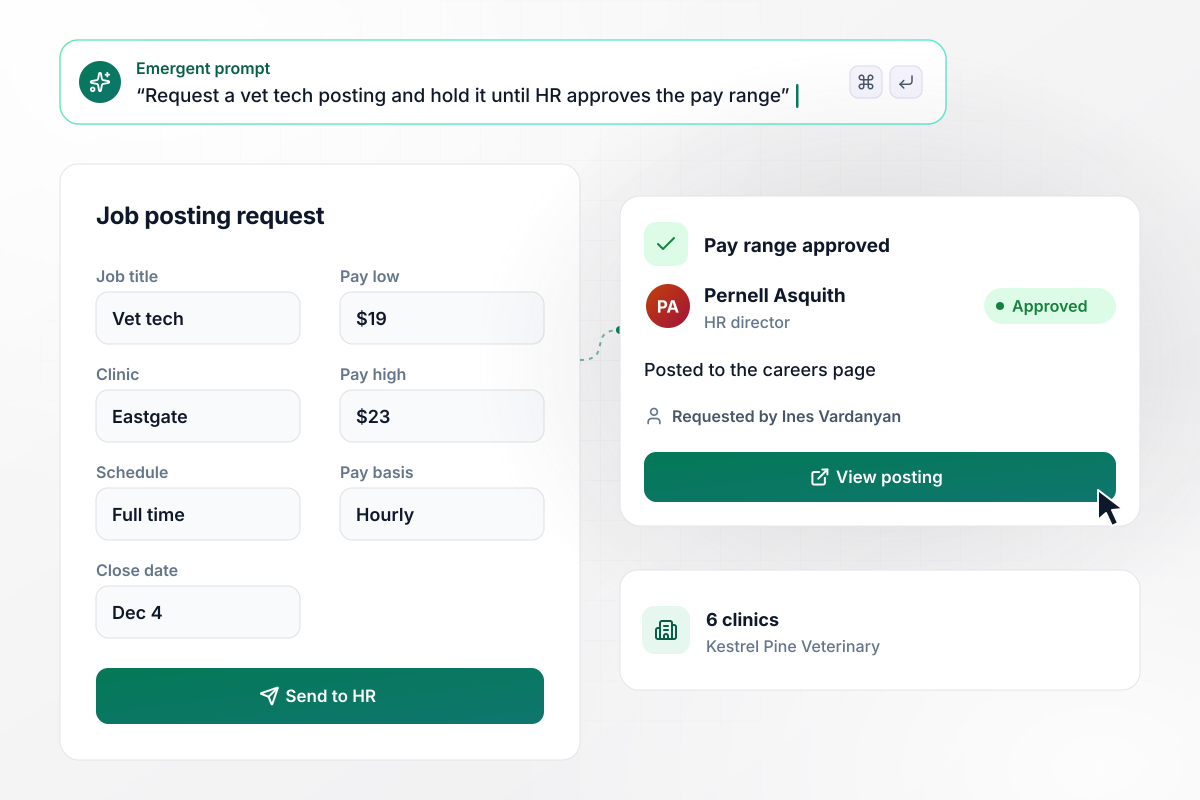
Ines Vardanyan runs one of the 6 Kestrel Pine Veterinary clinics and needs a vet tech. She fills in the job posting form: the title, the Eastgate clinic, full time, $19 to $23 an hour, and a close date of Dec 4. HR director Pernell Asquith gets an email and approves the range. Only then does the posting go on the careers page.
window.awbMockup = { clinicOpenings: "I run HR for a group of 6 veterinary clinics. Build a job posting form my clinic managers fill in to request a new role: the job title, the clinic, full time or part time, a pay range with a low and a high rate, hourly or yearly, and a close date. Email the HR director to approve the pay range, and only then put the posting on my careers page.", jobBoardListings: "I run a job board for outdoor work. Build a submission form employers fill in to post a listing with the company, the role, the location, and the pay range. Every listing waits for me to read it before it appears on the board. Once I approve one, it runs for 30 days and then comes down.", campusInternships: "My college career office takes internship postings from local employers. Build one form for them with the employer, the internship, and the pay. When the pay field is blank, send the posting back to the employer with a note asking for an hourly rate or a mark that it is unpaid. Show me this week's postings and how many were approved.", openRoleTracking: "My hardware chain has 9 stores. Show every open job posting as a row with its store and the days it has been open. When a posting has been open more than 45 days, send my recruiter a Slack direct message with the store and the role, and keep a list of every posting past that mark." };
30-day listings that an editor reads first
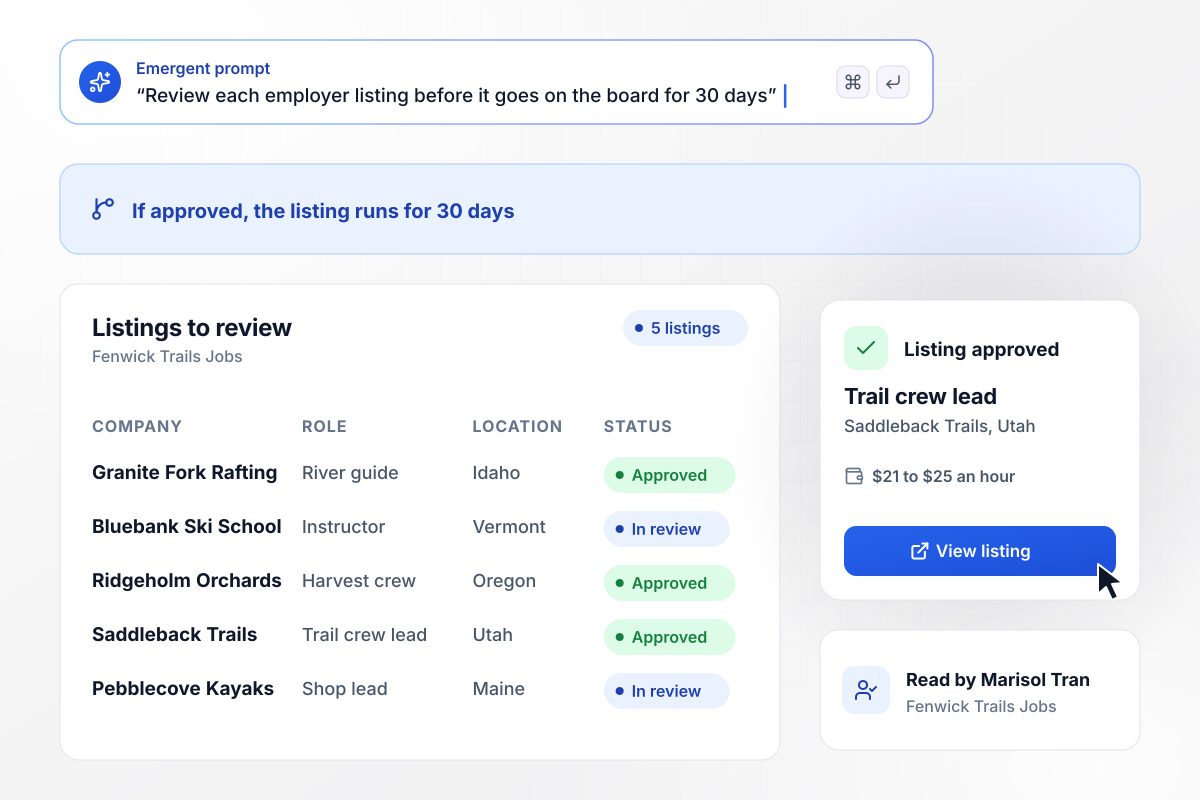
Employers post seasonal and year-round jobs on Fenwick Trails Jobs, a board for outdoor work, through its submission form. Each listing names the company, the role, the location, and the pay range. Marisol Tran reads every one before it appears on the board, and an approved listing runs for 30 days.
Three internships wait, each with its pay field blank
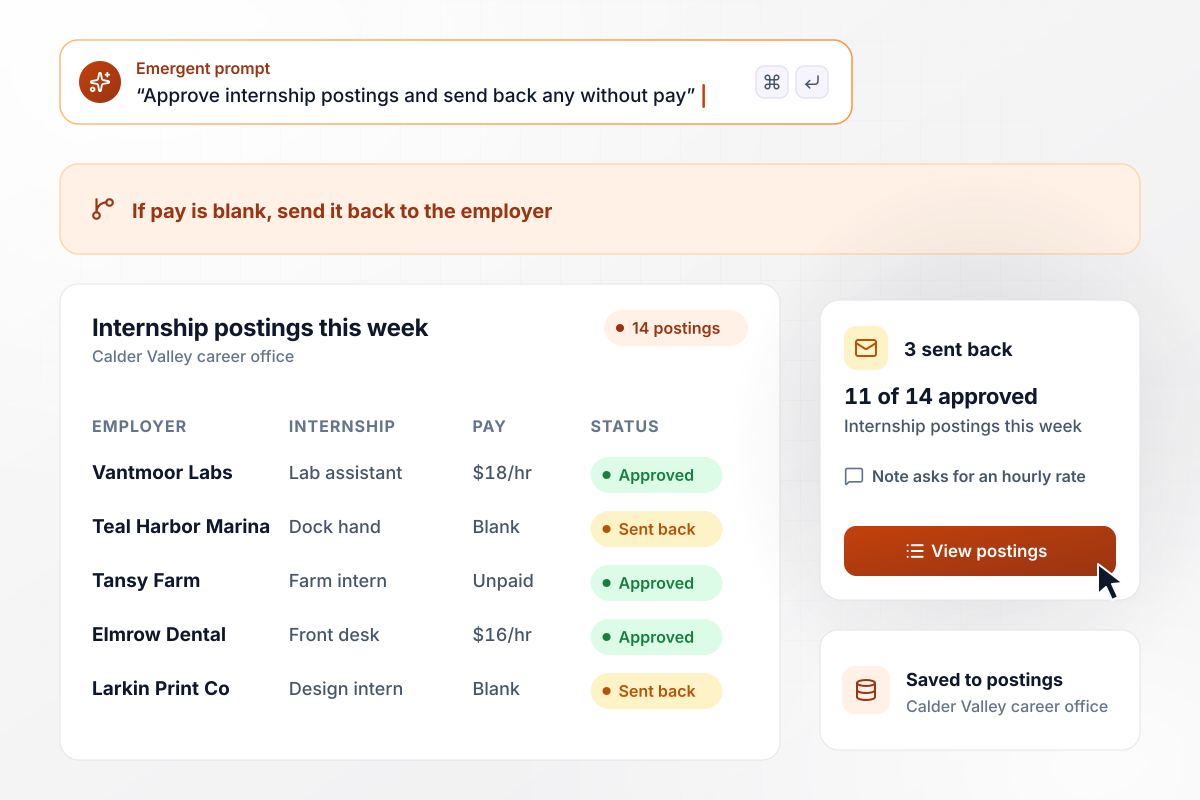
Calder Valley's career office collects internship postings from local employers through one form. This week 14 came in. The office approved 11, and the 3 that left pay blank went back to their employers with a note asking for an hourly rate, or a mark that the role is unpaid.
Every posting past 45 days goes to Lucan
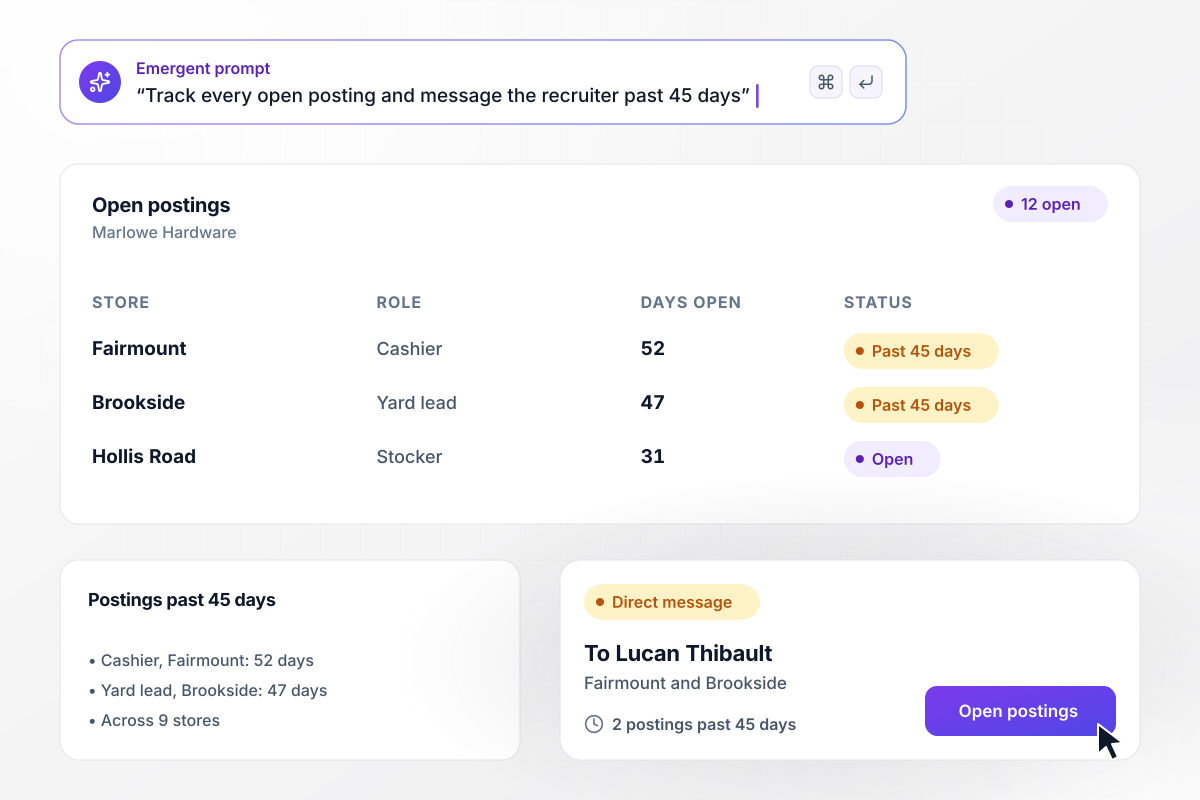
Twelve roles are open across the 9 Marlowe Hardware stores, each one a row with its store and the days it has been open. Any posting open more than 45 days goes to Lucan Thibault, the recruiter, in a Slack direct message. Today that is 2: a cashier in Fairmount and a yard lead in Brookside.






How to Create a Job Posting Form
Seven steps to build a job posting form that gets each opening approved before it posts and closes it on time.
Pull last year's openings and sort them into groups, such as hourly store roles and internships. Give each group its own questions. A cashier request should never ask about a relocation package.
Collect the title, location, schedule, pay, and a short description of the work. Keep internal details like the budget code in a separate section that never reaches the careers page.
Pick the approver for each kind of request: HR for pay, a department head for headcount. When an approver returns a request, the manager edits that same request with the note attached, not a fresh one.
Write a few sentences for Emergent: who fills the form in, the fields, the approver, and where an approved posting goes. Emergent builds the form and the database behind it, and you change either one by prompting.
Choose what the app does when applications stop: take the posting down, or ask the manager whether to extend it. Set one default for every role, and no posting runs without an end date.
Send a request with the pay figures reversed and no close date, and check that it goes back to the manager. Then approve a clean request and find it on the careers page.
Share the link with everyone who opens roles and retire the email thread they used before. After the first week of requests, add any field the managers kept typing into the description.
Why Build Your Job Posting Form With Emergent?
An approval buried in email gets lost. Through the form, each posting keeps its pay range and approver on one row, beside its close date.

|
Jotform | Google Forms | Typeform | |
|---|---|---|---|---|
| How you build | Describe it in plain English | Templates, editor, AI generator | Editor, with Gemini drafting on some Workspace plans | Templates, editor, AI assist |
| Where responses live | A database table you own, plus any integration | Jotform account | Google Sheets | Typeform account |
| Response limits | No response caps | Monthly submission caps by plan; the form stops at the cap | No limit | Monthly response caps by plan; the form closes at the cap |
| Code ownership | Full code export to GitHub on paid plans | None | None | None |



Pick the Pricing Plan That Works for You
Choose the plan that fits your building ambitions. From weekend projects to enterprise applications, we've got you covered.




Find the right form
for whatever you're collecting















Frequently Asked Questions
Your Questions, Answered
Don't change this element unless you know what you are doing
More things you can build
with Emergent









on Emergent today


