

Build a Meeting Request Form That Moves Requests to a Decision
Build a meeting request form that routes each request to the right approver and keeps every answer in a database you own.
Build a meeting request form that saves every response to a database I own.
Trusted by Builders Worldwide
Active Builders Worldwide
Apps Successfully Created
Countries Globally Reached



What Happens After Someone Asks for Time
A meeting request form earns its place when the person asking hears back. Emergent builds these six parts around that answer.
A purpose question that names the decision
The form asks what the meeting needs to decide, how long it should run, and who has to attend. A request that only says "catch up" is easy to spot and easy to redirect.
Approvers picked by amount or by person
You describe the rule in plain English, such as a budget threshold or a named executive, and Emergent builds the approval step around it. Change the threshold later by asking.
Sections that appear only when they apply
An in-person meeting needs a room, food, and parking. A video call needs none of that, so the form shows those sections only to the in-person requests and skips them for calls.
Approved meetings on the shared calendar
The app connects to the calendar tool already in use through its API. An approved request becomes a calendar entry with its time and attendees, and nobody types it in twice.
Slack and email updates for both sides
Approvers get a Slack or email alert when a request is waiting on them. The requester gets an email each time the status changes, with the reason written out when it is a no.
Every request in a database you own
Responses are stored in a database you own, with no cap on how many meeting requests the form accepts. On paid plans, the full code also exports to your GitHub repository.
Where Four Meeting Requests Went Next
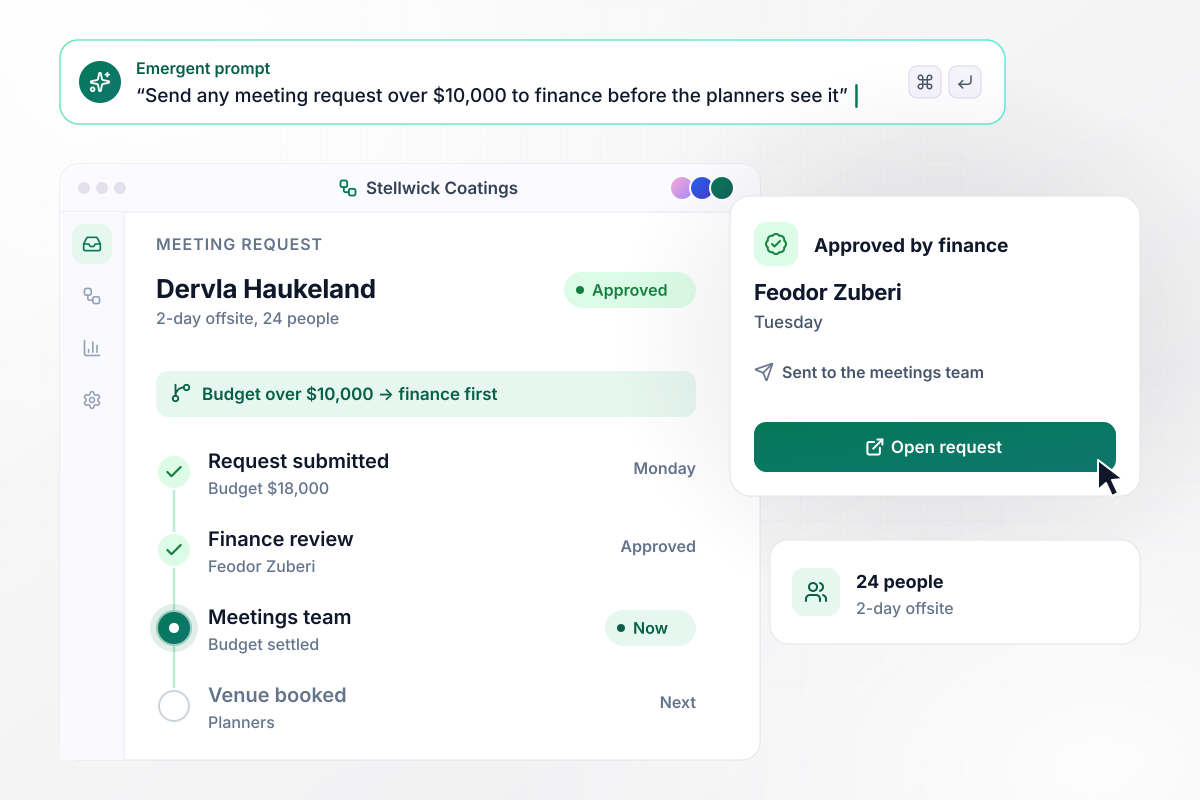
Above $10,000, it waits for finance
Dervla Haukeland, a sales director at Stellwick Coatings, asks for a 2-day offsite for 24 people with an $18,000 budget. Any request over $10,000 goes to finance first, and this one lands with Feodor Zuberi. He approves it on Tuesday, and only then does it reach the meetings team.
window.awbMockup = { budgetApproval: "Build a meeting request form for offsites and team events. Ask for the purpose, dates, headcount, and budget. Any request with a budget over $10,000 goes to our finance approver first, and only after approval does it reach the meetings team. Email the requester when the status changes.", executiveRequests: "Build a form for requests to meet our CEO. Ask who is asking, how long they need, and which decision the CEO has to make. If no decision is named, offer a meeting with a delegate instead and email the requester. Send the rest to the chief of staff's list.", virtualMeetings: "Build a meeting request form that asks first whether the meeting is in person or virtual. For virtual meetings, skip the room and catering questions and ask for the agenda, the length, the attendee count, and a pre-read upload.", pendingDigest: "Every Monday at 9:00 am, post a Slack message to our meetings desk channel listing every meeting request that is still pending. Sort it by start date so the requests starting within 14 days are at the top, and link each one to its record." };
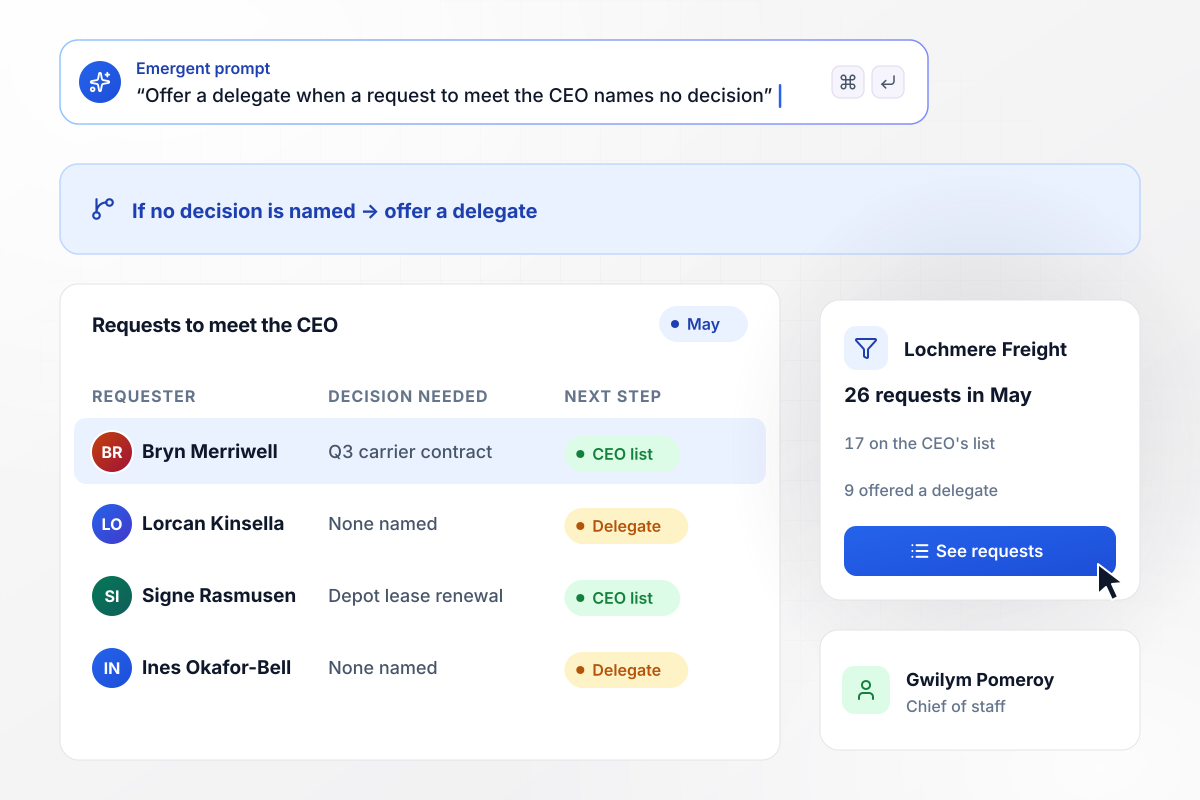
CEO requests that name no decision go to a delegate
In May, Lochmere Freight's chief of staff, Gwilym Pomeroy, got 26 requests to meet the CEO. The form asks which decision the CEO has to make. The 9 requests that named none were offered a meeting with a delegate. The other 17 went on the CEO's list, Bryn Merriwell's Q3 carrier contract among them.
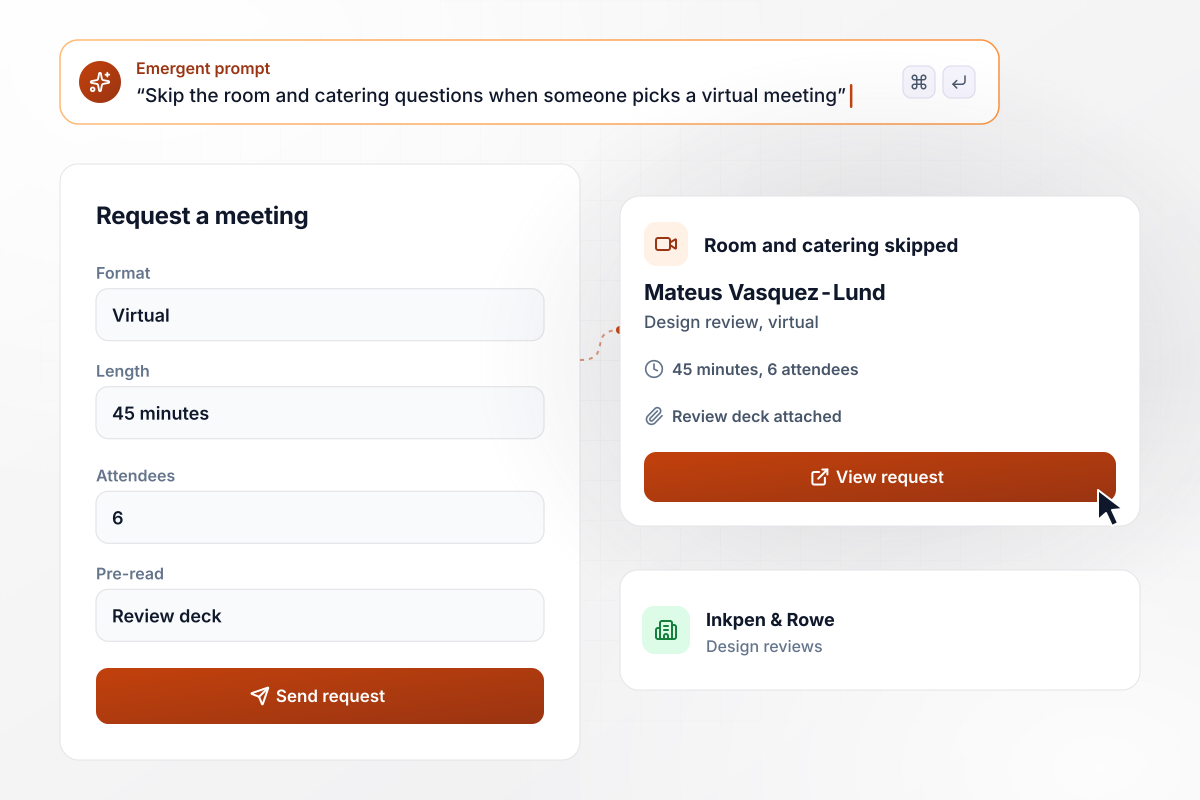
Virtual reviews never see a room or catering question
Mateus Vasquez-Lund runs design reviews at Inkpen & Rowe Architects. He requests a 45-minute review for 6 attendees and picks Virtual on the first screen. The form drops the room and catering questions and moves straight to the agenda and the pre-read upload. His request goes in with the review deck attached.
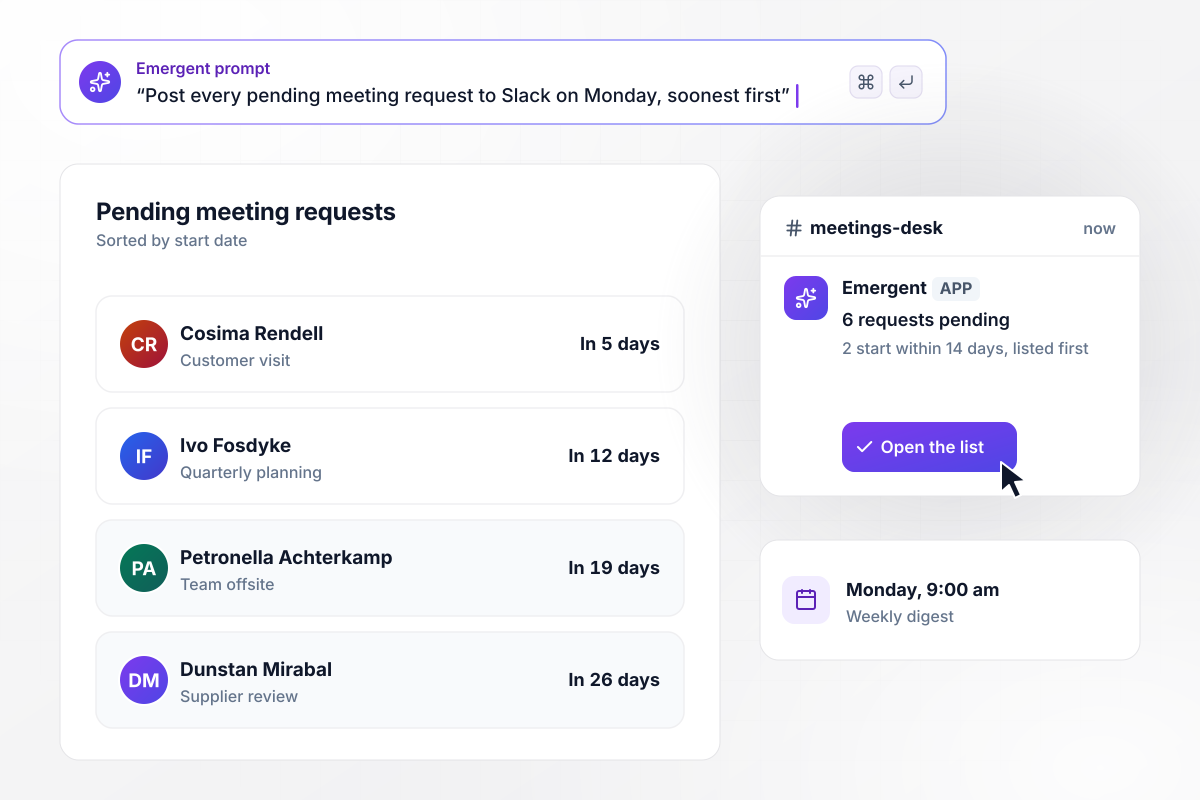
Every pending request in one Monday message
Lunmark Instruments plans customer visits and team offsites through one meetings desk. Every Monday at 9:00 am, the app posts a Slack message to #meetings-desk listing the 6 requests still pending. The 2 that start within 14 days sit at the top of the list, and Cosima Rendell's customer visit, 5 days out, is first.






How to Create a Meeting Request Form
Follow 7 steps to build a meeting request form that sends each request to its approver and onto the calendar.
List every person who approves meetings and the rule that sends a request to them, such as a budget line or a named executive. Settle those rules on paper before you open the builder.
Make the first required question ask what the meeting has to decide. Requesters who cannot answer it in a sentence are the ones a shorter call or a delegate can help.
Tell Emergent who fills the form in, what each answer is for, and where approved requests go. Emergent builds the form, the database behind it, and a dashboard of requests.
Ask for each rule in plain words, with its exact threshold. Name the approver, the backup when that person is away, and what the requester sees while the request waits.
Put the format question near the top. Ask Emergent to show the room and catering questions only for in-person meetings, and the agenda upload for every format.
Connect the calendar tool so approved meetings land there with their attendees. Then ask for the Slack alerts approvers need and the Monday digest of pending requests.
Send one request under your budget threshold, one over it, and one with no decision named. Check that each lands with the right person before you share the link.
Why Use Emergent for Meeting Request Forms?
A printed template stops at the signature line. Emergent builds the form with its approval steps and alerts attached.

|
Jotform | Google Forms | Typeform | |
|---|---|---|---|---|
| How you build | Describe it in plain English | Templates, editor, AI generator | Editor, with Gemini drafting on some Workspace plans | Templates, editor, AI assist |
| Where responses live | A database table you own, plus any integration | Jotform account | Google Sheets | Typeform account |
| Response limits | No response caps | Monthly submission caps by plan; the form stops at the cap | No limit | Monthly response caps by plan; the form closes at the cap |
| Code ownership | Full code export to GitHub on paid plans | None | None | None |


Pick the Pricing Plan That Works for You
Choose the plan that fits your building ambitions. From weekend projects to enterprise applications, we've got you covered.




Find the right form
for whatever you're collecting














Frequently Asked Questions
Your Questions, Answered
Don't change this element unless you know what you are doing
More things you can build
with Emergent









on Emergent today


