

Build a Membership Form With Tiers and Renewal Reminders
Build a membership form that sets dues by tier, takes a signature, and saves every member to a database you own.
Build a membership form for my tennis club with Individual and Family tiers, a row per household member, and a renewal email 30 days out.
Trusted by Builders Worldwide
Active Builders Worldwide
Apps Successfully Created
Countries Globally Reached



What Members Complete and What Follows
Members see each tier's price and sign before they submit. Alerts and renewal emails keep your membership desk on schedule.
Tiers that set the yearly dues
Each membership level shows its yearly dues beside it, whether Individual, Family, Student, or one you name. The level a member picks is saved on their record with its dues.
A row for each household member
Choosing a family tier opens a section with a name and birth date row for every extra person. One record then holds the whole household, and nobody in it fills in a second form.
The club rules, signed on the last screen
Members read your bylaws or code of conduct before they submit and sign in a box under the text. The signature and its date are saved on the same row as the application.
An alert for every new application
Each new application emails your membership secretary or posts to a Slack channel. One left unopened for 3 days triggers a reminder, then moves up to your board chair.
Reminders before a membership lapses
Members get an email ahead of their renewal date, on a schedule you set. Anyone who still has not renewed goes to your membership desk by email or Slack for a follow-up.
Code you can take to GitHub
Move the full code into your GitHub repository on paid plans. From there the form can sit inside your existing site, and every later change can be reviewed as a pull request.
Four Organizations, Four Kinds of Member
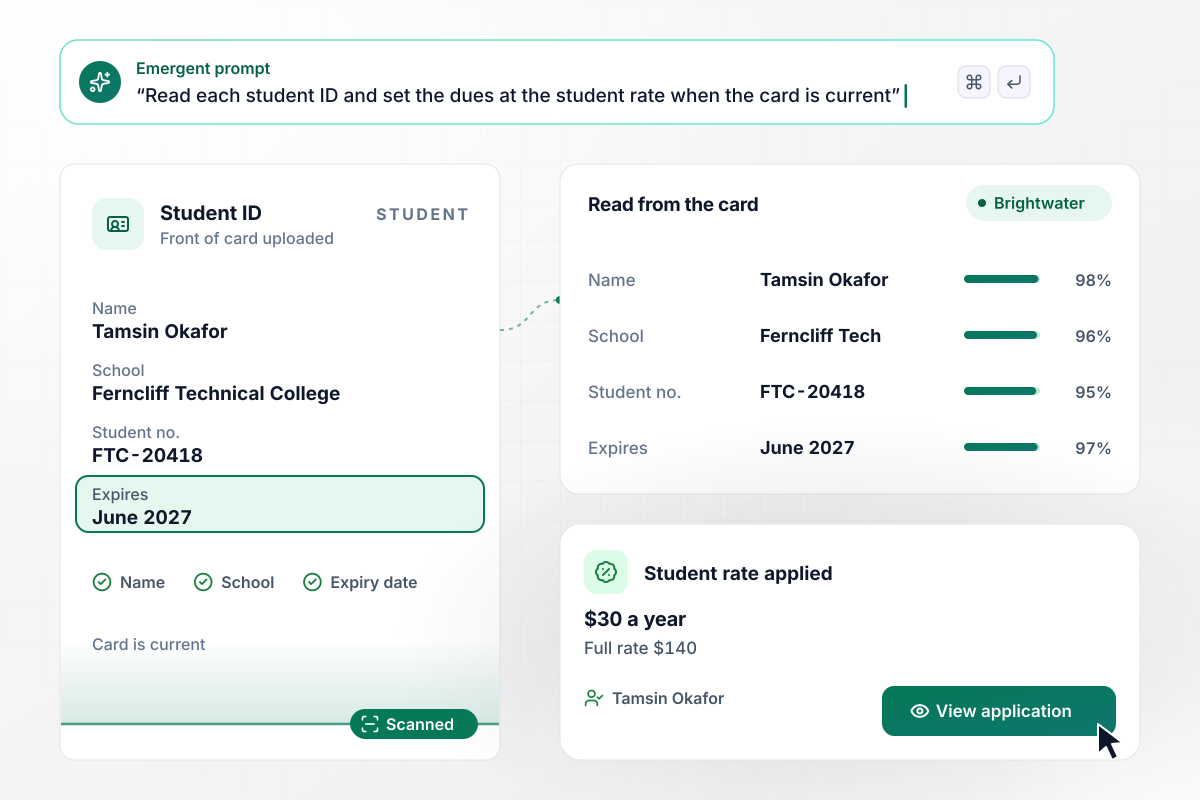
Her dues fall to $30 after the app reads her card
Tamsin Okafor applies to the Brightwater Society of Engineers as a student and uploads her student ID. The app reads her school, Ferncliff Technical College, and the card's expiry date, June 2027, into her application. A current card puts her on the $30 student rate instead of the $140 full rate.
window.awbMockup = { associations:"Build a membership form for my engineering society with Individual and Student tiers. Students upload a student ID, and the form reads the school name and the card's expiry date. If the card is current, set their dues at the $30 student rate instead of the $140 full rate. Save every application with its tier and dues to our member database.", tennisClubs: "My tennis club needs a membership form with Individual and Family tiers. When someone picks Family, open a section where they add each household member with a name and birth date. Keep the whole household on a single membership record at $420 a year, and show the front desk every player on that record.", coworkingSpaces: "Build a membership application for my coworking space. Applicants choose a hot desk, a dedicated desk, or a private office. Then they give their start date and company name. Post every new application to our new-members Slack channel with those details, and let our community manager approve it from the application page.", museums: "My museum needs renewal emails for our members. Send each member an email with a renewal link 30 days before their membership expires. If someone has not renewed 14 days after that email, add them to the membership desk's call list with their tier and phone number. Show me which November memberships have renewed." };
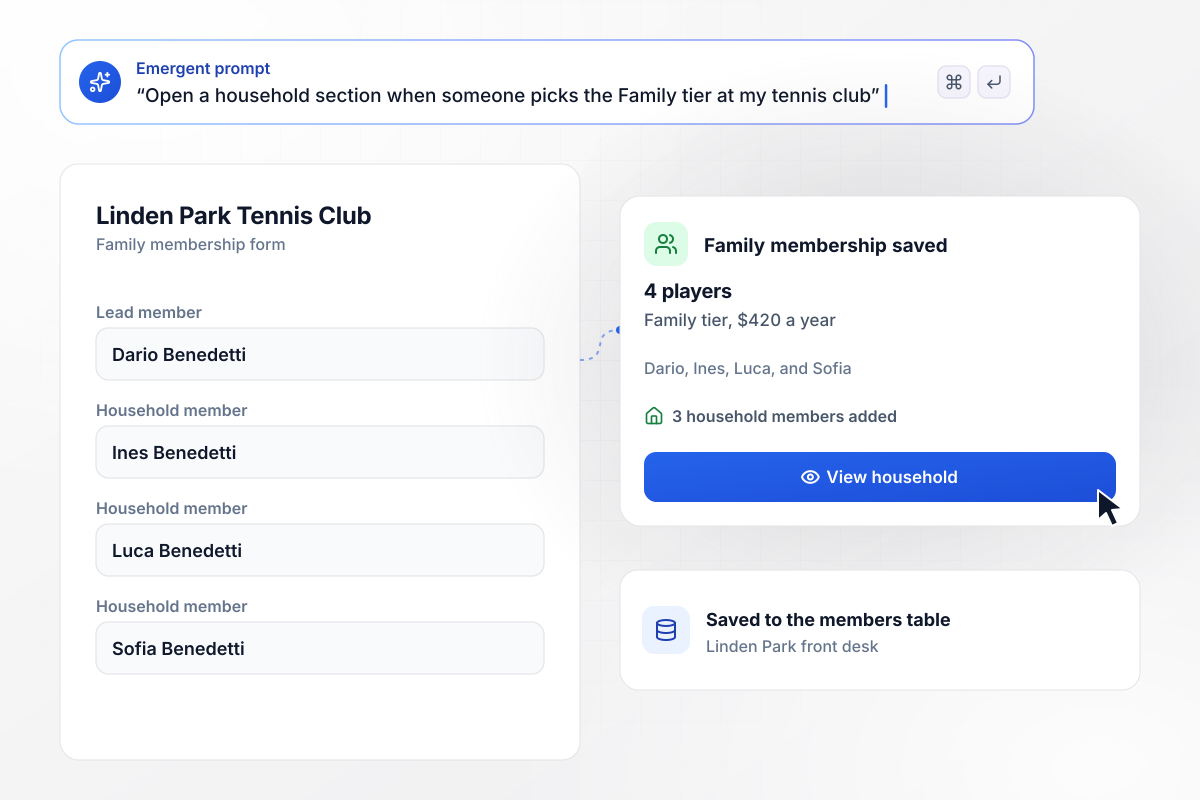
Dario's Family tier covers 4 players with its $420 dues
Dario Benedetti joins Linden Park Tennis Club on the Family tier and adds 3 household members: Ines, Luca, and Sofia. The form gives each of them a row for a name and birth date. All 4 players sit on a single membership record at $420 a year, and the front desk sees the whole household on that record.
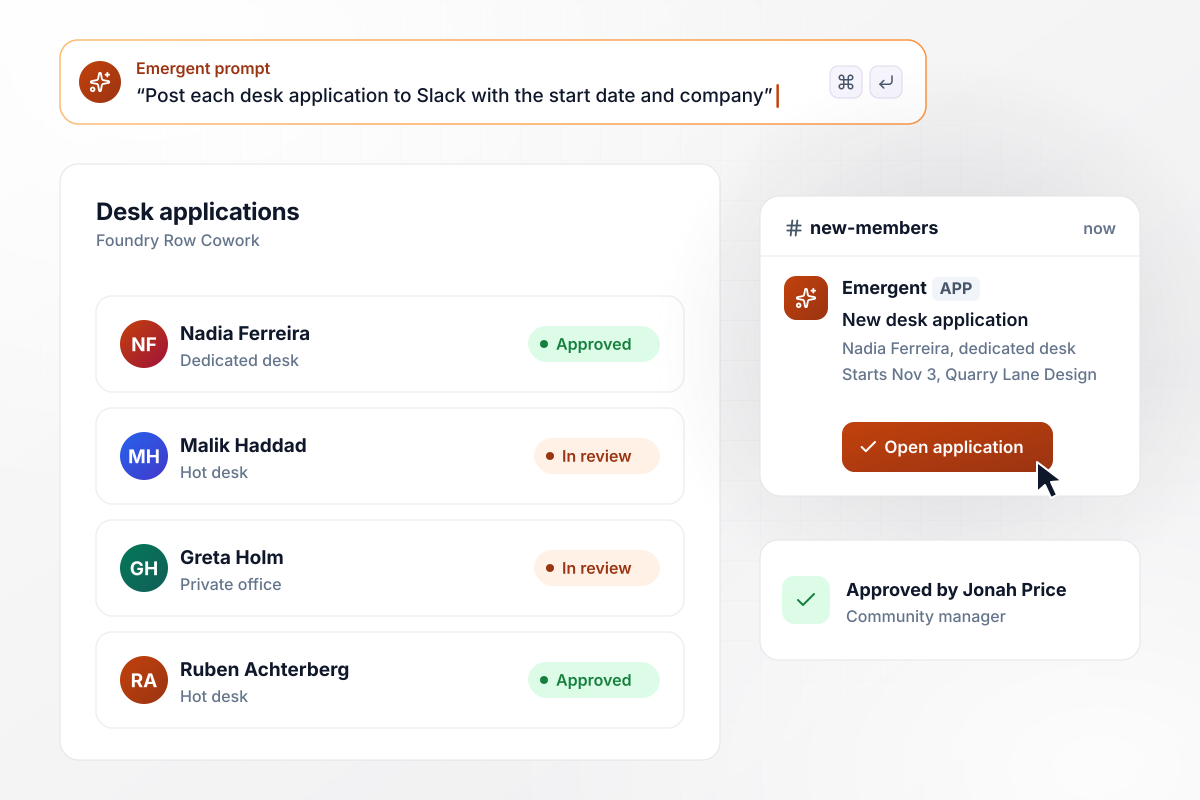
Slack shows the desk request that Jonah approves
Nadia Ferreira applies for a dedicated desk at Foundry Row Cowork and asks to start on November 3. Her application posts to the new-members Slack channel with her desk type, start date, and company, Quarry Lane Design. Community manager Jonah Price opens it from the message and approves her that afternoon.
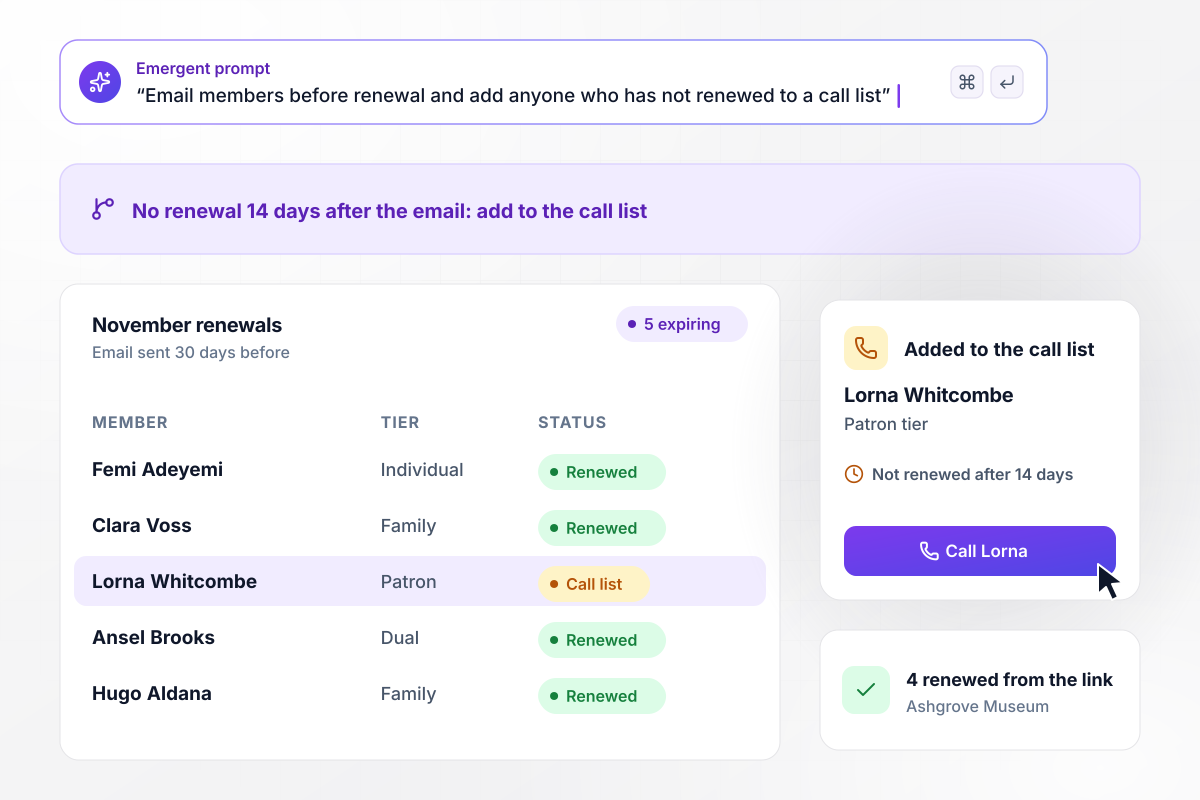
Unrenewed after 14 days means a call from the desk
Five Ashgrove Museum memberships expire in November, and each member gets a renewal email 30 days before the date. Four renew from the link in that email. Lorna Whitcombe has not renewed 14 days later, and her name moves to the membership desk's call list with her Patron tier.






How to Create a Membership Form
Seven steps to create a membership form that knows each tier's dues and reminds every member before renewal.
Write down every membership level, its yearly dues, and who qualifies for it, such as students with a current ID. Add the length of a membership term and when renewals fall due. You will paste that list into the prompt next.
Tell Emergent in plain English which tiers you offer, what each new member fills in, and who handles new applications. Emergent builds the form, the member database, and the logic that ties each tier to its dues. Prompt again to change a tier or a field.
Pick the tiers that need a document, such as a student card or a professional license. Have the app read the expiry date from each upload, and send any reading it is unsure of to your membership secretary before the rate applies.
Paste the rules members agree to onto the last screen, with the signature box right under them. Keep that text short enough to read on a phone, and link the full bylaws when they run longer than a page.
Choose how far ahead of the renewal date the first email goes out and what happens when nobody responds. For an annual membership, start with an email at 30 days and a call list at 14; shorten both for monthly plans.
Submit one individual, one family with 3 household members, and one student with an expired card. Then open the database and check that each row holds the right tier, the household names, the signature, and the dues.
Publish the form on a custom domain, which Emergent includes and which uses credits. Link it from your join page and from each renewal email, and stop handing out paper membership forms once the online one is live.
Why Run Your Membership Form on Emergent?
Each member's record, household included, is a row in a database you own, and the form takes signups with no response caps.

|
Jotform | SurveyMonkey | Google Forms | |
|---|---|---|---|---|
| How you build | Describe it in plain English | Templates, editor, AI generator | Survey builder with templates | Editor, with Gemini drafting on some Workspace plans |
| Where responses live | A database table you own, plus any integration | Jotform account | SurveyMonkey account, plus export | Google Sheets |
| Response limits | No response caps | Monthly submission caps by plan; the form stops at the cap | Response allowance per plan, overage billed on paid plans | No limit |
| Code ownership | Full code export to GitHub on paid plans | None | None | None |




Pick the Pricing Plan That Works for You
Choose the plan that fits your building ambitions. From weekend projects to enterprise applications, we've got you covered.




Find the right form
for whatever you're collecting















Frequently Asked Questions
Your Questions, Answered
Don't change this element unless you know what you are doing
More things you can build
with Emergent









on Emergent today


