

Build a Pre-Order Form That Stops at What You Can Make
Build a pre-order form that caps each item at what you can make and saves every order to a database you own.
Build a pre-order form for my bakery's holiday pies where customers pick flavors, set quantities, and choose a pickup day.
Trusted by Builders Worldwide
Active Builders Worldwide
Apps Successfully Created
Countries Globally Reached



What a Pre-Order Run Needs From Its Form
A pre-order form takes orders for items you have not made or shipped yet. It has to know your limits and your dates.
A ready date beside every item
Each item on the form shows the date it ships or is ready for pickup, beside the quantity box. Change a date by prompting, and every confirmation sent after that carries it.
Limits set by what you can make
Give each item the most you can make, such as one kiln load or a single batch. The form counts orders as they come in and closes the item when the last unit is taken.
A cutoff date that closes the form
Pick the last day you take orders. Once it passes, the form swaps the order button for a closed notice with your next date, and nothing new lands in the queue after it.
A production count from every order
Every pre-order is saved to a database you own. A dashboard totals units by item and by ready date, and the morning bake list or the week's build list fits on one screen.
Reminders before pickup day
The app emails each buyer a set number of days before pickup with the items and the total. You get an email or Slack alert when an item sells out or a large order arrives.
Your code on GitHub
Export the full code behind the form, with its order rules and database, to your GitHub repository on paid plans. A developer can then read every line and change it there.
Four Pre-Order Runs, One Rule Each
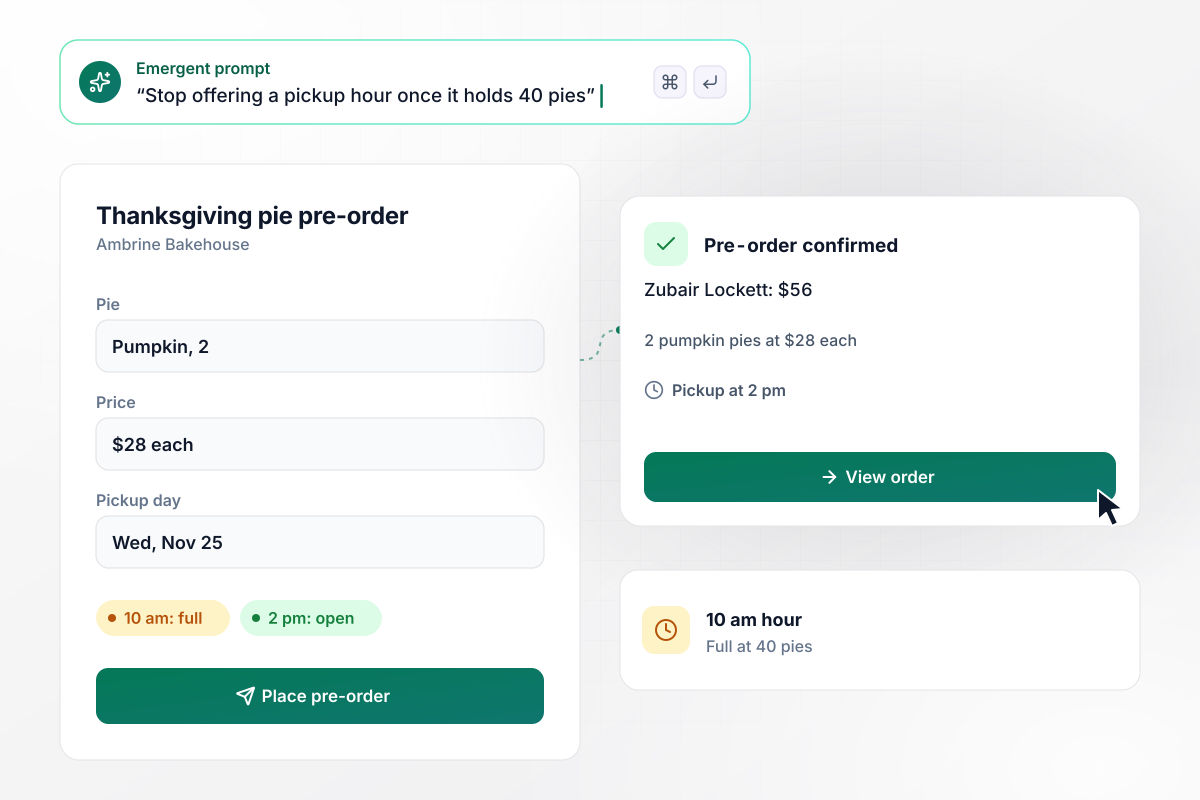
40 pies an hour, and 10 am is gone
Ambrine Bakehouse bakes pies to order for Wed, Nov 25, the day before Thanksgiving, and each pickup hour holds 40 pies. Once the 10 am hour has 40, the form stops offering it. Zubair Lockett orders 2 pumpkin pies at $28 each, $56 in all. He takes the 2 pm hour.
window.awbMockup = { holidayBakeries: "My bakery takes Thanksgiving pie pre-orders for pickup on Wed, Nov 25. Build a pre-order form with hourly pickup slots that each hold 40 pies. When an hour fills, stop offering it. Show the price of each pie, total the order, and send a confirmation with the pie count, the total, and the pickup hour.", smallBatchMakers: "I forge one run of 300 chef's knives at $145 each, shipping the week of Jan 11. Build a pre-order form that shows the ship week, confirms knives 1 through 300 as orders come in, and puts every knife after 300 on a numbered waitlist for the next run. Tell each buyer their spot.", signedBooks: "My novel releases on Tue, Mar 2, and I sign every pre-ordered copy. Build a pre-order form with an optional inscription box that closes on Feb 16, 14 days before release. After that date, hide the box and save each order as a signed copy with no inscription.", plantNurseries: "My nursery grows spring starts to order. Build a pre-order form that closes on Mar 15, lists each variety at $4.50 a start, and totals the order. Pickup is Sat, Apr 24. Email every buyer their list with the total two days before pickup, on Thu, Apr 22." };
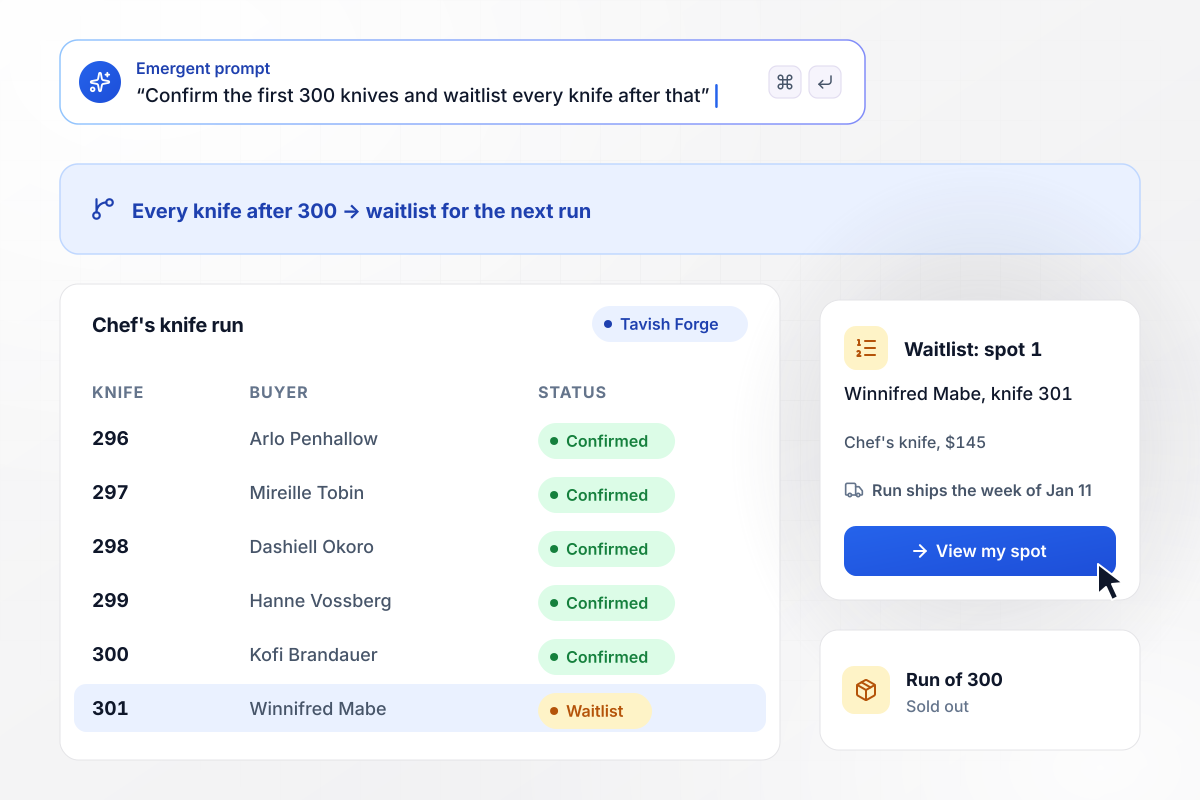
Knife 301 is spot 1 on the waitlist
Tavish Forge hammers out one run of 300 chef's knives at $145 each, and the form says the run ships the week of Jan 11. Every knife after 300 goes to the waitlist for the next run. Winnifred Mabe orders knife 301 and becomes spot 1.
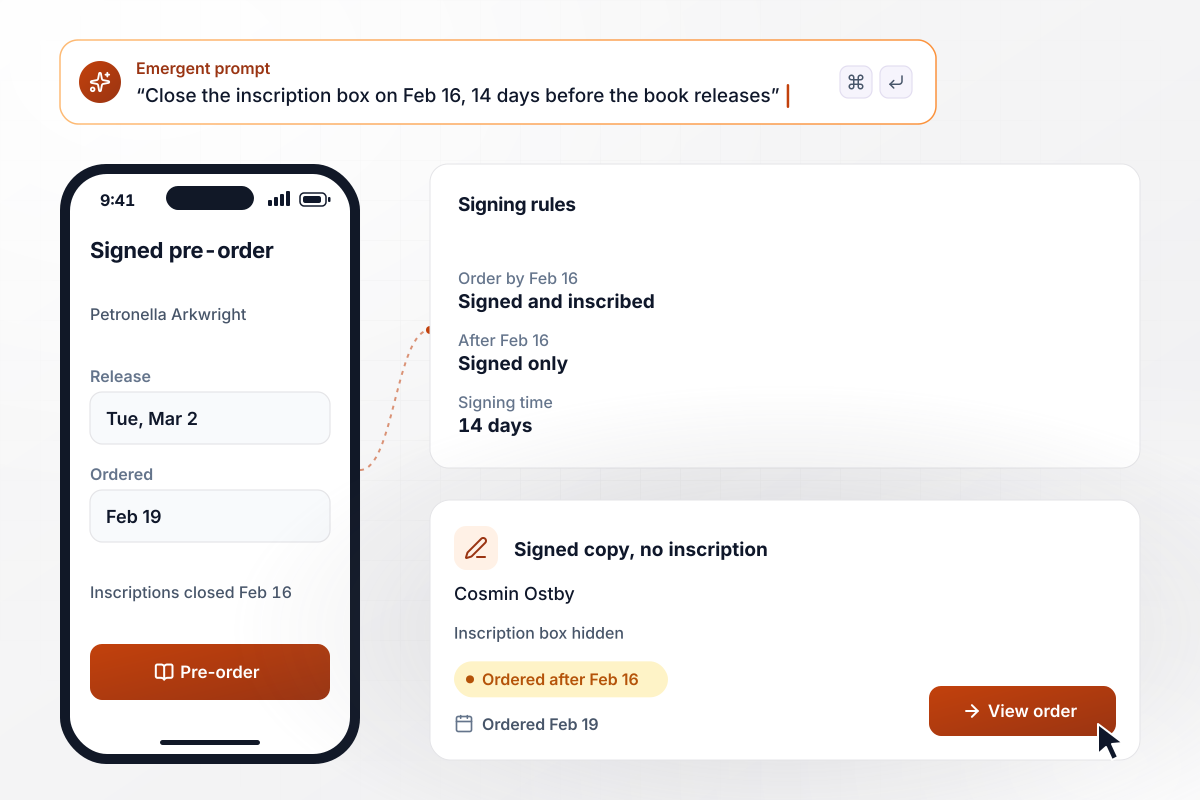
Order by Feb 16 for an inscription
Petronella Arkwright signs every pre-ordered copy of her new novel, which releases on Tue, Mar 2. She closes inscriptions on Feb 16, which leaves 14 days for signing. Cosmin Ostby pre-orders on Feb 19. The form hides the inscription box and saves his order as a signed copy with no inscription.

Two days ahead, her order arrives by email
Kestrel Hollow Nursery grows its spring starts to order, closes pre-orders on Mar 15, and holds pickup on Sat, Apr 24. Isidora Quarles ordered 6 tomato starts and 2 pepper starts at $4.50 each, $36 in all. On Thu, Apr 22, the app emails her that list and her total, 2 days before pickup.






How to Create a Pre-Order Form
Seven steps to set your limits and dates, then create a pre-order form that applies them with Emergent.
List each item you will take pre-orders for with its price and the most you can make or source before it is due. Base the number on what you produced in a recent week, not on what you hope to sell.
Set the date each item ships, or the day buyers can collect it, and show it beside the item on the form. Choose a date you can meet at the limit from step 1, with a day spare for packing.
Ask for the buyer's name and email, then the quantity of each item and any option that changes it, such as a flavor or an inscription. Add a shipping address only if you ship, and a pickup slot only if buyers collect.
Give each item or pickup slot its limit, and choose the last day the form takes orders. Decide what a buyer sees once an item sells out: a closed notice, or a numbered waitlist for the next batch.
Write one prompt to Emergent that carries your notes from the first four steps. Emergent builds the form with the database behind it, and you change a limit or a date later by prompting, without starting over.
Ask for an email to each buyer before pickup and a Slack alert to you when an item sells out. If orders also belong in your store or another tool, connect it through its API so the two stay in sync.
Place test orders that fill one item to its limit, arrive after the cutoff, and join the waitlist. Check each result, then publish the form on its own link or on your custom domain, which is included in Emergent and uses credits.
Why Build Your Pre-Order Form With Emergent?
A template gives you blank fields. Emergent builds the form from your prompt, and it counts every order against what you can make.

|
Typeform | Jotform | Adobe Acrobat | |
|---|---|---|---|---|
| How you build | Describe it in plain English | Templates, editor, AI assist | Templates, editor, AI generator | Upload a PDF and place fields, web forms on Pro |
| Where responses live | A database table you own, plus any integration | Typeform account | Jotform account | Adobe cloud storage, downloadable as PDF |
| Response limits | No response caps | Monthly response caps by plan; the form closes at the cap | Monthly submission caps by plan; the form stops at the cap | No yearly send cap, usage limits apply |
| Code ownership | Full code export to GitHub on paid plans | None | None | None |


Pick the Pricing Plan That Works for You
Choose the plan that fits your building ambitions. From weekend projects to enterprise applications, we've got you covered.




Find the right form
for whatever you're collecting















Frequently Asked Questions
Your Questions, Answered
Don't change this element unless you know what you are doing
More things you can build
with Emergent









on Emergent today


