

Build a Risk Assessment Form That Scores Every Hazard
Get a risk assessment form anyone can fill in on a phone, with each record saved to a database you own.
Build a risk assessment form that saves every response to a database I own.
Trusted by Builders Worldwide
Active Builders Worldwide
Apps Successfully Created
Countries Globally Reached



How a Live Risk Assessment Works
Six ways the assessment keeps working once it is a form instead of a file.
Likelihood times severity, per hazard
Rates each hazard for likelihood and severity on a 1 to 5 scale and multiplies the two. Every row carries a score between 1 and 25, and you decide which score counts as high.
One hazard per screen
Walks the assessor through one hazard at a time on a phone. A supervisor fills it in on the warehouse floor while the hazard is in view, instead of at a desk hours later.
Signed by the assessor
Captures the assessor's e-signature and the date at the end of each assessment and keeps both with the record. The next reviewer sees who scored each hazard, and when.
Alerts that reach one person
Sends a Slack, email, or in-app alert to the person who owns a hazard. Reminders follow until that person acts, and the alert escalates to a second person when nobody does.
Every assessment in a database you own
Saves each assessment as rows in a database you own. Last year's scores sit next to this year's for the same hazard, and there is no cap on the number of responses saved.
Open actions in the tools you use
Connects to any tool with an API, such as a maintenance work order system. An open action from the assessment appears where the work gets assigned, with its owner and due date.
Who Fills It In, and What Happens Next
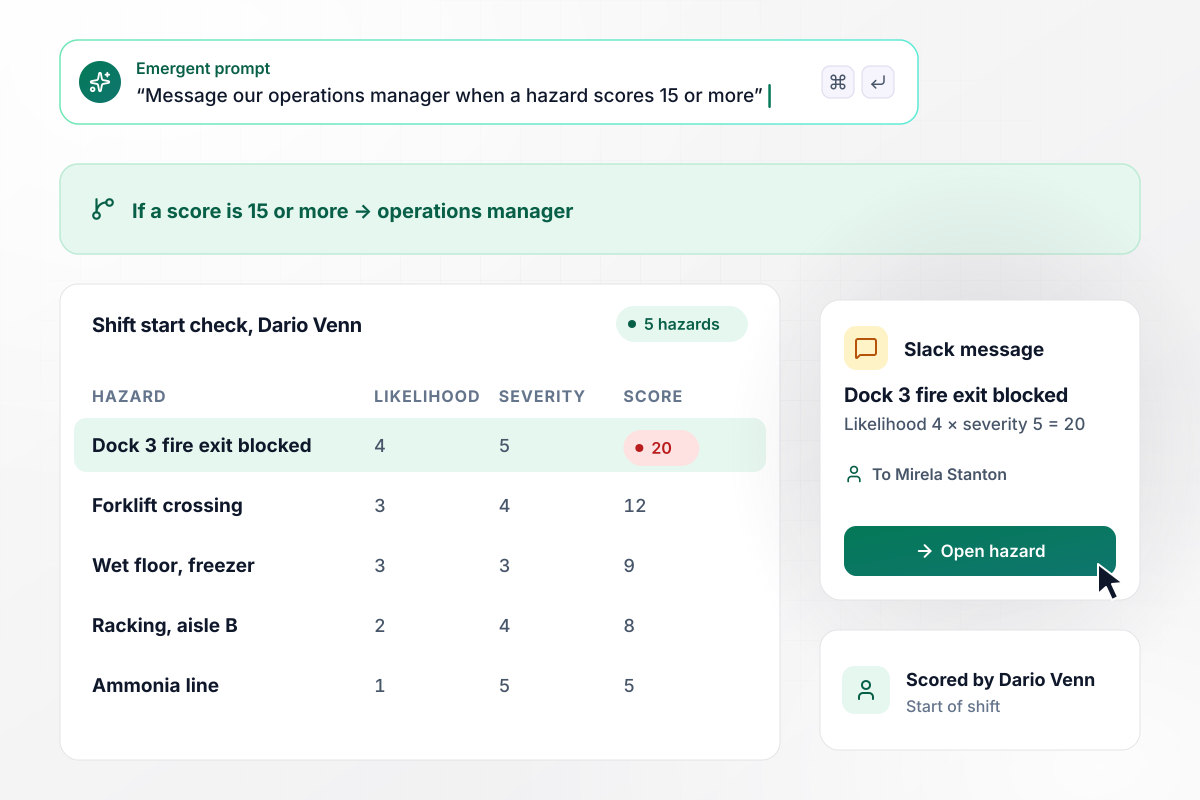
Any hazard scoring 15 or more alerts the operations manager
Shift supervisors at Tollbrook Cold Storage run the assessment at the start of every shift. Dario Venn rates a blocked fire exit by dock 3 at likelihood 4 and severity 5, a score of 20. Operations manager Mirela Stanton gets a Slack message before the shift ends.
window.awbMockup = { hazardScores: "My cold storage warehouse needs a risk assessment form shift supervisors fill in at the start of each shift. Score every hazard for likelihood and severity from 1 to 5 and multiply them. When a score reaches 15 or more, send our operations manager a Slack message with the hazard, the location, and the score.", eventActions: "Build a risk assessment form for my running club's 5K race. List each hazard on the course with the action that controls it, and give every action one owner and a due date. Email the owner a reminder 2 days before the due date, and show which actions are done and which are still open.", homeVisits: "My home care agency needs a home risk assessment our coordinator completes before a caregiver's first visit. Ask 8 yes or no questions about the home, such as pets and steep stairs. Put every yes answer at the top of the visit sheet the caregiver opens on their phone.", scannedPaper: "Our school science department has a stack of paper risk assessments for lab practicals. Read each scanned assessment into the same fields as our new online form: the practical, the hazards, the controls, and who signed it. Send any value you are unsure of to our lab technician to check." };
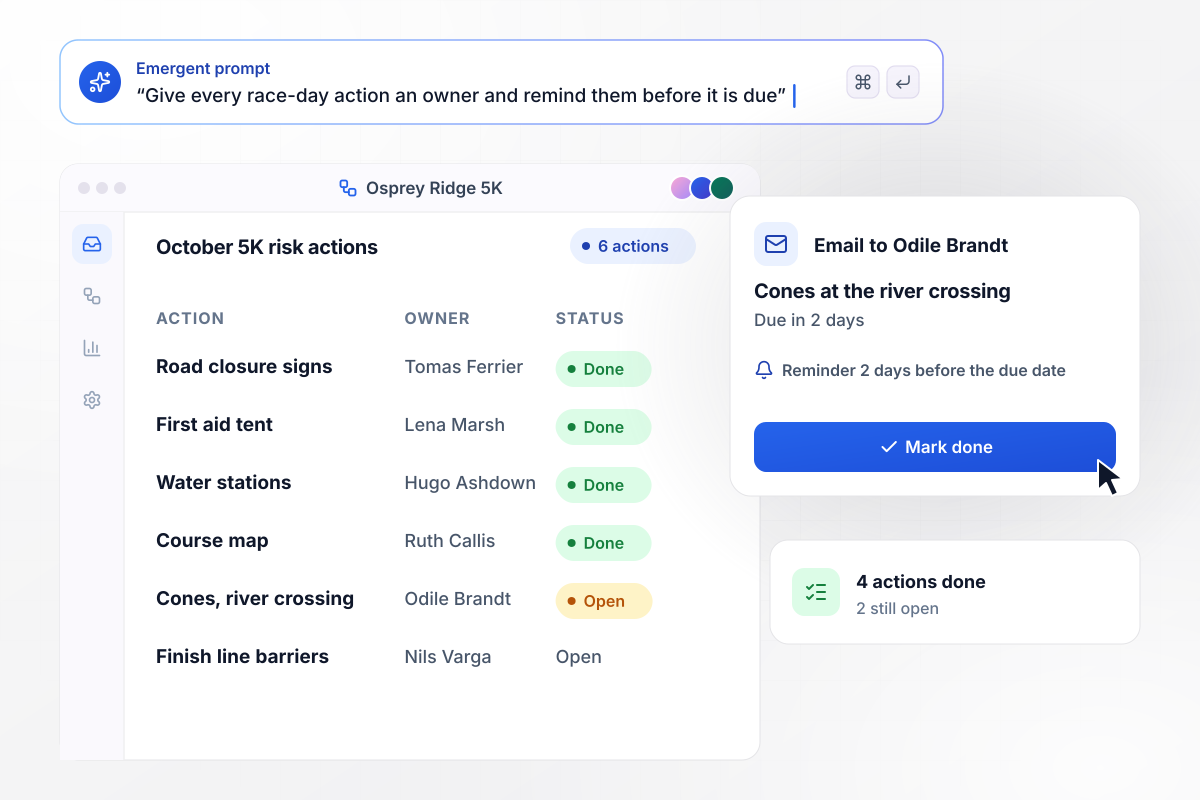
Each of 6 actions has a named owner and a due date
The Osprey Ridge Running Club lists 6 actions in the risk assessment for its October 5K. Four are done. Marshal lead Odile Brandt still owns the cones at the river crossing, and an email reminder reaches her 2 days before they are due.
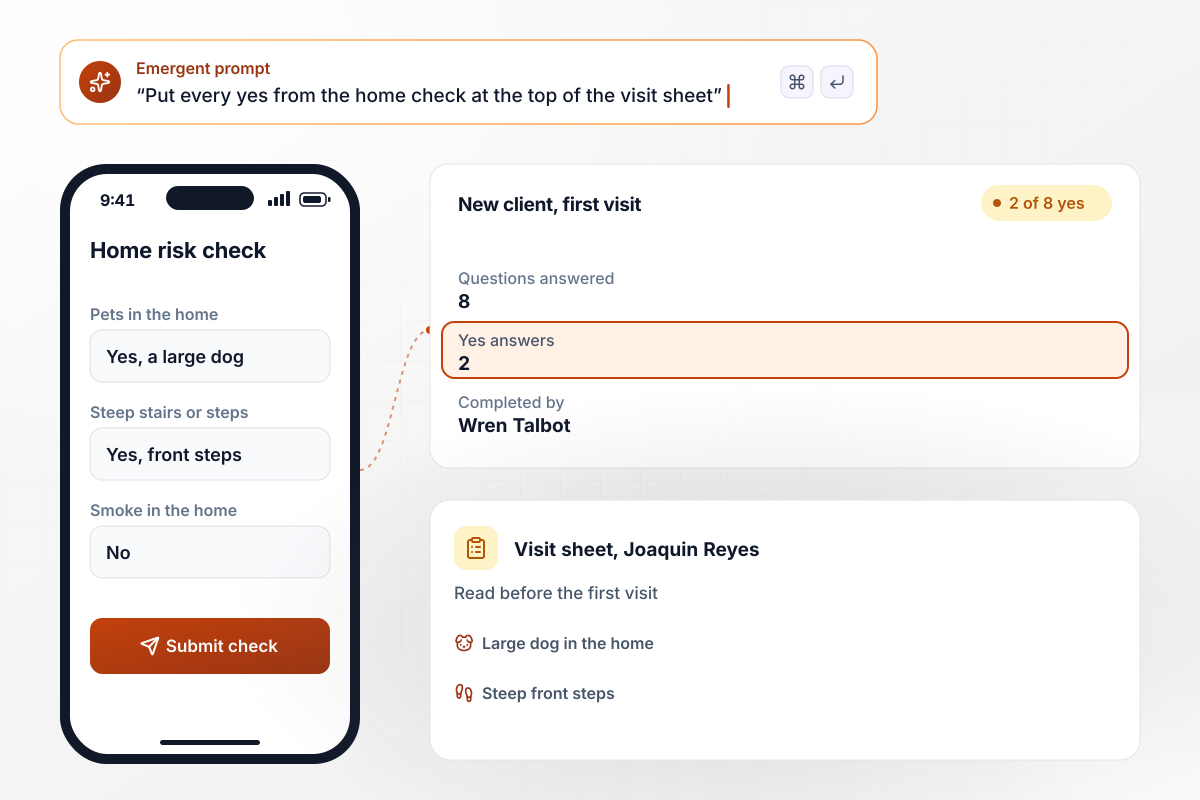
Before the first visit, the caregiver reads both yes answers
Hollins Home Care completes a home risk assessment before a caregiver's first visit to a new client. Coordinator Wren Talbot marks yes on 2 of the 8 questions: a large dog and steep front steps. Both answers sit at the top of the visit sheet caregiver Joaquin Reyes opens on his phone.
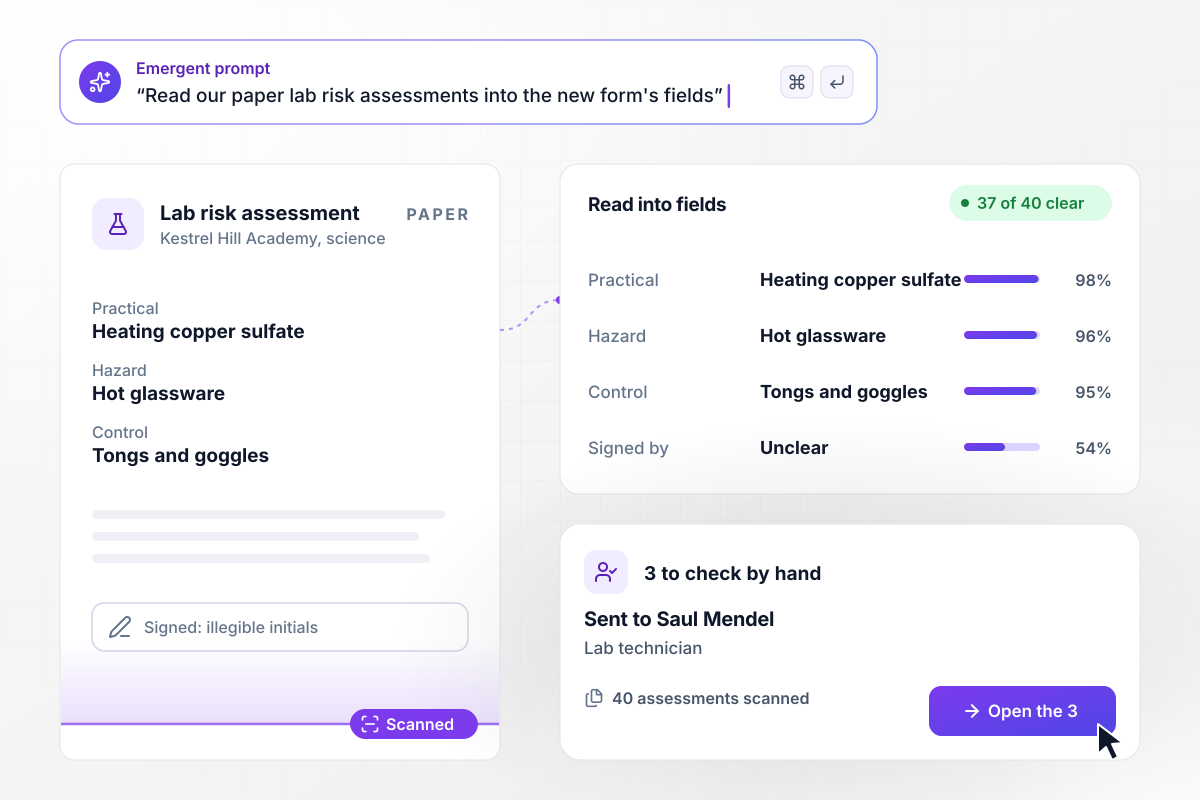
From 40 scanned assessments, 3 need a check by hand
The science department at Kestrel Hill Academy has 40 paper risk assessments for lab practicals. Each scan is read into the same fields as the online form. Three have a value read at low confidence, and lab technician Saul Mendel checks those 3 by hand.






How to Create a Risk Assessment Form
Seven steps to create a risk assessment form that scores each hazard and sends high scores to a named owner, then build it with Emergent.
Walk the work area with the people who do the job, and write down what could cause injury or illness there. HSE's guidance names this as part of the minimum an employer must do under the Management of Health and Safety at Work Regulations 1999.
Next to each hazard, write who could be hurt and in what way: pickers struck by falling stock, or a visitor slipping on a wet floor. Give each group its own line, because the controls for each can differ.
The same HSE minimum asks you to decide how likely it is that someone could be harmed and how seriously. Pick a scale your assessors can apply the same way, and write one example beside each point on it.
HSE's template keeps a record of what you're already doing to control the risks, what further action you need to take, who needs to carry out the action, and when it is needed by. Give each of those its own field.
Paste your hazard list, the scale, and the alert rule into the prompt in plain English. Emergent builds the form and the database its records are saved to. To change a question later, describe the change in a new prompt.
Decide who hears about a high score at each site, by name rather than through a shared inbox. Choose Slack or email for that person, and name a second person for the alert to escalate to when the first is away.
Fill in the form on a phone for a hazard you have already assessed on paper, and score it above your threshold on purpose. Check that the alert reaches the right person and that the record carries the assessor's signature.
Why Build Risk Assessment Forms With Emergent?
A spreadsheet assessment waits for someone to open it. Emergent builds the form so a high score reaches a named person.

|
Jotform | Google Forms | Typeform | |
|---|---|---|---|---|
| How you build | Describe it in plain English | Templates, editor, AI generator | Editor, with Gemini drafting on some Workspace plans | Templates, editor, AI assist |
| Where responses live | A database table you own, plus any integration | Jotform account | Google Sheets | Typeform account |
| Response limits | No response caps | Monthly submission caps by plan; the form stops at the cap | No limit | Monthly response caps by plan; the form closes at the cap |
| Code ownership | Full code export to GitHub on paid plans | None | None | None |




Pick the Pricing Plan That Works for You
Choose the plan that fits your building ambitions. From weekend projects to enterprise applications, we've got you covered.




Find the right form
for whatever you're collecting
Frequently Asked Questions
Your Questions, Answered
Don't change this element unless you know what you are doing
More things you can build
with Emergent









on Emergent today


