

Build a Security Deposit Form for Receipts and Returns
Build a security deposit form that sends tenants a signed receipt and itemizes every deduction when the lease ends.
Build a security deposit form that saves every response to a database I own.
Trusted by Builders Worldwide
Active Builders Worldwide
Apps Successfully Created
Countries Globally Reached



What the Form Keeps Between Lease and Return
A security deposit form records what the tenant paid at move-in and accounts for every dollar of it when the lease ends.
A receipt the tenant signs on a phone
Enter the amount, the payment method, and the date the deposit arrived. The tenant gets an emailed receipt for that unit and signs it on a phone, and the signed copy stays on file.
One deposit record per unit and lease
Each deposit is saved under its unit and lease, with the tenant's name and the lease end date. Open the unit a year later and the receipt, the amount, and any notes are still there.
Deductions that add up to the refund
List each deduction with a reason and an amount, and the app subtracts the total from the deposit. The statement shows the deposit, every charge, and the refund on a single page.
A photo behind every charge
Attach photos to each deduction from a phone at the final walk-through. Each photo is saved with its line on the statement, and the tenant sees the stained countertop by its charge.
Reminders before each lease ends
Pick how many days before a lease ends the reminder goes out, and who gets it. The property manager receives an email or a Slack message naming the unit and the deposit held on it.
Code you can take with you
Export the app's full code to your GitHub repository on paid plans, and host it wherever your other property tools run. Every deposit record stays in a database you own, by unit.
Four Rentals, Four Deposit Moments
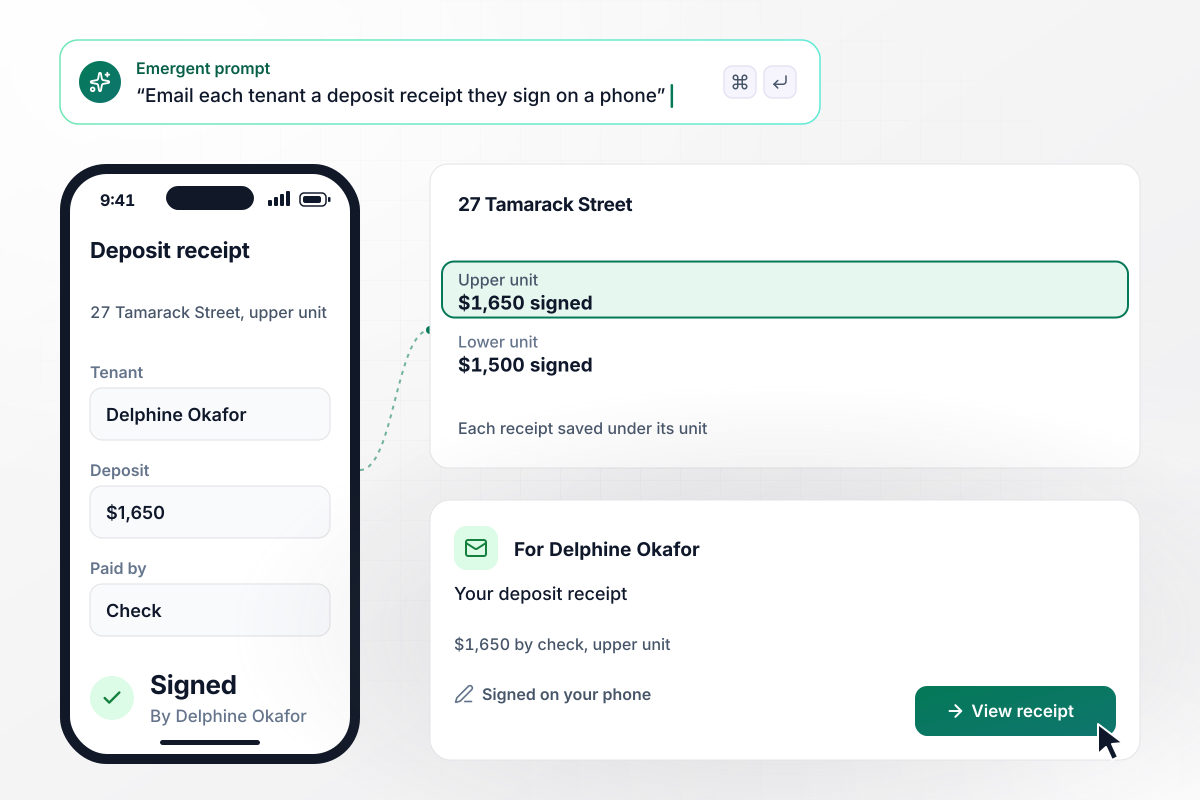
Check logged and receipt signed, all before the keys
Corwin Ashgrove rents the upper unit of his duplex at 27 Tamarack Street to Delphine Okafor. She pays the $1,650 deposit by check at the lease signing, and Corwin records the check on the form. Delphine gets an emailed receipt for the upper unit and signs it on her phone. The signed receipt is saved under that unit.
window.awbMockup = { privateLandlords: "I rent out both units of a duplex. Build a security deposit form where I record the tenant, the unit, the deposit amount, and how it was paid. Email the tenant a receipt for that unit, let them sign it on a phone, and save the signed receipt under the unit.", propertyManagers: "My company manages 38 rental units. Build a deposit tracker that lists every deposit we hold by unit and lease end date. Move any lease ending within 45 days to a return list for the property manager, with the deposit amount and the tenant's forwarding address, and keep the rest marked Held.", studentHousing: "I manage a student apartment building. Build a deposit return statement for move-out: list each deduction with a reason, an amount and a photo, subtract the total from the deposit, and email the tenant a statement showing the deposit, each deduction and the refund.", sharedUnits: "I rent three-bedroom units to groups of roommates who each pay a share of one deposit. Build a deposit return form that splits any deduction evenly across the roommates and emails each roommate a separate statement with their share, their part of the deduction, and their refund." };
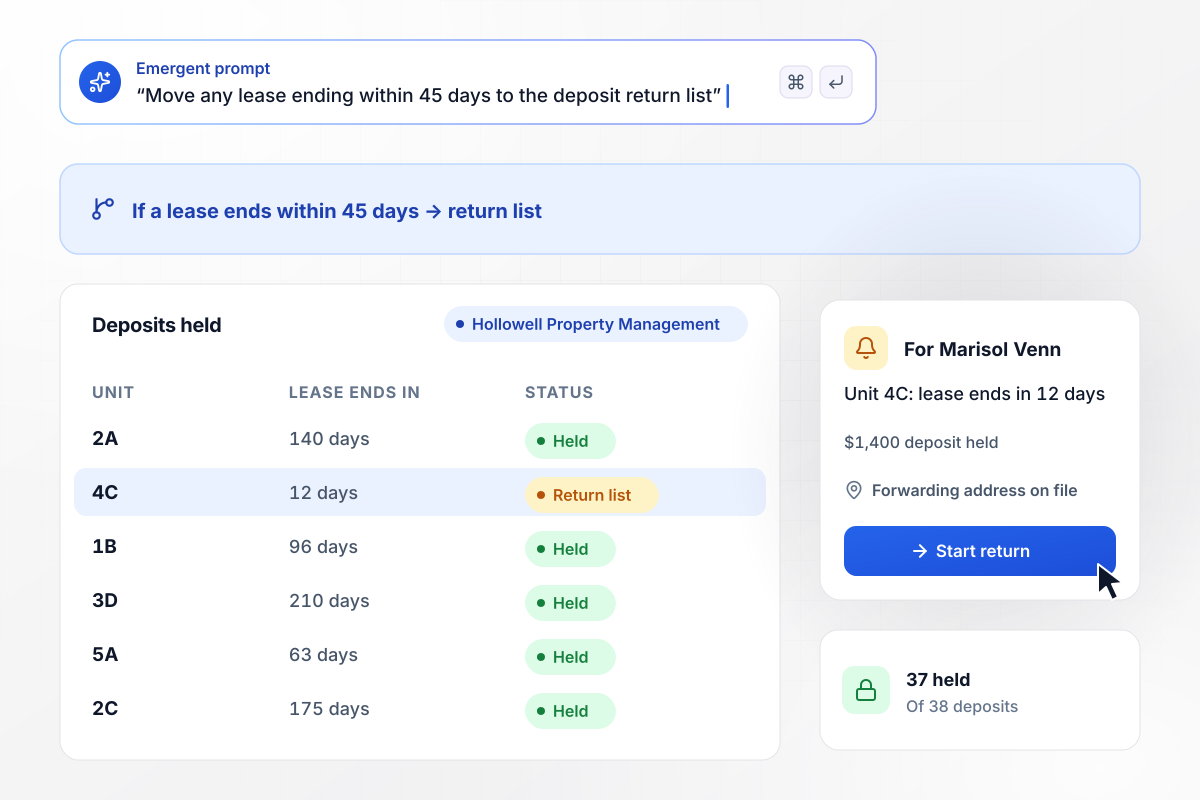
Any lease within 45 days joins the return list
Hollowell Property Management holds deposits on 38 units. Its own rule moves any lease ending within 45 days to the return list. The lease on unit 4C ends in 12 days, and its $1,400 deposit lands on manager Marisol Venn's list with the tenant's forwarding address. The other 37 deposits stay marked Held.
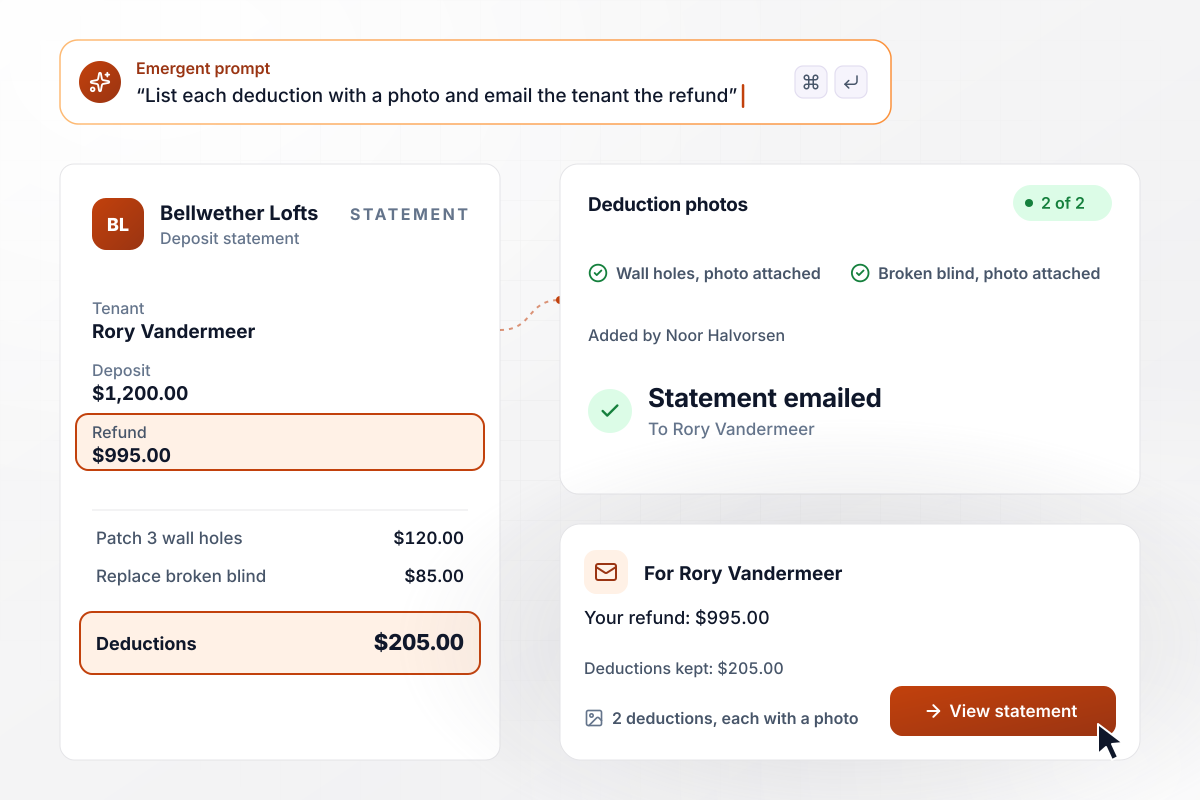
Two deductions with photos, then a $995 refund
Rory Vandermeer moved out of his studio at Bellwether Lofts with a $1,200 deposit on file. Leasing agent Noor Halvorsen adds 2 deductions, $120 to patch 3 wall holes and $85 for a broken blind, each with a photo. The statement Rory gets by email shows $205 kept and a $995 refund.
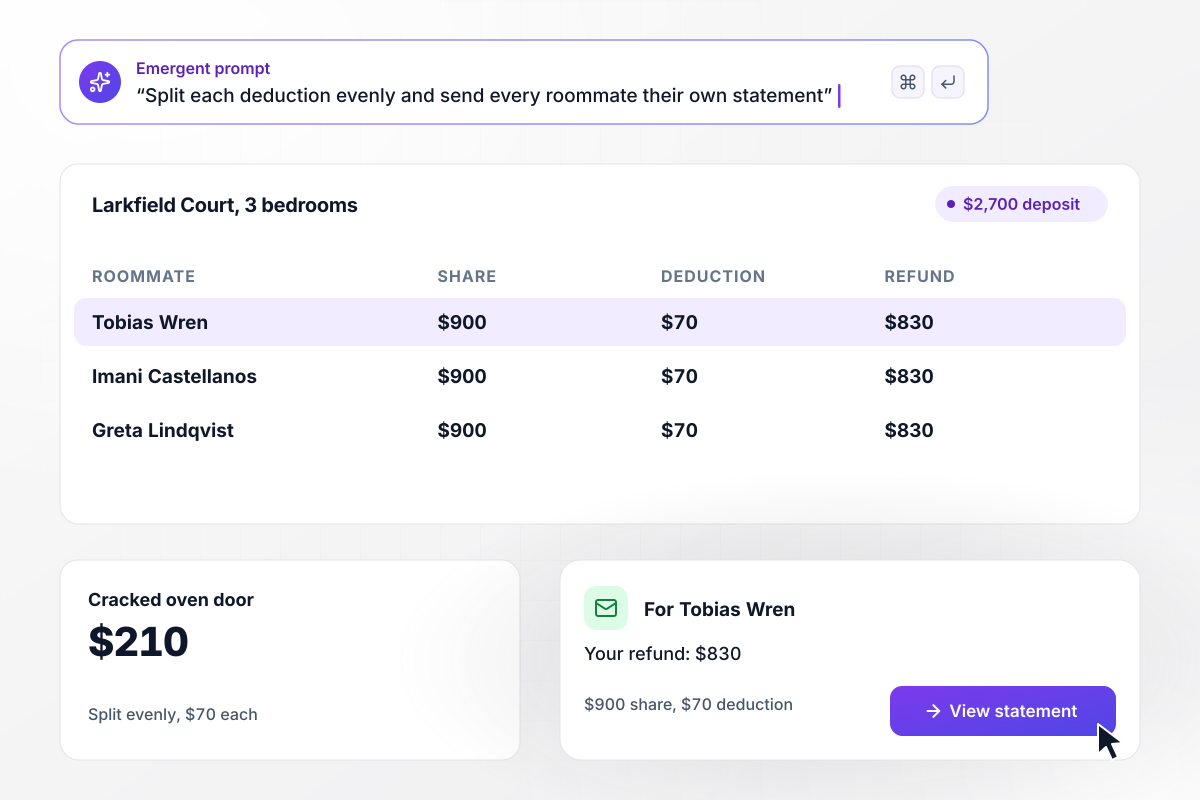
One deposit split into three roommate statements
Three roommates at Larkfield Court each paid $900 toward a $2,700 deposit on a three-bedroom unit. At move-out, the only deduction is $210 for a cracked oven door, split evenly at $70 each. Each roommate gets a separate statement by email with a $900 share, the $70 deduction, and an $830 refund.






How to Create a Security Deposit Form
Seven steps to a security deposit form that issues every receipt and itemizes every refund, built with Emergent.
Write down every amount a tenant hands over at the lease signing and who on your side accepts it. Give any separate pet or key deposit its own line, and keep each amount apart from the main deposit on the record.
Before you put amounts or dates on the form, check your state and local rules with an attorney or your local housing agency. Turn what you learn into fields and reminders on the form, instead of notes that live in a drawer.
List the deductions you have charged before, such as patching walls, replacing blinds, or a lost key. Give each a short, plain name that a tenant will recognize on a statement. Require a photo on every line before the statement can go out.
Note the check number or transfer reference with every deposit. A month later, anyone can match the bank statement to the receipt. When two roommates pay separately, record two payments against one deposit, and the receipt lists both.
Put the receipt fields and the deduction lines into one prompt, along with how the return statement should read. Emergent builds the receipt and the statement plus a list of every deposit you hold, with a database behind them. Ask for changes in plain English as your leases change.
Choose the lead time for each return to start and the person who owns it. A landlord with one duplex might get an email per unit, while a leasing office posts a weekly list to Slack. Name a backup for vacations.
File a made-up deposit for a test unit, sign the receipt on your own phone, then add 2 deductions with photos. Check that the refund on the statement equals the deposit minus both charges before the form goes to a real tenant.
Why Build a Deposit Form With Emergent?
A receipt template covers the day a deposit is paid. Emergent builds the record that carries it through to the refund, all from one prompt.

|
Jotform | Google Forms | Typeform | |
|---|---|---|---|---|
| How you build | Describe it in plain English | Templates, editor, AI generator | Editor, with Gemini drafting on some Workspace plans | Templates, editor, AI assist |
| Where responses live | A database table you own, plus any integration | Jotform account | Google Sheets | Typeform account |
| Response limits | No response caps | Monthly submission caps by plan; the form stops at the cap | No limit | Monthly response caps by plan; the form closes at the cap |
| Code ownership | Full code export to GitHub on paid plans | None | None | None |



Pick the Pricing Plan That Works for You
Choose the plan that fits your building ambitions. From weekend projects to enterprise applications, we've got you covered.




Find the right form
for whatever you're collecting















Frequently Asked Questions
Your Questions, Answered
Don't change this element unless you know what you are doing
More things you can build
with Emergent









on Emergent today


