

Build a Suggestion Form That Gets Every Idea an Answer
Get a suggestion form that routes each idea to a reviewer and saves every entry in a database you own.
Build a suggestion form that saves every response to a database I own.
Trusted by Builders Worldwide
Active Builders Worldwide
Apps Successfully Created
Countries Globally Reached



What Happens to an Idea After Someone Sends It
A slip in a locked box waits until someone opens the box. Each part below moves an idea toward a decision the sender hears about.
Categories that pick the reviewer
The sender picks a category, and the entry goes straight to the person who owns it: tooling to maintenance, menu requests to the kitchen. No one sorts a pile of slips by hand.
A decision date on every idea
You set how many days a reviewer has to decide, and the app sends a reminder before that date passes. A suggestion still open after its date shows as overdue on the review board.
An outcome email the sender reads
When the reviewer marks an idea approved or declined, the app emails the sender with the reviewer's reason. A declined suggestion still gets an explanation instead of silence.
Photos that show the problem
A sender can attach a photo of the leaking valve or the blocked aisle straight from a phone. The reviewer sees what the sender saw, and the file stays attached to the idea.
Every suggestion in a database you own
Entries save to a database you own, with no response caps. Filter a full year of entries by category or by outcome, and count how many of them reached approval this quarter.
One question per screen on a phone
For people who work away from a desk, ask Emergent to build the form as a conversational flow with one question per screen. A suggestion then fits into a short break.
Suggestion Forms for Four Kinds of Ideas
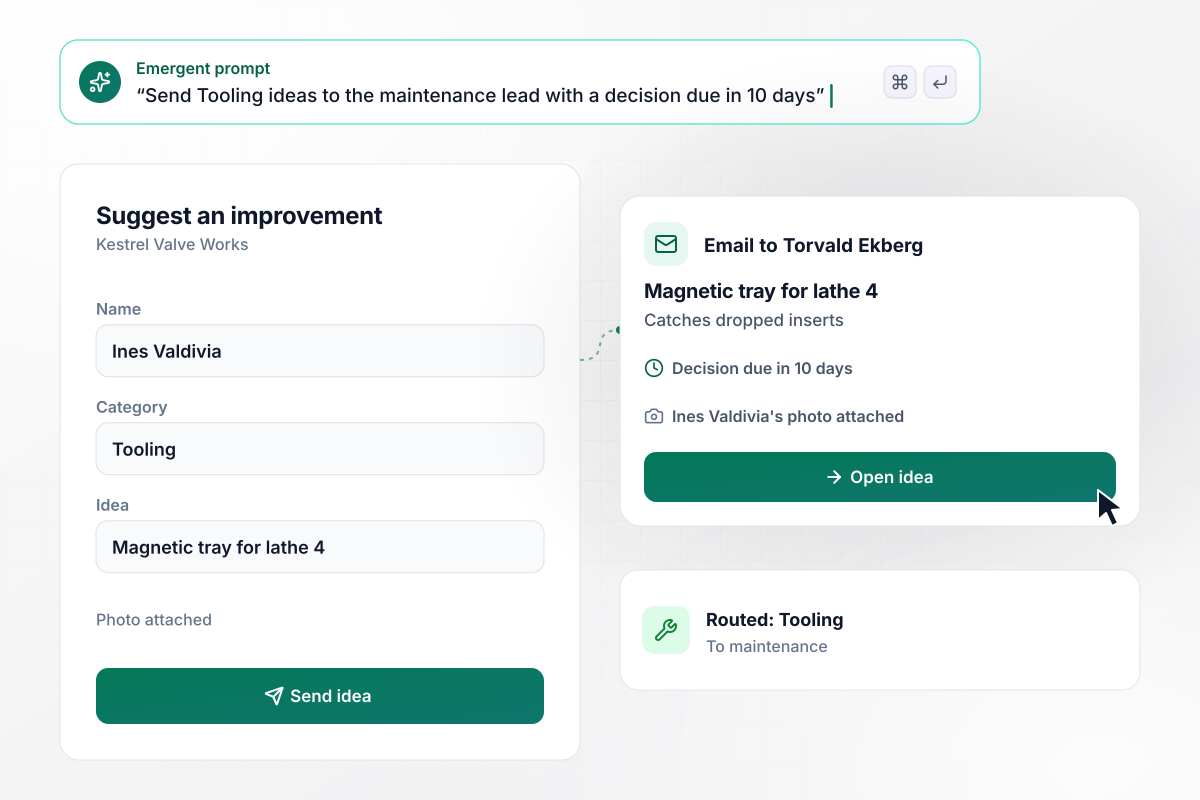
Who decides on a tooling idea, and by when
Kestrel Valve Works sorts every suggestion by category, and Tooling goes to maintenance lead Torvald Ekberg with a decision due in 10 days. Machinist Ines Valdivia suggests a magnetic tray for lathe 4 to catch dropped inserts and attaches a photo. Torvald gets her idea in one email, with the photo and the due date.
window.awbMockup = { shopFloorIdeas: "Build a suggestion form for my valve plant. Ask for a category, the idea, and an optional photo. Send Tooling ideas to our maintenance lead with a decision due in 10 days, and email him the idea, the photo, and the due date.", customerRequests: "Build a customer suggestion form for my coffee shop that opens from a QR code on our receipts. Show open requests first so customers can vote on one instead of adding a duplicate. When I mark a request as added to the menu, email everyone who voted for it.", libraryPurchases: "Build a purchase suggestion form for our public library. Patrons enter a title and pick print, ebook or audiobook, with up to 5 requests a month per library card. Send each request to the collection librarian, and email the patron when it is approved and on order.", savingsAwards: "Build an employee suggestion form for my freight company. Ask for the idea and its estimated yearly savings. Send ideas worth over $5,000 a year to the operations director, and when one is approved, record an award of a tenth of the first-year savings for the employee." };
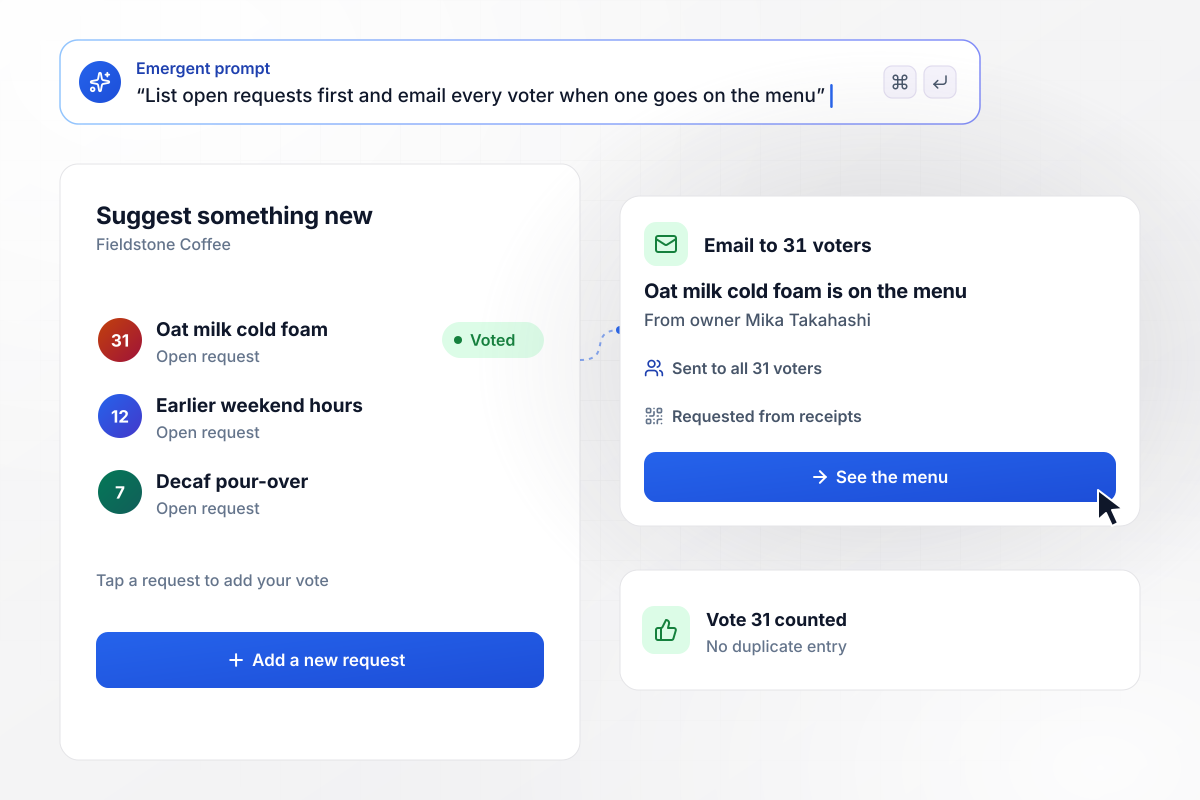
All 31 voters hear the answer at once
Fieldstone Coffee prints a QR code on its receipts that opens a suggestion form listing open requests first. A customer who wants oat milk cold foam finds it listed and casts the 31st vote instead of starting a new entry. When owner Mika Takahashi puts it on the menu, one email reaches all 31 voters.
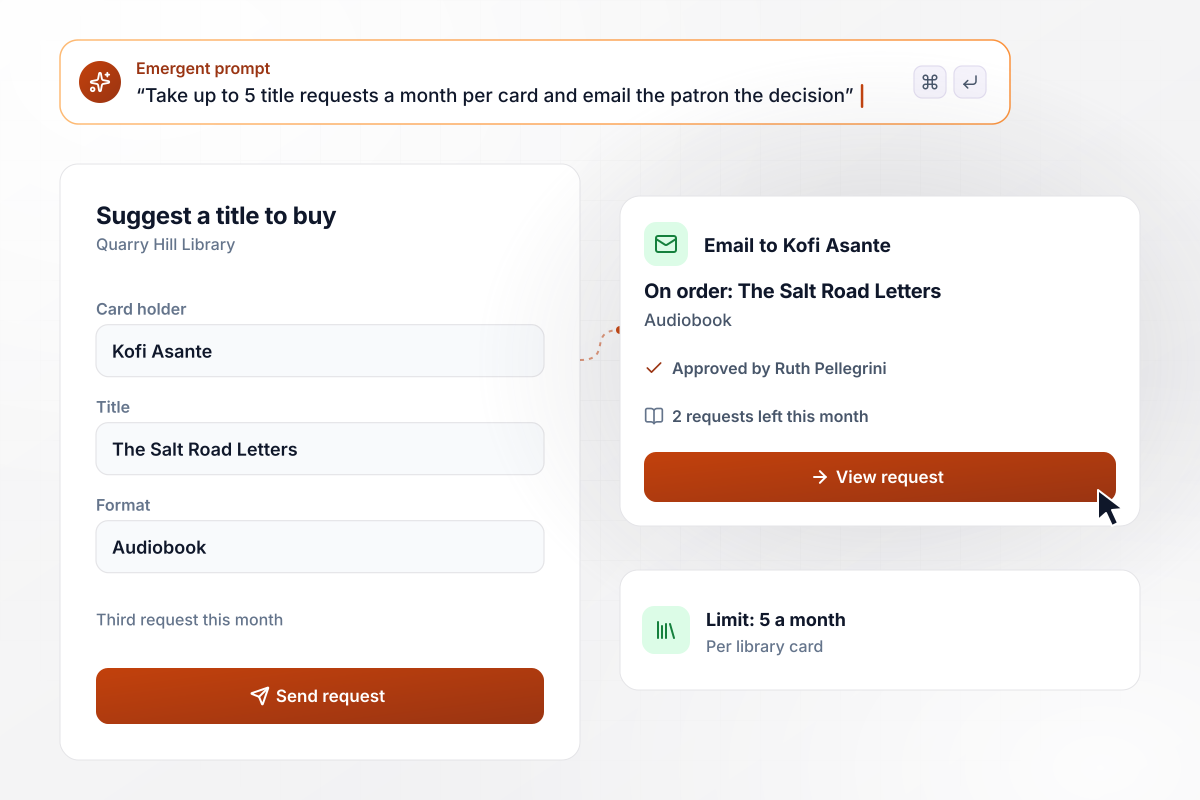
A card's fifth title request is its last that month
Quarry Hill Library lets each card holder ask it to buy up to 5 titles a month, in print, ebook or audiobook, and the form closes for that card after the fifth. Kofi Asante sends his third request, the audiobook of The Salt Road Letters. Collection librarian Ruth Pellegrini approves it, and Kofi gets an email that it is on order.
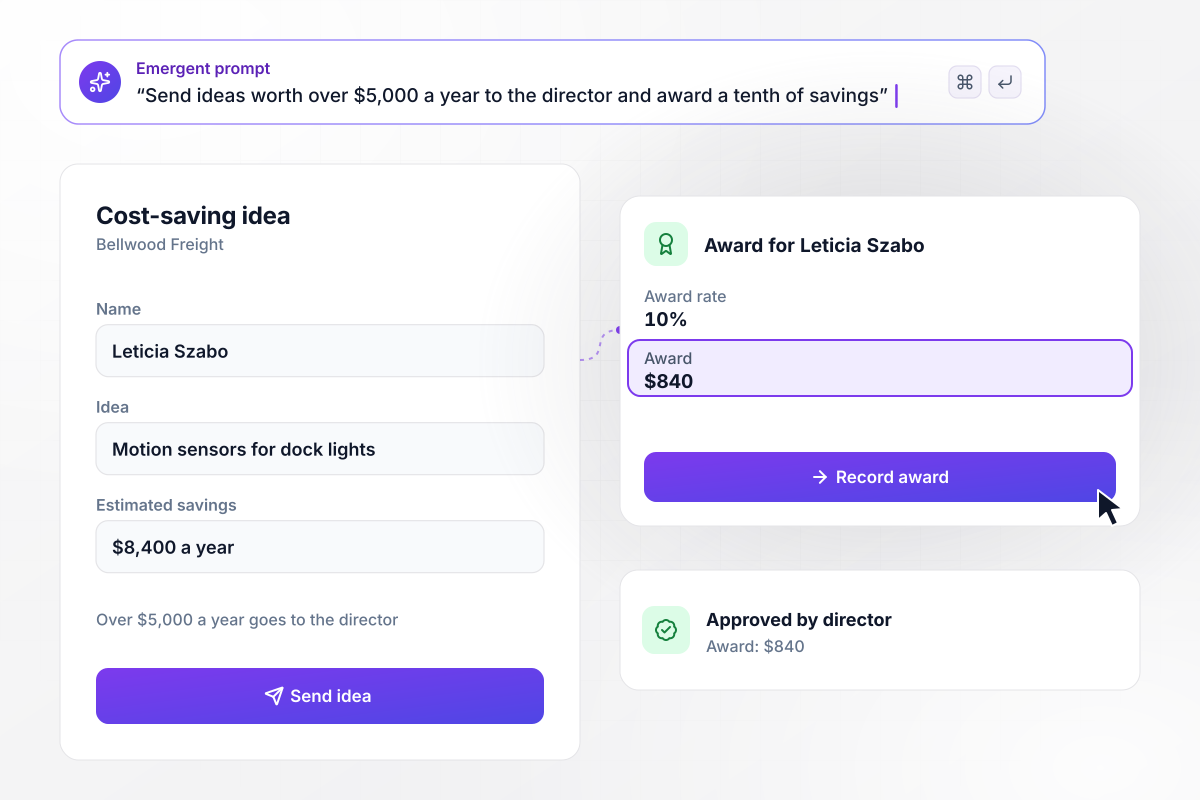
A tenth of an $8,400 saving, paid as an award
Bellwood Freight pays a tenth of first-year savings as an award and sends suggestions worth over $5,000 a year to its operations director. Dock supervisor Leticia Szabo suggests motion sensors for the dock lights, an estimated $8,400 a year. Once the director approves, the form records an $840 award in her name.






How to Create a Suggestion Form
Follow these seven steps to set up a suggestion form that gives every idea an owner and a reply by a set date.
List the categories people will suggest in, such as safety or tooling, and name one reviewer for each. Give each category one person, not a committee: every suggestion then has someone who answers for it.
Ask what is wrong today before asking for the idea, then where it happens, with an optional photo. A clear problem lets the reviewer judge the suggestion even when the proposed fix is not the right one.
Choose a deadline, such as 10 days from the day an entry arrives, and decide whether a reviewer can ask the sender for more detail before ruling. Print the deadline on the form so senders know when to expect an answer.
Write a plain-English description that covers who reviews each category and what each sender hears back. Emergent builds the form and its review queue, with a database behind them, from that description.
Ask for each extra rule in a sentence, such as sending suggestions above a savings estimate to a director, or letting people vote on a request that keeps coming back. Change any rule later by prompting Emergent again.
Submit one idea in each category from a phone. Check that it reaches the right reviewer, that the reminder goes out before the deadline, and that the outcome email reads well to someone outside the team.
Post the link or a QR code where people notice problems: the break room, the intranet home page, or the counter. Add a question asking where the sender found the form. The answers show which spot brings in ideas.
Why Build Your Suggestion Form With Emergent?
A box on the wall collects slips and answers none. Emergent builds a form that gives every idea a reviewer and every sender a reply.

|
Jotform | SurveyMonkey | Google Forms | |
|---|---|---|---|---|
| How you build | Describe it in plain English | Templates, editor, AI generator | Survey builder with templates | Editor, with Gemini drafting on some Workspace plans |
| Where responses live | A database table you own, plus any integration | Jotform account | SurveyMonkey account, plus export | Google Sheets |
| Response limits | No response caps | Monthly submission caps by plan; the form stops at the cap | Response allowance per plan, overage billed on paid plans | No limit |
| Code ownership | Full code export to GitHub on paid plans | None | None | None |



Pick the Pricing Plan That Works for You
Choose the plan that fits your building ambitions. From weekend projects to enterprise applications, we've got you covered.




Find the right form
for whatever you're collecting














Frequently Asked Questions
Your Questions, Answered
Don't change this element unless you know what you are doing
More things you can build
with Emergent









on Emergent today


