

Build a Telemedicine Consent Form for Video and Phone Visits
Get a telemedicine consent form that saves each patient's e-signature or spoken yes, plus a callback number for every visit.
Build a telemedicine consent form that saves every response to a database I own.
Trusted by Builders Worldwide
Active Builders Worldwide
Apps Successfully Created
Countries Globally Reached



Consent That Follows the Patient Into the Visit
Every answer saves to a database you own, and the app can email the front desk when tomorrow's patient has not agreed yet.
A link that goes out with the booking
AHRQ advises mailing the form or sending it through the patient portal in advance. In the app Emergent builds, the link rides with the confirmation and captures an e-signature.
A verbal yes, with the staff member's name
Some patients never open a link. Staff mark Verbal consent given at check-in, and the app stamps the record with the staff member's name and the exact minute it happened.
Everyone on the call, listed and approved
A caregiver, an interpreter, or a student clinician gets a line of their own. The patient approves each name before the visit starts, and the record keeps who was there.
Where the patient is today
HHS advises confirming the patient's exact location at the beginning of each telemedicine appointment. Check-in asks for the full street address and saves it with that day's visit.
Video, phone, or either
Patients pick the visit types they accept right on the form. The choice is saved next to their consent, so the scheduling screen can read it before anyone books a slot.
A teach-back checklist for staff
AHRQ recommends teach-back to confirm patients understand. Staff get a short list of topics with a yes or no beside each: did the patient explain it in their own words?
What Happens Before the Doctor Joins
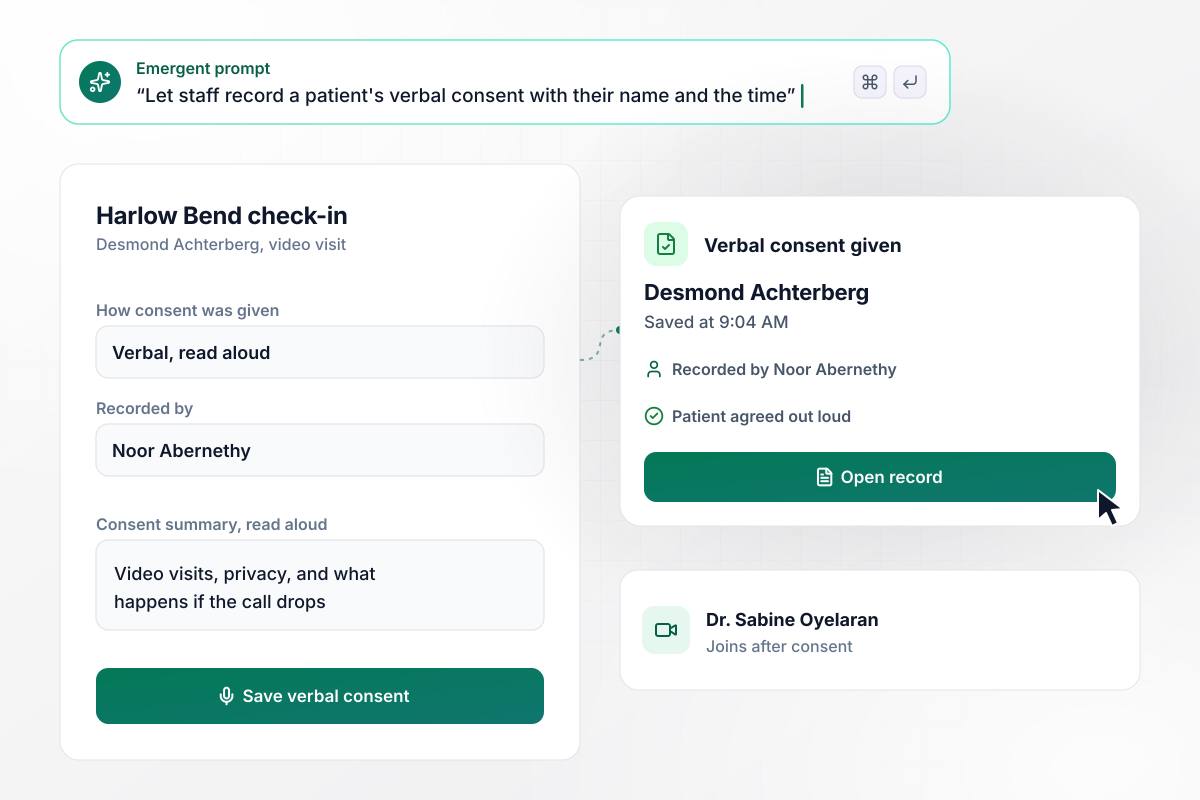
When the patient has no portal, Noor reads it aloud
Desmond Achterberg has no portal login at Harlow Bend Family Practice. At 9:04 AM, medical assistant Noor Abernethy reads him the consent summary over video and he agrees out loud. She ticks Verbal consent given, and her name and the time save to his record before Dr. Sabine Oyelaran joins.
window.awbMockup = { verbalConsent: "Build a telemedicine consent form for our family practice. Some patients have no portal login, so let a medical assistant read the consent summary aloud at check-in, tick Verbal consent given, and save her name and the time on the patient's record before the doctor joins.", familyOnTheCall: "Our geriatrics practice runs video visits where a son or daughter often joins. Add a check-in step that lists everyone else on the call by name and relationship, asks the patient to approve each person, and saves those answers on the same record as the consent.", droppedVideo: "I run a counseling practice with video sessions. At the start of every session, ask the client for the street address they are at right now and a phone number to call back. Show both to the therapist on the session screen, so she can call if the video drops.", phoneOnlyPatients: "Let patients choose on the consent form which visit types they accept: video, phone, or both. Show that choice on our scheduling screen, and when the front desk tries to book a video slot for a phone-only patient, block it and offer the next phone slot instead." };
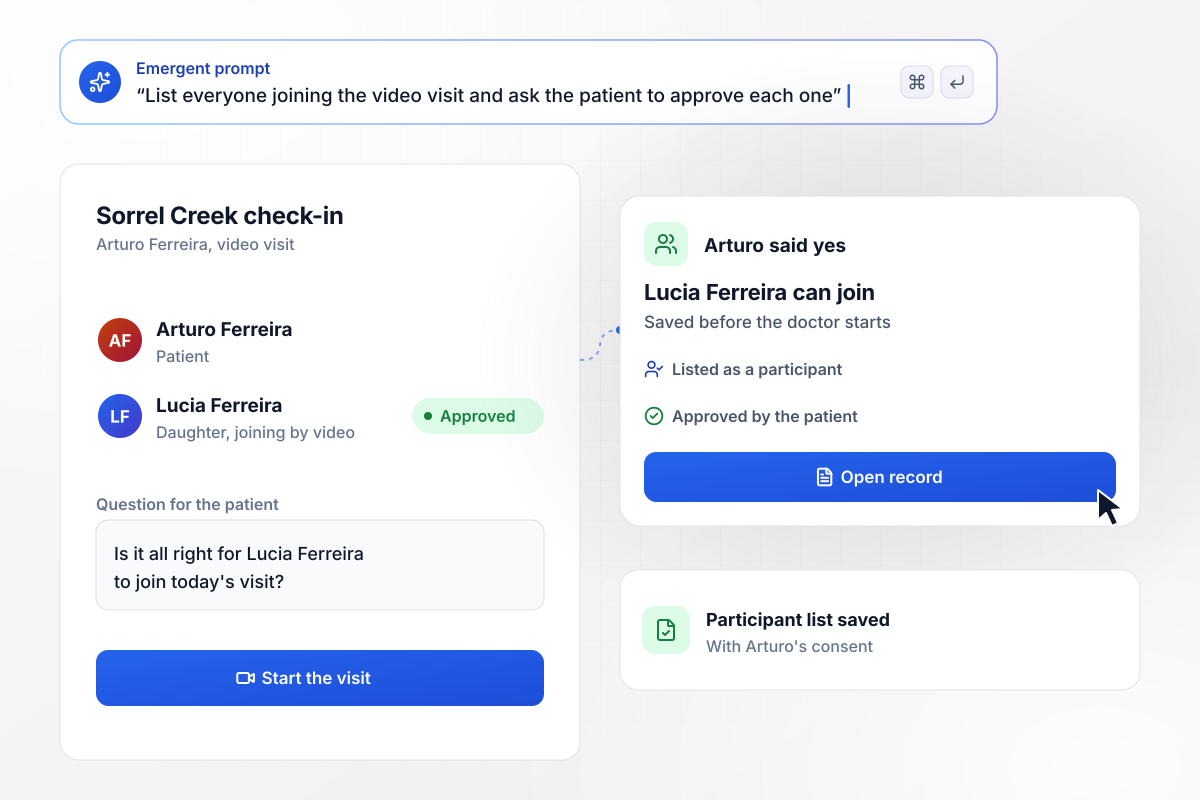
Arturo said yes before Lucia joined the call
Sorrel Creek Geriatrics adds a line to check-in for anyone else on the call. Lucia Ferreira is joining her father Arturo's video visit, so the screen lists her as a participant, and Arturo's yes to having her there saves before the doctor starts.
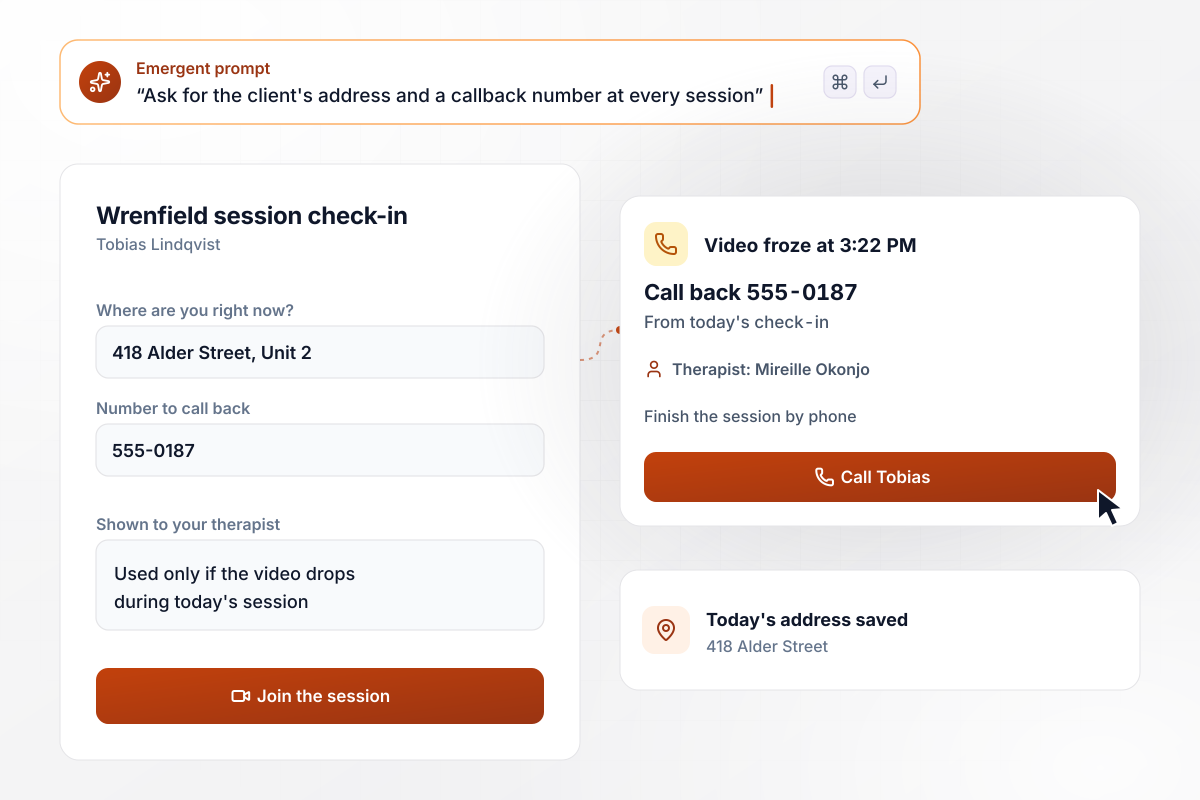
A frozen video at 3:22, with a callback number on file
Every session at Wrenfield Counseling opens with two questions for the client: the street address they are at right now, and a number to call back. When Tobias Lindqvist's video freezes at 3:22 PM, therapist Mireille Okonjo calls him on that number and finishes the session by phone.
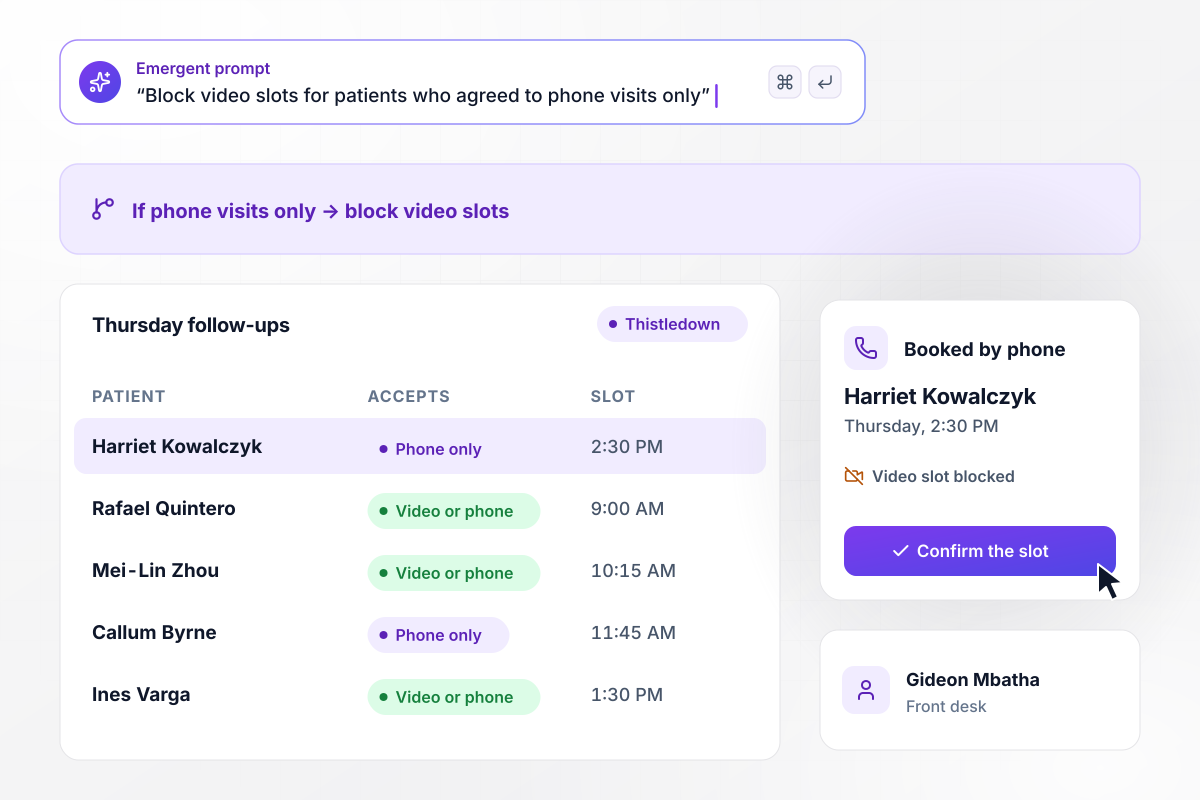
For Harriet, a phone slot instead of video
Harriet Kowalczyk ticked phone visits only on her consent at Thistledown Health. When Gideon Mbatha at the front desk tries to book her follow-up as a video visit, the scheduling screen blocks it and offers a phone slot at 2:30 PM Thursday instead.






How to Create a Telemedicine Consent Form
Seven steps to create a telemedicine consent form that records each patient's agreement and the details staff need at check-in.
List what your current consent covers: what a video visit is, what happens if the call drops, who can see the record. Each item becomes one short section a patient can read on a phone.
Have your own counsel approve the wording before the first patient sees it. HHS notes that specific informed consent laws vary by state. The text is their call, not the form's.
Choose an e-signature on the link, a spoken yes at check-in, or both. AHRQ notes that in addition to verbal consent, a signature can be obtained through your patient portal and the U.S. mail.
Ask the visit types a patient accepts once, on the consent itself. Ask who else is on the call at every check-in, since a caregiver may join one visit and skip the next.
Put the sections, the ways to agree, and the check-in questions into one prompt. Emergent builds the telemedicine consent form and the database behind it. Change any of it later by prompting.
Ask for a staff view of today's video visits with a consent status beside each name: signed, verbal, or missing. The medical assistant works down that list before the clinician logs in.
Book a test visit for a colleague, agree out loud, then end the video halfway through. Check that the record shows the verbal consent, the staff name, and a callback number.
Why Build Telemedicine Consent on Emergent?
<p>A consent PDF ends at the signature line. Emergent builds the check-in steps a video visit needs too, from one prompt.</p>

|
Jotform | Google Forms | Typeform | |
|---|---|---|---|---|
| How you build | Describe it in plain English | Templates, editor, AI generator | Editor, with Gemini drafting on some Workspace plans | Templates, editor, AI assist |
| Where responses live | A database table you own, plus any integration | Jotform account | Google Sheets | Typeform account |
| Response limits | No response caps | Monthly submission caps by plan; the form stops at the cap | No limit | Monthly response caps by plan; the form closes at the cap |
| Code ownership | Full code export to GitHub on paid plans | None | None | None |



Pick the Pricing Plan That Works for You
Choose the plan that fits your building ambitions. From weekend projects to enterprise applications, we've got you covered.




Find the right form
for whatever you're collecting
Frequently Asked Questions
Your Questions, Answered
Don't change this element unless you know what you are doing
More things you can build
with Emergent









on Emergent today


