

Build Accounts Payable Automation From Inbox to Paid
Build accounts payable automation that matches invoices to POs, routes approvals by amount, and pays bills in scheduled runs.
Build accounts payable automation for my finance team's vendor invoices.
Trusted by Builders Worldwide
Active Builders Worldwide
Apps Successfully Created
Countries Globally Reached



Everything Accounts Payable Automation Needs
With accounts payable automation, no one retypes an invoice, and a bill that breaks one of your rules is held with the reason shown.
Invoice capture from email and uploads
A PDF in the AP inbox or an upload from a vendor portal is read into fields: vendor, invoice number, due date, and each line item. Low-confidence fields wait for a person.
Two-way and three-way matching
Service invoices are checked against the PO, and goods invoices against the receipt too. A bill for a partial delivery matches what has arrived, and the rest of the PO stays open.
Approval routing by amount and vendor
Bills route by amount, vendor, entity, or GL code, and the request lands in Slack or email. A reminder follows after two days. A missed deadline escalates to a backup approver.
Payment runs on your schedule
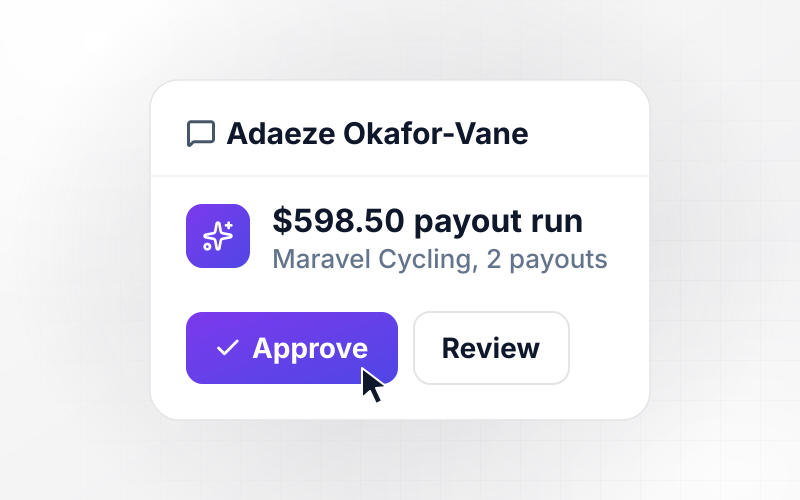
Approved bills are batched into a weekly run, and nothing leaves until someone in finance releases it. The run then goes out as a bank file or through the payments API you connect.
Posted to your accounting system
Each approved bill posts to QuickBooks, Xero, or NetSuite with its GL code and a link back to the source PDF. Once a payment run is released, each payment posts against its bill.
Code in your repo, data in your database
The matching rules and approval chain export to GitHub on paid plans, where an engineer can read exactly why a bill was held. Bill and payment records stay in a database you own.
AP Automation Workflows to Build Today
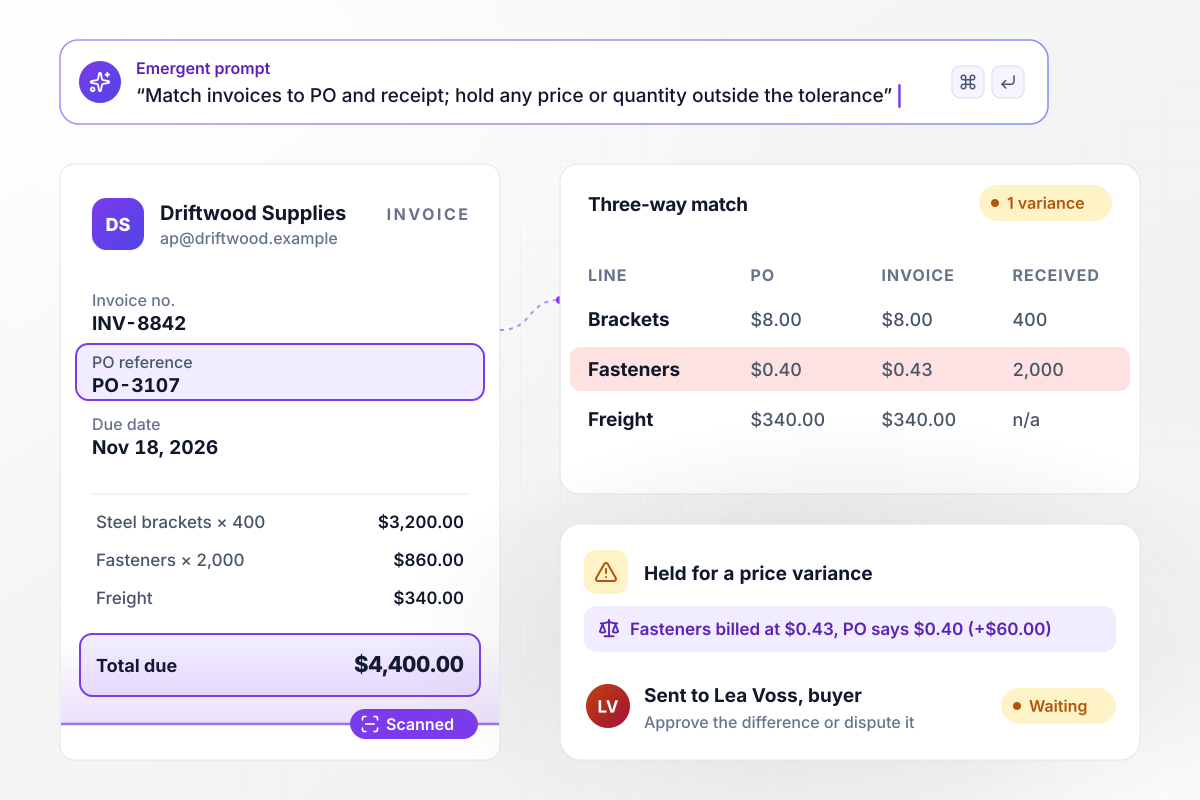
Match every invoice to its PO before it reaches an approver
Driftwood's invoice is matched line by line to PO-3107 and the goods receipt, and any price or quantity outside the tolerance holds it. The fasteners are billed at $0.43 against $0.40, and the $60.00 difference goes to Lea Voss, the buyer, to approve or dispute. Clean matches go to the budget owner, then post to NetSuite.
window.awbMockup = { poBackedInvoices: "Build accounts payable automation for my purchase order invoices. Read each invoice from the AP inbox and match it to the PO and goods receipt. Hold anything with a price or quantity variance over 2 percent and send it to the buyer. Route clean matches to the budget owner and post approved bills to NetSuite.", recurringBills: "Build a workflow for my recurring vendor bills like rent, utilities, and software. Check each bill against last month's amount, send any increase over 10 percent to the department head for approval, approve the rest automatically, and add them to the Friday payment run.", multiEntity: "Build AP automation for my three entities. Tag every invoice to the right company from the billing address, route it to that entity's controller, pay it from that entity's bank account, and show spend by entity and vendor on one dashboard.", contractorPayouts: "Build a contractor invoice portal for my team. Contractors submit invoices from their phone, each invoice is checked against the contract rate, W-9 and bank details are collected once and verified on each submission, approved invoices join the biweekly Friday payout, and every payment is ready for 1099 reporting." };
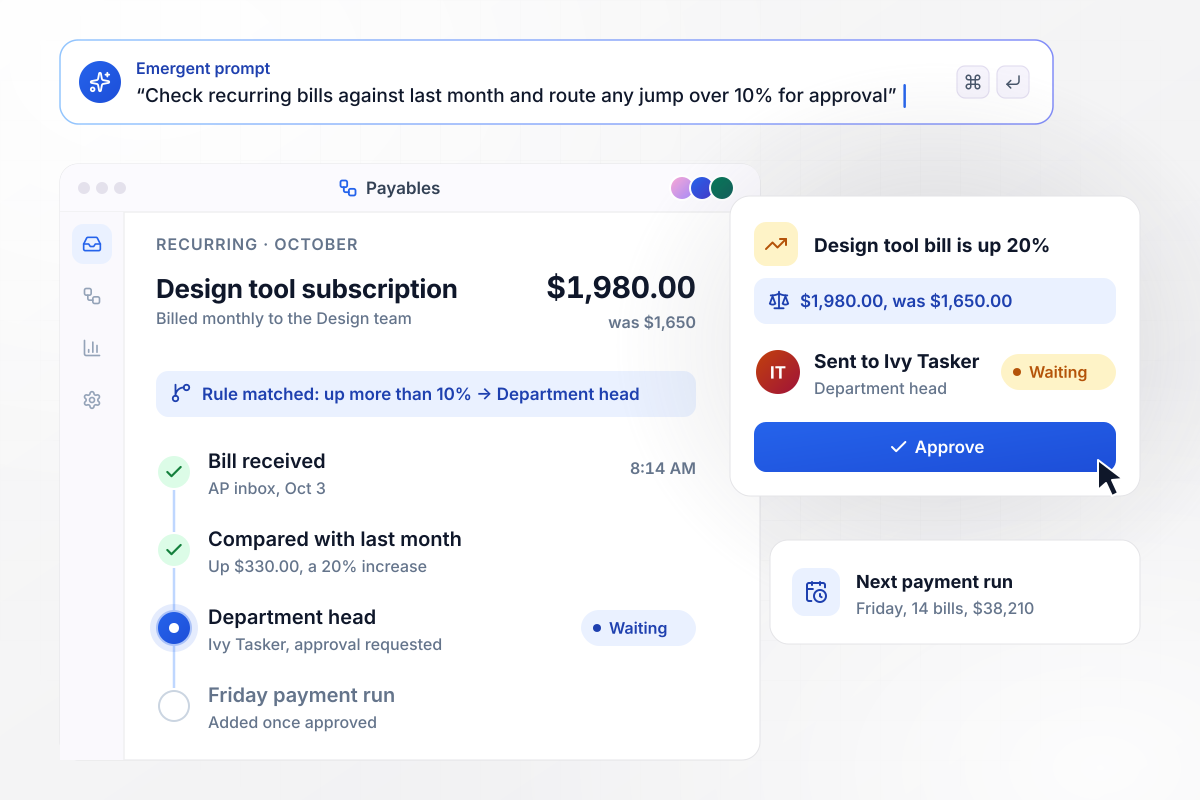
Pay recurring bills on time without a reminder spreadsheet
Rent and software subscriptions come in every month, and each bill is compared with the one before it. When the design tool bill jumps to $1,980 from $1,650, a rise of more than 10%, it waits for Ivy Tasker, the department head. Everything else goes straight into Friday's payment run.
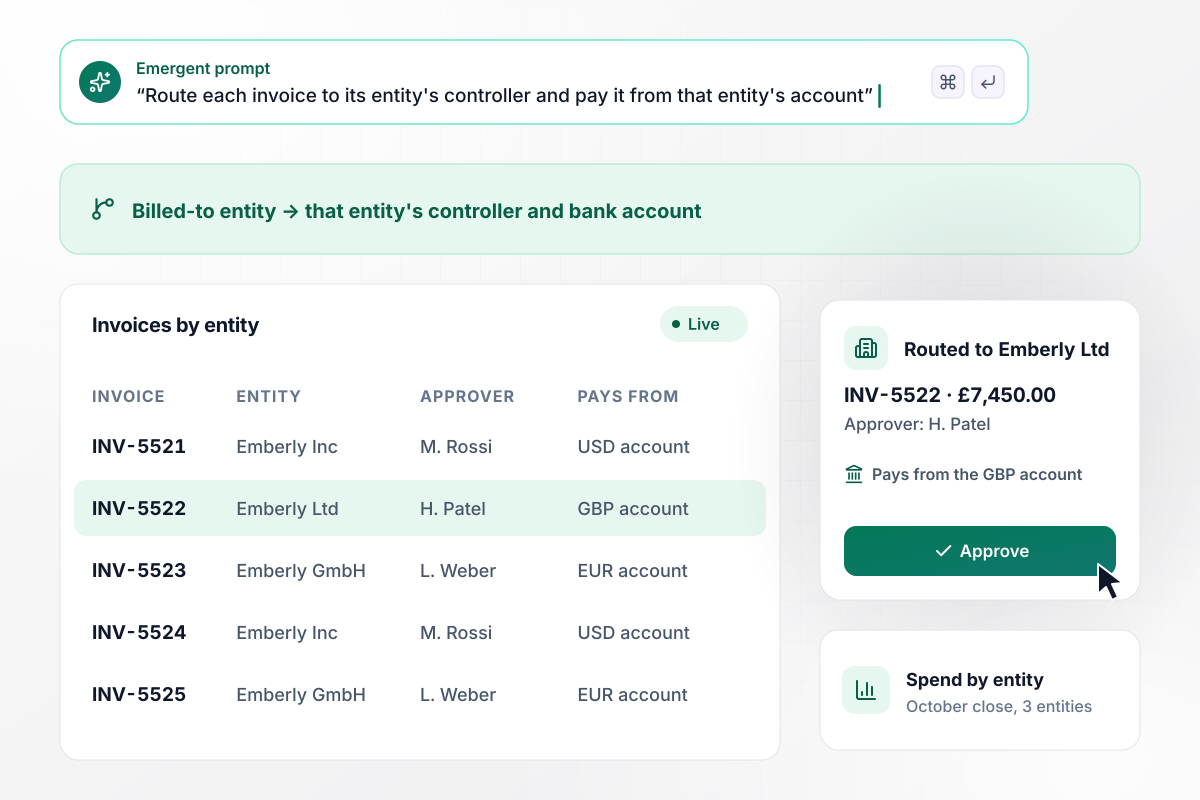
Give every entity its own approver and bank account
The bill-to address on an invoice decides which company it belongs to, and the bill goes to that entity's controller for approval. Emberly Ltd pays its bills from the GBP account and Emberly GmbH from the EUR account. One dashboard splits the month's spend by entity for the close.
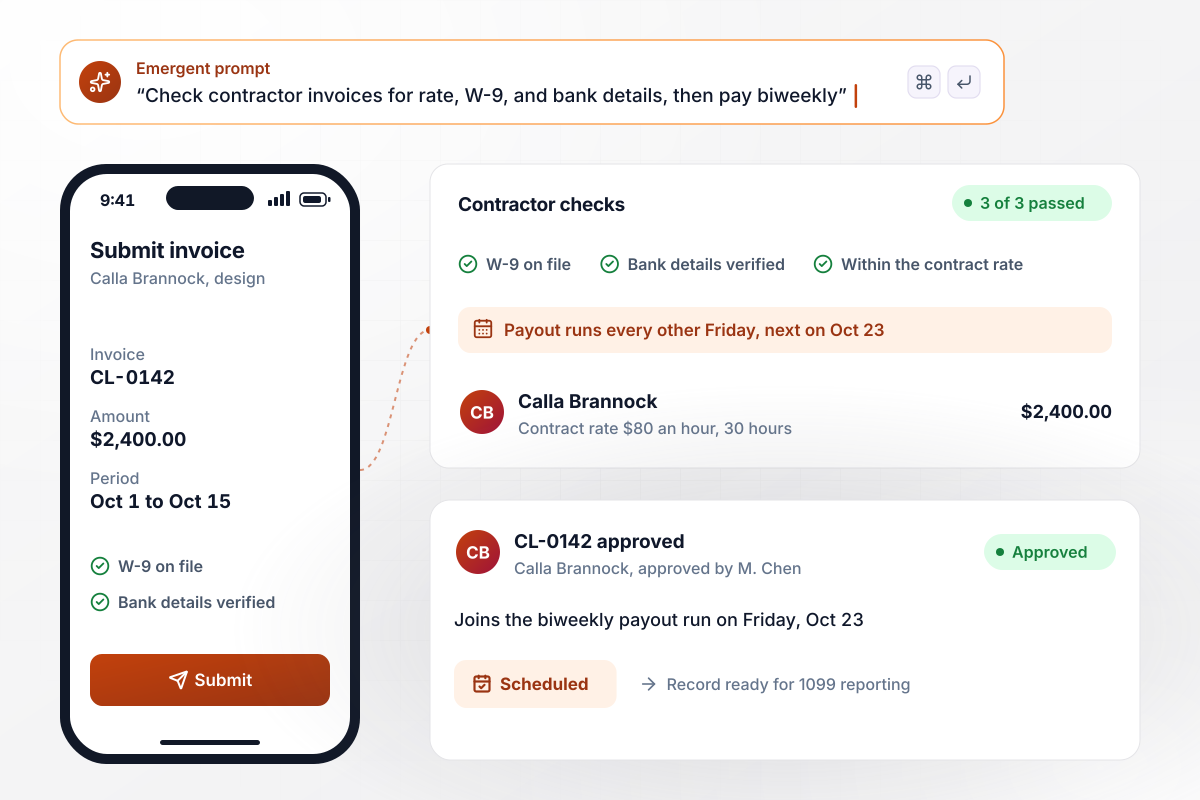
Pay contractors once their paperwork is complete
Contractors invoice from a phone, and the hours are checked against the contract rate. The W-9 and bank details are collected once, verified on every submission, and kept with each payment for 1099 reporting. Calla Brannock's invoice for 30 hours at $80 joins the biweekly Friday payout on Oct 23.






How to Automate Accounts Payable
Seven steps that settle your approval limits and matching rules first, then build accounts payable automation around them.
List every way invoices arrive today: the shared AP inbox, paper bills scanned at the front desk, and contractor emails sent to whoever hired them. Note who touches each one and where it waits. That map becomes the intake and the first routing rules.
Describe the policy the way your controller would say it: anything over $10,000 goes to the CFO, and a new software vendor needs procurement first. Add the exceptions too, such as capital purchases that need the board at any amount. Emergent turns those sentences into routing rules.
Set the price tolerance and the quantity tolerance separately. A tight tolerance catches more overbilling and sends more invoices back to buyers. The test in step 6 shows where yours belongs.
Connect the ledger your team closes the books in, such as QuickBooks. The vendor list and open purchase orders sync in first. After that, each new bill takes the GL code from that vendor's last bill.
Pick the weekday your regular run goes out and the account it draws from. Terms of 2/10 net 30 give 2% off for paying within 10 days, which is $240 on a $12,000 invoice. Bills on those terms can go into an early-pay run before the discount lapses.
Run last month's invoices through the automated AP workflow before go-live. Wherever its route or GL code differs from what your team did by hand, fix the rule by prompting and run the sample again until every decision agrees.
Point the AP inbox at the workflow on the first day of a payment cycle. On the dashboard, watch the days each invoice takes to get paid and the share of bills held. If approvers keep releasing held bills unchanged, ask Emergent to widen the tolerance that held them.
Why Build Your AP Automation With Emergent?
In an AP suite, your approval rules live inside the vendor's app. With Emergent they are code in your repo, changed by prompting.

|
Basware | Stampli | Tipalti | |
|---|---|---|---|---|
| How you set it up | Prompt for your AP process and the app around it | Sales-led implementation by Basware or a partner | Sales-led setup with a customer success manager | Vendor platform, set up through onboarding |
| What you get | Intake, matching, approvals, payment runs, and ledger, as code you own | Cloud AP automation with an e-invoicing network | AP platform built around the invoice, with an AI assistant | AP and global payments platform |
| Pricing model | Credits, free to start | Quote-based subscription, built from chosen modules | Quote-based, priced on invoice volume | Platform fee plus per-invoice and payment fees, no per-user fees |
| Code ownership | Full code export to GitHub on paid plans | None | None | None |




Pick the Pricing Plan That Works for You
Choose the plan that fits your building ambitions. From weekend projects to enterprise applications, we've got you covered.




Find the right workflow automation
for you and your business
Frequently Asked Questions
Your Questions, Answered
Don't change this element unless you know what you are doing
More things you can build
with Emergent









on Emergent today


