

Build a Copyright Release Form That Names Every Right Granted
Build a copyright release form that lists each right granted, captures the owner's e-signature, and saves every signed release.
Build a copyright release form a portrait photographer sends with each gallery, naming the client and session.
Trusted by Builders Worldwide
Active Builders Worldwide
Apps Successfully Created
Countries Globally Reached



What a Copyright Release Has to Name
A copyright release form names the work and the rights it grants. These six pieces turn each release into a record you can search.
License or transfer, chosen first
The owner picks whether they are granting permission to use the work or handing over the copyright itself. The form then shows only the wording for that choice and saves the pick.
The exact work, down to the file
Each release records the work's title and its file name or catalog number, with an upload of the image itself. Nobody has to guess which of 300 photos a release covers.
One line per right granted
Printing, editing, posting online, and public display each get their own checkbox, with a term in years and a territory beside them. The owner ticks only the rights they grant.
Every release in one searchable table
Each signed release becomes a row in a database you own, with the work, the rights ticked, the signer, and the date. Search by file name when a print shop asks to see one.
An e-signature from the rights owner
The owner adds an e-signature from a phone or laptop, and the app records the signer's name and the date beside it. Both parties get an email copy of the signed release.
Code you can take with you
Export the release app's full code to your GitHub repository on paid plans. A developer can then host it on your own servers or connect it to the gallery system you already run.
Where Copyright Releases Get Signed
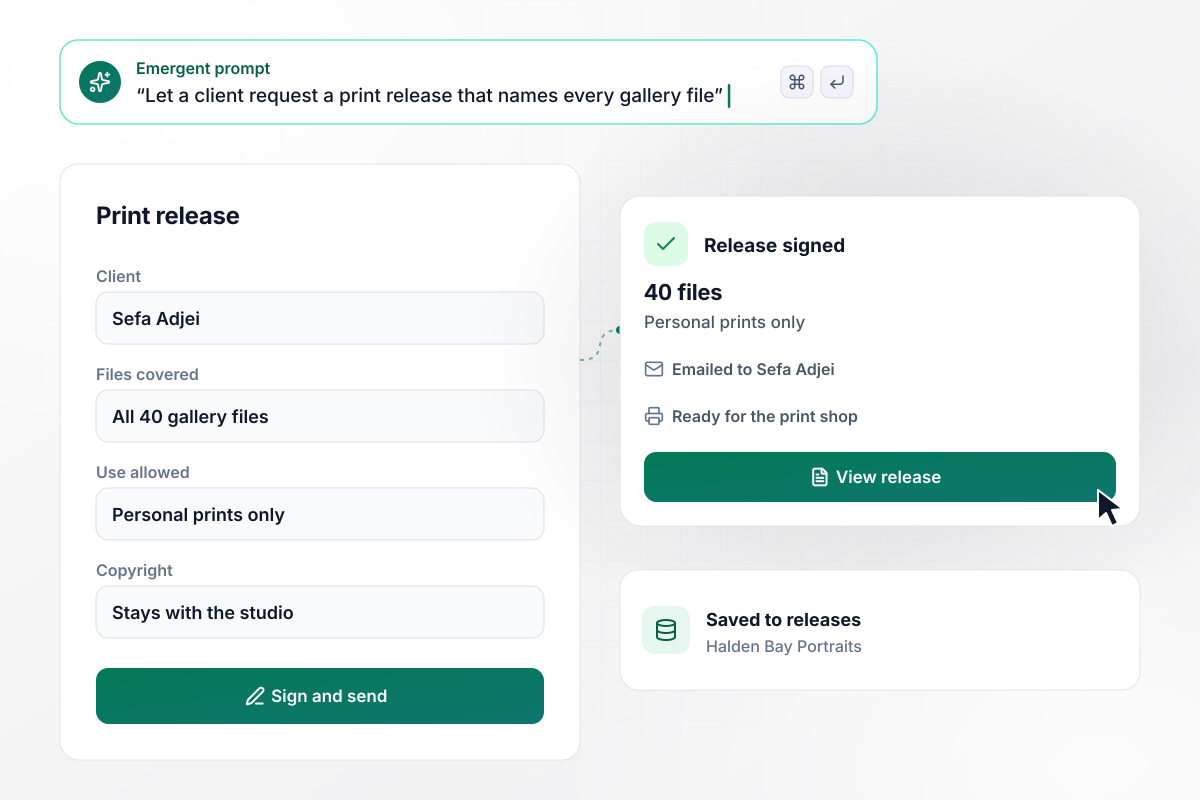
A print release for all 40 gallery files
Halden Bay Portraits delivers a 40-image gallery, and client Sefa Adjei asks for a print release from the gallery page. The photographer signs one that names all 40 files and allows personal prints only, while the copyright stays with the studio. Sefa gets the signed release by email to show the print shop.
window.awbMockup = { printReleases: "I run a portrait studio. When a client asks for a print release, show a form that lists every file in their gallery, lets me allow personal prints only, and states that the copyright stays with the studio. I sign it with an e-signature, and the client gets the signed release by email to show their print shop.", juriedArtShows: "Our arts guild runs a juried spring show. Add a short release to the entry form where each artist allows the work to be reproduced in our printed catalog and on our website, and confirms they own it. If an entry names a co-owner, hold it until the co-owner signs as well.", logoTransfers: "My design studio transfers the copyright in a final logo only after the client pays in full. When I mark the final invoice paid, send me the transfer to sign, list the rejected concepts as excluded, and email the client a copy once it is signed.", thesisPermissions: "I am reusing figures from published papers in my dissertation. Build one form to send each publisher a permission request, log every reply against its figure, and email me the publishers that have not answered when the library deadline is 14 days away." };
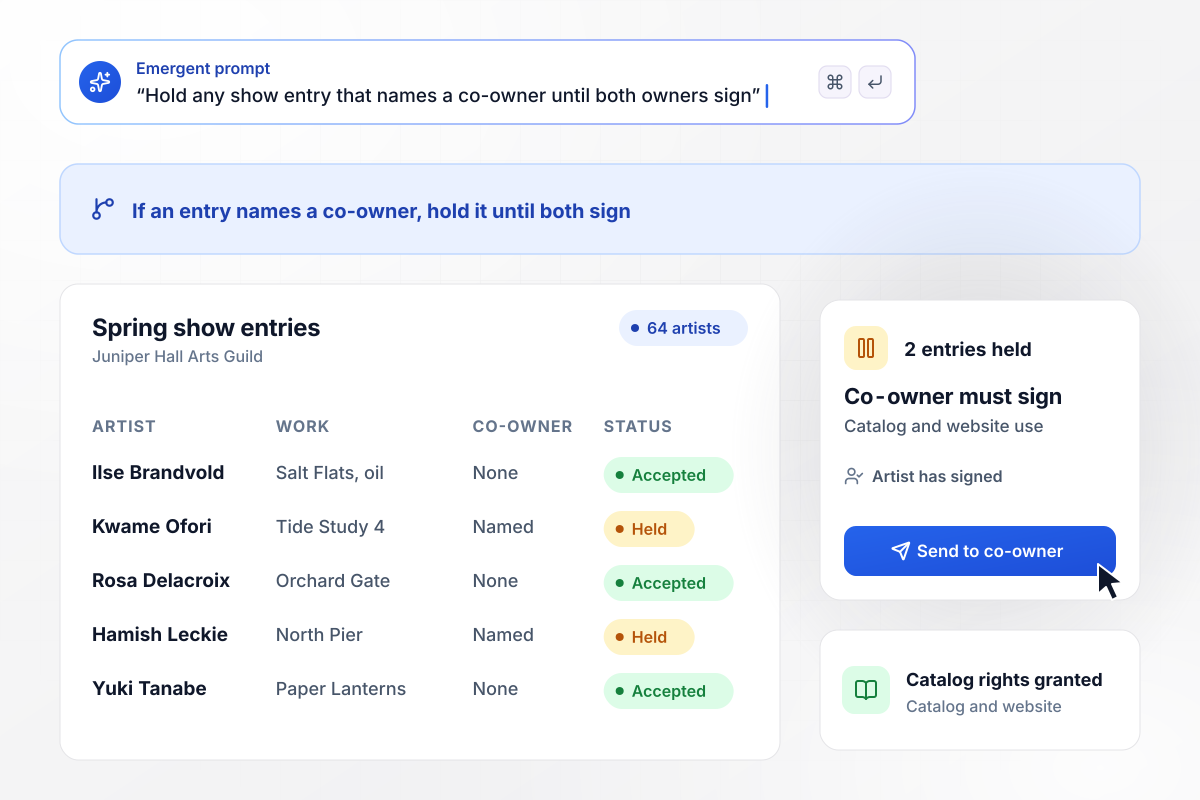
With a co-owner named, an entry waits for both
Every entry to the Juniper Hall Arts Guild spring show includes a short release. Each artist lets the guild reproduce the work in its printed catalog and on its website, and confirms they own it. This year 64 artists entered. Two entries named a co-owner, and the guild held both until the co-owner signed too.
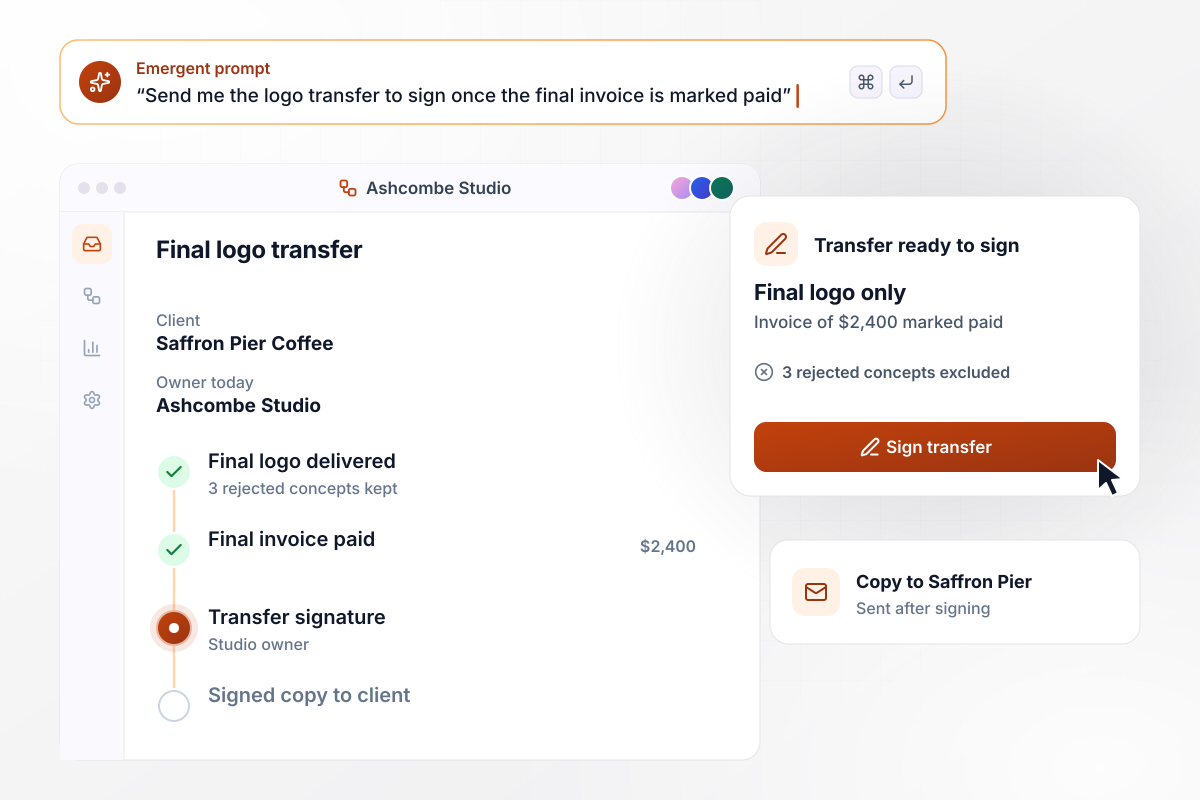
On full payment of $2,400, the logo transfers
Ashcombe Studio's contract with Saffron Pier Coffee moves the copyright in the final logo to the client on full payment. When the studio marks the $2,400 final invoice paid, the studio owner gets the transfer to sign, and Saffron Pier receives the signed copy. The 3 rejected concepts stay with the studio.
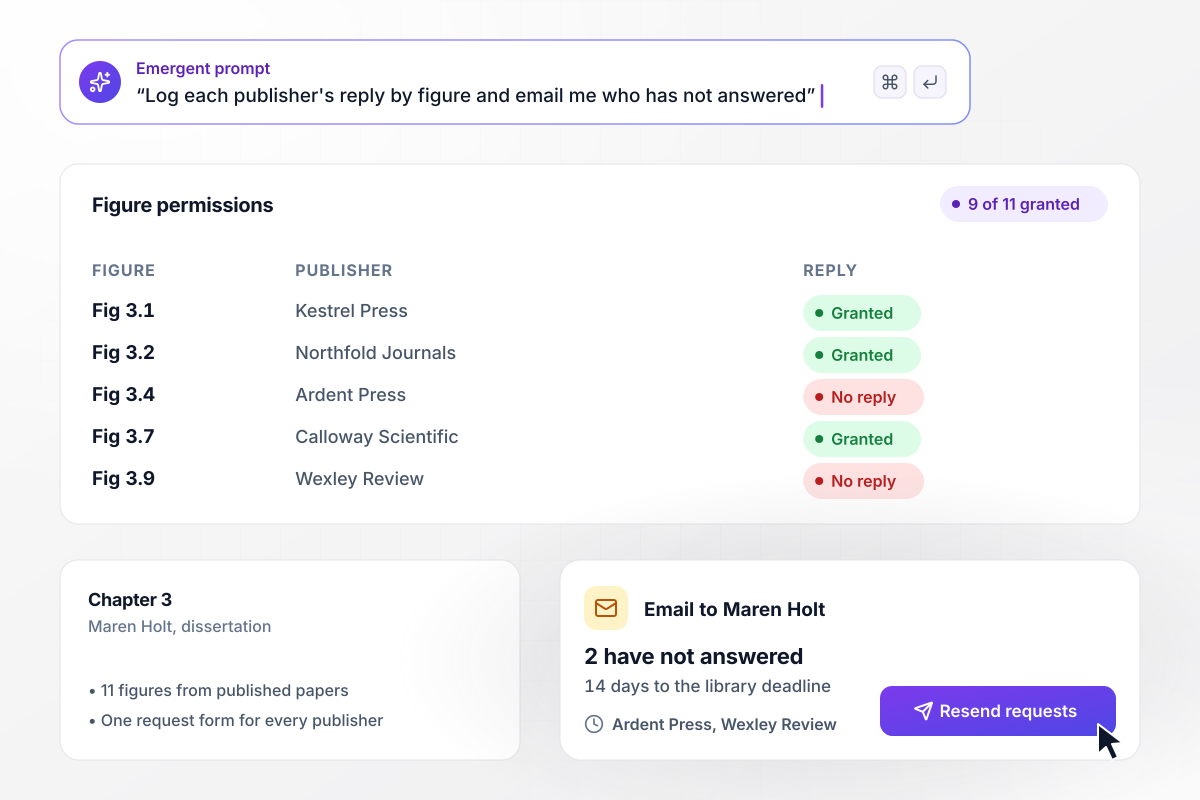
For 2 of 11 figures, Maren gets a reminder
Chapter 3 of Maren Holt's dissertation reuses 11 figures from published papers. One form sends each publisher a permission request and logs every reply against its figure. So far 9 of the 11 requests have been granted. With 14 days to the library deadline, Maren gets an email naming the 2 that have not answered.






How to Create a Copyright Release Form
Seven steps to create a copyright release form that names the work, each right, and the signer, then build it with Emergent.
Decide whether the release licenses the work or transfers ownership of the copyright, since the wording differs for each. Keep a separate template for each choice, and have your attorney review the release wording before the first one goes out.
Name the work so precisely that nobody can mistake it: title, creation date, file name or catalog number, and an image of it. For a gallery or a series, list every file the release covers instead of writing every photo from the session.
Write each use you need as its own line, such as prints for sale, edits, or use on a website. Under 17 U.S.C. 201(d)(2), any of the exclusive rights, including any subdivision of them, may be transferred and owned separately. Give each line a term and a territory.
Ask the signer to confirm they own the rights or are signing for the owner, and to name anyone who made the work with them. Store each answer as its own field, so a co-owner who has not signed shows up before you use the work.
Describe the parties and the rights checklist in plain English, and say who signs. Emergent builds the form, the database behind it, and a page listing every release. Change any part later by describing the change in a new prompt.
Add an e-signature for the owner, and one for you if the release needs both sides. Ask for an email copy to each party once the last signature is in, and a reminder to anyone who has not signed after 3 days.
Sign a test release before you send the link out. Check that the license or transfer choice shows the right wording, that each ticked right landed in its own field, and that the email copy arrived with your name and the date.
Why Build Copyright Releases With Emergent?
Each PDF release is its own file. In an app Emergent builds, each right is a field, and one filter shows who allowed prints.

|
Jotform | Adobe Acrobat | Google Forms | |
|---|---|---|---|---|
| How you build | Describe it in plain English | Templates, editor, AI generator | Upload a PDF and place fields, web forms on Pro | Editor, with Gemini drafting on some Workspace plans |
| Where responses live | A database table you own, plus any integration | Jotform account | Adobe cloud storage, downloadable as PDF | Google Sheets |
| Response limits | No response caps | Monthly submission caps by plan; the form stops at the cap | No yearly send cap, usage limits apply | No limit |
| Code ownership | Full code export to GitHub on paid plans | None | None | None |



Pick the Pricing Plan That Works for You
Choose the plan that fits your building ambitions. From weekend projects to enterprise applications, we've got you covered.




Find the right form
for whatever you're collecting















Frequently Asked Questions
Your Questions, Answered
Don't change this element unless you know what you are doing
More things you can build
with Emergent









on Emergent today


