

Build a Logo Design Questionnaire Clients Finish Before Sketching
Build a logo design questionnaire that turns each client's answers into a brief your designer can sketch from.
Build a logo design questionnaire that saves every response to a database I own.
Trusted by Builders Worldwide
Active Builders Worldwide
Apps Successfully Created
Countries Globally Reached



What a Designer Needs Before the First Sketch
Words like modern or clean mean something different from every client. These six pieces ask for answers a designer can draw from.
The name exactly as it should read
Ask for the business name with its spelling and capitals, any tagline, and whether the full name or an initial should lead. A misspelling caught here costs nothing to fix.
A list of where the logo will appear
Clients tick each place the logo goes: signs, packaging, profile photos, stickers, or shirts. Each tick adds the file it needs to the brief, like a square icon for a profile photo.
Sample logos to vote on
Show a set of sample logos and ask for a thumbs up or down on each, with a reason required for every down vote. A client who cannot name a style can still point at the one they want.
Current files sent with the answers
Clients upload the logo they use today, any brand fonts and photos of the storefront. Ask for an SVG if one exists, because an SVG renders at any size without loss of quality.
A brief in the designer's inbox
Each response saves to a database you own, and the app emails the designer a brief with the answers grouped by section. Answers from several people on one project share a record.
The questionnaire's code, yours to move
On paid plans, export the full codebase to your GitHub repository and host it beside your portfolio. Emergent built it from a prompt, and any change after that is one more prompt.
Logo Projects That Start From the Answers
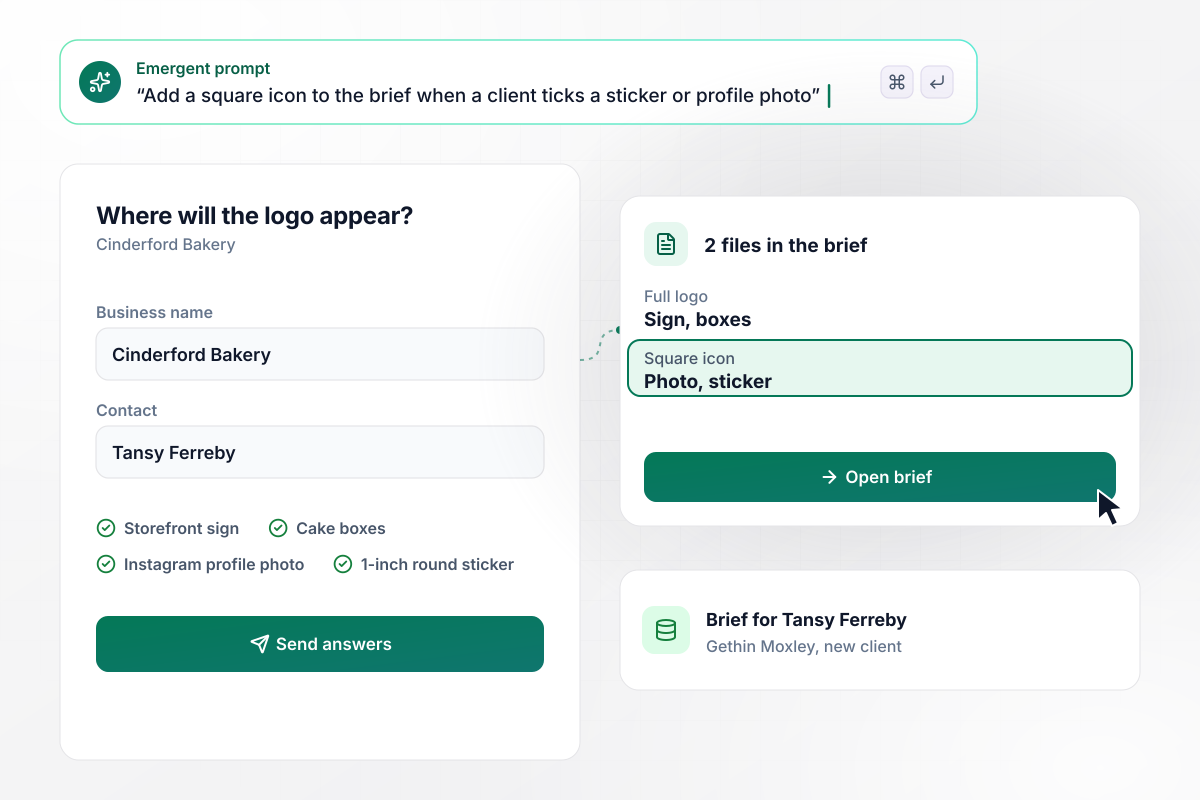
A sticker and a profile photo add a square icon
Gethin Moxley designs logos for new businesses. Tansy Ferreby, who is opening Cinderford Bakery, ticks where her logo will appear, including a 1-inch round sticker and the Instagram profile photo. Either one needs a square icon. Gethin's brief for Tansy lists 2 files: the full logo and the square icon.
window.awbMockup = { newBusinesses: "Make a logo design questionnaire for my freelance logo business. Ask for the business name, any tagline, and a checklist of every place the logo will appear: sign, packaging, profile photo, sticker, shirts. If the client ticks a profile photo or a sticker, add a square icon to the brief next to the full logo. Email me the brief when they submit.", styleDirection: "I need a style questionnaire for my design studio. Show the client 8 sample logos, including wordmarks, emblems, mascots, and a monogram, and ask for a thumbs up or down on each. Require a reason for every down vote. Total the votes by style and show the tally at the top of the project before my designers start sketching.", printShops: "Add a logo questionnaire to the shirt order form for my print shop. Customers enter the shirt count, the print method, and how many ink colors they want, then pick those colors. Put the ink count in the brief as the most colors the logo can use. Save each order with its brief so my art team sees both.", boardsLeagues: "Build a logo questionnaire my club board can answer one person at a time. Each member picks a logo shape and a main color and adds a comment. Group all the answers under one project. When the color answers do not agree, email me which colors were picked and how many votes each got." };
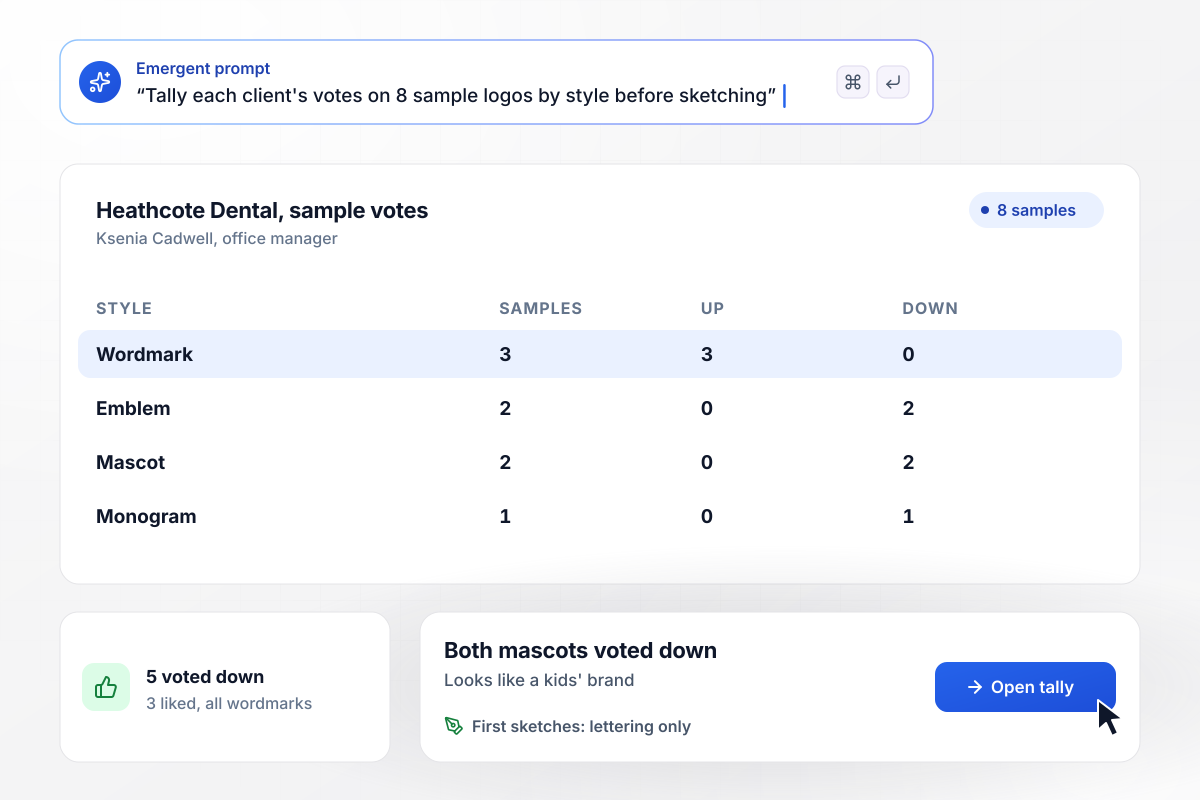
Yes to three wordmarks, no to both mascots
Wickersham Studio sends Heathcote Dental 8 sample logos to vote on. Ksenia Cadwell, the office manager, likes 3 of them, all wordmarks, and votes down the other 5. Her reason on both mascots is the same: looks like a kids' brand. The designer opens the project to that tally, and the first sketches are lettering only.
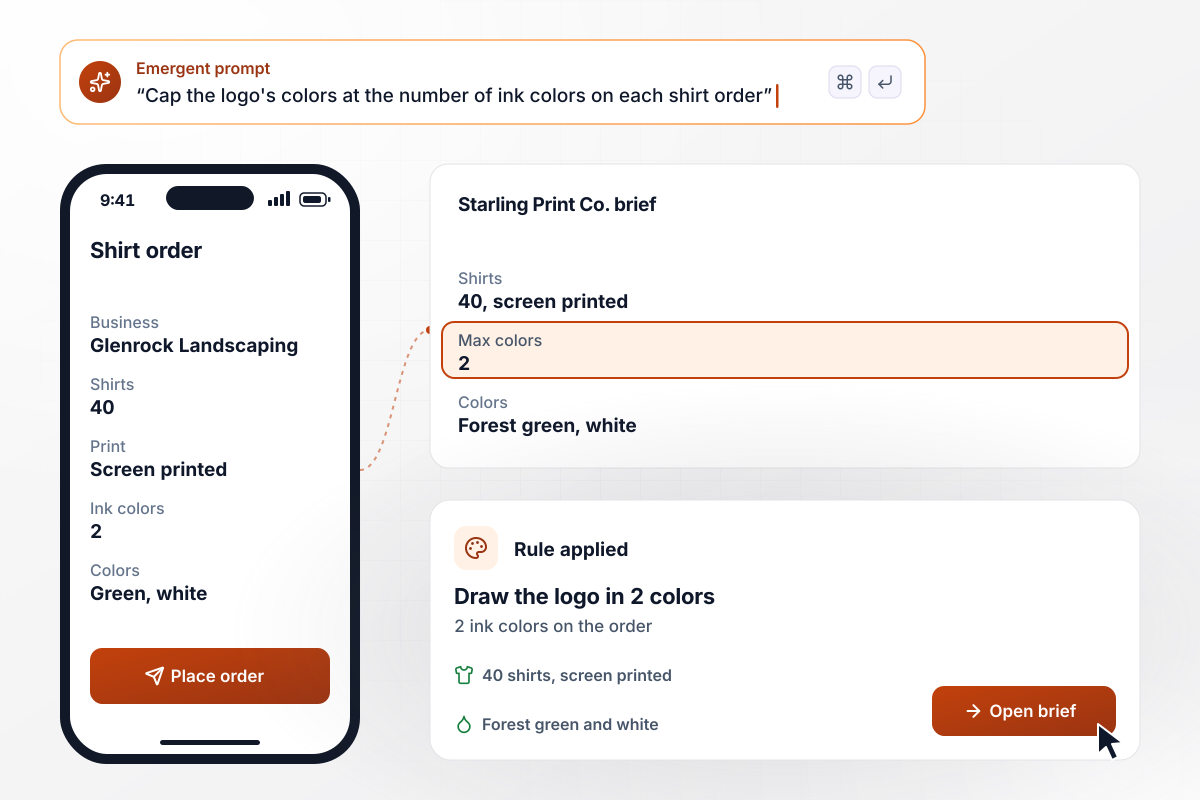
With two inks on the order, the logo gets two colors
Starling Print Co. designs logos for the businesses that order its shirts. Glenrock Landscaping orders 40 screen-printed shirts in 2 ink colors from a phone. Under the shop's rule, a logo uses no more colors than the order prints. Glenrock's brief says to draw it in 2: forest green and white.
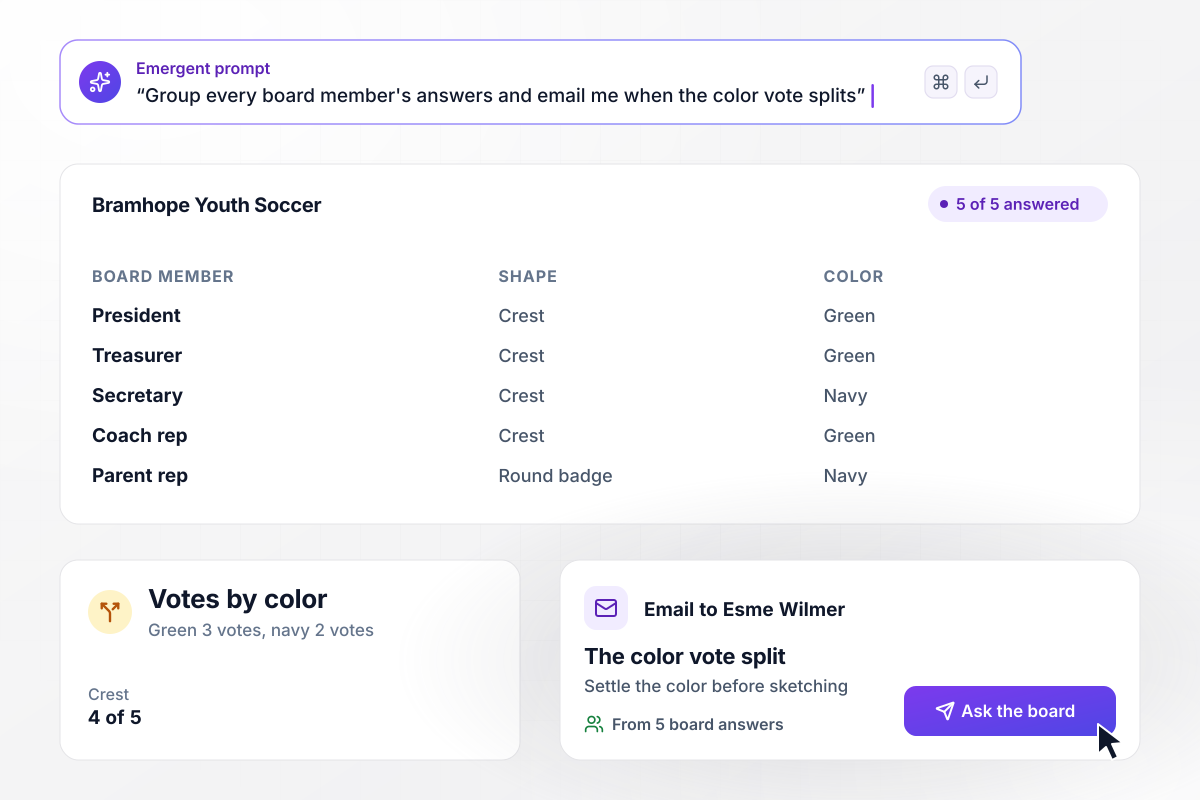
Each board member answers, and the color vote splits
All 5 board members at Bramhope Youth Soccer answer the questionnaire on their own. Four of the 5 pick a crest, but the color vote splits, with 3 for green and 2 for navy. Esme Wilmer, the designer, gets an email naming the split and asks the board to settle the color before she sketches.






How to Build a Logo Design Questionnaire
Seven steps to write a logo design questionnaire that hands your designer a brief they can use, then build it with Emergent.
Write down the brief your designer wants on day one: the name, the files, the colors, the style, and the deadline. Every question on the form should fill one line of that brief. A question that fills none of them comes off the form.
Ask what the business does in one sentence and who buys from it. A bakery that sells to families and one that sells wedding cakes need different marks. Keep these as short text answers so the client writes in their own words.
Give the client a checklist of places such as signs, packaging, the website, vehicles, and shirts. Ask for the size wherever the space is small, like a sticker or an app icon. The deliverables are then settled before you send the quote.
Pick 8 sample logos in different styles and ask for a vote on each. Require a reason on every down vote. The reasons tell you more than the votes, and they pin down what a client means by a word like modern.
Ask for the current logo, brand fonts, and any colors the client must keep, such as a parent company's palette. Request an SVG where one exists. Mark these questions optional, because a business that is just opening may have none of it.
When several people sign off, such as partners or a board, send each one the questionnaire and group their answers under one project. Have the app email you when their answers disagree, and settle the difference before the first sketch.
Paste your questions into a prompt, and Emergent turns them into the questionnaire and its database. Fill it in once the way a client would, read the brief that arrives, and change any question with one more prompt before you send the link.
Why Run Your Logo Questionnaire on Emergent?
Describe the questionnaire, and Emergent builds the form, the brief, and the database behind it. Responses have no caps.

|
Jotform | Google Forms | Typeform | |
|---|---|---|---|---|
| How you build | Describe it in plain English | Templates, editor, AI generator | Editor, with Gemini drafting on some Workspace plans | Templates, editor, AI assist |
| Where responses live | A database table you own, plus any integration | Jotform account | Google Sheets | Typeform account |
| Response limits | No response caps | Monthly submission caps by plan; the form stops at the cap | No limit | Monthly response caps by plan; the form closes at the cap |
| Code ownership | Full code export to GitHub on paid plans | None | None | None |



Pick the Pricing Plan That Works for You
Choose the plan that fits your building ambitions. From weekend projects to enterprise applications, we've got you covered.




Find the right form
for whatever you're collecting















Frequently Asked Questions
Your Questions, Answered
Don't change this element unless you know what you are doing
More things you can build
with Emergent









on Emergent today


