

Build an Overtime Request Form That Checks the Hours
Build an overtime request form that adds the extra hours to each schedule and routes them to the right approver.
Build an overtime request form for warehouse shift leads that lists each picker, the date, and the extra hours asked for.
Trusted by Builders Worldwide
Active Builders Worldwide
Apps Successfully Created
Countries Globally Reached



Every Field Checks a Number Your Policy Sets
An overtime request form asks to work extra hours before they are worked. Here, each section checks a limit from your policy.
The new weekly total, before sign-off
The form looks up the hours already on the person's schedule for that workweek and adds the request to them. The approver sees the new total beside the hours asked for.
Limits written as your rules
Name the numbers your overtime policy uses, such as a weekly cap or a monthly hours budget. The form applies them to every request, and you change one by prompting again.
A reason picked from your list
Requesters choose a reason you define, like covering an absence, and add a line of detail. The app's dashboard then counts overtime hours by reason for each department.
Approvers set by department
Each request goes to the person who approves for that department, and one past a limit also goes to the next manager up. A reminder goes out if nobody answers in time.
A deadline that fits your notice rule
Set how far ahead a request has to come in, such as 48 hours before the shift. Later requests still submit, marked late, and the approver sees how much notice there was.
Requests in a database you own
Every request and its decision land in a database you own, with no response caps. Payroll filters the approved hours by pay period instead of collecting signed paper sheets.
How Four Teams Approve Extra Hours
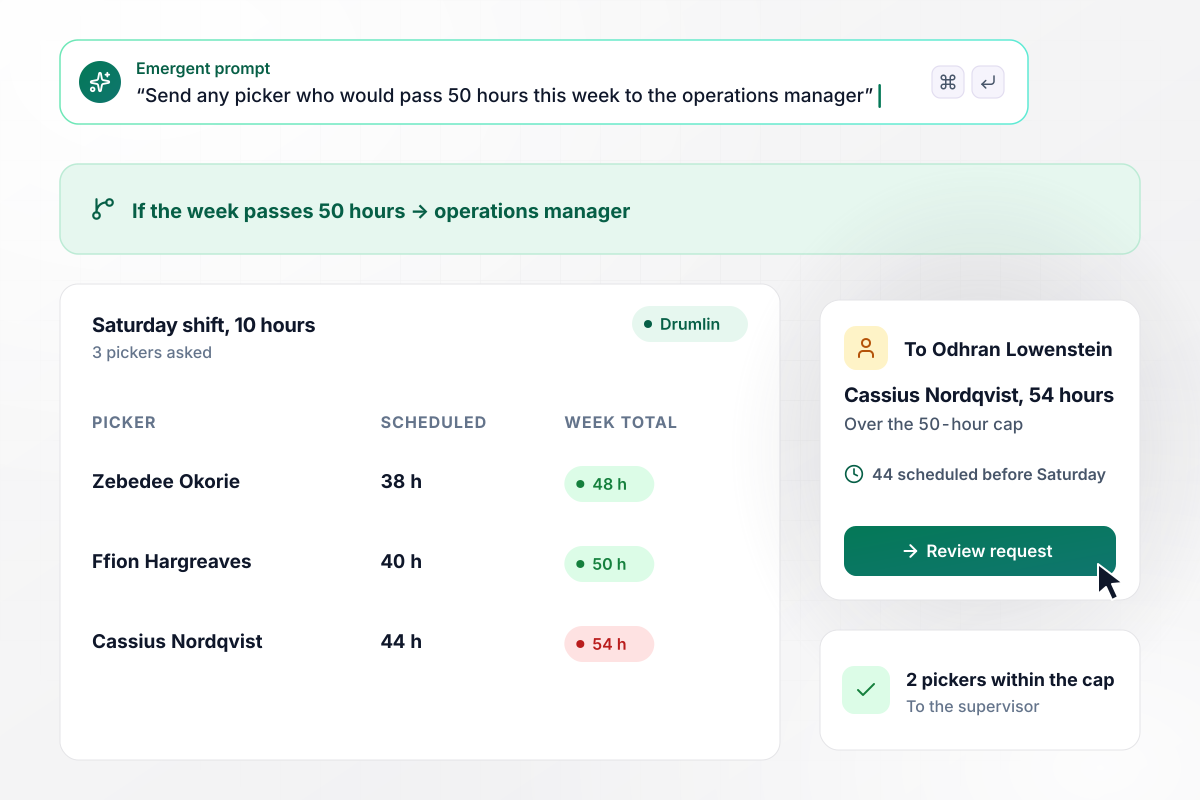
Cassius would reach 54 hours, which sends his line up a level
Drumlin Building Supply caps pickers at 50 hours a week. Shift lead Ottavia Mancuso asks 3 pickers for a 10-hour Saturday. Zebedee Okorie reaches 48 hours and Ffion Hargreaves 50, and both go to the supervisor. Cassius Nordqvist would reach 54 hours, and his line goes to operations manager Odhran Lowenstein.
window.awbMockup = { weeklyHoursCap: "Build an overtime request form for my warehouse. A shift lead picks the date, the shift length, and the pickers who will work it. Add the shift to each picker's scheduled hours for that workweek, and send any picker who would pass 50 hours to the operations manager instead of the warehouse supervisor.", hoursBudget: "Make an overtime request form for our apartment maintenance techs. Each building gets a monthly budget of overtime hours. Show the tech how many hours the building has left, send requests that fit to the property manager, and add the regional director when a request would go past the budget.", callInHours: "Add a call-in entry to my overtime request form for operators who get called out at night. They enter when the alarm came in, when they finished and what they fixed, and the form marks the hours as worked before approval and sends them to their supervisor to confirm.", shiftVolunteers: "I need an overtime request form where night auditors volunteer for extra shifts. When more than one person asks for the same shift, rank them by overtime hours worked this month, fewest first, and email the person at the top that the shift is theirs." };
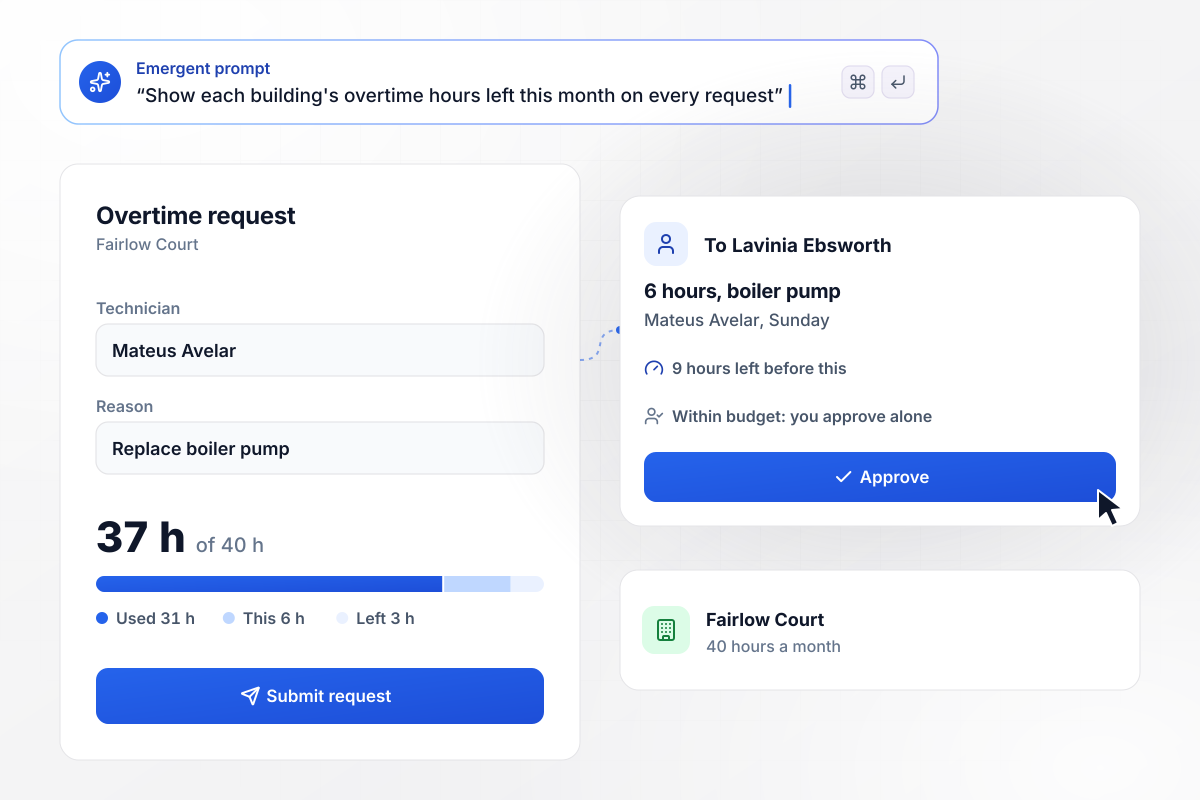
Fairlow Court has 9 of its 40 hours left for a 6-hour job
Hearthmoor Residential gives Fairlow Court a budget of 40 overtime hours a month. Maintenance tech Mateus Avelar asks for 6 hours on Sunday to replace a boiler pump. The building has used 31 and has 9 left. The request goes to property manager Lavinia Ebsworth alone. Past 40, the regional director signs too.
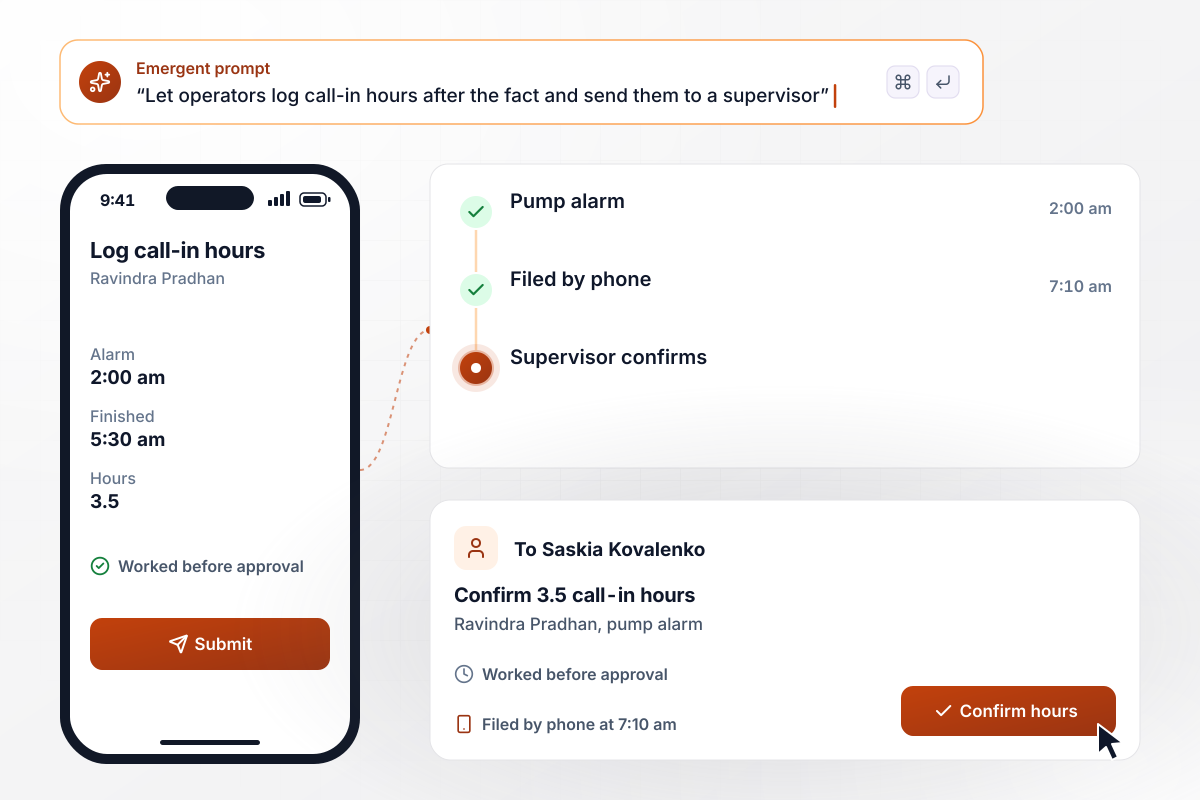
Worked from 2:00 am to 5:30 am, filed at 7:10 am
The pump alarm at Ploughgate Water District went off at 2:00 am, and operator Ravindra Pradhan drove in to fix it with nobody awake to approve the time. He finished at 5:30 am. At 7:10 am he filed 3.5 hours from his phone as a call-in worked before approval, and the form sent it to supervisor Saskia Kovalenko to confirm.
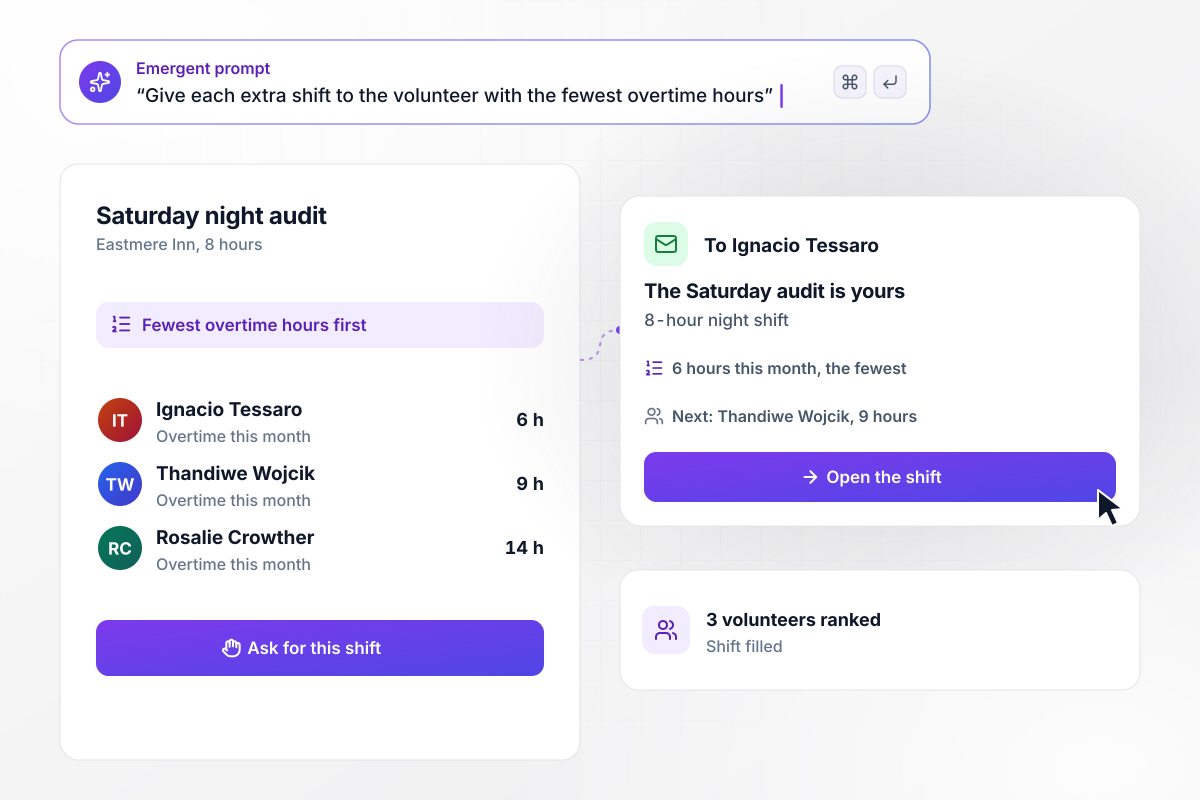
Three ask, and the one with 6 hours of overtime gets it
Eastmere Inn hands each extra shift to the volunteer with the fewest overtime hours this month. When 3 night auditors ask for the 8-hour Saturday audit, the form ranks them: Ignacio Tessaro at 6 hours, Thandiwe Wojcik at 9, then Rosalie Crowther at 14. It emails Ignacio that the shift is his.






How to Make an Overtime Request Form
These steps turn your written limits and approvers into an overtime request form that checks each request's hours before anyone signs.
Write down the overtime policy you already follow, including the weekly cap and who approves for each department. Settle any rule that lives only in a manager's head, since the form can only apply rules you can state.
Start from the boxes on your current overtime request form PDF or paper sheet: the date, start time, end time, hours, and reason. Then add the fields paper never used, like the department, which decides who approves.
Describe the form in plain English and put your real numbers in the prompt, such as a 45-hour weekly cap. Emergent builds the form from that prompt, along with its rules and the database behind it.
The weekly total needs the hours each person is already scheduled for. Keep the schedule in the app's own table, or connect the scheduling tool you use if it has an API. Match the form's week to the one payroll uses.
Name the approver for each department and the person who signs once a request passes a limit. Then set when a reminder goes out for a request nobody has answered, such as 4 hours before the shift starts.
Enter 6 requests from last month, including one that broke the cap and one call-in. Check that each reached the approver you expected and that the weekly totals match your timesheets for those weeks.
Publish the form and send the link to supervisors and staff, or pin it next to the schedule they already check. The free tier covers building and publishing.
Why Build Your Overtime Form With Emergent?
Emergent builds the form and its hour rules from a plain-English prompt. Every request saves to a database you own.

|
Jotform | Google Forms | Typeform | |
|---|---|---|---|---|
| How you build | Describe it in plain English | Templates, editor, AI generator | Editor, with Gemini drafting on some Workspace plans | Templates, editor, AI assist |
| Where responses live | A database table you own, plus any integration | Jotform account | Google Sheets | Typeform account |
| Response limits | No response caps | Monthly submission caps by plan; the form stops at the cap | No limit | Monthly response caps by plan; the form closes at the cap |
| Code ownership | Full code export to GitHub on paid plans | None | None | None |


Pick the Pricing Plan That Works for You
Choose the plan that fits your building ambitions. From weekend projects to enterprise applications, we've got you covered.




Find the right form
for whatever you're collecting















Frequently Asked Questions
Your Questions, Answered
Don't change this element unless you know what you are doing
More things you can build
with Emergent









on Emergent today


