

Build a Photography Order Form That Sorts and Totals Every Order
Build a photography order form that prices each package, tags it with the class or team, and saves it to a database you own.
Build a photography order form for my school and youth sports photo studio, with the child's name, school, and class on every order.
Trusted by Builders Worldwide
Active Builders Worldwide
Apps Successfully Created
Countries Globally Reached



What the Form Settles Before Anything Prints
Each question settles a detail you would otherwise chase by email after the shoot, and the lab gets the right image at the right size.
Packages priced before anyone picks
Each package on the form lists the prints inside it and what it costs. A parent can weigh a sheet of wallets against an 8x10 package and choose without calling the studio.
Names that match the face in the frame
The form asks for the subject's name plus the detail you sort by, like a homeroom or jersey number. Each order points to one child, even when two children share a first name.
Only the sizes your lab prints
You list the print sizes your lab offers, such as 5x7, 8x10 and 16x20, with the finishes for each. Customers pick from that list instead of typing a size the lab lacks.
An alert as each order lands
The app sends you an email or Slack alert for every new order, with the name and package on the first line. Customers can get a reminder before the order window closes.
Orders kept in a database you own
Every order saves as a row in a database you own, with no response caps on a busy picture day. Filter the rows by class or by team, and the list for your lab is done.
Export the code when a developer asks
On paid plans, the full code of the form and its order database exports to your GitHub repository. A developer can host it beside your studio's website or extend it later.
Order Forms for Four Kinds of Shoot
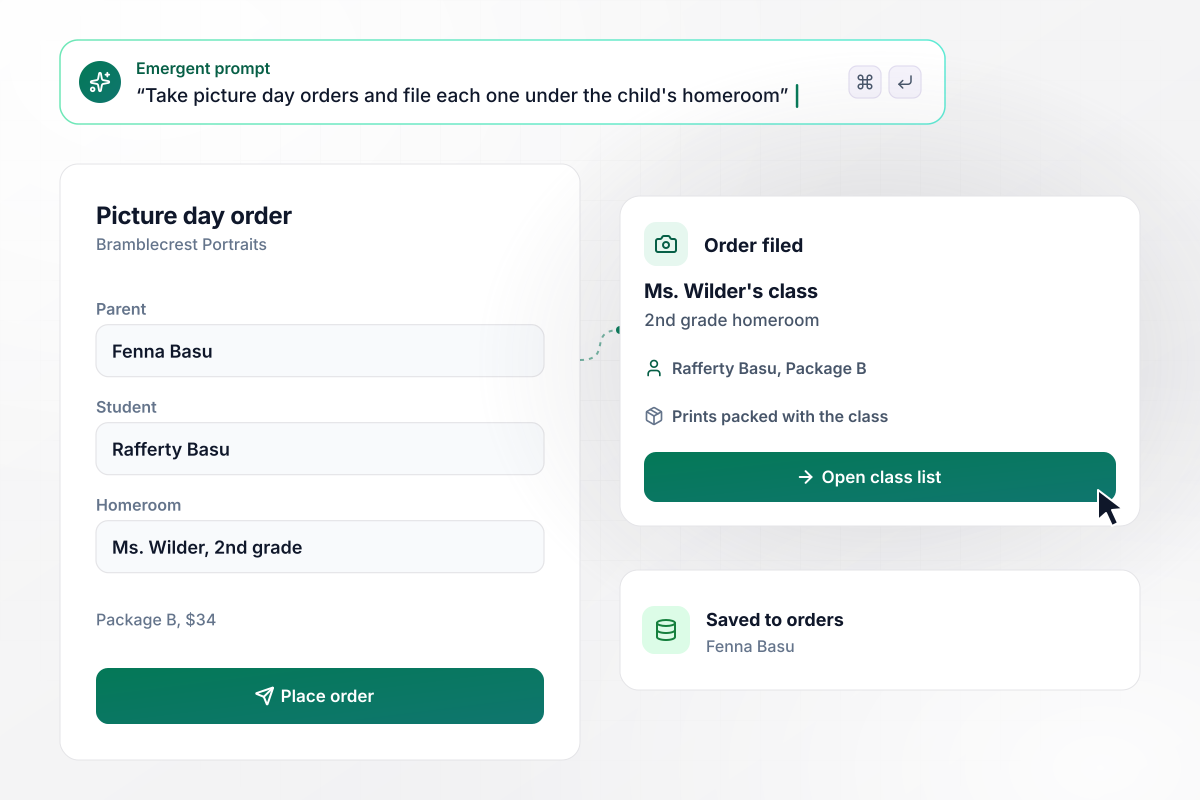
Ms. Wilder's class gets its prints in one stack
Bramblecrest Portraits photographs a whole elementary school on picture day. Fenna Basu orders Package B for $34 for her son Rafferty, a 2nd grader in Ms. Wilder's class. The form files the order under his homeroom, and the studio packs that class's prints together.
window.awbMockup = { pictureDay: "Build a picture day order form for my school portrait studio. Parents enter their child's name and homeroom teacher, then pick a package, like Package B for $34. File each order under its homeroom so I can pack every class's prints together.", teamSports: "Build a sports photo order form for a youth soccer league. Parents enter the player's name, jersey number and team, pick the $28 team package, and can add a $12 memory mate. Show each order on a shoot-day roster next to the jersey number.", sessionPrints: "Build a print order form for my family portrait clients. They choose prints from their proof gallery by image number, pick a size like an 8x10 at $22 or a 16x20 canvas at $145, and see the order total before they send it.", recitalOrders: "Build a recital photo order form for my event photography business. Orders placed within 10 days of the show are delivered to the dance studio at no charge. After day 10, add $9 to ship the order home and show the new total." };
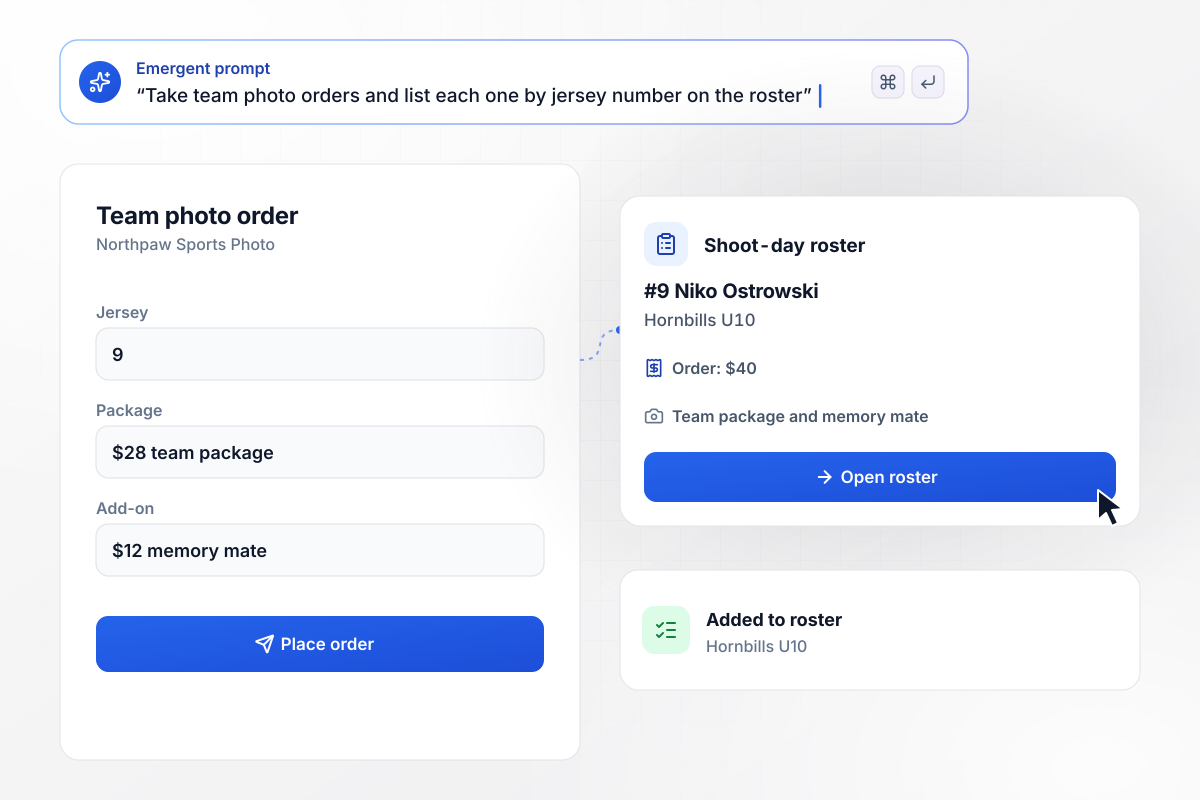
No guessing which player wears 9
Northpaw Sports Photo shoots a youth soccer league in one morning, team after team. Niko Ostrowski wears jersey 9 for the Hornbills U10 team. His parent picks the $28 team package and adds a $12 memory mate, and the shoot-day roster lists his $40 order beside the number 9.
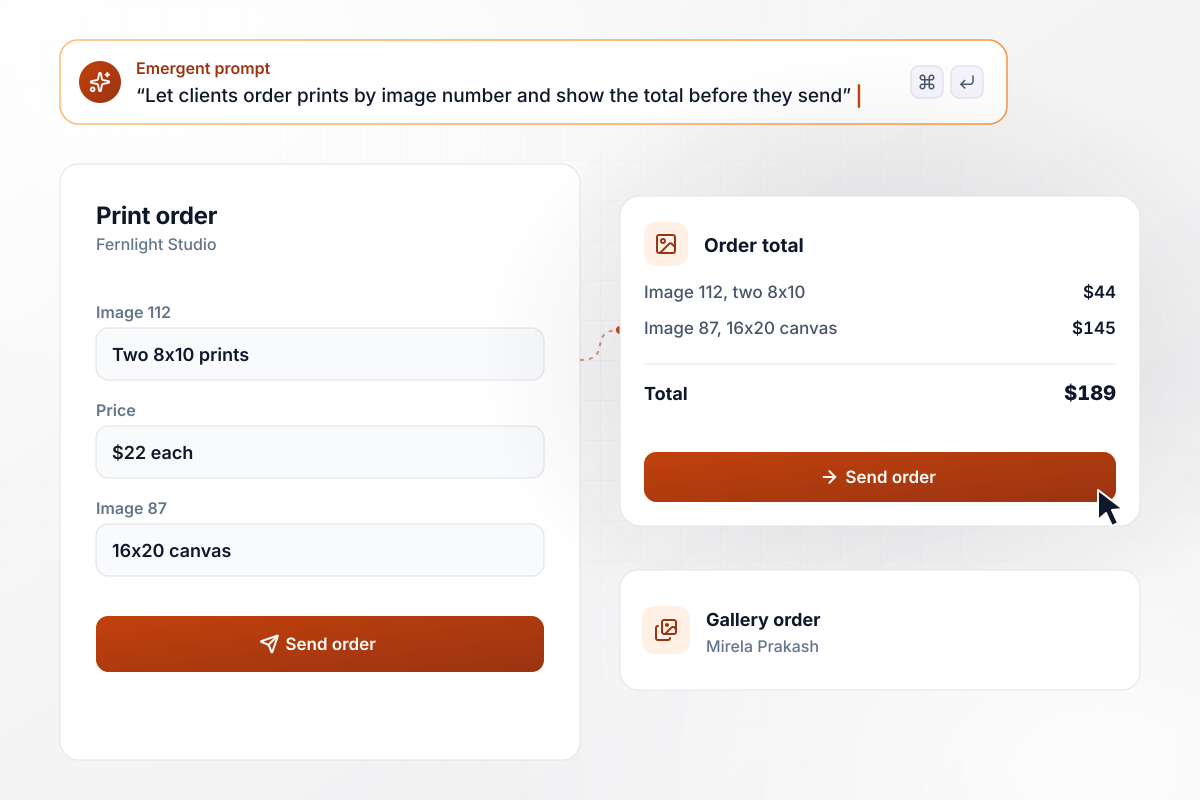
By image number, two prints and a canvas
Fernlight Studio shares a proof gallery after each family session, with a number under every frame. Mirela Prakash orders two 8x10 prints of image 112 at $22 each and a 16x20 canvas of image 87. The form adds the $145 canvas to her $44 in prints and shows a $189 total.
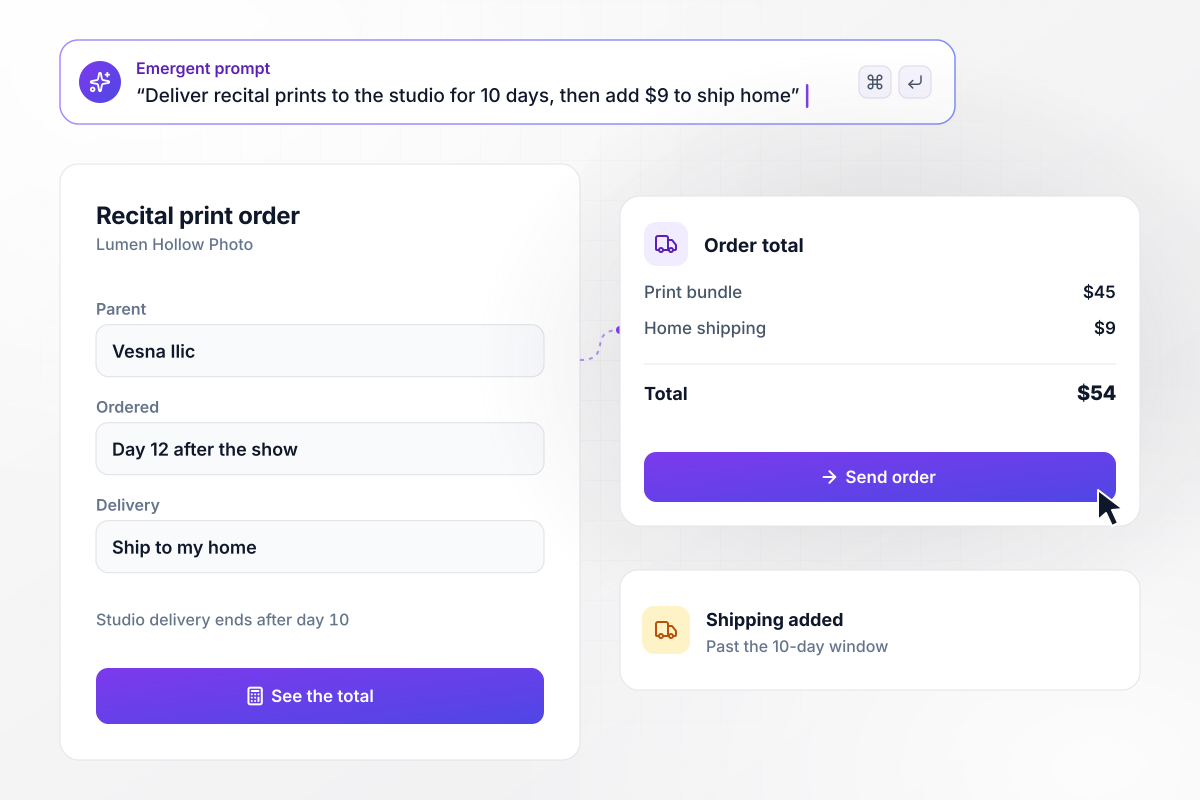
Orders after day 10 ship home for $9
Lumen Hollow Photo shoots a dance recital and delivers prints to the dance studio at no charge for orders placed within 10 days of the show. Vesna Ilic orders a $45 print bundle on day 12. Shipping it to her home adds $9, for a $54 total.






How to Create a Photography Order Form
Follow these seven steps to turn your packages and print prices into a photography order form that totals each order.
Write down each package you sell with the prints inside it and its price. Add the single print sizes your lab makes, each with a price. This list becomes the order choices and lets the form total every order.
Choose the one detail you sort by when prints come back from the lab, such as a homeroom teacher or a jersey number. The form asks for it on every order. Each set of prints then reaches the right child.
Decide when orders close and where finished prints go, whether to the school or to a home address. If late orders ship home for a fee, write down the fee and the day it starts.
Write a plain-English description of the form that names your packages with their prices, plus your delivery rules. Emergent builds a working form from that description, order totals included.
Ask for each change in a sentence, such as a sibling package or a new canvas size. Emergent changes the form when you prompt it again. A new price list takes one line.
Order from the published form with two prints and a delivery after the studio window. Check that the total matches your price list and that the new-order alert reaches you.
Send the form link home with the picture day flyer, or add it to the email that delivers a proof gallery. Orders then arrive in one table instead of in envelopes and inbox threads.
Why Build Your Photo Order Form With Emergent?
Paper order envelopes leave the math and sorting for after picture day. Emergent builds a form that totals each order and files it by class.

|
Jotform | Google Forms | Typeform | |
|---|---|---|---|---|
| How you build | Describe it in plain English | Templates, editor, AI generator | Editor, with Gemini drafting on some Workspace plans | Templates, editor, AI assist |
| Where responses live | A database table you own, plus any integration | Jotform account | Google Sheets | Typeform account |
| Response limits | No response caps | Monthly submission caps by plan; the form stops at the cap | No limit | Monthly response caps by plan; the form closes at the cap |
| Code ownership | Full code export to GitHub on paid plans | None | None | None |



Pick the Pricing Plan That Works for You
Choose the plan that fits your building ambitions. From weekend projects to enterprise applications, we've got you covered.




Find the right form
for whatever you're collecting















Frequently Asked Questions
Your Questions, Answered
Don't change this element unless you know what you are doing
More things you can build
with Emergent









on Emergent today


