

Build a Shift Change Form That Confirms Coverage First
Build a shift change form that gets the covering coworker's yes, counts overtime and sends each request to the right manager.
Build a shift change form where staff can swap or drop a shift, the coworker covering it confirms, and the manager approves.
Trusted by Builders Worldwide
Active Builders Worldwide
Apps Successfully Created
Countries Globally Reached



What a Shift Change Needs Before Approval
Six parts Emergent builds into the form, so a manager decides with the cover and the hours already known.
Questions that follow the request type
Pick swap and the form asks who is covering and which of their shifts you take in return. Pick drop and it asks only for the shift and the reason, with no trade questions.
A yes from the coworker taking the shift
The covering coworker gets a link by email or Slack to accept or decline. Managers see a request only after that coworker accepts, so no approval rests on a guess about cover.
Weekly hours added up before approval
The app adds the new shift to the hours each person already has scheduled that week. Any change that crosses the limit you set is marked in red and held for a manager.
Each location's requests to its own manager
Requests from the downtown store go to its manager in Slack and the airport store's go to another by email. A request left undecided for 24 hours sends that manager a reminder.
One row per change in a database you own
Every request saves who asked, who covered, who decided, and when. An approved change updates the schedule table and can sync to the scheduling tool you connect through its API.
The full codebase, yours to move
On paid plans, export the code to your GitHub repository and host the form on servers next to your HR systems. Keep building on it in your own editor or with more prompts.
How Four Employers Handle Shift Changes
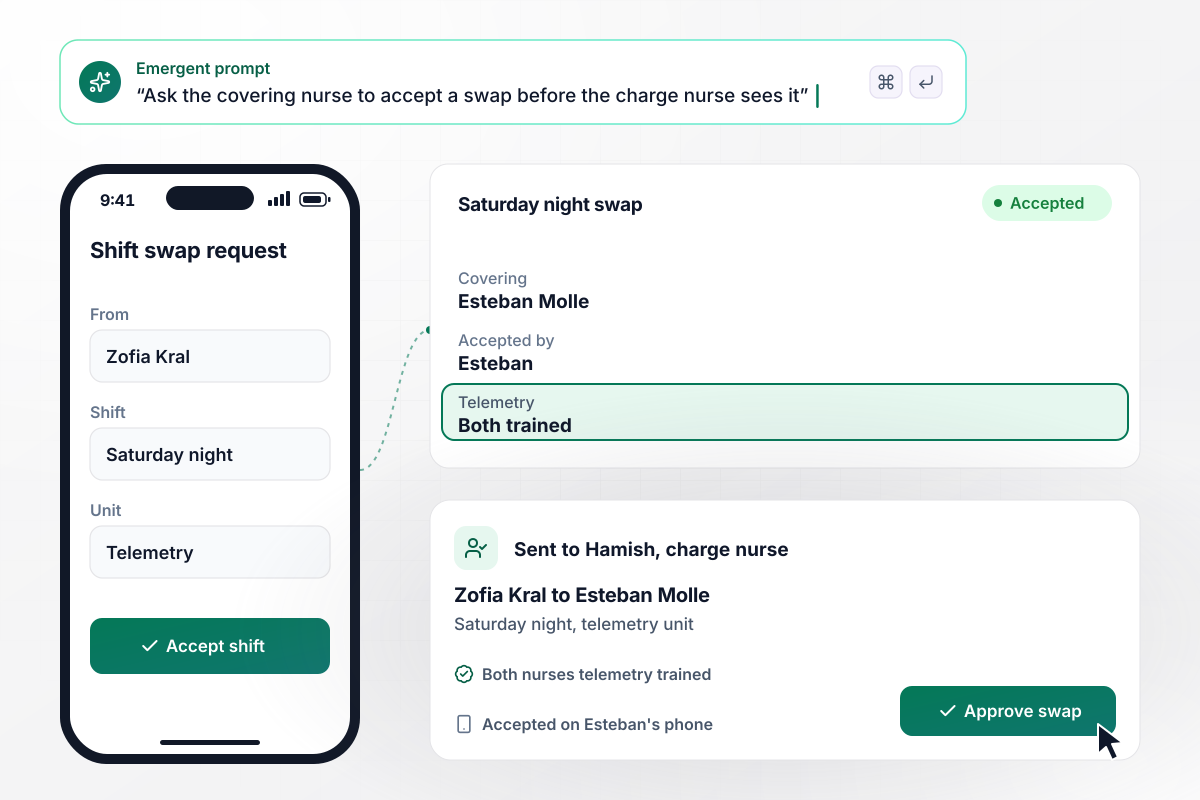
Hamish sees it only after Esteban agrees
Zofia Kral wants Saturday night off and offers her telemetry shift at Harlow Bay Medical Center to Esteban Molle. He accepts on his phone first. Only then does it go to Hamish, the charge nurse, with both nurses marked as telemetry trained. He approves, and the unit schedule shows Esteban on Saturday night.
window.awbMockup = { hospitalNurseSwaps: "Build a shift swap form for my hospital's telemetry unit. A nurse picks the shift she wants to give up and the nurse she is offering it to. That nurse accepts or declines on their phone first. Only accepted swaps go to the charge nurse, with a note showing whether both nurses are telemetry trained, and the unit schedule updates when he approves.", cafeOpenShifts: "Build an open shift pool for my coffee shop. A barista who can't work a shift drops it into the pool, and every barista trained for that shift gets a Slack message. The first one to claim it gets it, pending my approval in Slack, and the schedule moves the shift to them once I approve.", warehouseOvertime: "Build a shift change form for my warehouse pickers. When someone asks to take a coworker's shift, add its hours to what they already have scheduled that week. If the new total goes over 40 hours, hold the request for the shift lead with the overtime hours shown, and let her approve it or offer the shift to someone else.", groceryChangeHistory: "Build a shift change log for my grocery store. Save every request, approved or declined, with the employee, the shift moved, and the decision. Give me a monthly table sorted by number of changes per employee, with the store average at the top and the day each person moves most, so I can fix the schedule before the next one goes out." };
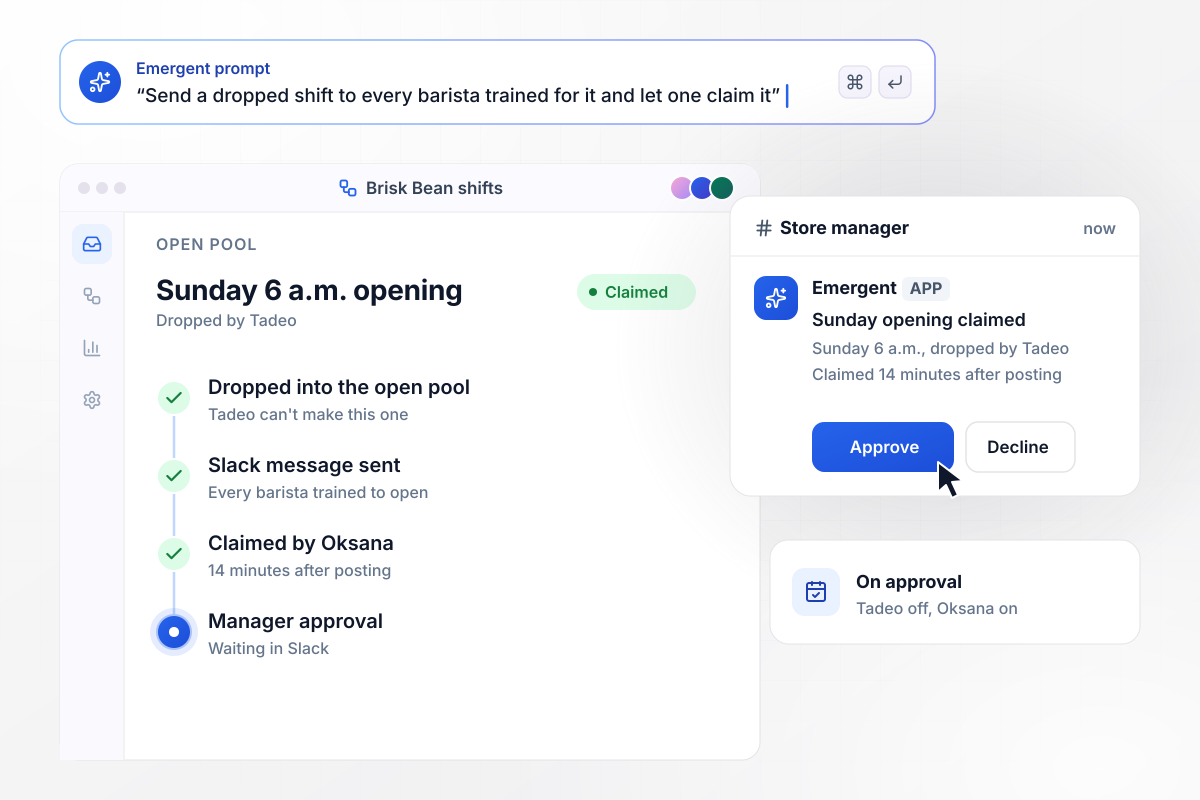
Picked up 14 minutes after it was posted
Nobody volunteers for the 6 a.m. Sunday opening at Brisk Bean. Tadeo can't make this one and drops it into the open pool. Every barista trained to open gets a Slack message, and Oksana claims the shift 14 minutes later. The store manager approves her pickup in Slack.
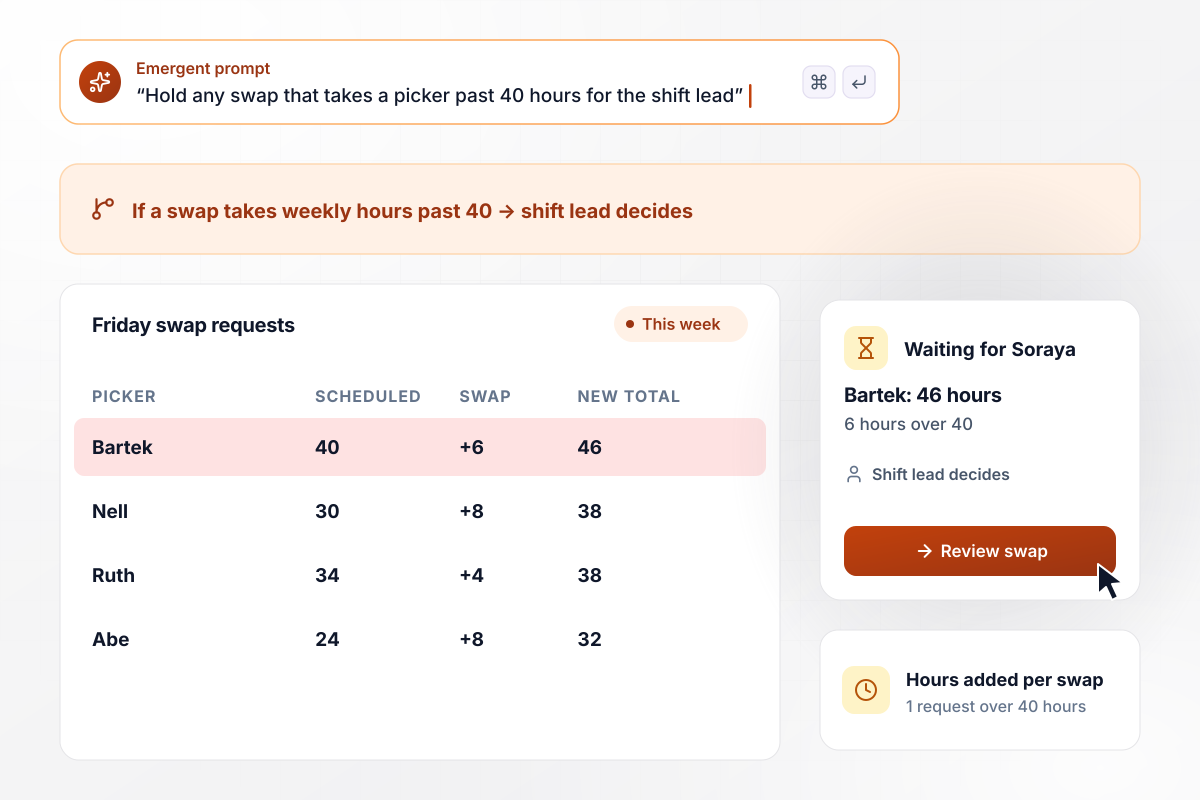
Soraya decides any swap with overtime in it
Bartek has 40 hours at Bramblegate Distribution this week when he asks for a coworker's 6-hour Friday shift, which would make 46. Federal law gives covered employees overtime pay for hours worked over 40 in a workweek. That swap waits for Soraya, the shift lead, to decide.
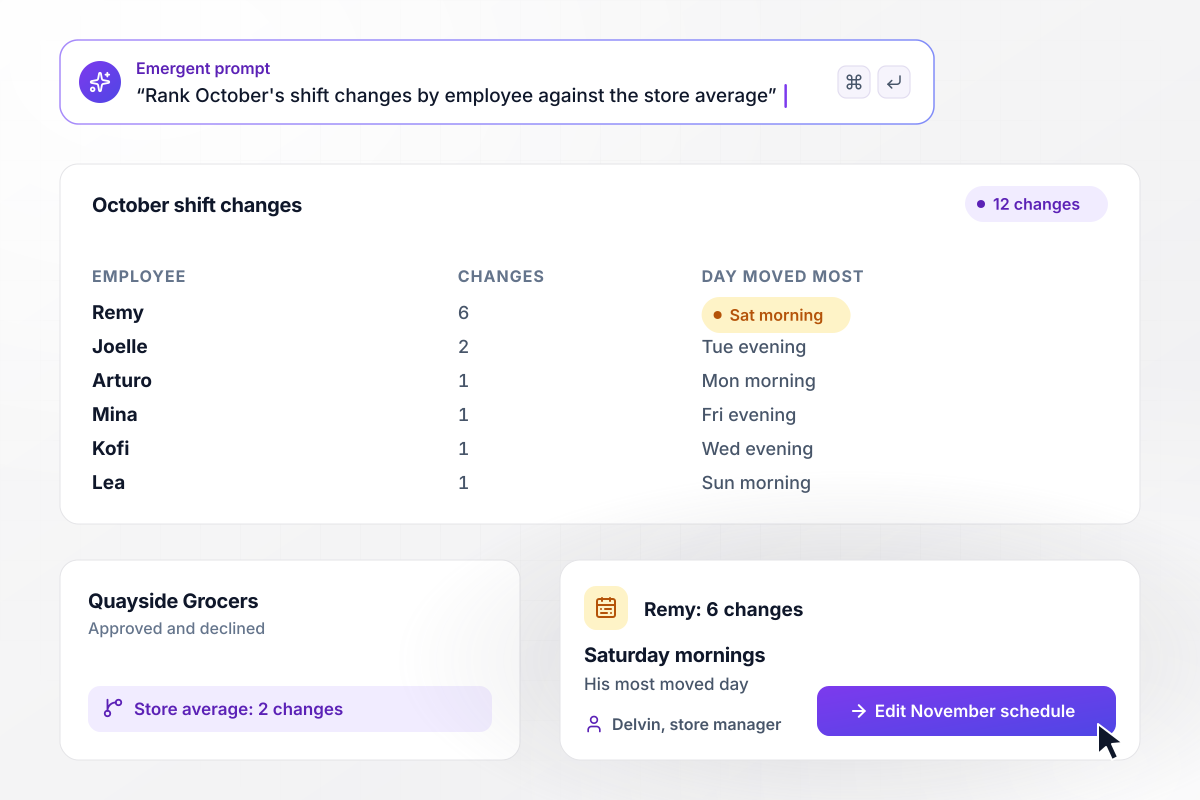
No one at Quayside changes more than Remy
Quayside Grocers keeps every shift change, approved or declined, in one table. Store manager Delvin sorts October's changes by employee. Remy leads with 6 changes against a store average of 2, every one a Saturday morning. Delvin takes Remy off Saturday mornings rather than approve the same swap each week.






How to Create a Shift Change Form
Seven steps to create a shift change form that confirms who covers each shift and puts the manager's decision on record.
Decide whether staff can swap with a coworker, drop a shift into a pool, or move to another shift on the same day. Each becomes a request type with its own questions. Anything outside those types is a conversation with the manager, not a form.
For a swap, the first question is the coworker taking the shift and which of their shifts comes back in return, if any. A request with no named cover is a drop, and it goes to the open pool instead.
Send the covering coworker the request by email or Slack with accept and decline buttons. Save the time they answer. A manager approving a swap later should see that the other person agreed, not take it on trust.
Total the week for the person taking the shift, with the new hours included. Set the line where a request needs a second look, such as 40 hours, and mark those requests so the overtime is visible before anyone decides.
List the roles each employee is trained for, such as opening the store or working a telemetry unit. Offer each shift only to people on that list. The coworker picker then never shows someone who cannot take it.
Route each request to the manager of the store, unit, or warehouse where the shift happens. Set a reminder for any request with no decision after 24 hours, and name a backup approver for the days that manager is off.
Submit a swap as an employee, accept it as the coworker, and approve it as the manager. Check that the schedule table changed and that the request row shows all three people with times. Fix any wording with a follow-up prompt.
Why Build a Shift Change Form With Emergent?
Requests never stop at a response cap in a busy week, and every swap and decision lands in a database you own.

|
Jotform | Google Forms | Typeform | |
|---|---|---|---|---|
| How you build | Describe it in plain English | Templates, editor, AI generator | Editor, with Gemini drafting on some Workspace plans | Templates, editor, AI assist |
| Where responses live | A database table you own, plus any integration | Jotform account | Google Sheets | Typeform account |
| Conditional logic | Written from your description, per field or page | Show or hide fields and skip pages by answer | Section jumps from multiple-choice or drop-down answers | Logic Jump between questions |
| Response limits | No response caps | Monthly submission caps by plan; the form stops at the cap | No limit | Monthly response caps by plan; the form closes at the cap |
| Code ownership | Full code export to GitHub on paid plans | None | None | None |



Pick the Pricing Plan That Works for You
Choose the plan that fits your building ambitions. From weekend projects to enterprise applications, we've got you covered.




Find the right form
for whatever you're collecting















Frequently Asked Questions
Your Questions, Answered
Don't change this element unless you know what you are doing
More things you can build
with Emergent









on Emergent today


