

Build an Animated Landing Page Where Every Motion Has a Job
Build an animated landing page with scroll reveals, counters fed by your database, and a still version for reduced motion.
Build an animated landing page that saves every signup to a database I own.
Trusted by Builders Worldwide
Active Builders Worldwide
Apps Successfully Created
Countries Globally Reached



Motion That Earns Its Place on the Page
An animated landing page uses motion to show how a product works or what a total means. Six parts keep it quick and optional.
Describe the motion, get the page
Tell Emergent which parts of the page move, and how long each one runs. It builds the page with those animations in place, and you change any of them later by prompting again.
Reveals that run once, on scroll
Ask for each section to slide up and fade in as it enters the screen. The reveal runs once per visit, so a reader who scrolls back up finds every section already in place.
Counters that read your own numbers
A counter can climb to a total kept in a database you own, such as meals served or orders shipped. Change the number in that row, and the next visitor sees the new total climb.
Motion kept to transform and opacity
Ask Emergent to move, scale, and fade elements, never resize them. web.dev advises you to restrict animations to opacity and transform to keep them on the compositing stage.
A pause button on anything that loops
WCAG 2.2.2 covers motion that starts on its own and lasts more than 5 seconds: visitors need a way to pause, stop, or hide it. Put a pause button on every loop the page plays.
Your domain now, your code later
Publish the page on your own domain; custom domains are included and use credits. On paid plans, export the full code to your GitHub repository, with every animation in it.
Animated Landing Page Examples
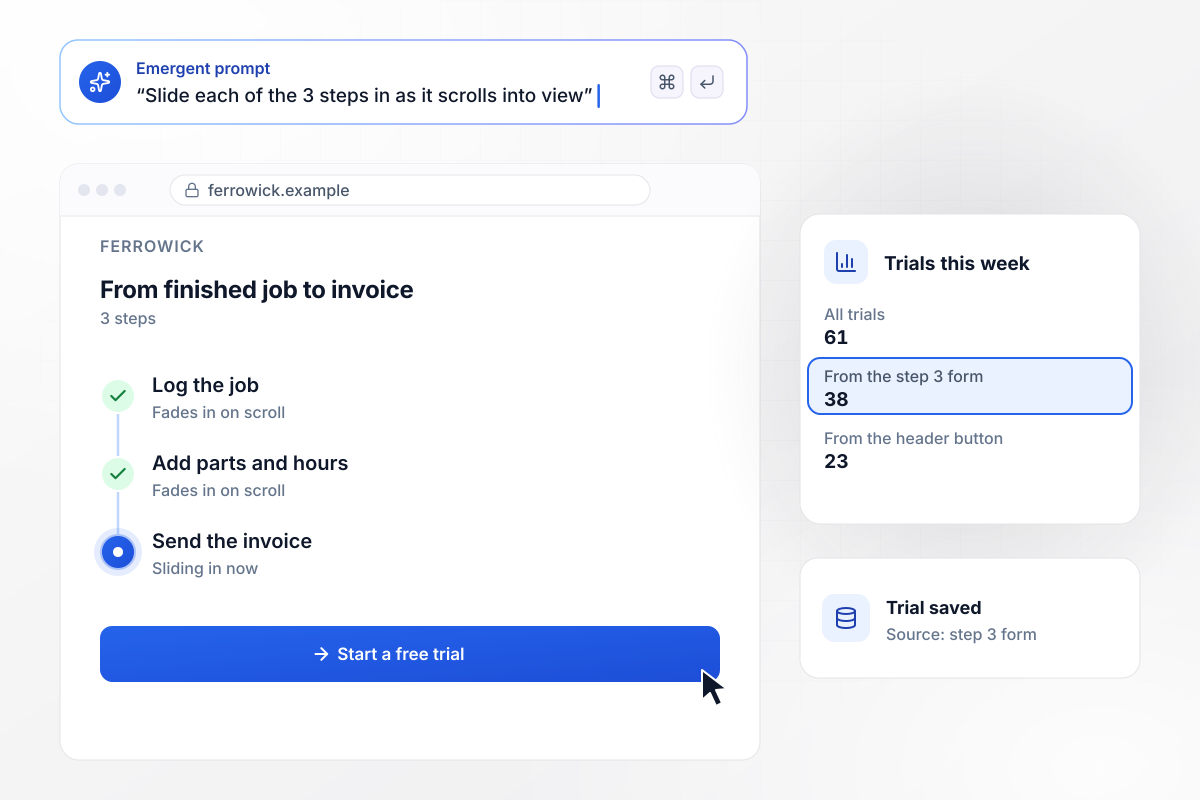
Step 3 and its form drew 38 of 61 trials
Ferrowick sells invoicing software to plumbing contractors. Its page shows how a finished job becomes an invoice in 3 steps, and each step slides up and fades in as the visitor scrolls down to it. The trial form sits under step 3. Of the 61 trials started this week, 38 came from that form and the rest from the header button.
window.awbMockup = { scrollReveal: "Build a landing page for Ferrowick, my invoicing software for plumbing contractors. Show how a finished job becomes an invoice in 3 steps, and have each step slide up and fade in as it enters the screen, once per visit. Put the trial form under step 3, and count trials by where they started: that form or the header button.", animatedCounter: "Make a donation page for Hollins Street Pantry with one number at the top: meals served this year. When the counter comes on screen, count it up from zero over 2 seconds. Read the total from our database on every page load so new deliveries show up, and put the donation form beside it.", demoLoop: "Create a landing page for Quaywise, my shift scheduling app for cafes. Open on an 8-second loop of a week's rota filling in one shift at a time. Stop the loop after 3 plays, show a pause button in its corner from the first frame, and put a demo booking form under it.", reducedMotion: "Build the page for Fenwold Design Week, our 3-day event, with a drifting hero and a carousel of 24 speakers. When a visitor's device is set to reduce motion, show a still hero and a fixed grid of the same 24 speakers instead. Keep the same registration form in both versions and save every registration." };
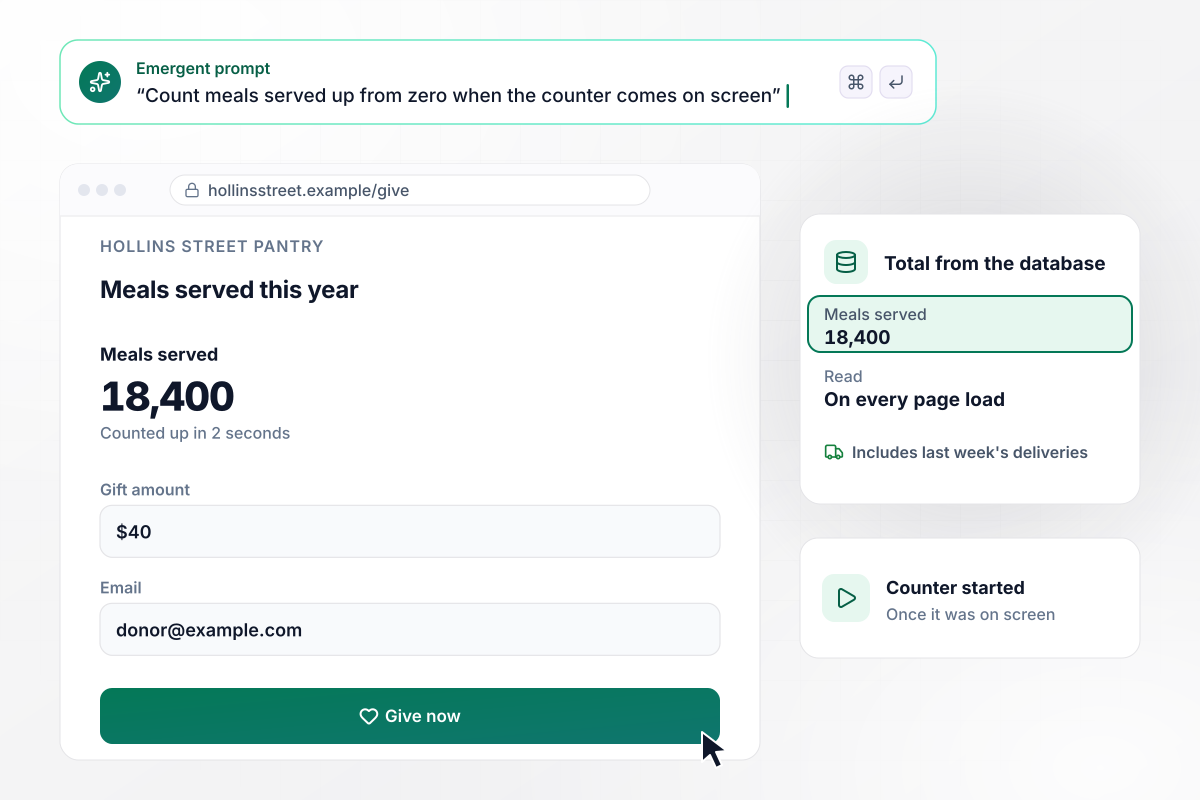
18,400 meals, counted up when the counter scrolls into view
Hollins Street Pantry tops its donation page with one number: meals served this year. Once on screen, the counter climbs from zero to 18,400 meals in 2 seconds. The page reads that total from the pantry's own database on every page load, so last week's deliveries are already counted.
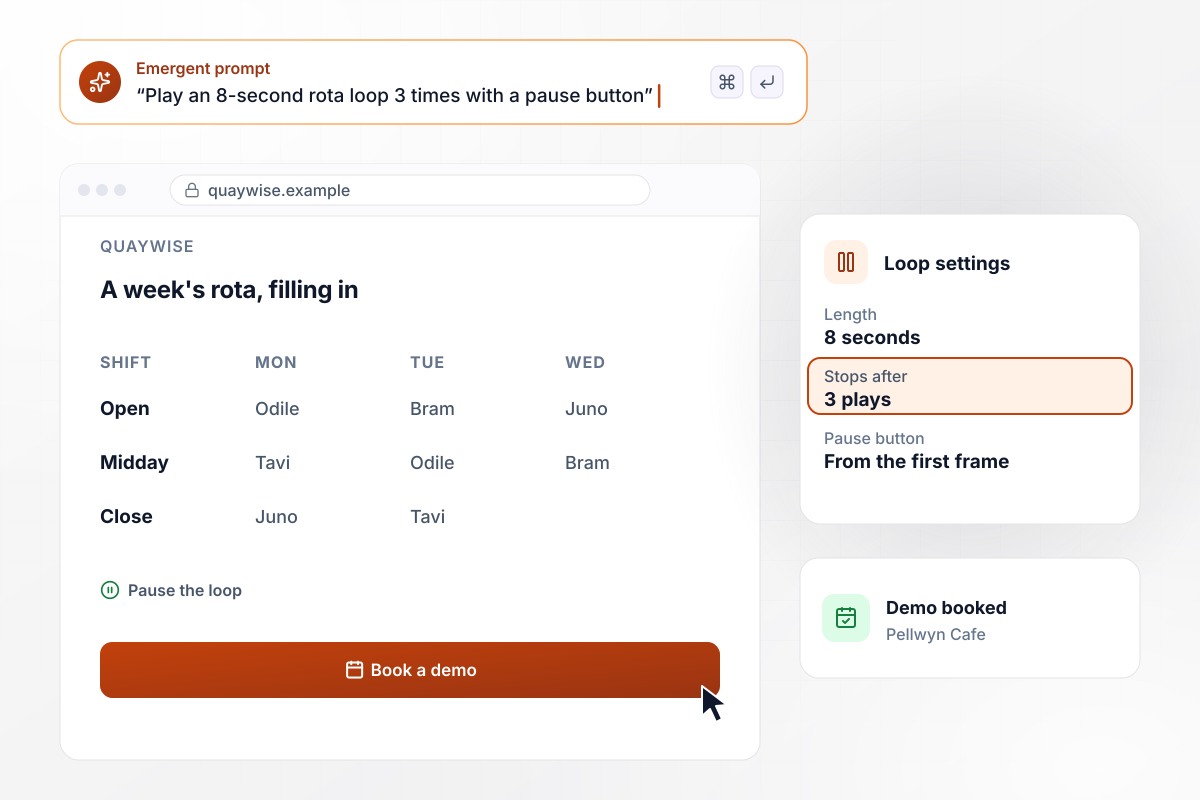
An 8-second loop with its own pause button
Quaywise sells shift scheduling to cafes. Its page opens on an 8-second loop of a week's rota filling in, one shift at a time. The loop stops after 3 plays, and a pause button sits in its corner from the first frame. Pellwyn Cafe booked a demo from the form under it.
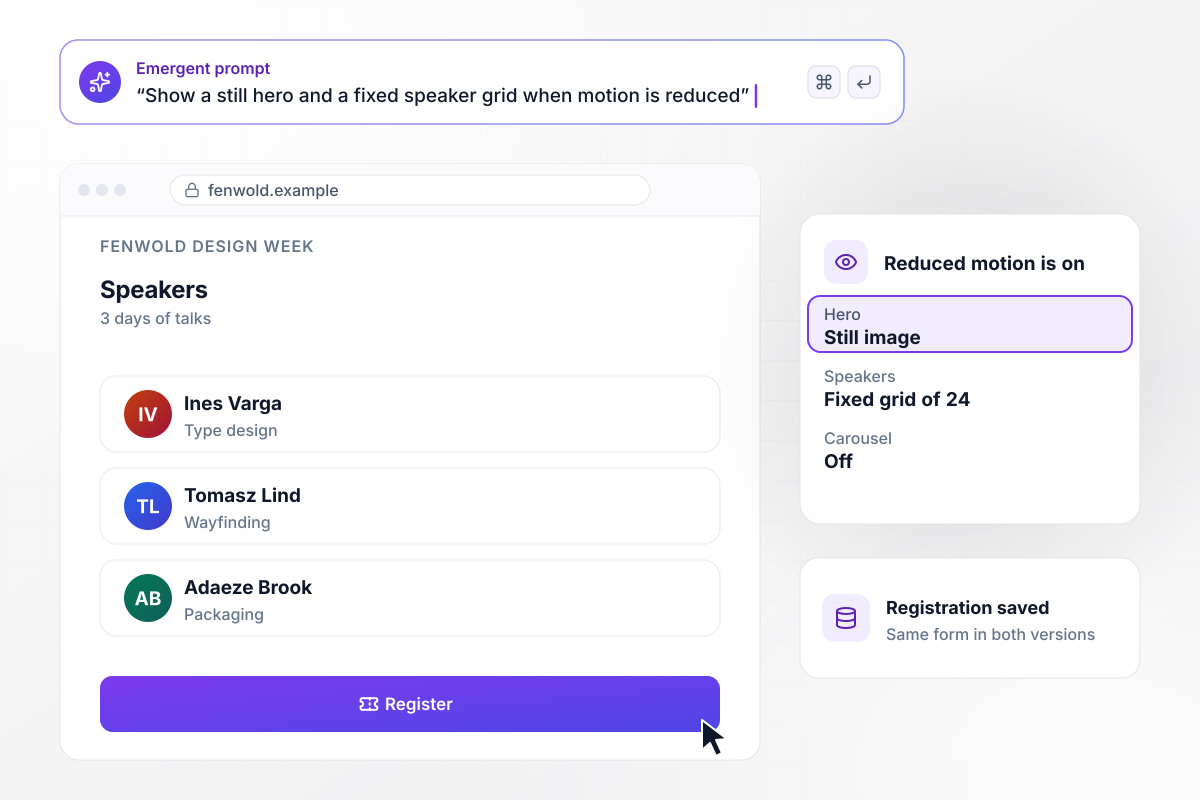
Visitors who ask for less motion see a still hero
Fenwold Design Week runs for 3 days, and its page opens on a drifting hero above a carousel of 24 speakers. A visitor whose device is set to reduce motion gets a still hero and a fixed grid of the same 24 speakers. Both versions show the same registration form, and every registration saves to the event's database.






How to Create an Animated Landing Page
Seven steps to an animated landing page where each motion has a job, a still version exists, and every form is measured.
Write one line per animation: what it shows and why it moves. A reveal that walks a visitor through 3 steps has a job; a logo that spins on load does not. Cut any motion you cannot give a job to before you build.
Let the headline, the offer, and the main button load in place with no motion. Save movement for what sits below the first screen, such as steps or a counter. The visitor should read the offer before anything starts to move.
Keep a reveal under half a second so it never holds up reading. Decide how many times a loop plays before it stops, such as 3 plays, instead of leaving it running while the visitor tries to read the text beside it.
Ask for a version with no drifting hero and no carousel. The prefers-reduced-motion media query detects whether a visitor has asked their device for less motion. With it, the page shows the still version without a toggle.
Paste the animation list into one prompt with the trigger and length of each, such as a counter that climbs over 2 seconds once it is on screen. Emergent builds the page and its signup table. Prompt again to change the timing of any animation.
Switch on the reduce motion setting on your phone and load the page again. Check that the hero sits still, the carousel is a fixed grid, and every form still sends. Then load it on a slow connection and watch for text that jumps.
Publish on your own domain (built into Emergent, uses credits) and count signups by where they started, such as the form under step 3 against the header button. Change one animation at a time, and give each change a full week before you judge it.
Why Build an Animated Page With Emergent?
Ask for a scroll reveal or a pause button in one sentence. Signups go to a database you own, and paid plans export the code.

|
Unbounce | Landingi | Wix | |
|---|---|---|---|---|
| How you build | Prompt for a campaign page | Templates and drag-and-drop, AI copy assist | Templates and drag-and-drop, AI assist | Prompt for a full site |
| Where submissions go | A database table you own, plus integrations | Unbounce lead storage and integrations | Vendor lead storage and integrations | Wix dashboard submissions and Contacts |
| Visitor limits | No per-visitor pricing | Monthly visitor caps by plan | Tiered by traffic on most plans | Site plan bandwidth |
| A/B testing | Generate variants by prompt | A/B testing on higher-tier plans only | Higher plans | Limited or add-on |
| Code ownership | Full code export to GitHub on paid plans | Hosted only | Hosted only | Hosted only |



Pick the Pricing Plan That Works for You
Choose the plan that fits your building ambitions. From weekend projects to enterprise applications, we've got you covered.




Find the right landing page for you
Frequently Asked Questions
Your Questions, Answered
Don't change this element unless you know what you are doing
More things you can build
with Emergent









on Emergent today




