

Build a Referral Landing Page That Knows Who Sent Each Friend
Build a referral landing page that greets each friend by the referrer's name and saves every referral to a database you own.
Build a referral landing page that saves every signup to a database I own.
Trusted by Builders Worldwide
Active Builders Worldwide
Apps Successfully Created
Countries Globally Reached



What Sits Between a Shared Link and a Reward
A referral landing page serves the customer who shares a link and the friend who opens it. These six parts keep both straight.
Describe the program, get the page
Write down the reward, who earns it, and when a referral counts. Emergent builds the invite page and the table behind it from that prompt, then changes any part when you ask again.
The referrer's name on every invite
Each friend lands on a page that says who sent them, such as Priya Raman invited you. The name comes from the link the friend opened, so no one types a code to credit the referrer.
One link and one code per customer
Every referrer gets a personal link to share and a short code to text or read aloud. Both point to the same person, so a friend using either one is credited to the right referrer.
Rewards that wait for a condition
Pick the moment a referral pays out, such as a first finished visit or a month as a customer. Until then the reward shows as Pending, and it moves to Earned once that moment comes.
Every referral saved as a row you own
Each referral saves to a database you own with the referrer, the friend, the date, and the reward status. A live dashboard counts referrals per person and shows who shares the most.
Your domain now, your code when needed
Run the program on your own domain; custom domains are included and use credits. On paid plans, export the full code to your GitHub repository when a developer wants to extend it.
Referral Landing Page Examples
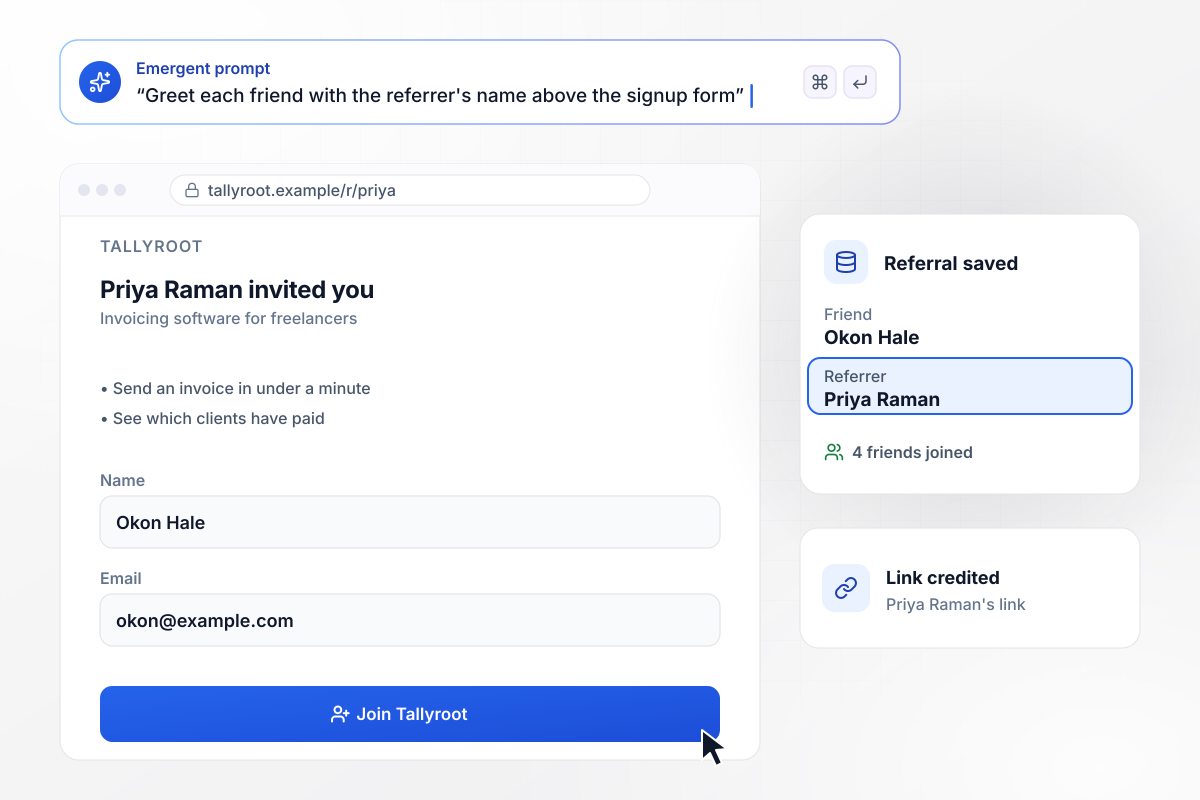
Her friend's page opens on Priya's name
Tallyroot sells invoicing software to freelancers. When Priya Raman shares her link, the page her friend opens reads Priya Raman invited you, right above the signup form. Okon Hale signed up there. His row saved with Priya as the referrer, and her count moved to 4 friends joined.
window.awbMockup = { softwareInvite: "Build a referral landing page for Tallyroot, my invoicing software for freelancers. Each customer gets a personal link. When a friend opens it, the page should say the referrer's name, like Priya Raman invited you, above the signup form. Save each signup with the referrer's name and show every referrer how many friends have joined.", lawnCareCredit: "Make a referral page for Brightmoss Lawn Care, my mowing business. Customers refer neighbors and earn a $40 service credit for each one. Save every referral with the referrer, the new customer, and the credit. Keep the credit at Pending until the new customer's first mowing visit is marked done, then change it to Earned.", freeFirstRide: "Build a page for Corvane Cycle, my indoor cycling studio, where each member can give a friend one free first ride. The friend opens the member's link, sees the open classes with bikes left, and books one. Save each booking with the friend's name, the class, and the member who shared the link.", referrerStatusPage: "Create a referral status page for Pinegate Coffee, my coffee subscription. Every subscriber sees a personal link and how many friends have joined. At 3 friends they unlock a free bag, and at 5 friends a free month. Show how many more friends they need for the next reward." };
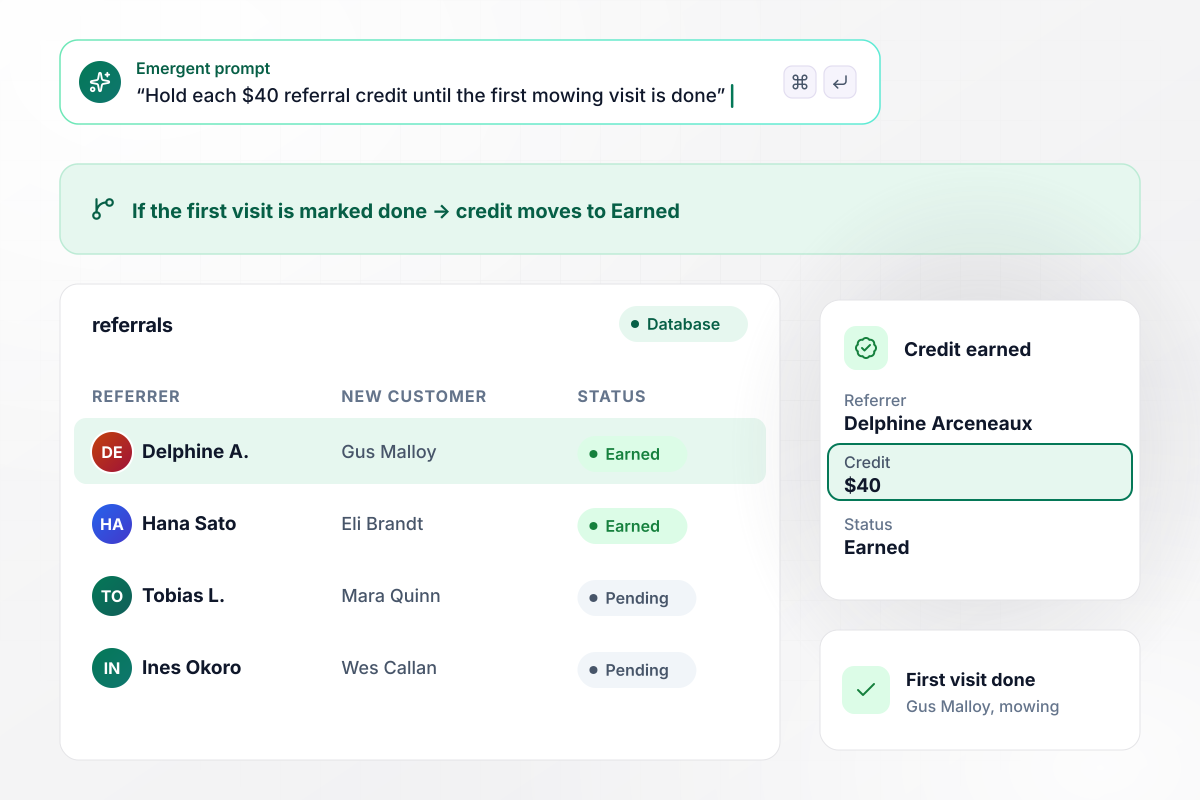
A $40 credit waits for the first finished visit
Brightmoss Lawn Care pays its referrers in service credit, $40 for each new customer they send. Delphine Arceneaux referred her neighbor Gus Malloy, and her credit sat at Pending until his first mowing visit was marked done. The crew lead closed that visit, and the credit moved to Earned.
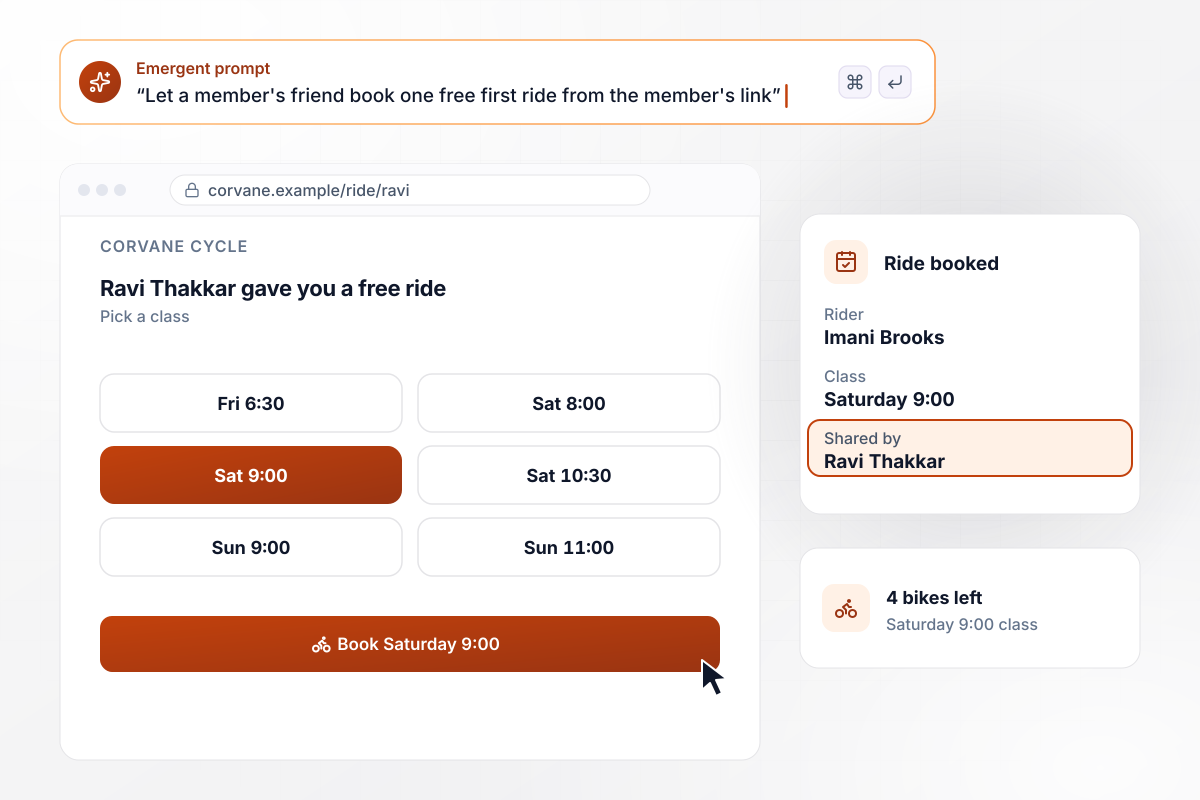
Imani books a free ride on Ravi's link
Every Corvane Cycle member can give away one free first ride. Imani Brooks opened Ravi Thakkar's link and picked the Saturday 9:00 ride from the open classes, which left 4 bikes. Her booking saved with Ravi's name on it, and the studio can see which members bring in new riders.
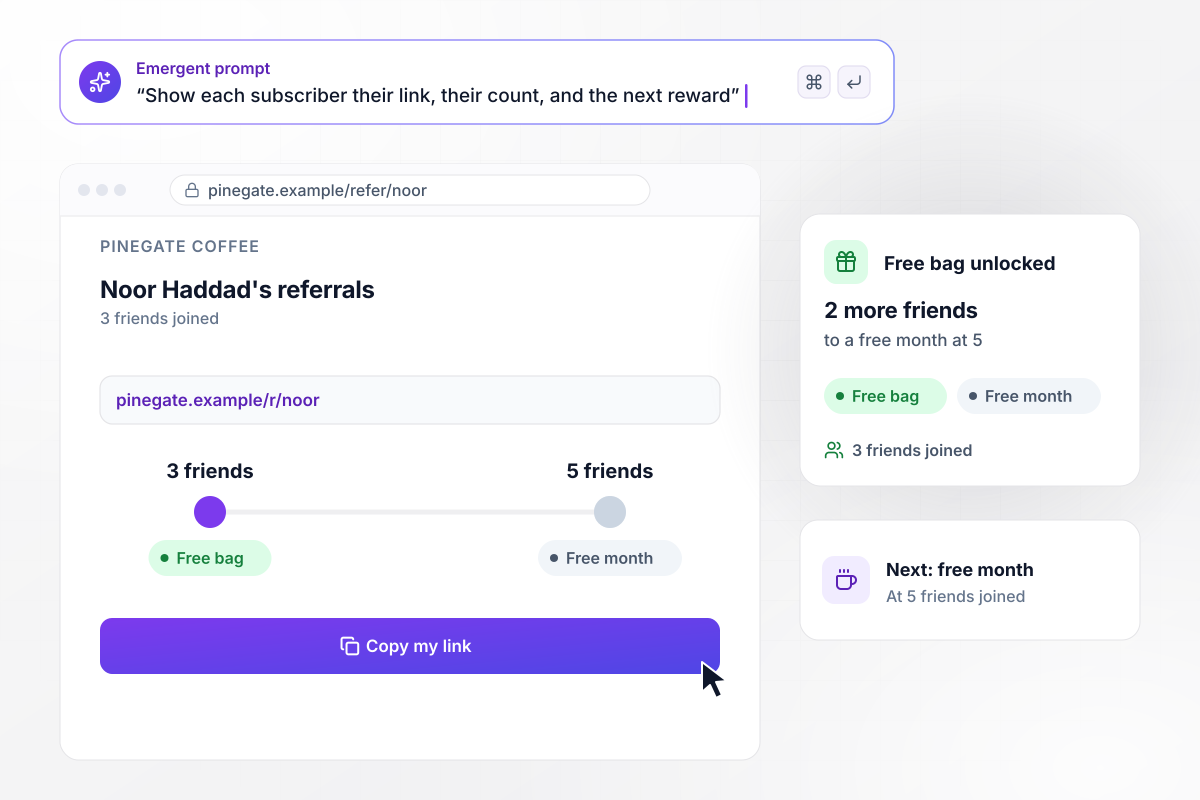
Noor is 2 friends from a free month
Pinegate Coffee ships beans on subscription, and every subscriber has a status page with a personal link and a running count. Noor Haddad's page shows 3 friends joined and her free bag unlocked. Two more friends take her to 5 and a free month of coffee.






How to Create a Referral Landing Page
Follow seven steps to create a referral landing page that credits the right referrer and releases each reward once it counts.
Decide what the referrer earns and what the friend gets, such as a $40 credit for one and a free first visit for the other. Give both sides something: the friend gets a reason to act, and the referrer gets a line to say when sharing.
Pick the one event that moves a reward from Pending to Earned, such as a signup or a first finished visit. Then state it on the page in one plain sentence. A referrer who knows the rule will not wonder why a reward has not arrived.
Put the referrer's name in the first line of the friend's page, and the friend's reward right under it. A name the friend knows belongs above your logo and above any product claim on the page.
Keep the form to the fields you need to credit the referral and deliver the reward, such as a name and an email. Ask for a delivery address or a class time on the next screen, after the friend has signed up.
Write the reward, the counting rule, the form fields, and the words for Pending and Earned into one prompt. Emergent builds the pages and the referral table from it. Read the first version as a friend would, then prompt again for changes.
Put every customer's personal link in an email they already open, such as a receipt or a monthly update. Add the short code for people who refer in person. Then point regulars to the status page where their count lives.
Open your own link in a private browser window and sign up as the friend. Mark the counting event done, then check that the row names the right referrer and that the reward has moved from Pending to Earned.
Why Run Referral Pages on Emergent?
Change the reward or the payout rule by prompting again, while every referral record stays in a database you own.

|
Unbounce | Landingi | Wix | |
|---|---|---|---|---|
| How you build | Prompt for a campaign page | Templates and drag-and-drop, AI copy assist | Templates and drag-and-drop, AI assist | Prompt for a full site |
| Where submissions go | A database table you own, plus integrations | Unbounce lead storage and integrations | Vendor lead storage and integrations | Wix dashboard submissions and Contacts |
| Visitor limits | No per-visitor pricing | Monthly visitor caps by plan | Tiered by traffic on most plans | Site plan bandwidth |
| A/B testing | Generate variants by prompt | A/B testing on higher-tier plans only | Higher plans | Limited or add-on |
| Code ownership | Full code export to GitHub on paid plans | Hosted only | Hosted only | Hosted only |




Pick the Pricing Plan That Works for You
Choose the plan that fits your building ambitions. From weekend projects to enterprise applications, we've got you covered.




Find the right landing page for you




Frequently Asked Questions
Your Questions, Answered
Don't change this element unless you know what you are doing
More things you can build
with Emergent









on Emergent today




