

Build Recruiting Landing Pages That Turn Visitors Into Applicants
Build recruiting landing pages that screen applicants, book interviews, and save every application to a database you own.
Build a set of recruiting landing pages that saves every signup to a database I own.
Trusted by Builders Worldwide
Active Builders Worldwide
Apps Successfully Created
Countries Globally Reached



What Emergent Builds Into a Recruiting Page
A recruiting landing page sells one role or program to candidates and takes the application on the same page.
A page written from the job description
Paste the job description and the pay into a prompt. Emergent builds the page with its application form and the table behind it, then changes any section when you prompt again.
Screening questions that route applicants
Ask the questions that decide a fit, such as a required license or a night shift. Applicants who answer yes reach the hiring manager, and every other application stays on file.
Interview slots candidates book themselves
Set the interview length and the hours. The page shows only open slots, drops each one as soon as it is booked, and the app emails every candidate a reminder before the interview.
Applications in a database you own
Each application lands in a database you own as one row of answers. Through an API, the app can also send every application to the applicant tracking system recruiters use now.
Alerts to the recruiter who owns the role
Name a recruiter for each role and choose Slack or email for the alert. Referrals and qualified applicants reach that person, and a reminder follows if nobody opens them.
Your domain, and the code if you want it
Publish the page on the company's own domain, which is included and uses credits. On paid plans, the full code exports to your GitHub repository for an engineer to extend later.
Recruiting Pages for Four Hiring Moments
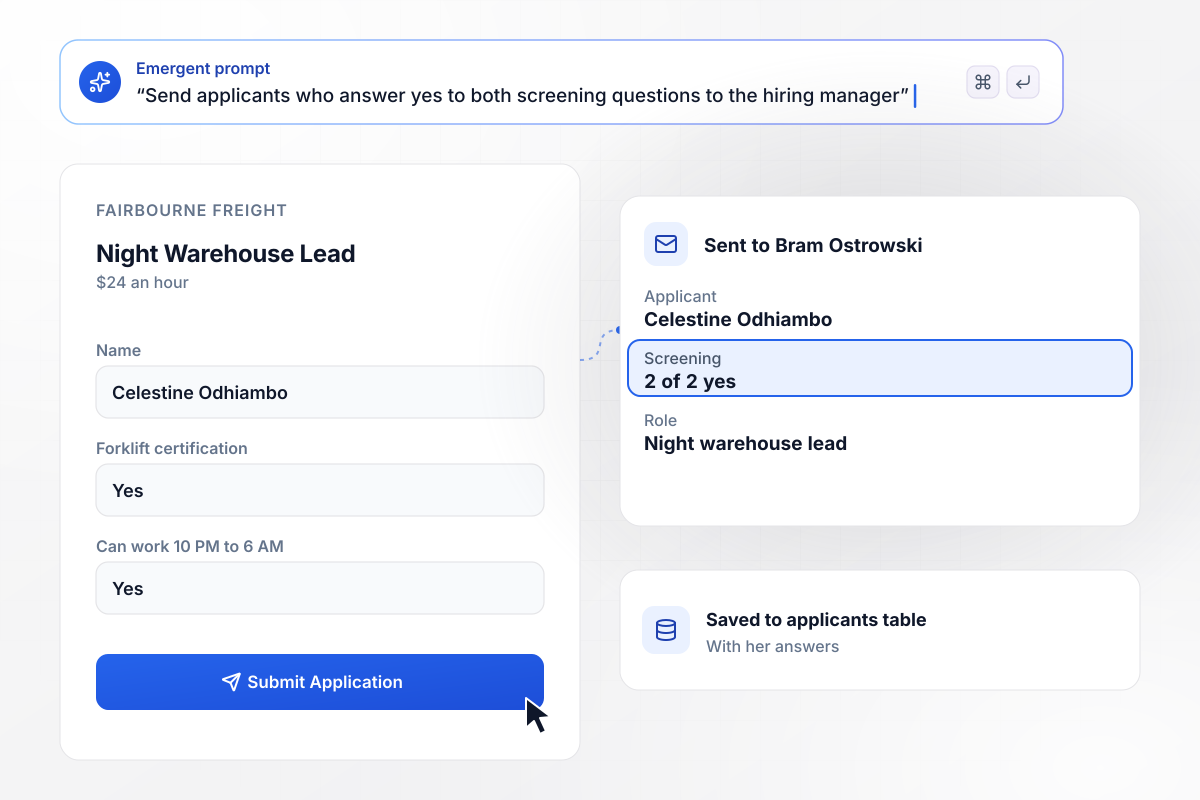
Two yes answers put an applicant in front of the manager
Fairbourne Freight is hiring a night warehouse lead at $24 an hour. The page asks 2 screening questions: a forklift certification, and the 10 PM to 6 AM shift. Celestine Odhiambo answers yes to both, and hiring manager Bram Ostrowski gets her application by email. It saves to the applicants table with her answers.
window.awbMockup = { openRole: "Build a job page for my company, Fairbourne Freight. We are hiring a night warehouse lead at $24 an hour. Ask 2 screening questions: does the applicant hold a forklift certification, and can they work 10 PM to 6 AM. When both answers are yes, email the application to Bram Ostrowski, my hiring manager. Save every application with its answers to an applicants table.", hiringDay: "Make a booking page for my grocery chain's Saturday hiring day. Interviews run 15 minutes each from 9 AM to noon, so there are 12 slots. Show only the open slots, take each one off the page once it is booked, and show how many are left. Email every candidate a reminder on Friday with their interview time.", careerFair: "I need a signup page for our summer internships that opens from a QR code on my career fair table. Students give their name, email, major, and graduation year on their phone and join the internship list. Show the signup count for the fair, and email my recruiter, Wen Calderwood, a digest of new signups at 8 AM the next day.", employeeReferral: "Set up a referral page for my dental practice. Employees refer someone for an open role with the candidate's name and a resume link, and the form records which employee sent the referral. Save each one to a referrals table, and send a Slack message with both names to Tobias Delacroix-Ruiz, who recruits for us." };
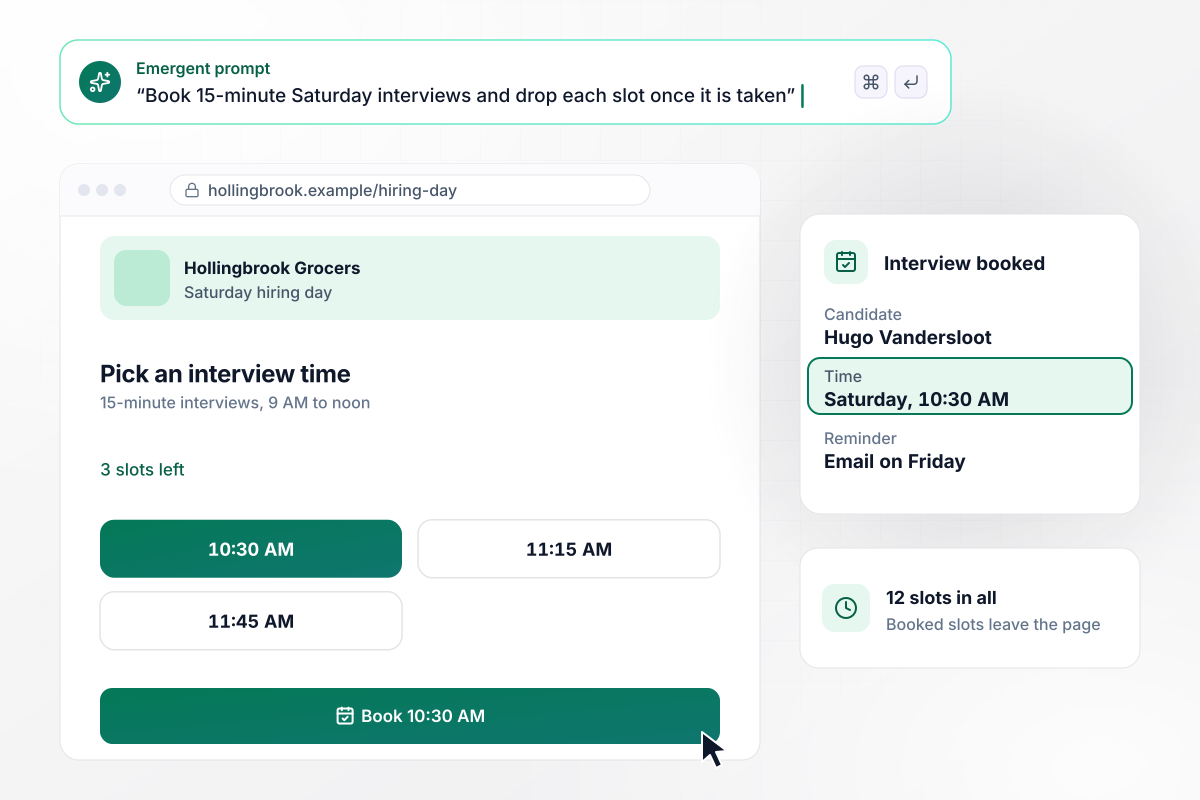
12 Saturday interviews, booked by candidates
Hollingbrook Grocers fills its Saturday hiring day with 15-minute interviews from 9 AM to noon, 12 slots in all. Each candidate picks a time, and a booked slot leaves the page. Hugo Vandersloot takes 10:30 AM, one of the last 3 open slots, and the app emails him a reminder on Friday.
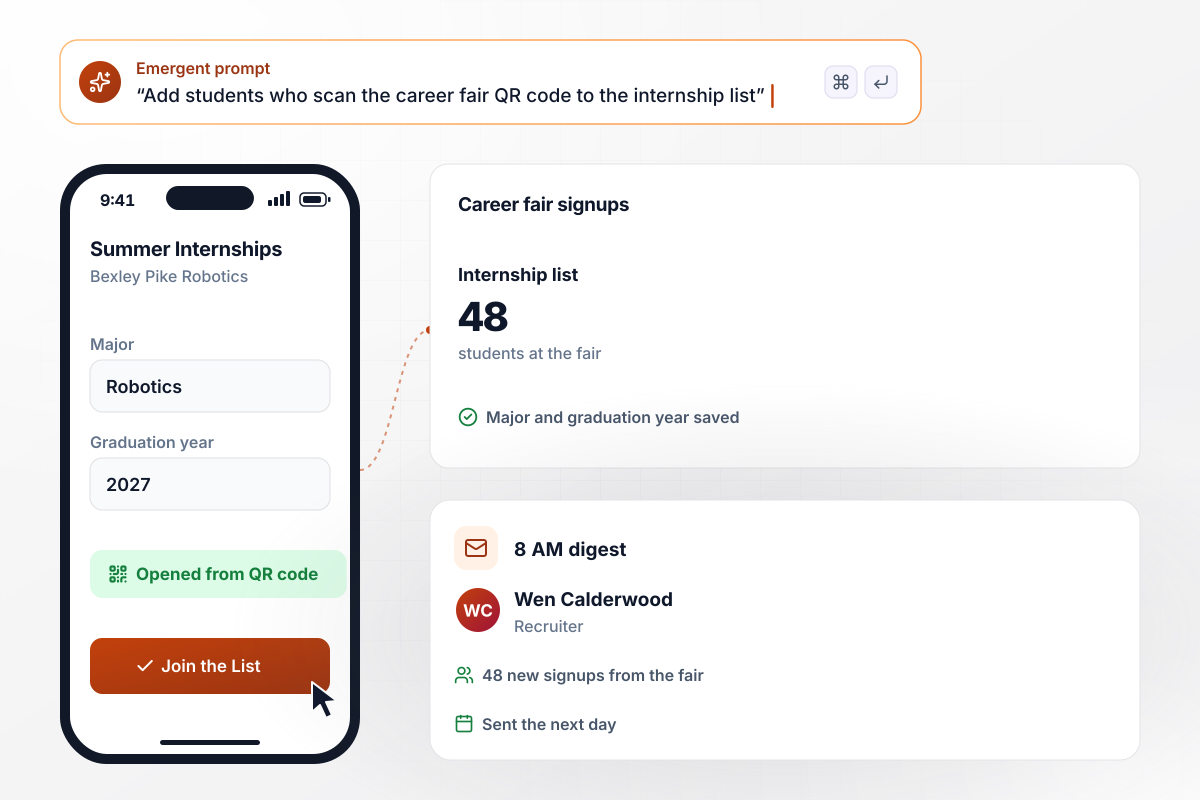
One QR code at the fair builds the internship list
Bexley Pike Robotics brings a QR code to its career fair table. Students scan it and join the summer internship list with their major and graduation year, and 48 sign up before the fair closes. Recruiter Wen Calderwood gets an email digest of the new signups at 8 AM the next day.
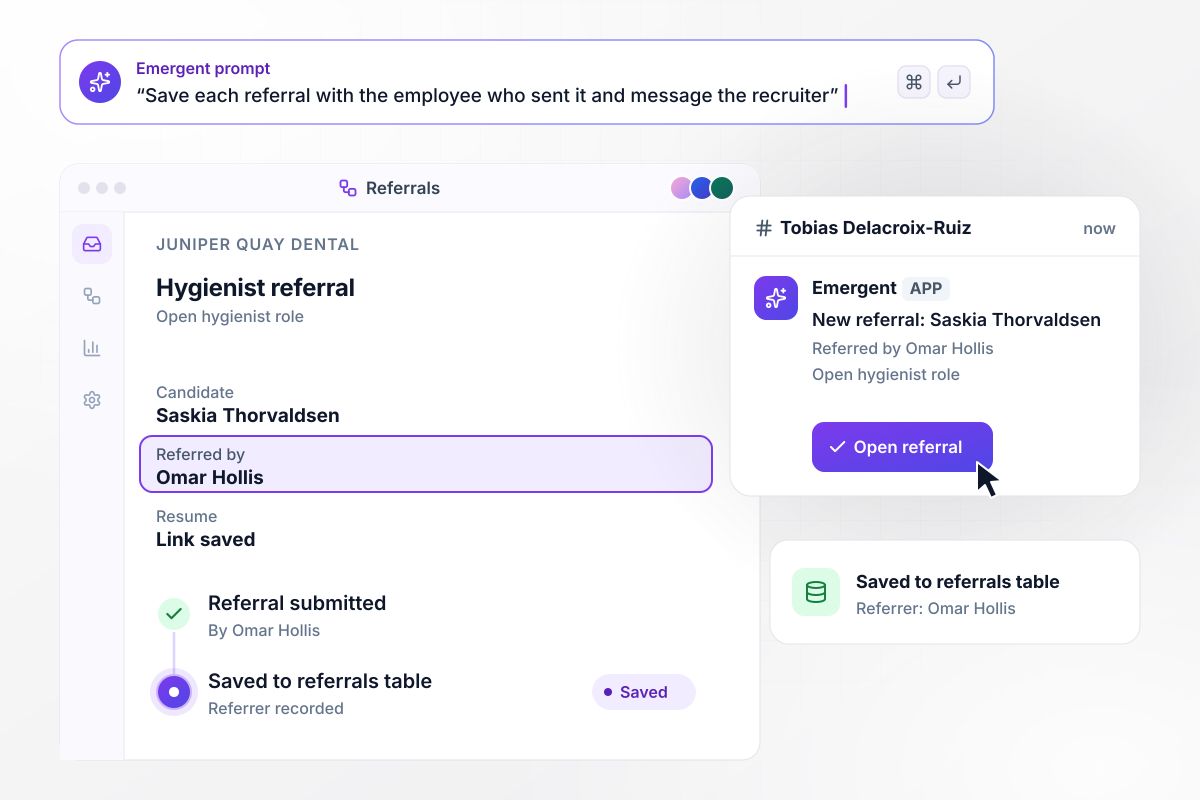
Referrals arrive with the referring employee named
Omar Hollis works as a hygienist at Juniper Quay Dental and refers Saskia Thorvaldsen for an open hygienist role. The form saves her name and resume link to the referrals table, with Omar listed as the referrer. Recruiter Tobias Delacroix-Ruiz gets a Slack message with both names.






How to Create a Recruiting Landing Page
Seven steps take recruiting landing pages from one open role to a published page that screens and saves every applicant.
Choose one role, or one program such as a summer internship, and one action for the candidate: apply or book an interview. A page that asks for two things splits attention. Settle the action before writing any copy.
Put the pay, the schedule, and the location in the opening lines, then 2 or 3 reasons to take the job. Keep the company history to one sentence. The role is what the candidate came to read, and the details decide whether they keep going.
Write down the answers that rule an applicant in, such as a forklift license or a night shift. These become the screening questions, and everything else waits for the interview. Keep the form short enough to finish on a phone in a few minutes.
Paste the pitch and the screening questions into Emergent, and say what happens on submit: who gets the email and which table keeps the application. Emergent builds the page and the database behind its form. Prompt again to change any section.
Name where each applicant goes next: the hiring manager's inbox, a Slack message for referrals, or the applicant tracking system through its API. The app sends every application there and keeps its own copy in the database you own, with each answer.
Open the page on a phone and submit two test applications. Make the first pass the screening questions, and make the second fail one. Check that only the first reaches the hiring manager, and that both rows land in the table with every answer filled in.
Go live on the company's domain, then share the page in the job board posting and as a QR code at events. Read the first day's applications in the table and fix any question candidates skip.
Why Build Your Recruiting Page With Emergent?
Each applicant is saved to a database the company owns, and a new role next week means one more prompt, not a developer ticket.

|
Instapage | Landingi | Leadpages | |
|---|---|---|---|---|
| How you build | Prompt for a campaign page | Templates and drag-and-drop, AI copy assist | Templates and drag-and-drop, AI assist | AI page creation, templates, and drag-and-drop |
| Where submissions go | A database table you own, plus integrations | Instapage contacts and integrations | Vendor lead storage and integrations | Leadpages lead storage and integrations |
| Visitor limits | No per-visitor pricing | Monthly visitor caps by plan | Tiered by traffic on most plans | No traffic caps |
| A/B testing | Generate variants by prompt | A/B testing on higher-tier plans only | Higher plans | A/B testing on higher-tier plans only |
| Code ownership | Full code export to GitHub on paid plans | Hosted only, no HTML export | Hosted only | Hosted by Leadpages |



Pick the Pricing Plan That Works for You
Choose the plan that fits your building ambitions. From weekend projects to enterprise applications, we've got you covered.




Find the right landing page for you
Frequently Asked Questions
Your Questions, Answered
Don't change this element unless you know what you are doing
More things you can build
with Emergent









on Emergent today




