

Build a Course Landing Page Shaped Around How You Teach
Build a course landing page for a cohort, a self-paced course, or team training, with every enrollment in a database you own.
Build a course landing page that saves every signup to a database I own.
Trusted by Builders Worldwide
Active Builders Worldwide
Apps Successfully Created
Countries Globally Reached



What the Page Does Once a Student Clicks Enroll
A course landing page sells one course to one kind of student. These six parts take a visitor from the headline to a saved enrollment.
One prompt for the page and its tables
Tell Emergent the course format and what to ask each student. It builds the page with its enrollment form and the table behind it, then changes any part when you prompt again.
Every enrollment is a row you own
Each enrollment saves the student's answers and chosen cohort to a database you own. Connect your email tool or CRM through its API, and the app syncs every new student there too.
Seats left, counted as students enroll
Cap a cohort at the number you can teach. The app counts each enrollment as it saves and updates the seats left on the page in real time, for every visitor reading it at that moment.
A placement quiz, one question per screen
Show a few questions before anyone enrolls, one per screen, then score the answers. The app sends each student to the class page for their level and saves the score on their row.
Alerts for requests you answer in person
Pick the requests you want to handle yourself, such as a team asking for 10 or more seats. Each one that matches reaches you as an email, a Slack message, or an in-app alert.
Your domain now, your repository later
Publish the course page on your own domain; custom domains are included and use credits. On paid plans, the full code exports to your GitHub repository for a developer to extend.
One Course Page for Each Way You Teach
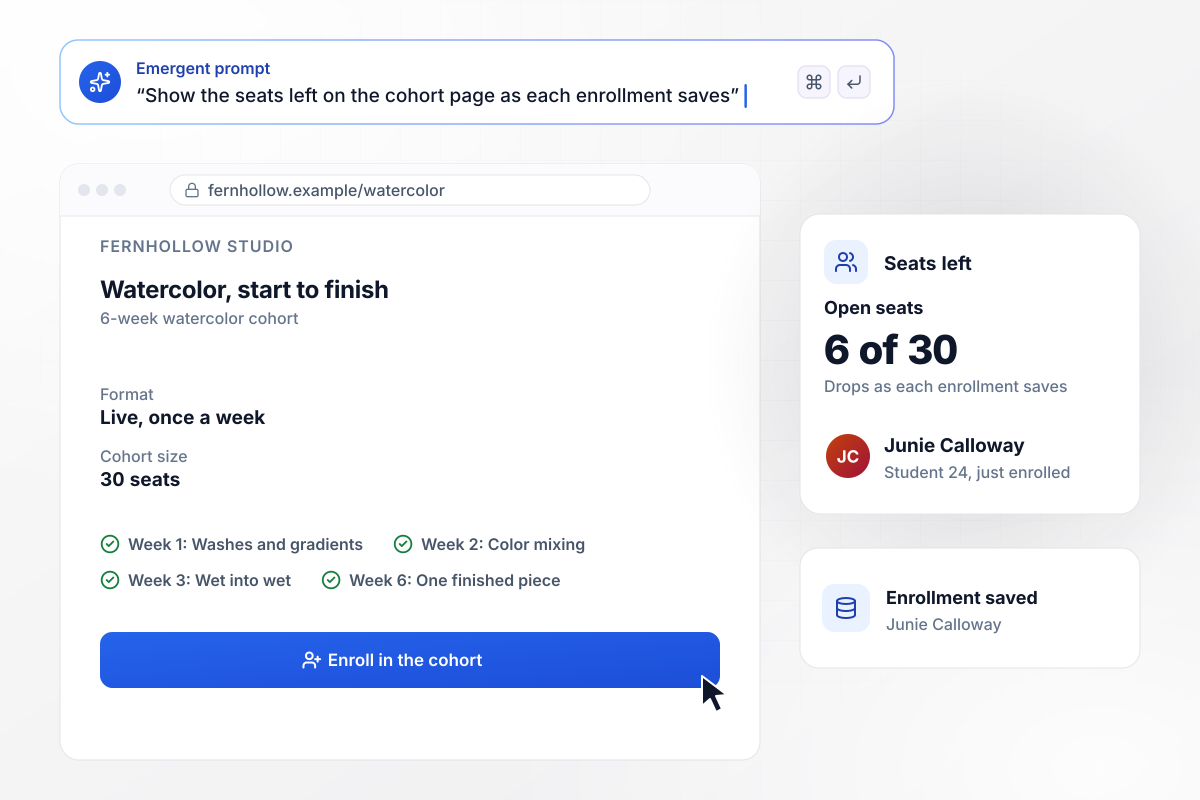
6 of 30 seats left after Junie enrolls
Fernhollow Studio caps its 6-week watercolor cohort at 30 seats, and the course page shows how many are still open. The count drops the moment an enrollment saves. Junie Calloway enrolled as student 24, and every visitor on the page saw 6 of 30 seats left.
window.awbMockup = { cohortCourse: "Build a course page for Fernhollow Studio, my watercolor school, selling a 6-week cohort capped at 30 seats. List the week-by-week plan, take enrollments with name and email, and show the seats left on the page, dropping by one each time an enrollment saves.", selfPacedCourse: "Make a landing page for my self-paced sourdough course at Brinemark Kitchen, 14 lessons in all. Give lesson 1 away free: ask for an email, then play the lesson on the same page. Send each signup to my email tool and count signups this week.", placementQuiz: "Build a placement quiz for Tidewell Spanish, my language school, with 6 questions shown one per screen. Score each answer, send a score of 3 or 4 to the Intermediate class page, and save the score with the student's enrollment.", teamTraining: "Create a page for my SQL course at Quarry Lane Analytics where companies can request team seats. Ask for the company name, the number of seats, and a work email. When a company asks for 10 or more seats, email me, Bram Okafor, with the request." };
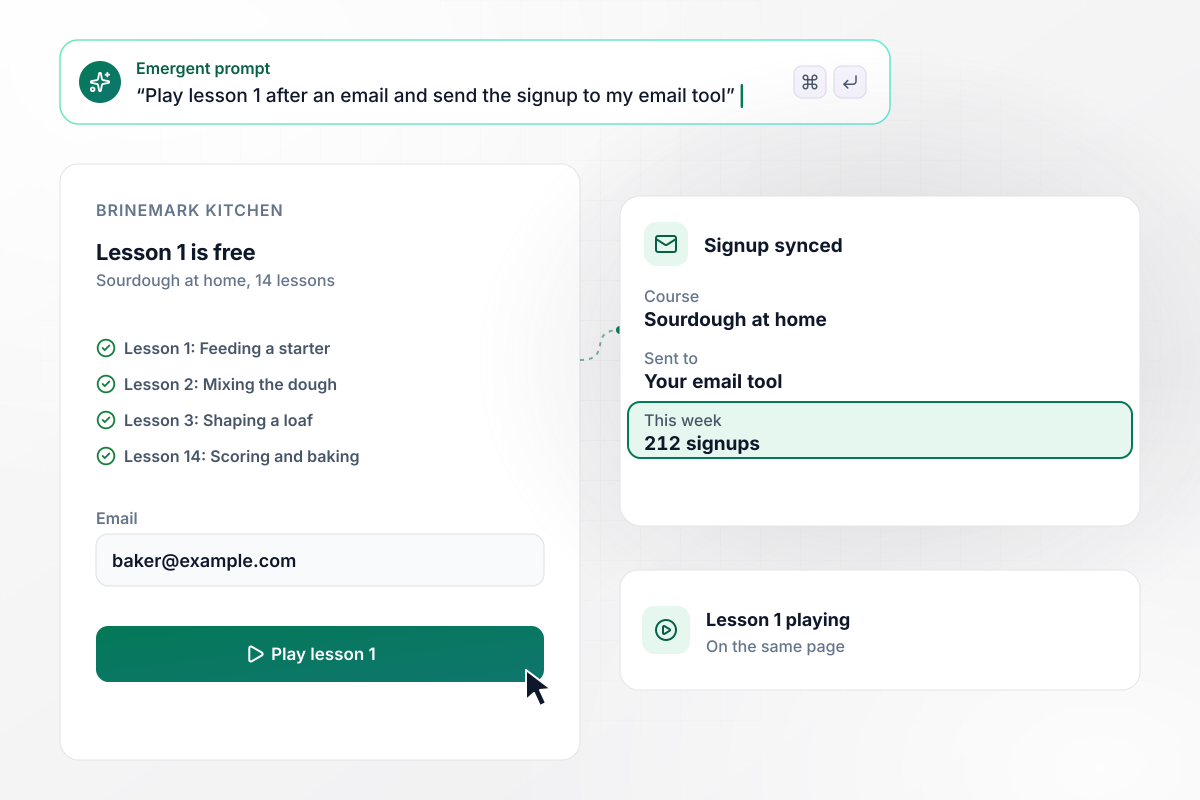
Leave an email and lesson 1 plays
Brinemark Kitchen sells a self-paced sourdough course in 14 lessons and gives the first one away. A visitor types an email, and lesson 1 starts on the same page. The app adds each signup to the email tool the school connected, and 212 people signed up this week.
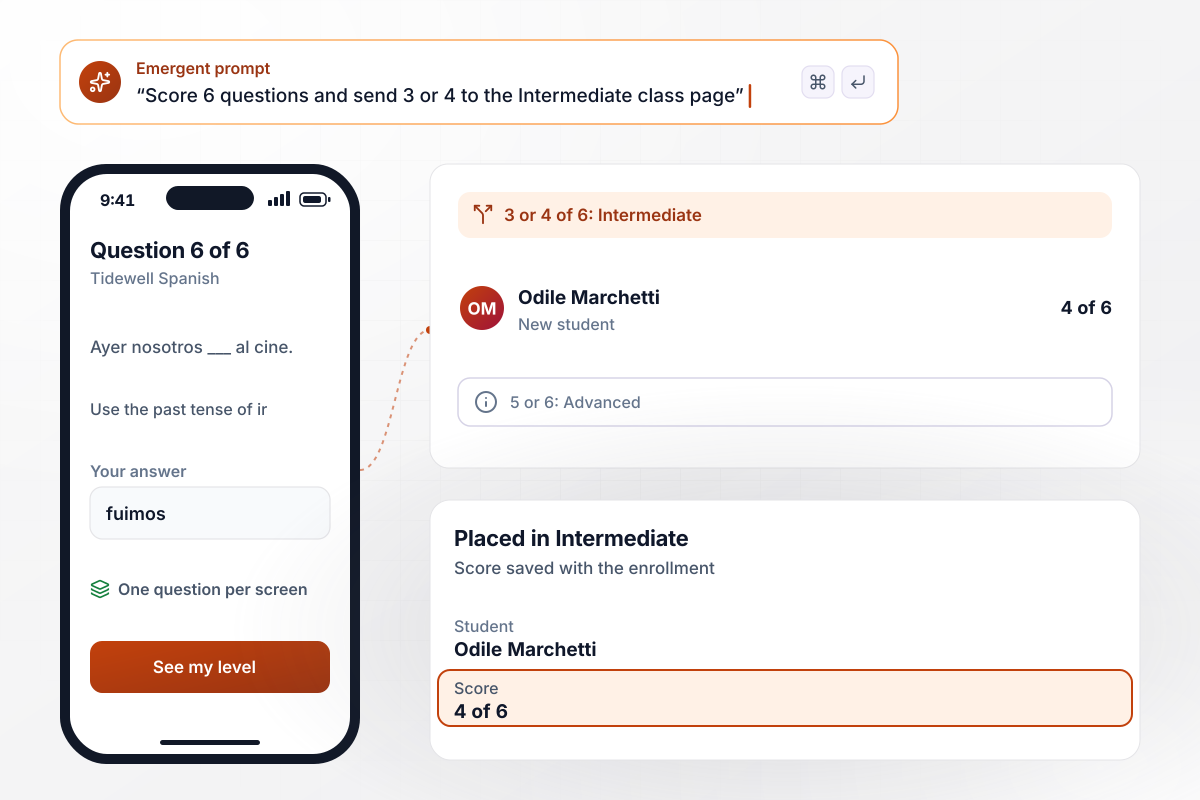
Odile Marchetti places into Intermediate with a 4
Tidewell Spanish asks 6 questions before a new student picks a class, one per screen. A score of 3 or 4 of 6 points to Intermediate. Odile Marchetti scored 4 of 6, landed on the Intermediate class page, and enrolled with her score saved.
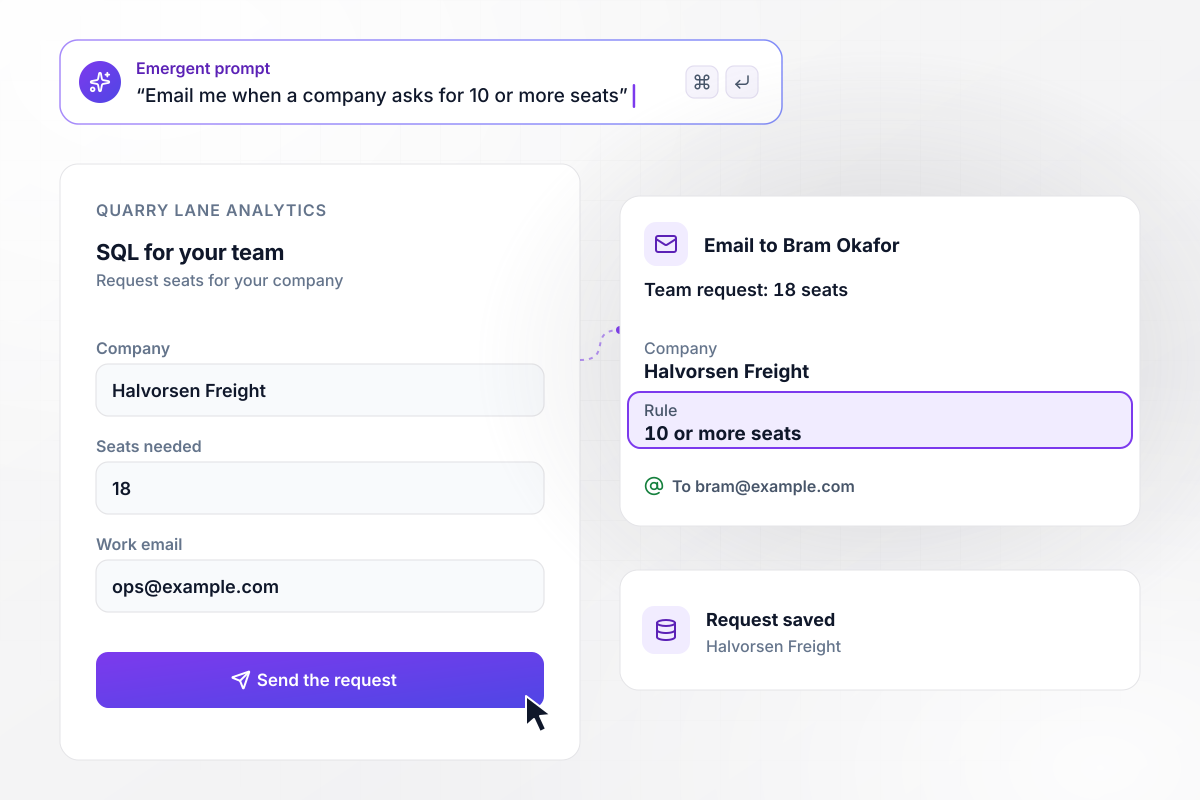
Bram Okafor hears about every team of 10 or more
Quarry Lane Analytics sells its SQL course to companies as well as to individuals, and the course page asks how many seats a company needs. Any request for 10 or more seats emails instructor Bram Okafor. Halvorsen Freight asked for 18 seats, and Bram got the email.






How to Create a Course Landing Page
Seven steps to write a course landing page, build it with Emergent, and test every enrollment path before it goes live.
Write one sentence on who the course is for and what they can do at the end, such as paint a finished watercolor in 6 weeks. That sentence becomes your headline, and it tells you which visitors the page is not for.
Decide whether students start together in a cohort, start any time at their own pace, or join as a company. The format sets what the button asks for: a seat, an email for a free lesson, or a team request.
List each module or week with the one skill it teaches, in the order students meet them. Visitors deciding whether to enroll scan this list before anything else. Keep each line short and name real exercises, not topics.
Add a short instructor section with who you have taught and one result a past student got. Quote real students with their permission, and place one quote next to the enroll button, where the decision is made.
Keep the form to fields you will use. A cohort needs a name and an email; a free lesson needs only the email; a team request needs a seat count and a work email. Add a placement question only when it changes the class a student joins.
Describe the page and each rule it follows, such as a 30-seat cap or an email for teams of 10 or more. Emergent builds the page and the enrollment table from that prompt. Change the cap or a question later with another prompt.
Send a test enrollment down every path: a cohort seat, a free lesson, a placement score, and a team request. Check each saved row and every email it set off, then publish on your domain and share the link.
Why Build Your Course Page With Emergent?
Change the seat cap or the placement quiz with a new prompt. Every student who enrolls lands in a database you own.

|
Unbounce | Landingi | Leadpages | |
|---|---|---|---|---|
| How you build | Prompt for a campaign page | Templates and drag-and-drop, AI copy assist | Templates and drag-and-drop, AI assist | AI page creation, templates, and drag-and-drop |
| Where submissions go | A database table you own, plus integrations | Unbounce lead storage and integrations | Vendor lead storage and integrations | Leadpages lead storage and integrations |
| Visitor limits | No per-visitor pricing | Monthly visitor caps by plan | Tiered by traffic on most plans | No traffic caps |
| A/B testing | Generate variants by prompt | A/B testing on higher-tier plans only | Higher plans | A/B testing on higher-tier plans only |
| Code ownership | Full code export to GitHub on paid plans | Hosted only | Hosted only | Hosted by Leadpages |



Pick the Pricing Plan That Works for You
Choose the plan that fits your building ambitions. From weekend projects to enterprise applications, we've got you covered.




Find the right landing page for you


Frequently Asked Questions
Your Questions, Answered
Don't change this element unless you know what you are doing
More things you can build
with Emergent









on Emergent today




