

Build a Giveaway Landing Page From Entry to Winner
Build a giveaway landing page that counts entries, adds bonus entries for referrals, and saves each one to a database you own.
Build a giveaway landing page that saves every signup to a database I own.
Trusted by Builders Worldwide
Active Builders Worldwide
Apps Successfully Created
Countries Globally Reached



What Runs Behind Each Giveaway Page
Visitors see a prize and one entry form. These six parts cover what happens after someone presses Enter.
The page and its entries from one prompt
Describe the prize, who may enter, and the closing time. Emergent builds the giveaway page, its entry form, and the table behind it, then changes any part when you prompt again.
Bonus entries for referrals
Each entrant gets a personal link. When a friend enters through it, the referrer gets the number of bonus entries you set, and the page shows every person their current entry count.
One entry per email address
The form checks each email against the entries table, so a second entry from the same address is not counted again. You decide if the form refuses it or shows the first entry.
Entries that reach your CRM and Slack
Built apps connect to any tool with an API, so each entry can update a HubSpot contact. Set a rule, and entries that match send a Slack or email alert to the person who follows up.
A live count of entries by source
The dashboard behind the page updates as each entry arrives. Split it by source link to see which post, email, or partner brought in the most entries before the giveaway closes.
Run it on your domain, keep the code
Publish the giveaway on your own domain, which is included and uses credits. On paid plans, the full code exports to your GitHub repository and stays ready for the next giveaway.
Four Giveaway Landing Page Examples
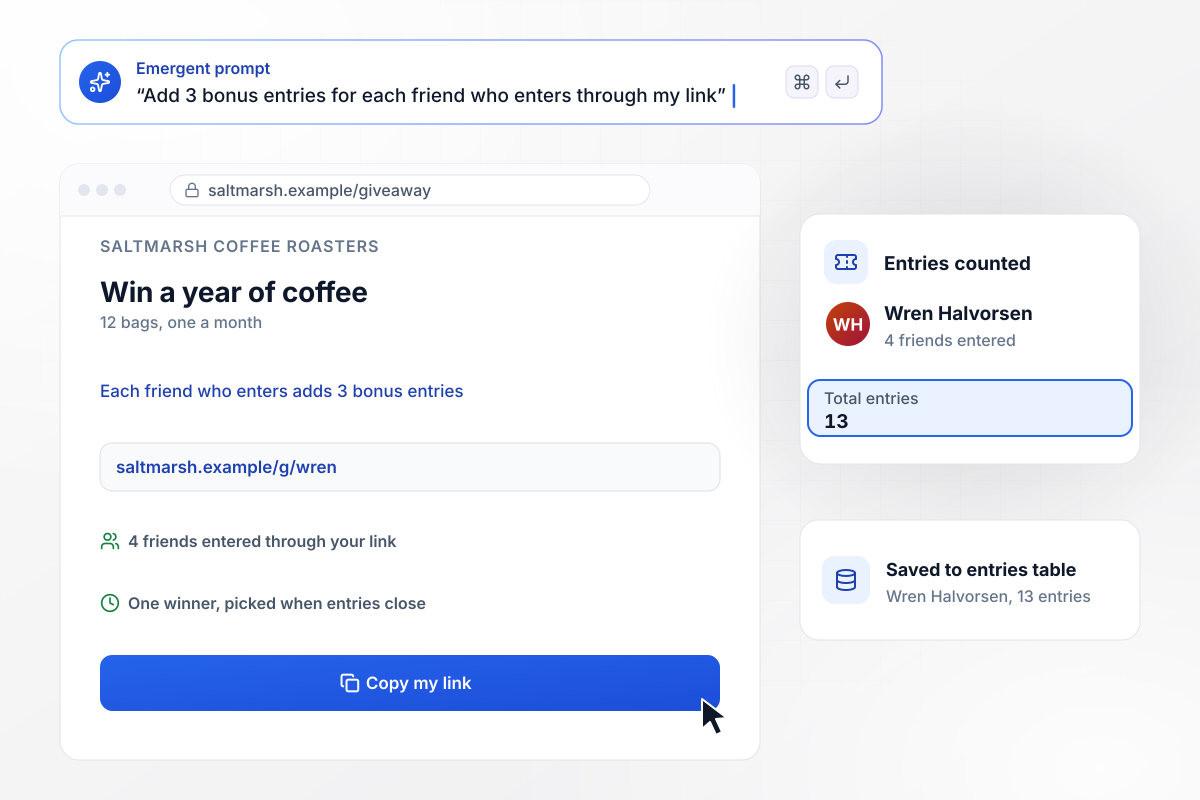
Each friend who enters adds 3 bonus entries
Saltmarsh Coffee Roasters is giving away 12 bags of coffee, one a month for a year. Every entry counts once, and each friend who enters through an entrant's link adds 3 bonus entries to that entrant. After 4 friends entered through Wren Halvorsen's link, she holds 13 entries. Each entry saves to the entries table.
window.awbMockup = { referralEntries: "Build a giveaway page for Saltmarsh Coffee Roasters, my coffee company. The prize is 12 bags of coffee, one a month for a year. Each entry counts once, and every friend who enters through an entrant's personal link adds 3 bonus entries to that entrant. Show each person their entry count and save every entry to an entries table.", sweepstakesDraw: "Make a sweepstakes page for Brindlecrest Outfitters, my outdoor gear shop, with a 2-person tent as the prize. Take one entry per email and close entries on Sunday at 11:59 PM ET. At the close, draw one entry at random, mark that row as the winner, and send the winner an email.", photoContest: "Create a cake decorating contest page for Cinderbloom Bakery. Entrants upload a photo of their cake with their name. Visitors can vote once per email, and the page shows the vote count on each photo. Close voting on Friday, and the cake with the most votes wins a class with our head baker.", tradeShowBooth: "I need a giveaway page for Tenpenny Field, my scheduling software for HVAC contractors, for our trade show booth 214. Visitors scan a QR code and enter with their shop name, number of technicians and work email to win a drone. Tag each entry in HubSpot with Booth 214, and email our sales rep Anouk Vey about shops with 25 or more technicians." };
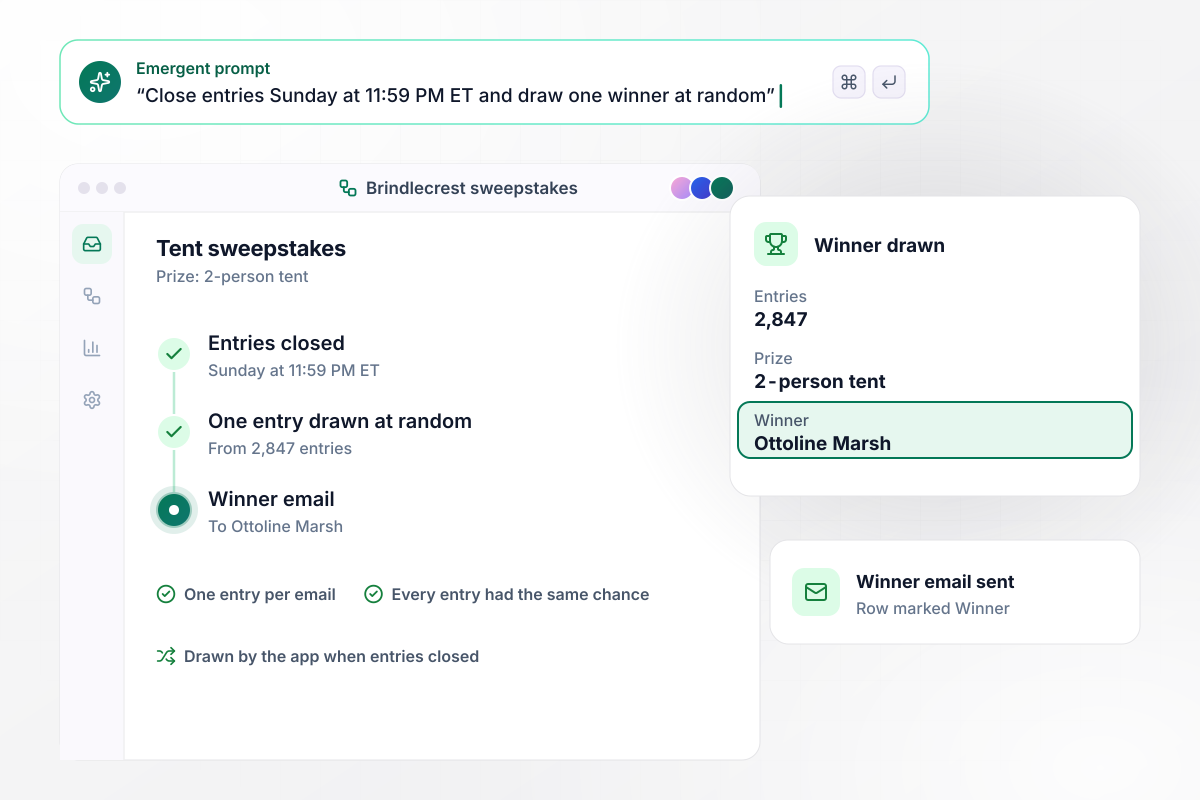
One of 2,847 entries drawn at Sunday's close
Brindlecrest Outfitters closes its tent sweepstakes on Sunday at 11:59 PM ET. The prize is a 2-person tent, and the form takes one entry per email. When entries close, the app draws one of the 2,847 entries at random and sends the winner email. Ottoline Marsh won, and her row in the entries table is marked Winner.
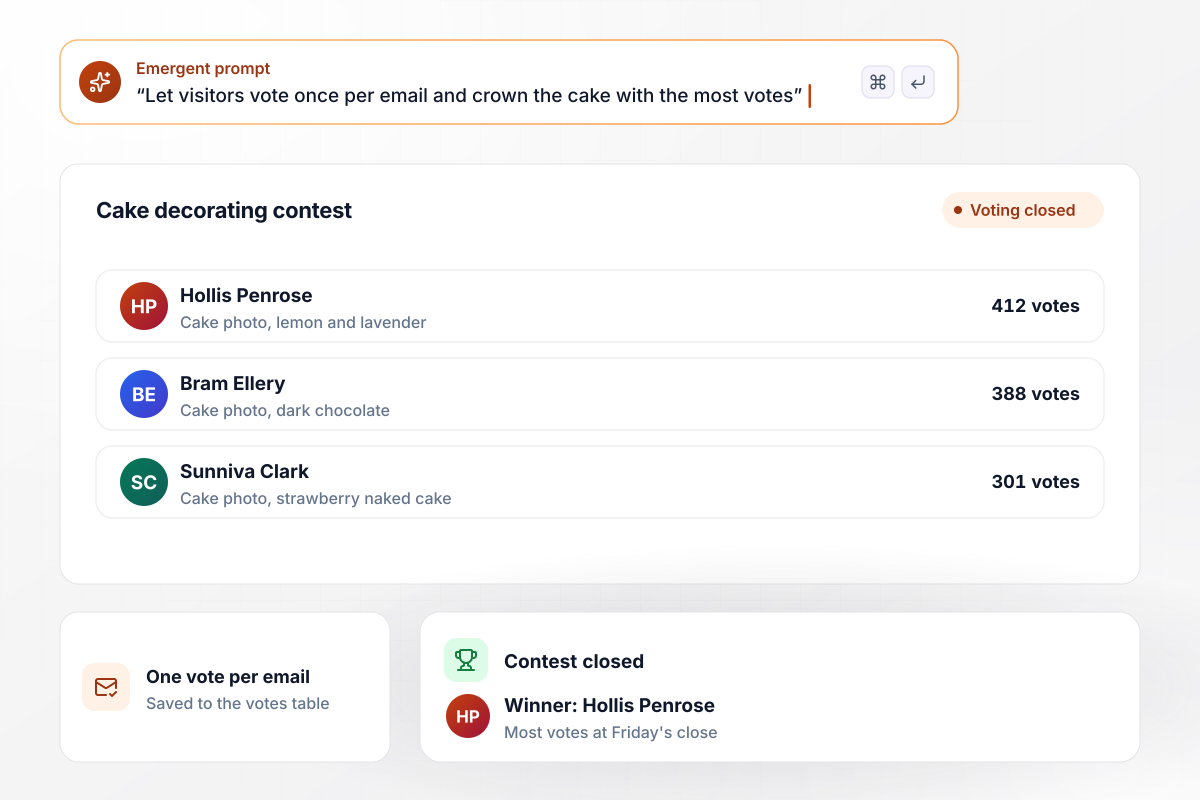
The cake with 412 votes at Friday's close wins
Cinderbloom Bakery let its customers pick the winner of its cake decorating contest. Each entrant uploads a photo of the cake, and visitors vote once per email. At Friday's close, Hollis Penrose leads with 412 votes, ahead of Bram Ellery at 388 and Sunniva Clark at 301. Her cake wins a class with the head baker.
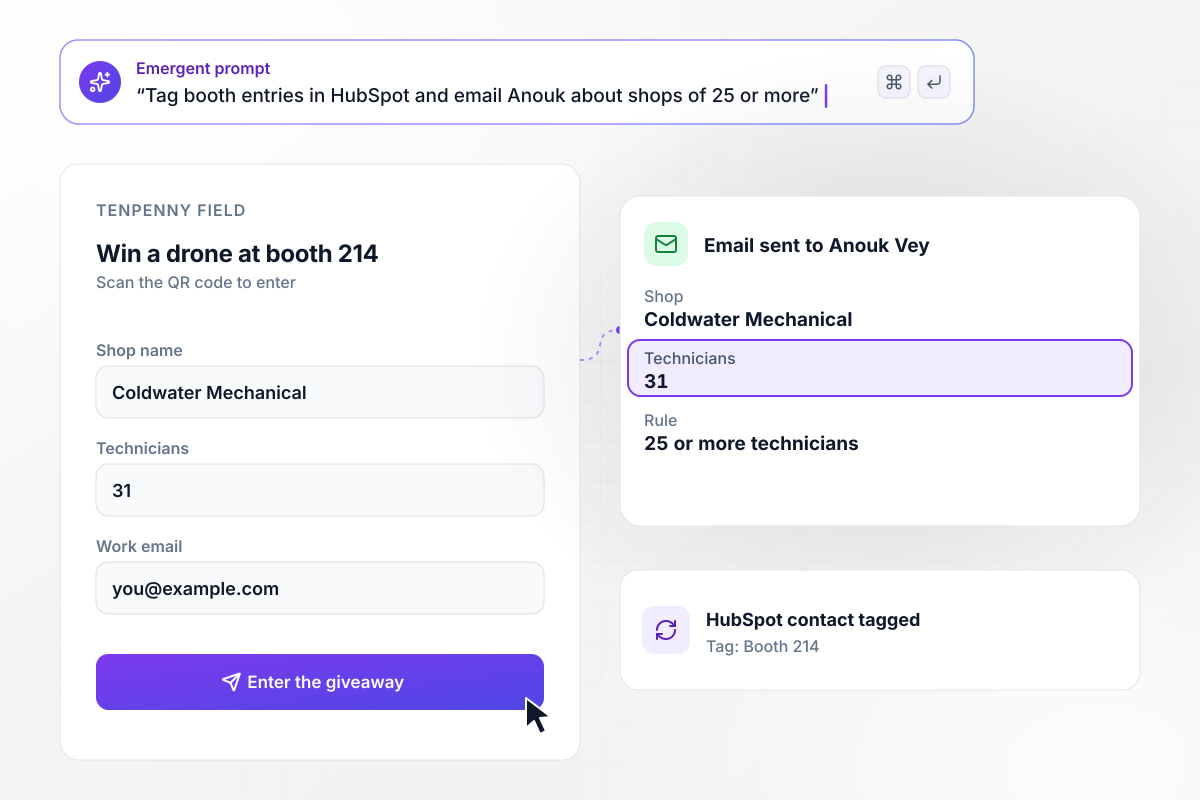
Booth entries from shops of 25 or more go to a rep
Tenpenny Field, software for HVAC contractors, gives away a drone at booth 214. Visitors scan a QR code to enter. Each entry lands in HubSpot tagged Booth 214, and shops of 25 or more technicians send sales rep Anouk Vey an email. Coldwater Mechanical entered with 31 technicians.






How to Create a Giveaway Landing Page
Use these seven steps to create a giveaway landing page that counts every entry and picks a winner when entries close.
Put the prize in the headline in plain words, such as 12 bags of coffee or a 2-person tent, and add its retail value if you know it. Visitors decide in a few seconds whether to enter, and the prize does the work a slogan cannot.
Choose what counts as an entry: an email on a form, a photo upload, or a vote. Ask only for what you need to reach the winner and follow up afterward. Each extra field is one more reason for a visitor to close the tab.
Decide whether the winner is drawn at random or chosen by judges or votes, and state that rule on the page. If friends can earn bonus entries, give the number per friend. Entrants should be able to check their own count against it.
Write the closing day, hour, and time zone on the page, such as Friday at 5 PM PT. Use the same time in your official rules and in every post that links to the giveaway. Entries that arrive after it do not count toward the draw.
Paste the prize, the entry rules, and the close time into one prompt. Emergent builds the page, the entry form, and the entries table behind them. Prompt again to change any part, such as the thank-you screen an entrant sees after entering.
Enter five times with test addresses, including the same email twice and one entry through a referral link. Check that the repeat is not counted again and that the referrer's count goes up. Delete the test rows before the page goes live.
Publish the page on your domain at least a week before the close. Give each partner and influencer a link of their own, and the dashboard shows which source brought in each entry. When the giveaway ends, name the winner on the page itself.
Why Build Your Giveaway Page With Emergent?
Entries land in a database you own with no response cap, and a new prize or entry rule for the next giveaway takes one prompt.

|
AI site builders (Wix, Framer) | Leadpages | ConvertFlow | |
|---|---|---|---|---|
| How you build | Prompt for a campaign page | Prompt for a full site | AI page creation, templates, and drag-and-drop | Templates and drag-and-drop, AI remix |
| Where submissions go | A database table you own, plus integrations | Basic contact form to email | Leadpages lead storage and integrations | ConvertFlow contact profiles, synced to your CRM |
| Visitor limits | No per-visitor pricing | Site plan bandwidth | No traffic caps | Monthly view caps by plan |
| A/B testing | Generate variants by prompt | Limited or add-on | A/B testing on higher-tier plans only | A/B testing on paid plans only |
| Code ownership | Full code export to GitHub on paid plans | Hosted only | Hosted by Leadpages | Hosted by ConvertFlow or embedded on your site |



Pick the Pricing Plan That Works for You
Choose the plan that fits your building ambitions. From weekend projects to enterprise applications, we've got you covered.




Find the right landing page for you
Frequently Asked Questions
Your Questions, Answered
Don't change this element unless you know what you are doing
More things you can build
with Emergent









on Emergent today




