

Build a QR Code Landing Page That Knows Where It Was Scanned
Get a QR code landing page that records which printed piece each visitor scanned and saves every signup to a database you own.
Build a QR code landing page that saves every signup to a database I own.
Trusted by Builders Worldwide
Active Builders Worldwide
Apps Successfully Created
Countries Globally Reached



What the Page Behind the Code Needs
A QR code landing page is the web page a printed QR code opens on a phone. These six parts make the scan worth it.
One prompt for each printed piece
Describe the bag or postcard the code goes on and what a scan should do. Emergent builds the page, its form, and the table behind it, and changes it when you prompt again.
Its own link for every placement
Give each table tent, bag, or mail route a link with a tag, such as ?route=a. The page saves that tag with every signup, and your table shows which print brought each person in.
Every entry is a row you own
Every form entry lands as a row in a database you own, with its tag and arrival time. Built apps connect to any tool with an API, so a new row can also update a contact in HubSpot.
An alert when a scan needs a person
Set a rule, such as a visitor asking for a callback today. Each entry that matches sends a Slack message, an email, or an in-app alert to the person who should follow it up.
A live count for each placement
The dashboard behind the page updates live as entries arrive. Split it by tag to compare two posters or two store displays before you pay to print a second run of either one.
Your domain in the code, the code in GitHub
Put your own domain in the printed link; custom domains are included and use credits. On paid plans, the full code exports to your GitHub repository, for a developer to extend.
Four Pages Behind Printed QR Codes
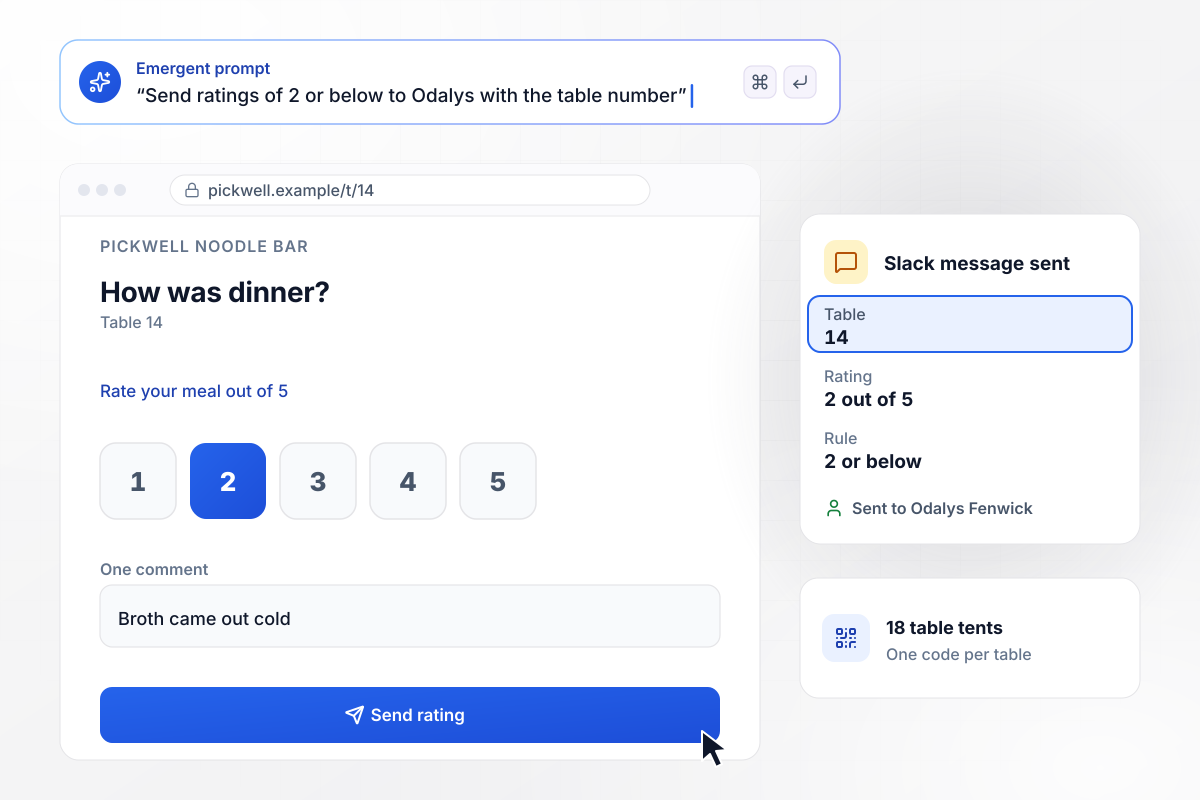
Low ratings reach the manager with the table number
Pickwell Noodle Bar puts a QR code on each of its 18 table tents, and each code carries its table number. The page asks for a rating out of 5 and one comment. Ratings of 2 or below go to manager Odalys Fenwick: when table 14 rated dinner 2 out of 5, she got a Slack message naming table 14.
window.awbMockup = { tableTents: "Build a feedback page for Pickwell Noodle Bar, my restaurant, opened by a QR code on each of our 18 table tents. Each code carries its table number. Ask for a rating out of 5 and one comment. When a table rates 2 or below, send our manager Odalys Fenwick a Slack message with the table number.", productPackaging: "Make the page the QR code on every Copperline Coffee bag opens. Show the brew guide for the roast in that bag, then a refill signup that asks for an email and how often to ship: every 2, 3, or 4 weeks. Save the lot number from the code with each signup.", directMail: "Build a landing page for Halvard Plumbing's postcard mailing. My north and south mail routes each get their own QR code link. Offer $40 off a drain cleaning with a booking form, and show me a dashboard counting bookings by route.", tradeShowBooth: "Create a demo request page for the QR code on my Ferrovane trade show booth. We sell fleet tracking. Ask for company name, email, and fleet size. Add each lead to HubSpot tagged Booth 2214, and email our rep Thandiwe Morrow whenever a fleet has 40 trucks or more." };
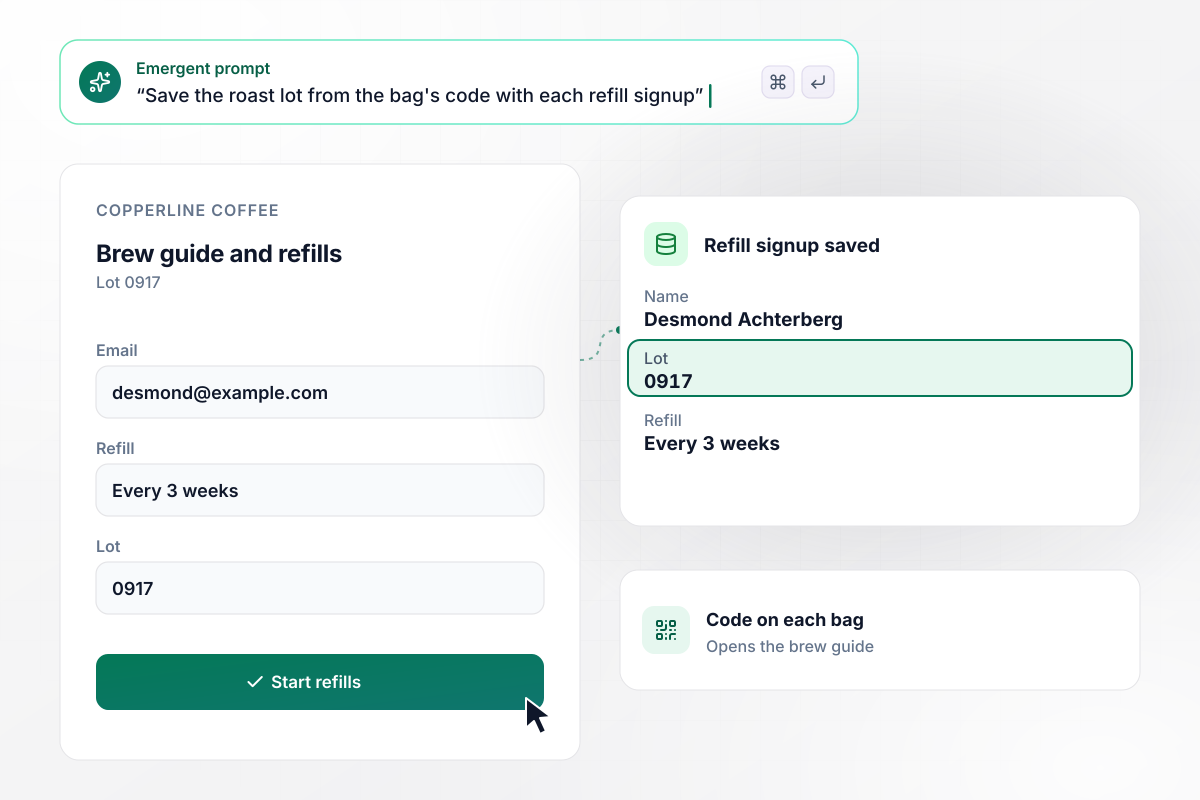
Each refill signup keeps the lot printed on the bag
Copperline Coffee prints a QR code on each bag that opens the brew guide for that roast, with a refill signup below it. Desmond Achterberg scanned a bag from lot 0917 and chose a refill every 3 weeks. His row saved lot 0917 next to his email and the schedule he picked.
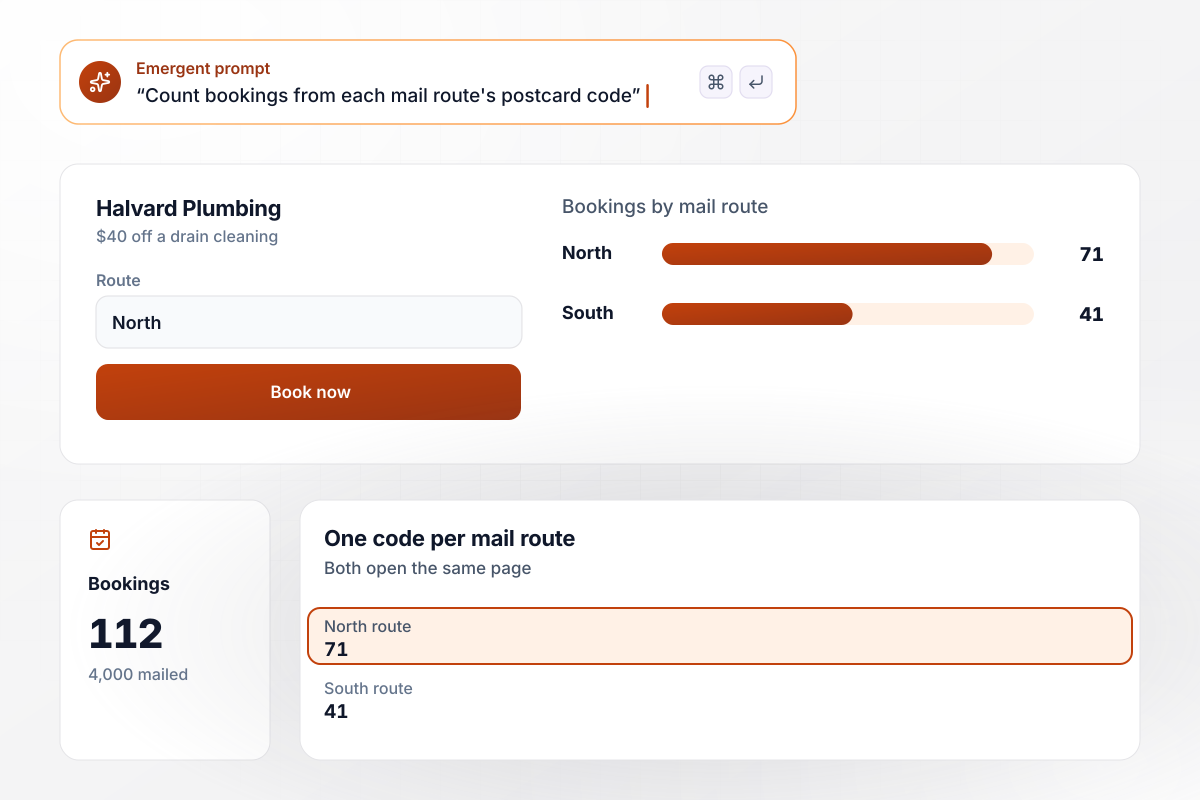
Two postcard routes, one booking count for each
Halvard Plumbing mailed 4,000 postcards on two mail routes, and each route's card carries its own QR code. Both codes open the same page with $40 off a drain cleaning. The dashboard counts 112 bookings so far: 71 from the north route and 41 from the south route.
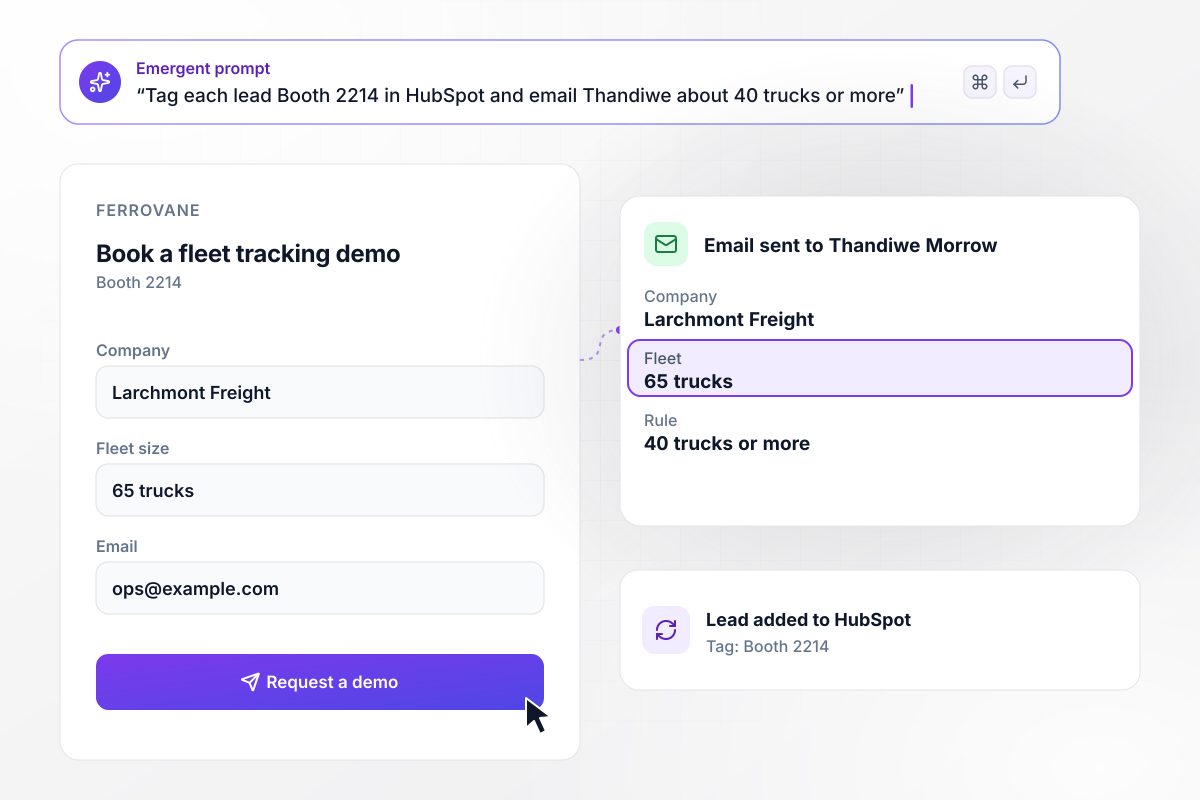
Thandiwe Morrow gets every lead with 40 trucks or more
At its trade show booth, Ferrovane, which sells fleet tracking, shows a QR code that opens a demo request asking for fleet size. Each lead lands in HubSpot tagged Booth 2214. Fleets of 40 trucks or more also email rep Thandiwe Morrow, and Larchmont Freight entered 65 trucks.






How to Create a QR Code Landing Page
These seven steps take a QR code landing page from one prompt to a printed code you have tested on real phones.
Picture the spot where the code will hang and how far away people will stand to scan it. A table tent is read at arm's length, while a poster on a far wall is not. Size the printed code for the longest distance you expect.
Add a tag to the link for each placement, such as ?src=tent or ?route=north. That tag is stored on each entry the page receives. Two postcards that share one link can never be told apart once the entries come in.
Write a headline that says what the scan gives, in the same words as the printed piece. If the poster promises a free sample, the page should open on the free sample. Keep the headline to one line on a phone screen.
Keep the form to the fields the next step needs: an email for a refill, or a fleet size before a sales call. Every extra field is one more thing to type with a thumb while standing in a store aisle.
Paste the headline, the form fields, and the tag names into one prompt. Emergent returns a working page you can open on your own phone right away. Any change after that, from a new field to a new headline, is one more prompt.
Publish the page on a domain your customers already know, and do it before you make the code. Someone deciding whether to open a scanned link should see a name they recognize in it, not a string of random characters.
Make the code from the final link, print one proof, and scan it with two different phones in the light where it will hang. Send a test entry from each phone and check that both rows show the right tag.
Why Build Your QR Code Page With Emergent?
Each new print run gets its own tagged link from one prompt, and the form behind it has no response caps.

|
Unbounce | Landingi | Wix | |
|---|---|---|---|---|
| How you build | Prompt for a campaign page | Templates and drag-and-drop, AI copy assist | Templates and drag-and-drop, AI assist | Prompt for a full site |
| Where submissions go | A database table you own, plus integrations | Unbounce lead storage and integrations | Vendor lead storage and integrations | Wix dashboard submissions and Contacts |
| Visitor limits | No per-visitor pricing | Monthly visitor caps by plan | Tiered by traffic on most plans | Site plan bandwidth |
| A/B testing | Generate variants by prompt | A/B testing on higher-tier plans only | Higher plans | Limited or add-on |
| Code ownership | Full code export to GitHub on paid plans | Hosted only | Hosted only | Hosted only |



Pick the Pricing Plan That Works for You
Choose the plan that fits your building ambitions. From weekend projects to enterprise applications, we've got you covered.




Find the right landing page for you
Frequently Asked Questions
Your Questions, Answered
Don't change this element unless you know what you are doing
More things you can build
with Emergent









on Emergent today




