

Build a Newsletter Landing Page With a List You Own
Build a newsletter landing page that previews your latest issue and saves every subscriber to a database you own.
Build a newsletter landing page that saves every signup to a database I own.
Trusted by Builders Worldwide
Active Builders Worldwide
Apps Successfully Created
Countries Globally Reached



What Happens Between Signup and First Issue
A newsletter landing page has one job: turning a visitor into a subscriber. These six parts handle the signup and what comes after it.
Describe the newsletter, get the page
Describe who reads the newsletter, how often it goes out, and what to ask at signup. Emergent builds the page and the subscriber table, then changes any part when you prompt again.
Every subscriber is a row you own
Each signup saves the email, the date, the form answers, and the link the reader came from. The rows sit in a database you own, and the list stays yours when you change email tools.
New subscribers reach your email tool
Built apps connect to any tool with an API. Each new subscriber and their tags can sync to the platform you send issues from, and edits made there can sync back to your table.
Questions that sort readers at signup
Ask for a role, a region, or the sections a reader wants, and each answer saves as a tag on the row. Stop at one or two questions and keep the email field as the main ask.
Signups counted as they arrive
The dashboard behind the page shows signups live, split by source link and by confirmation status. Run a podcast mention against a social post for 2 weeks and keep the stronger one.
Your domain now, your code later
Publish the page on your own domain; custom domains are included and use credits. On paid plans, the full code exports to your GitHub repository for a developer to extend.
Newsletter Landing Page Examples
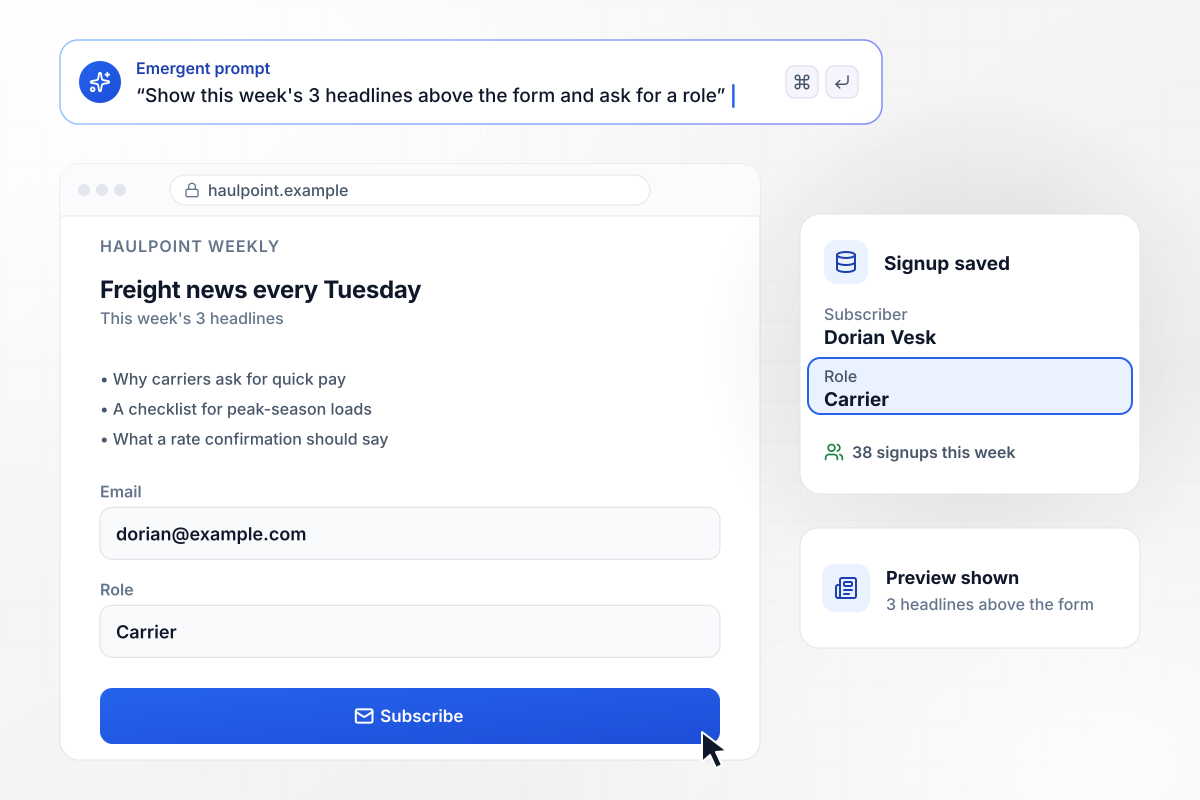
Readers see this week's 3 headlines before signing up
Haulpoint Weekly goes out every Tuesday to freight brokers. Its landing page lists this week's 3 headlines above the form, then asks for an email and a role. Dorian Vesk signed up as a carrier, one of 38 signups this week.
window.awbMockup = { issuePreview: "Build a newsletter landing page for Haulpoint Weekly, my Tuesday newsletter for freight brokers. Show this week's 3 headlines above the signup form. Ask for an email and a role: broker, carrier, shipper, or dispatcher. Save every signup with its role and the link it came from, and count signups this week.", topicPicker: "Make a signup page for Brinecove Table, my food newsletter for our coastal town. Let readers tick any of 4 sections: Openings, Markets, Recipes, and Events. Save each reader's email with a tag for every section they pick, and sync the tags to the email tool I send the newsletter from.", confirmedSignups: "Build a newsletter page for Pellwick Studio, my ceramics studio's monthly letter. Save each signup as Pending and send a confirm link through my email tool. When the reader clicks it, change the row to Confirmed. Show this month's signups with how many are confirmed and how many are still pending.", referralRewards: "Create a landing page for Fernrow Notes, my weekly gardening newsletter. Give every new subscriber a personal referral link on the thank-you screen. Count referrals only once the referred reader confirms. When a subscriber reaches 3 confirmed referrals, send them the seed-starting guide through my email tool." };
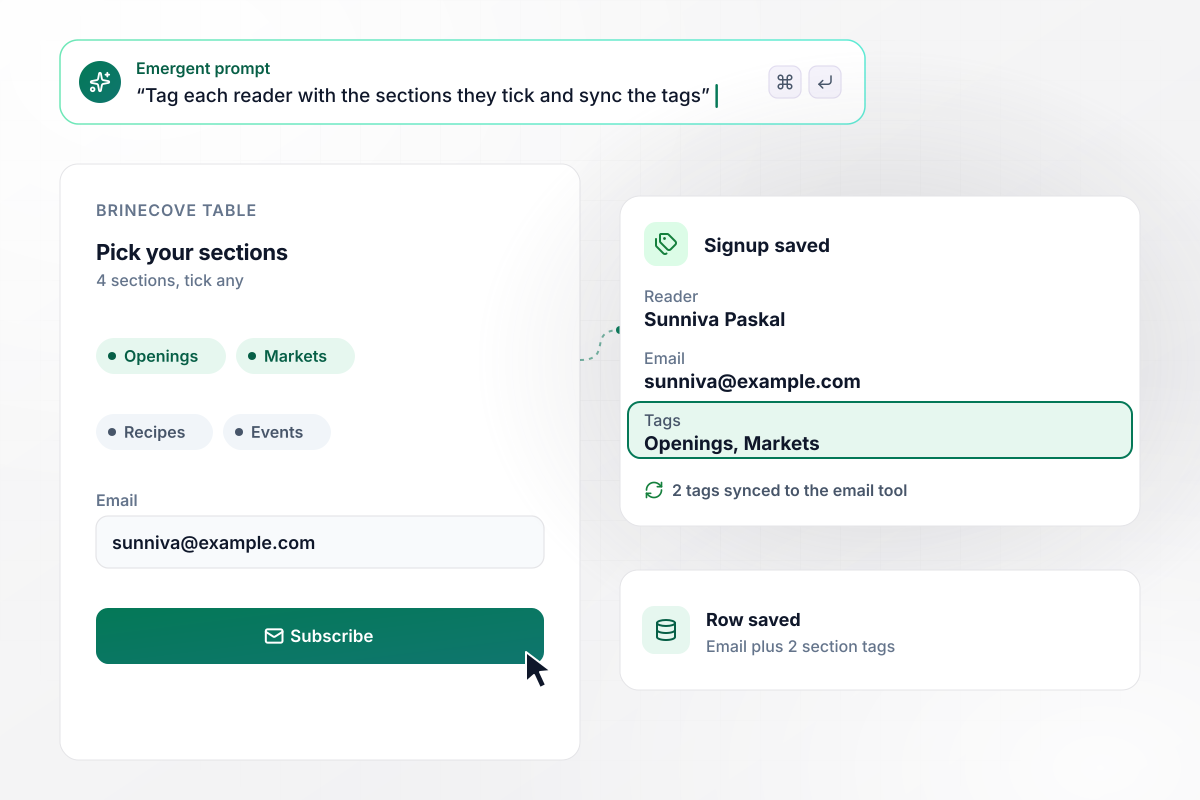
Of 4 sections, Sunniva Paskal reads the 2 she picked
Brinecove Table covers food in a coastal town across 4 sections: Openings, Markets, Recipes, and Events. Readers tick the ones they want when they sign up. Sunniva Paskal ticked Openings and Markets, and her row saved with those 2 tags, which sync to the email tool Brinecove sends from.
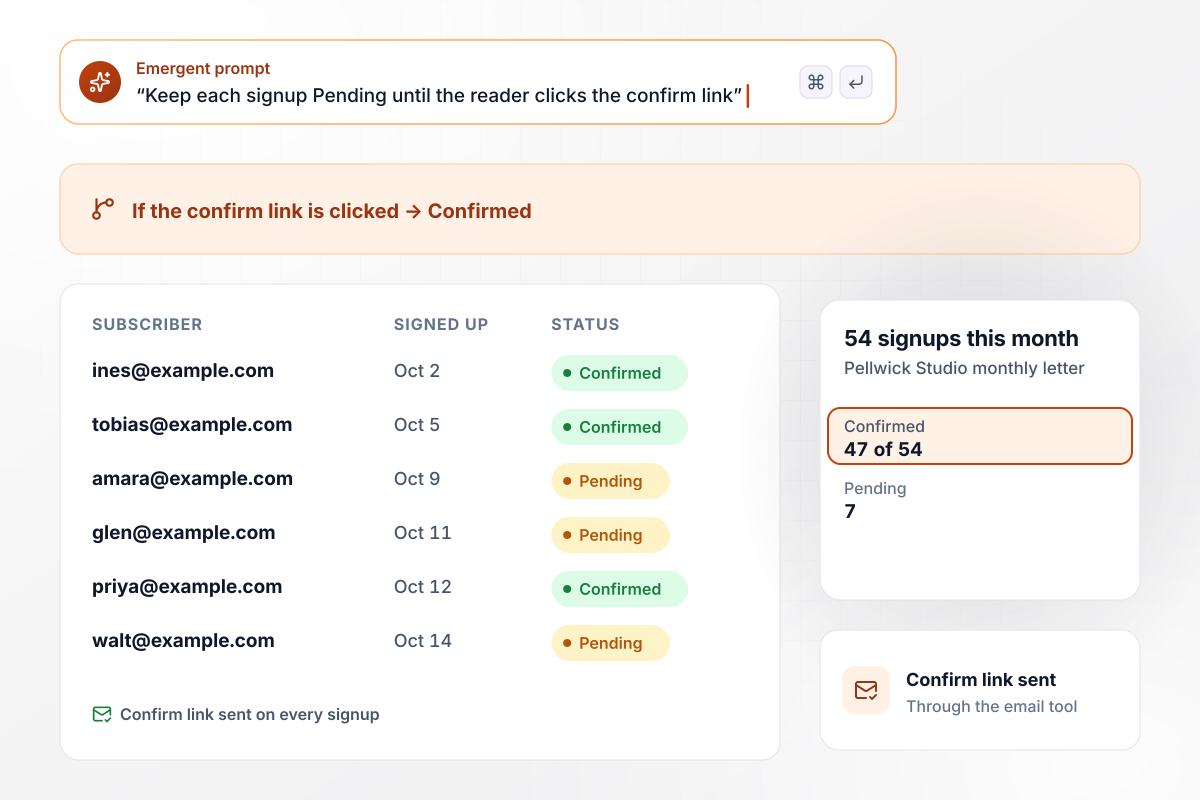
7 of 54 signups still wait on the confirm link
Pellwick Studio sends one letter a month about its ceramics classes. Each signup saves as Pending, and the app sends a confirm link through the studio's email tool. A click turns the row to Confirmed. This month, 47 of 54 signups are confirmed and 7 are still pending.
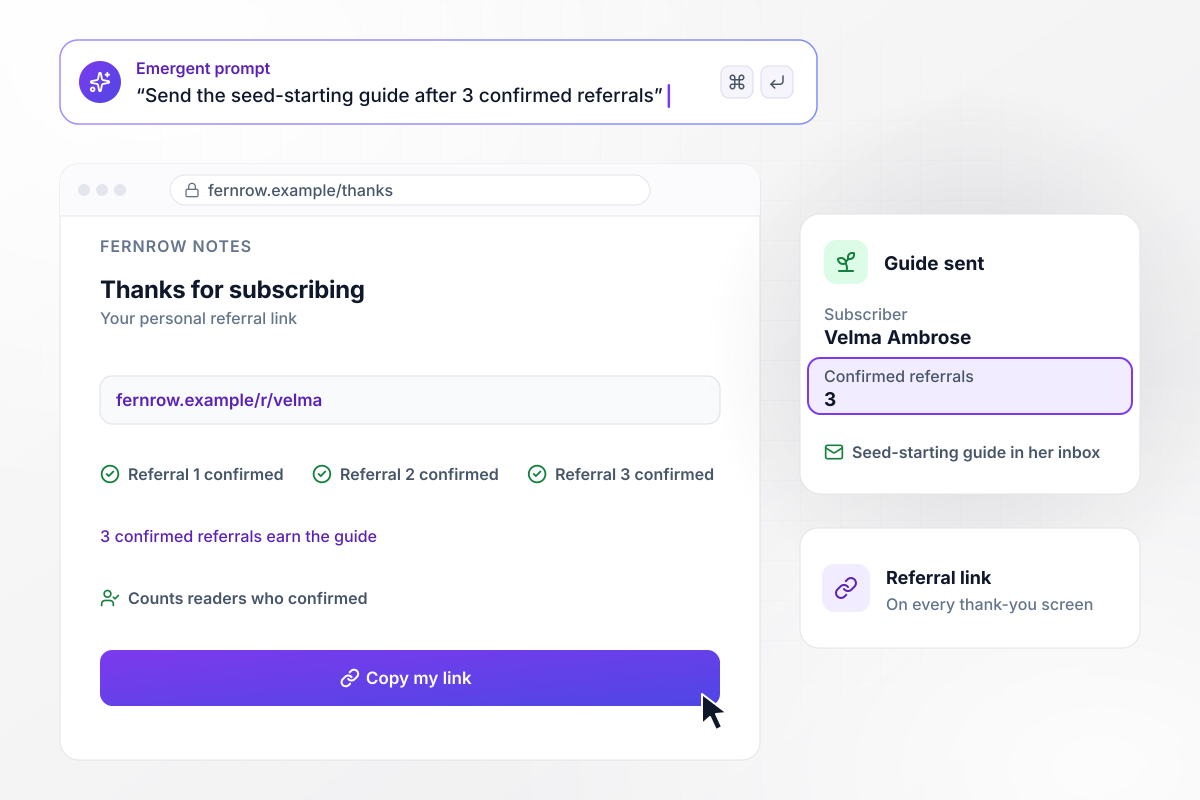
Velma Ambrose gets the guide after 3 confirmed referrals
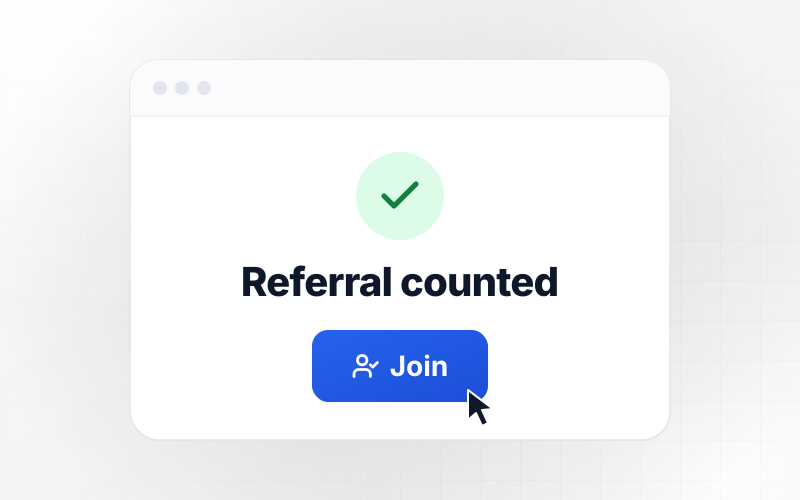
Fernrow Notes is a weekly gardening newsletter. Its thank-you screen gives each new subscriber a personal referral link. Once 3 people a subscriber referred have confirmed, the seed-starting guide goes out through the email tool. Velma Ambrose reached 3 confirmed referrals, and the guide is in her inbox.






How to Create a Newsletter Landing Page
Follow seven steps to create a newsletter landing page that shows readers what they get and saves every confirmed signup.
Write one sentence on what a reader gets from each issue and how often it arrives, such as freight rate news every Tuesday. That sentence feeds the headline and the welcome email, and it stops the page from promising more than the issues deliver.
Say what the reader walks away with, not the format. "The freight rates that moved this week" says more than "Join our newsletter". Use the line under it for the schedule and the time an issue takes to read, such as a 4-minute read every Tuesday.
Put the writing itself on the page, either the latest headlines or a short excerpt from last week's issue. Let a visitor judge the newsletter before you ask for an email, and link the archive for anyone who wants more than one sample.
Keep the form to the email field plus one question that changes what you send, like the reader's role. Leave the name field off unless your issues greet readers by name, and skip any question you will not use within a month.
Tell Emergent the newsletter's name, who it is for, the form questions, and what happens after a signup. Emergent turns that into the page, with a table for every subscriber behind it. Add a confirm step or rewrite the headline later by prompting again.
Sign up with a test address for each role or section on the form, and once more without clicking the confirm link. Check that every row saves with the right tags, and that only the signups whose link was clicked turn Confirmed.
Connect the tool you send issues from and check that a test subscriber arrives there with its tags. Then go live on your own domain (built into Emergent, uses credits) and put the link in your email signature and on every profile where you mention the newsletter.
Why Build Your Newsletter Page With Emergent?
Change the signup questions or the sync rules by prompting again, while every subscriber you collect stays in your own database.

|
AI site builders (Wix, Framer) | Unbounce | Landingi | |
|---|---|---|---|---|
| How you build | Prompt for a campaign page | Prompt for a full site | Templates and drag-and-drop, AI copy assist | Templates and drag-and-drop, AI assist |
| Where submissions go | A database table you own, plus integrations | Basic contact form to email | Unbounce lead storage and integrations | Vendor lead storage and integrations |
| Visitor limits | No per-visitor pricing | Site plan bandwidth | Monthly visitor caps by plan | Tiered by traffic on most plans |
| A/B testing | Generate variants by prompt | Limited or add-on | A/B testing on higher-tier plans only | Higher plans |
| Code ownership | Full code export to GitHub on paid plans | Hosted only | Hosted only | Hosted only |



Pick the Pricing Plan That Works for You
Choose the plan that fits your building ambitions. From weekend projects to enterprise applications, we've got you covered.




Find the right landing page for you
Frequently Asked Questions
Your Questions, Answered
Don't change this element unless you know what you are doing
More things you can build
with Emergent









on Emergent today




