

Build a Product Launch Landing Page Before Launch Day
Get a product launch landing page that counts down to your launch hour and saves every signup to a database you own.
Build a product launch landing page that saves every signup to a database I own.
Trusted by Builders Worldwide
Active Builders Worldwide
Apps Successfully Created
Countries Globally Reached



What a Launch Page Needs on Launch Day
A launch page has two jobs: build a list before the hour and turn visitors into users after it. These six parts cover both.
One prompt, a working launch page
Tell Emergent what the product does, who it is for, and when it goes live. It builds the page, its form, and the signup table, and changes any part when you prompt again.
A page that changes at the launch hour
Before launch, visitors see a countdown and a form to get reminded. At the hour you set, the page shows the action they can take now, and each person who asked gets an email.
Every signup as a row you own
Each signup is saved with its source link and answers. Built apps connect to any tool with an API, so a new row can update a contact in HubSpot instead of a spreadsheet.
Slack alerts for the signups that matter
Pick a rule, such as a team of 20 or more or a signup through a partner's link. Each signup that matches posts to Slack or sends an email to the person who owns the follow-up.
A count to watch on launch morning
The dashboard behind the page updates as each signup arrives. Split it by source to see which post or email brings in the most people during the first hours after launch.
Your domain now, the code later
Publish on your own domain, which is included and uses credits. On paid plans, the full code exports to your GitHub repository, ready to grow into the product's main site.
Four Product Launch Landing Page Examples
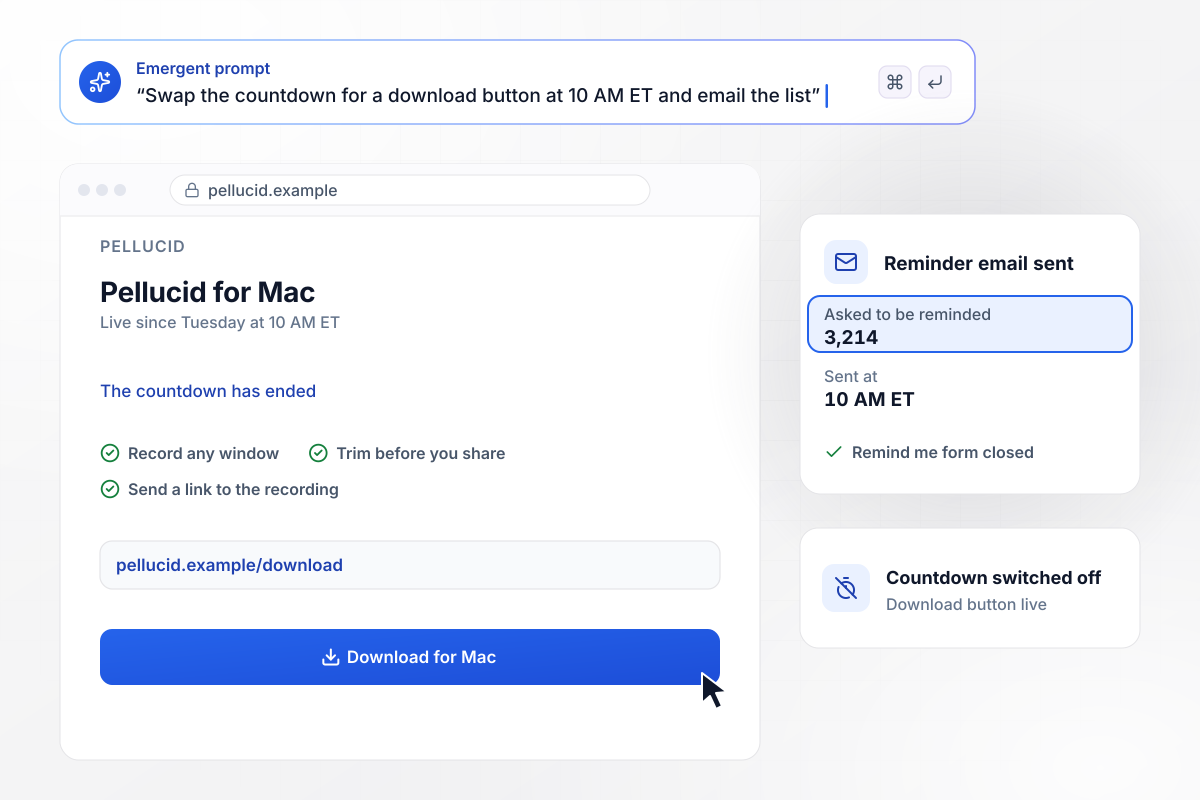
Countdown until 10 AM ET, then a download button
Pellucid, a screen recorder for Mac, launches on Tuesday at 10 AM ET. Until then, its page shows a countdown and a Remind me form, and 3,214 people left an email. At 10 AM the countdown gives way to the download button, and each of the 3,214 gets the reminder email.
window.awbMockup = { launchCountdown: "Build a launch page for Pellucid, my screen recorder for Mac, which goes live on Tuesday at 10 AM ET. Until then, show a countdown and a Remind me form that takes an email. At 10 AM, replace the countdown with a download button and email everyone who asked for a reminder.", backerList: "Make a pre-launch page for Fernhollow, my cast-iron camp stove company, before our crowdfunding campaign. Ask each subscriber for an email and the stove size they would back, large or small. Show a live counter toward our goal of 2,500 subscribers, split by stove size.", foundingPrice: "Build a launch page for Tallyhook, bookkeeping software for food trucks. For the first 72 hours after launch, offer a founding price of $19 a month, with a clock counting down the window. After 72 hours, show $29 a month. Save every signup with the price it got.", featureLaunch: "Create a page announcing text reminders to current Marrowby customers, my scheduling software for dog groomers. Ask for the account email and the number of groomers. Tag each signup's HubSpot contact with reminders. For salons of 3 or more groomers, send our account manager Oriel Banfield a Slack message." };
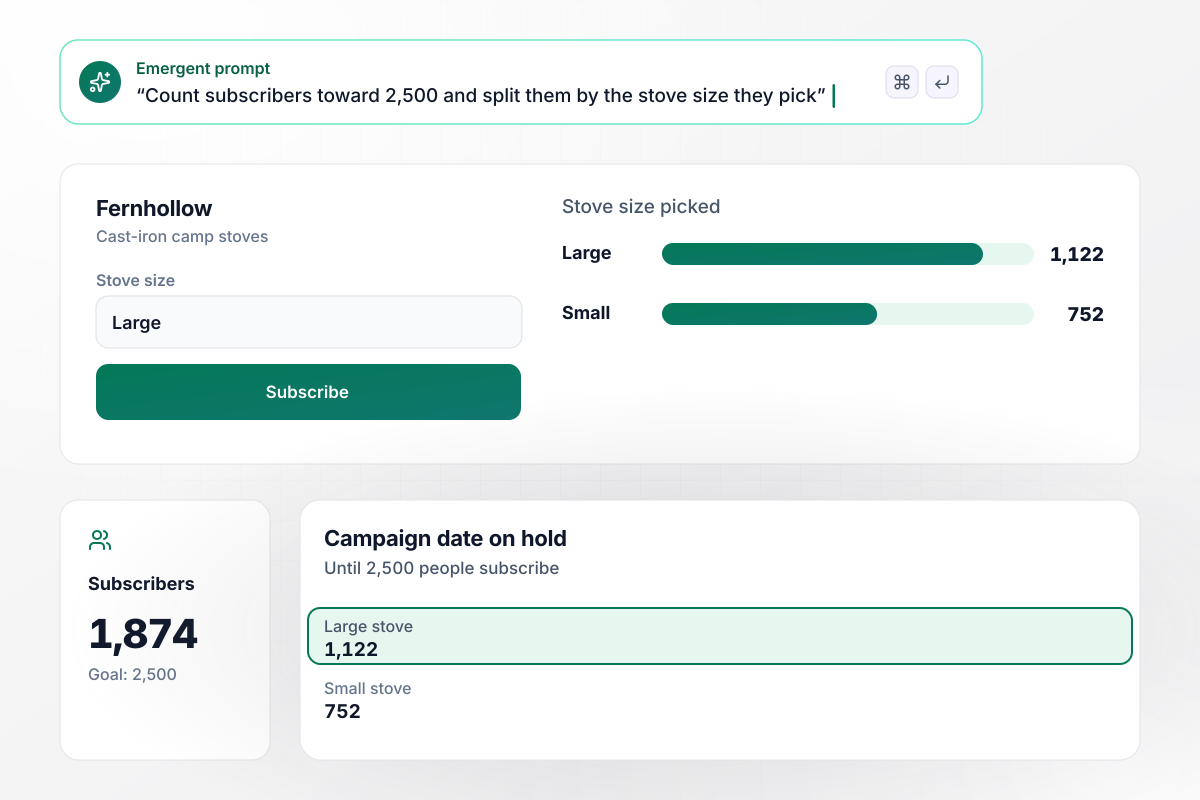
No campaign date until 2,500 people subscribe
Fernhollow makes cast-iron camp stoves and will not set a crowdfunding date until 2,500 people subscribe to its pre-launch page. Each subscriber picks the stove size they would back. The counter updates live: at 1,874 subscribers, 1,122 have picked the large stove and 752 the small one.
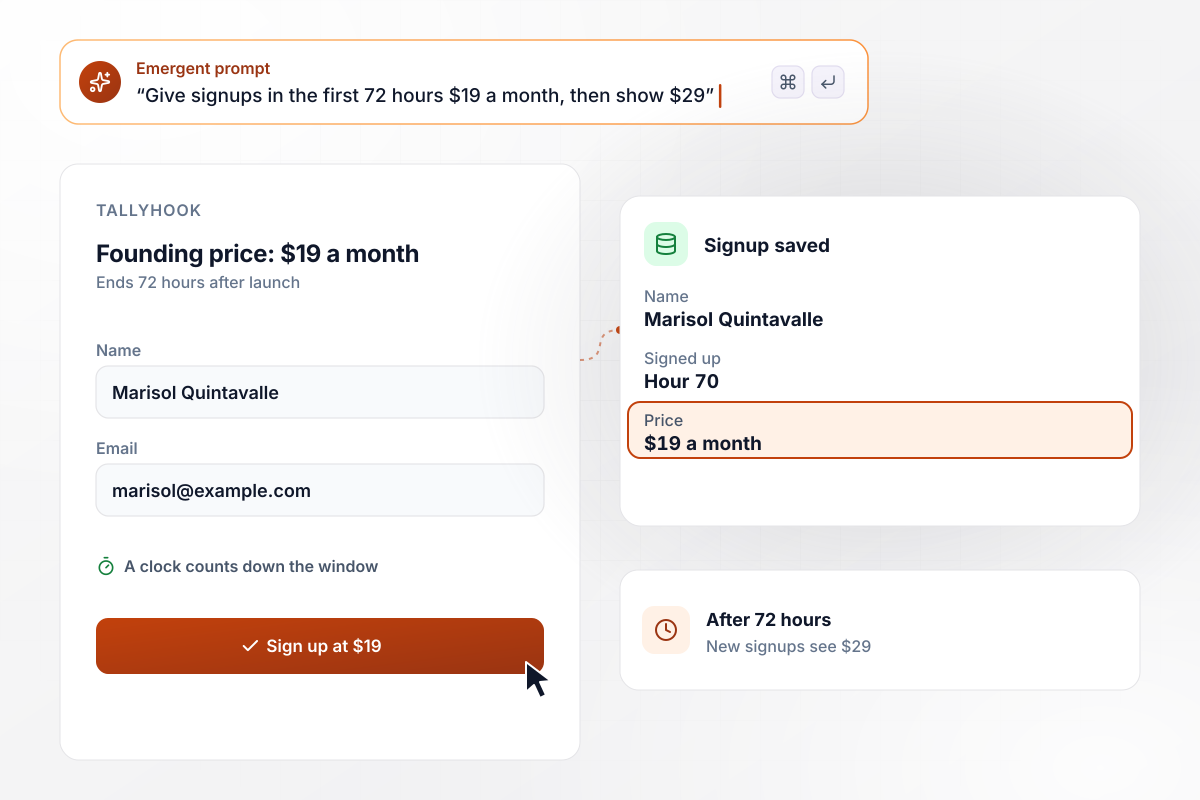
$19 a month holds for anyone who signs up within 72 hours
Tallyhook sells bookkeeping software for food trucks and opened with a founding price. Anyone who signs up within 72 hours of launch keeps $19 a month; after that, the page shows $29. A clock on the page counts down the window. Marisol Quintavalle signed up at hour 70, and her row saved $19.
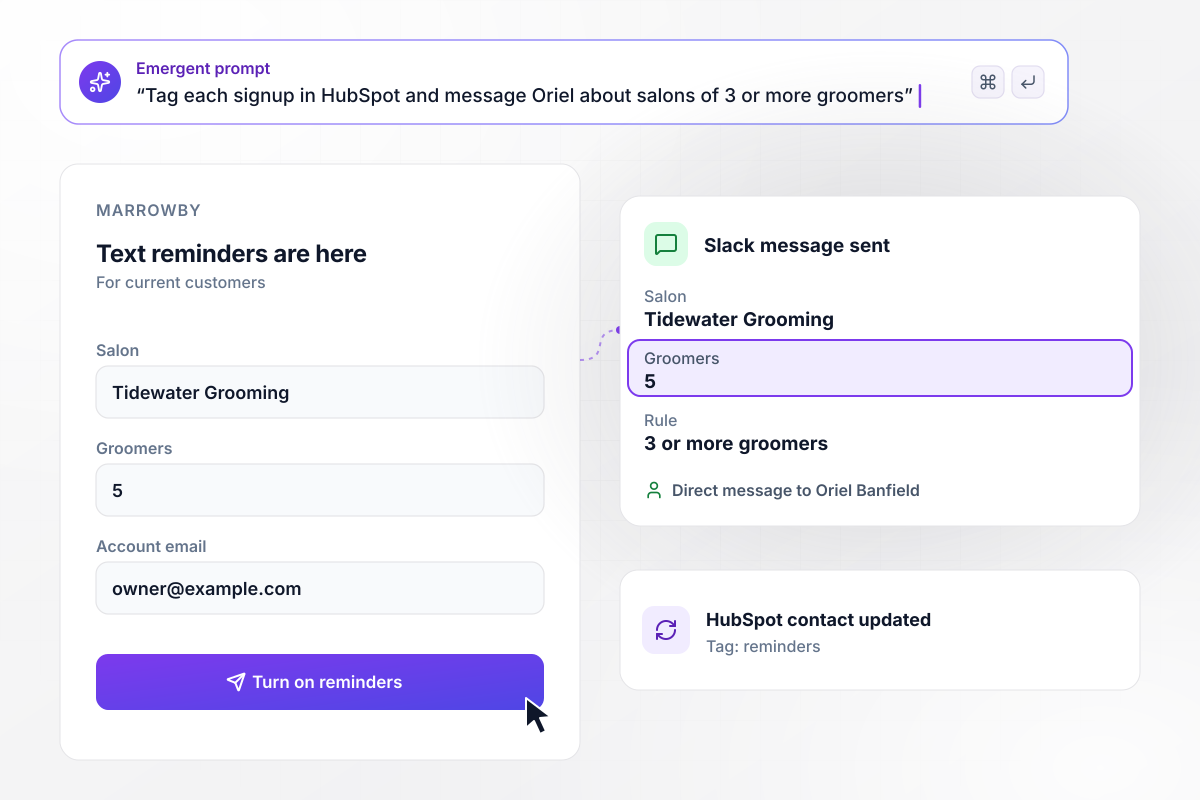
Oriel Banfield hears about salons of 3 or more groomers
Marrowby, scheduling software for dog groomers, launched text reminders to current customers on one page. Each signup adds a reminders tag to the customer's HubSpot contact. Salons of 3 or more groomers also send account manager Oriel Banfield a Slack message. Tidewater Grooming signed up with 5 groomers.






How to Build a Product Launch Landing Page
Follow these seven steps to publish a product launch landing page that collects signups early and switches over at your launch hour.
Choose the launch day, the hour, and the time zone, and write all three on the page. A visitor in another time zone should be able to work out when to come back without asking. If the date can still move, say what has to happen first.
Write one headline for before launch and one for after. The first says what is coming and asks for an email; the second says the product is live and names the one action to take. Keep the product name the same in both.
Ask for an email and at most one question whose answer changes what you do on launch day, such as plan size or the version someone wants. Cut any field you would not act on before the first week is over.
Paste the hour and both headlines into one prompt, with the form fields. Emergent builds the page with its countdown and the signup table behind it. Prompt again for anything that reads wrong, such as the confirmation screen visitors see.
Connect the email tool that sends the reminders, then Slack for the signups you want to hear about. If sales follows up after launch, map new signups to your CRM now instead of copying rows across by hand later.
Set the launch hour to 10 minutes from now on a copy of the page. Sign up with two test addresses, wait for the switch, and check that the new button shows and both reminder emails arrive. Then set the real hour back.
Publish the page at least a week before launch, while there is still time for people to hear about it and sign up. Share the link with the people who will spread it on launch day, and give them the launch hour too.
Why Build Your Launch Page on Emergent?
A new launch hour or a second headline to test takes one prompt, and your signup list stays in a database you own.

|
Unbounce | AI site builders (Wix, Framer) | Instapage | |
|---|---|---|---|---|
| How you build | Prompt for a campaign page | Templates and drag-and-drop, AI copy assist | Prompt for a full site | Templates and drag-and-drop, AI copy assist |
| Where submissions go | A database table you own, plus integrations | Unbounce lead storage and integrations | Basic contact form to email | Instapage contacts and integrations |
| Visitor limits | No per-visitor pricing | Monthly visitor caps by plan | Site plan bandwidth | Monthly visitor caps by plan |
| A/B testing | Generate variants by prompt | A/B testing on higher-tier plans only | Limited or add-on | A/B testing on higher-tier plans only |
| Code ownership | Full code export to GitHub on paid plans | Hosted only | Hosted only | Hosted only, no HTML export |

Pick the Pricing Plan That Works for You
Choose the plan that fits your building ambitions. From weekend projects to enterprise applications, we've got you covered.




Find the right landing page for you
Frequently Asked Questions
Your Questions, Answered
Don't change this element unless you know what you are doing
More things you can build
with Emergent









on Emergent today




