

Build a Lead Magnet Landing Page That Delivers the Offer
Build a lead magnet landing page that hands over your free offer and saves every signup to a database you own.
Build a lead magnet landing page that saves every signup to a database I own.
Trusted by Builders Worldwide
Active Builders Worldwide
Apps Successfully Created
Countries Globally Reached



What a Lead Magnet Page Does After the Email
A lead magnet landing page trades a free resource for a visitor's email. These six parts handle the trade and the follow-up.
Describe the offer, get the page
Tell Emergent what you give away, who it is for, and what to ask each visitor. It builds the page, the form, and the signup table, then changes any part when you prompt again.
The offer opens on the thank-you screen
Once the form is sent, the thank-you screen shows the checklist or the calculator result in place. Connect your email tool and the app also emails a copy to the visitor.
A signup table in your own database
Each signup saves its email and answers to a database you own, with the link that sent it. Built apps connect to any tool with an API, and a new row can update a HubSpot contact.
Follow-up that depends on the answers
Set a rule on any answer, such as a score below 60 or a team of 20 or more people. Each signup that matches can get its own email or post a Slack alert to whoever follows up on it.
Signups by offer on one dashboard
The dashboard behind the page counts signups as they arrive, split by offer and by source. Run the checklist against the calculator for a month, then keep the stronger one.
Publish on your domain, export later
Put the page on your own domain; custom domains are included and use credits. On paid plans, the full code exports to your GitHub repository, where a developer can take it further.
Lead Magnet Landing Page Examples
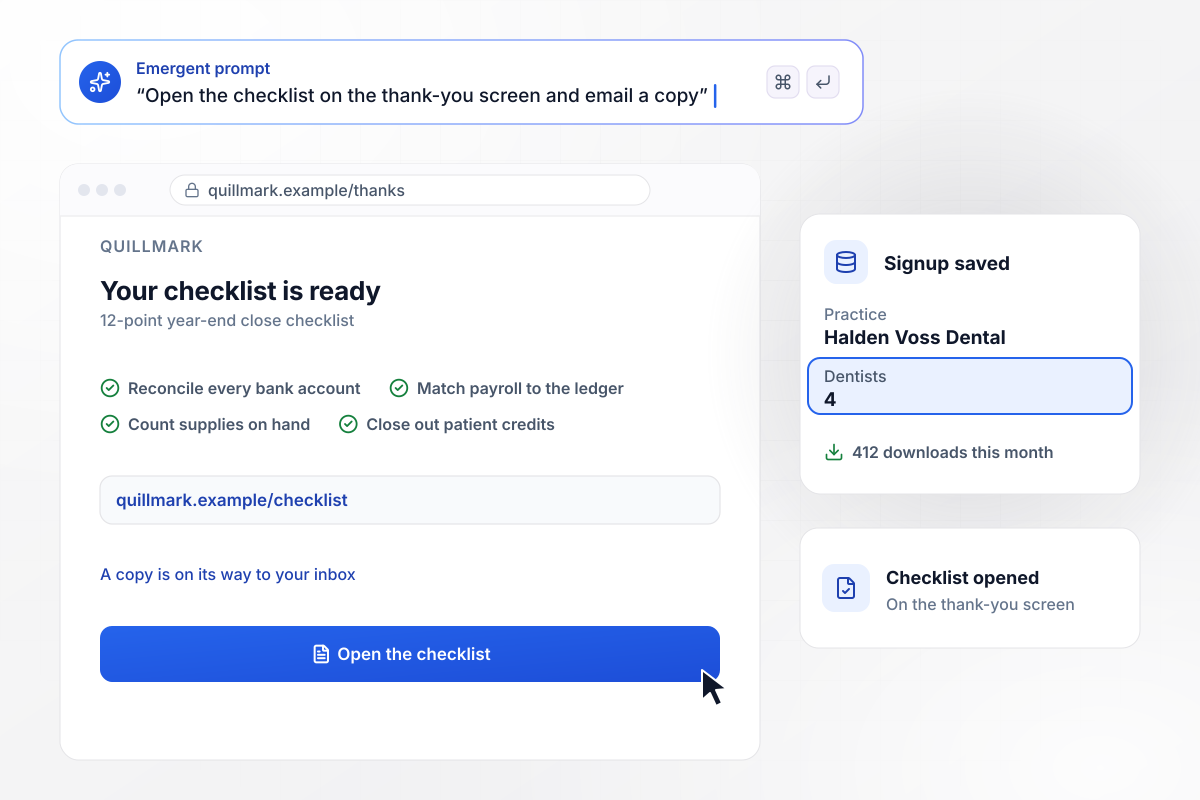
The checklist opens on the thank-you screen
Quillmark keeps the books for dental practices and gives away a 12-point year-end close checklist. Its form asks for an email and the number of dentists. The checklist opens on the thank-you screen, and a copy goes to the inbox. Halden Voss Dental signed up with 4 dentists, one of 412 downloads this month.
window.awbMockup = { freeChecklist: "Build a landing page for Quillmark, my bookkeeping firm for dental practices, that gives away our 12-point year-end close checklist. Ask for an email and the number of dentists in the practice. Open the checklist on the thank-you screen, email a copy, and count downloads this month.", hoursCalculator: "Make a calculator page for Plotwise, my scheduling software for landscaping companies. Ask how many crews they run and how many hours each crew spends on scheduling a week. Multiply the two, but show the weekly total only after the visitor enters an email, and save both answers with it.", brandScore: "Build an 8-question brand score for Brackenfield Studio, my brand design studio, with one question per screen and a score out of 100. Ask for the email before the result. Email the rebrand workbook to any score below 60, and send a link to book a call to scores of 60 or more.", freeAuditRequest: "Create a free ad account audit page for Corviel Ads, my paid search agency for online stores. Ask for the store name, its web address, its monthly ad spend, and an email. When monthly spend is $10,000 or more, send our strategist Wynne Alcott a Slack message with the request." };
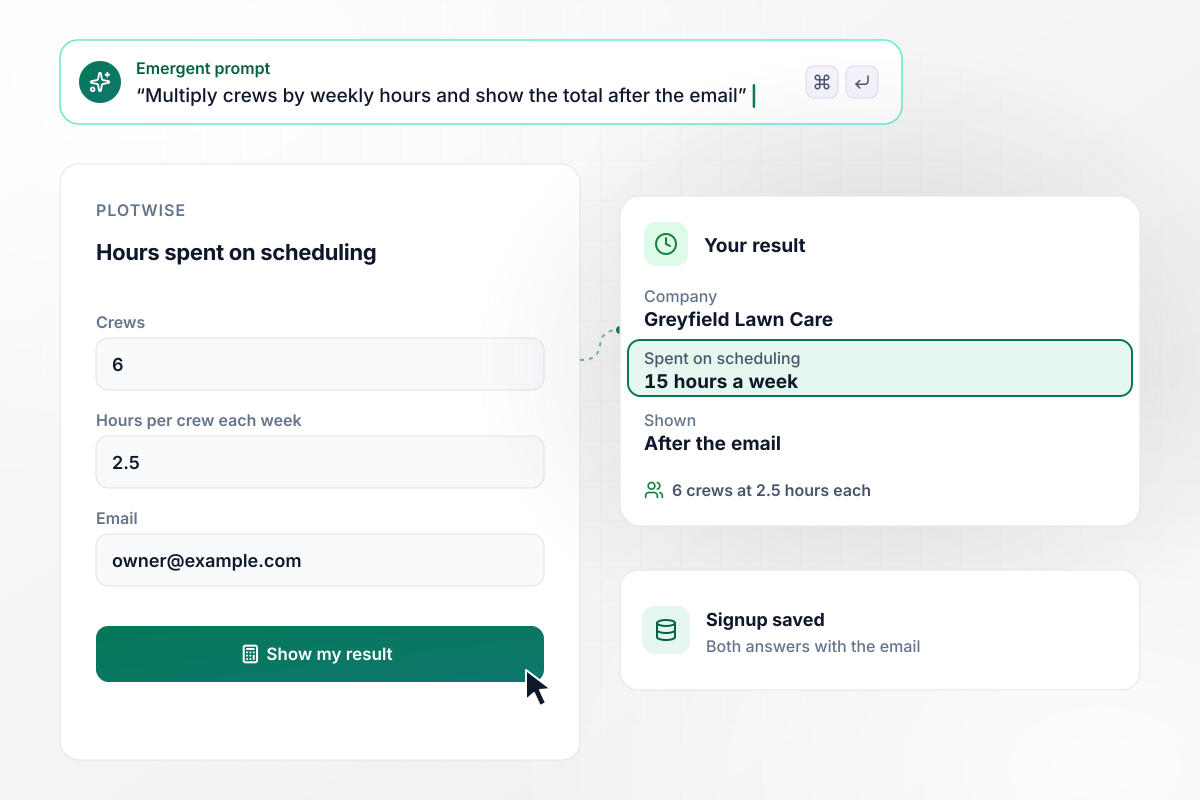
15 hours a week, shown after the email
Plotwise sells scheduling software to landscaping companies. Its calculator asks how many crews you run and how many hours each crew spends on scheduling a week. Greyfield Lawn Care entered 6 crews at 2.5 hours each. The page held the result until the email field was filled, then showed 15 hours a week.
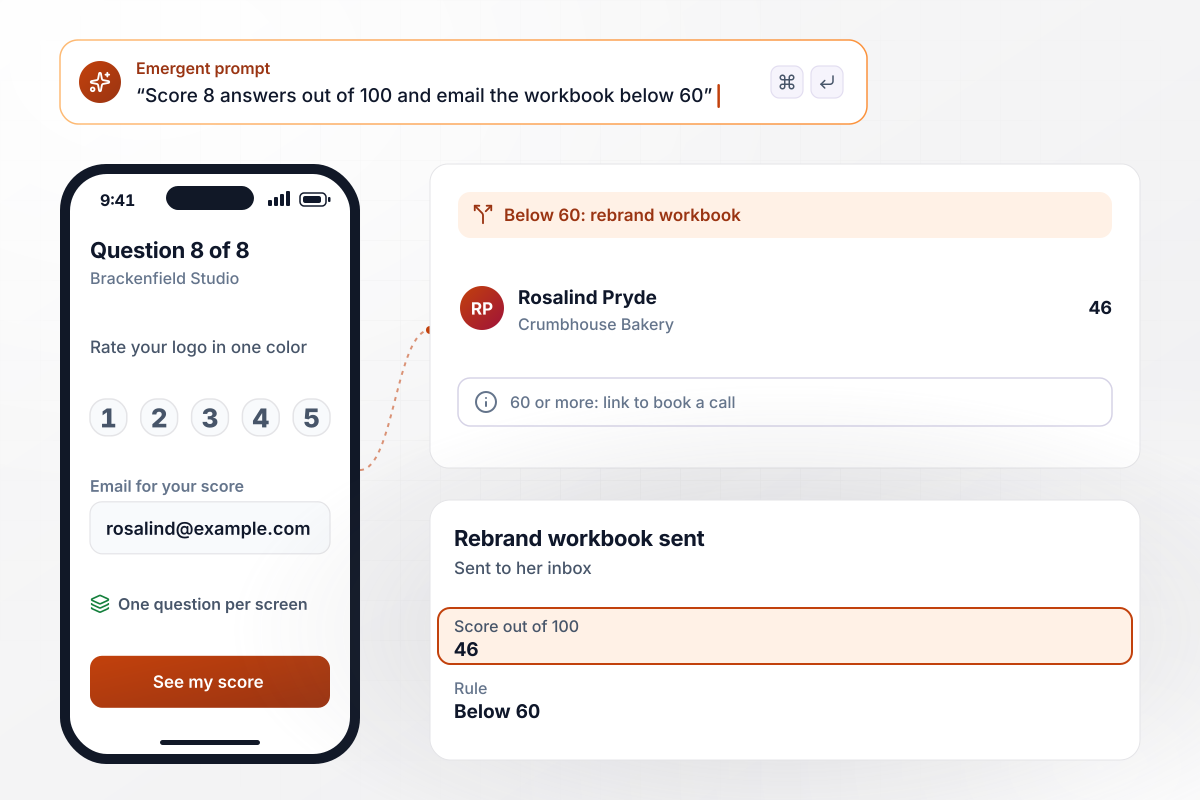
Any score below 60 gets the rebrand workbook
Brackenfield Studio asks 8 questions about a small company's brand, one per screen, and scores the answers out of 100. Any score below 60 gets the rebrand workbook by email; a score of 60 or more gets a link to book a call. Rosalind Pryde of Crumbhouse Bakery scored 46, and the workbook went to her inbox.
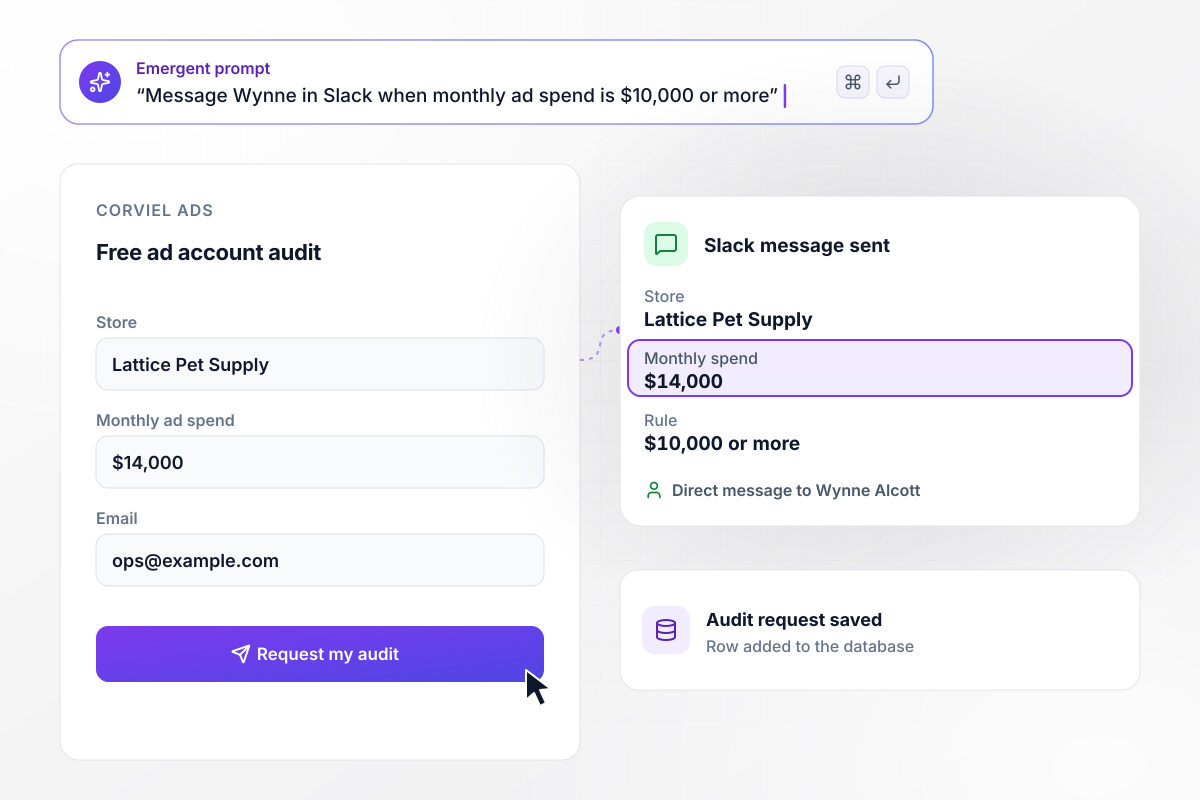
Wynne Alcott hears when a store spends $10,000 or more
Corviel Ads runs paid search for online stores and offers a free ad account audit. The form asks for the store's web address and monthly ad spend. A store spending $10,000 or more a month sends strategist Wynne Alcott a Slack message. Lattice Pet Supply asked for an audit with $14,000 a month in spend.






How to Create a Lead Magnet Landing Page
Follow seven steps to build a lead magnet landing page that hands over the offer and follows up based on each answer.
Choose a single problem for a single kind of visitor, such as closing the books at year end for a dental practice. A narrow offer is easier to write a headline for, and the people it brings in share a need you can follow up on.
Write the headline as what the visitor walks away with, not the format. "Close your year in 12 steps" says more than "Free checklist". Use the line under it for the format and the time it takes to use, such as a 10-minute read.
Ask for the email and at most one answer that changes your follow-up, such as practice size or monthly ad spend. Cut any field you would not act on in the first week; each one is another reason to close the tab.
Put the offer on the thank-you screen and send a copy by email as a backup. A visitor who mistypes the address still leaves with the checklist, and the email copy gives them a way back to it next week.
Paste the headline, the fields, and the delivery plan into one prompt. Emergent builds the page with its signup table. Prompt again for anything that reads wrong, such as the button label or the text on the thank-you screen.
Sign up with a test address for each rule you set: one score below 60 and one above it, or one spend under $10,000 and one over. Check that each test gets the right email and that the Slack alert reaches the right person.
Connect your email tool and CRM, then publish on your domain. Share the link where the problem comes up, such as a post about year-end close, and watch signups by source for 2 weeks before you change the offer.
Why Build Your Lead Magnet Page With Emergent?
Change the offer or a follow-up rule by prompting again, and every lead you collect sits in a database you own.

|
Unbounce | AI site builders (Wix, Framer) | Instapage | |
|---|---|---|---|---|
| How you build | Prompt for a campaign page | Templates and drag-and-drop, AI copy assist | Prompt for a full site | Templates and drag-and-drop, AI copy assist |
| Where submissions go | A database table you own, plus integrations | Unbounce lead storage and integrations | Basic contact form to email | Instapage contacts and integrations |
| Visitor limits | No per-visitor pricing | Monthly visitor caps by plan | Site plan bandwidth | Monthly visitor caps by plan |
| A/B testing | Generate variants by prompt | A/B testing on higher-tier plans only | Limited or add-on | A/B testing on higher-tier plans only |
| Code ownership | Full code export to GitHub on paid plans | Hosted only | Hosted only | Hosted only, no HTML export |



Pick the Pricing Plan That Works for You
Choose the plan that fits your building ambitions. From weekend projects to enterprise applications, we've got you covered.




Find the right landing page for you


Frequently Asked Questions
Your Questions, Answered
Don't change this element unless you know what you are doing
More things you can build
with Emergent









on Emergent today




