

Build a High-Converting Landing Page, Then Test What Works
Build a high-converting landing page that tests its headline and saves every lead to a database you own.
Build a high converting landing page that saves every signup to a database I own.
Trusted by Builders Worldwide
Active Builders Worldwide
Apps Successfully Created
Countries Globally Reached



Six Parts That Turn Visits Into Leads
A visitor sees one headline and a short form. Behind them, these six parts test the page and carry each lead to a person.
A page with one goal, from one prompt
Describe the offer, who it is for, and the one action a visitor should take. Emergent builds the page with its form and the table behind it, then changes any section by prompt.
Every lead in a database you own
Each form submission becomes a row in a database you own, with the time, every answer, and the page version the visitor saw. Sort by version to see which page earned the lead.
Headline tests you set up by prompt
Ask for two headlines and the app shows each to half of your visitors. A live dashboard counts signups per version, and one prompt puts a new line against the winner.
Leads synced to the CRM you already use
Connect HubSpot or any other tool with an API, and each new lead reaches it with its answers and the link it came from. Sales works in the CRM while the page keeps a copy.
Alerts for the leads worth a call today
Pick the answer that marks a lead as urgent, such as a budget or team size. The app posts each one to Slack or emails the person who follows up; other leads get a confirmation.
Hosted on your domain, exportable as code
Publish on your own domain, which is included and uses credits. On paid plans, the full code exports to your GitHub repository, ready for a developer to carry into your site.
High Converting Landing Page Examples
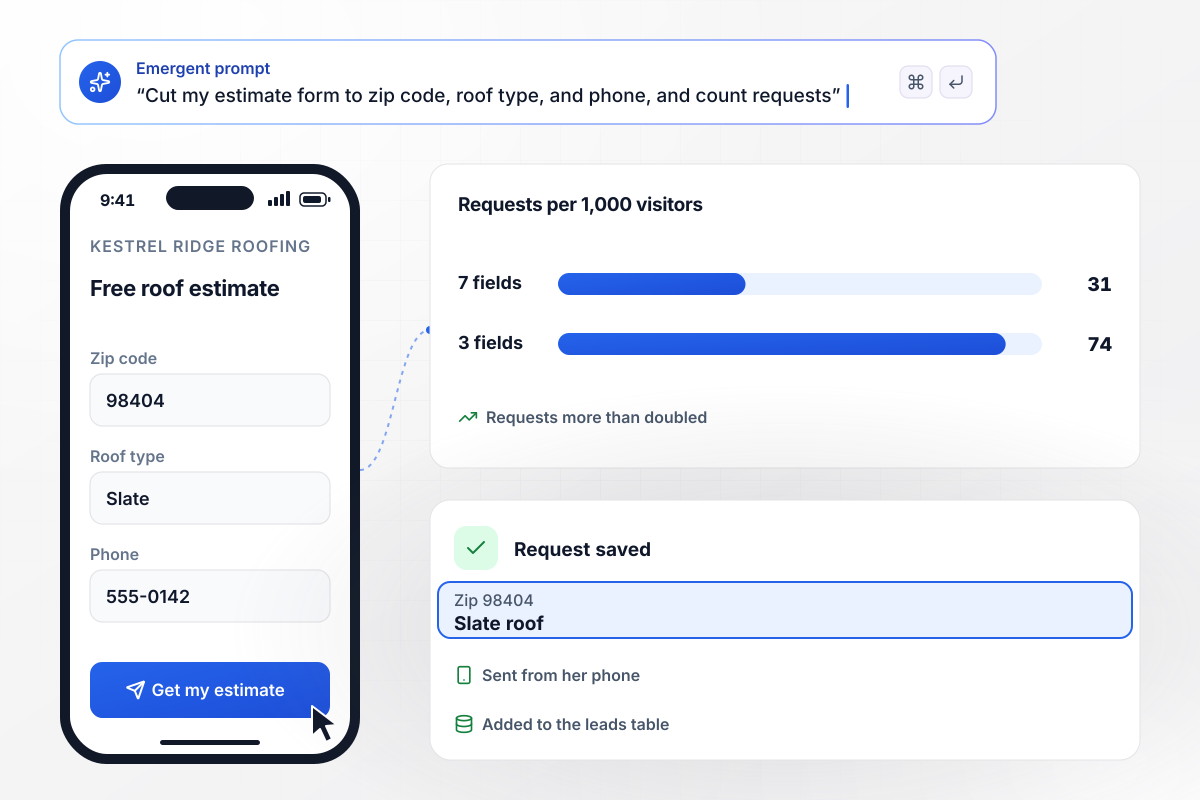
Cutting the form to 3 fields more than doubled requests
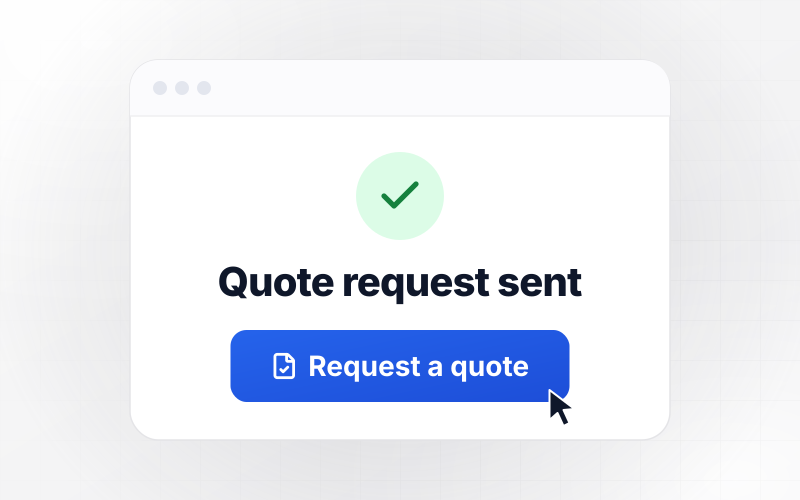
Kestrel Ridge Roofing used to ask 7 questions before it would quote a roof. The new page asks for 3: zip code, roof type, and phone. Per 1,000 visitors, estimate requests rose from 31 to 74. A homeowner asked for a quote on a slate roof from her phone, and the request landed in the leads table.
window.awbMockup = { shortQuoteForm: "Build an estimate page for Kestrel Ridge Roofing, my roofing company. The form asks for only 3 things: zip code, roof type, and phone. Save every request to a leads table, and show me how many requests come in per 1,000 visitors so I can compare it with my old 7-question form.", headlineTest: "Make a demo request page for Tallowmere, my payroll software for restaurants. Show half of visitors the headline Run payroll in 10 minutes after close and the other half Payroll that fits your kitchen. Save each demo request with the headline that visitor saw, and give me a live dashboard that counts requests per headline.", adMatchedHeadline: "I run a separate ad for each service at Pellworth Plumbing in Tacoma. Build a booking page that reads the keyword in the ad link and swaps the headline to match, such as Water heater repair in Tacoma, same day for the water heater ad. Save every booked visit with the ad that sent it and count visitors per ad each week.", leadRouting: "Build a quote request page for Fernhollow Kitchens, my kitchen remodeling studio. Ask for name, email, and remodel budget. When a budget is $40,000 or more, send our designer Ines Valcourt a Slack message with the answers. Everyone else gets an email with a link to book a call. Save every request in a leads table." };
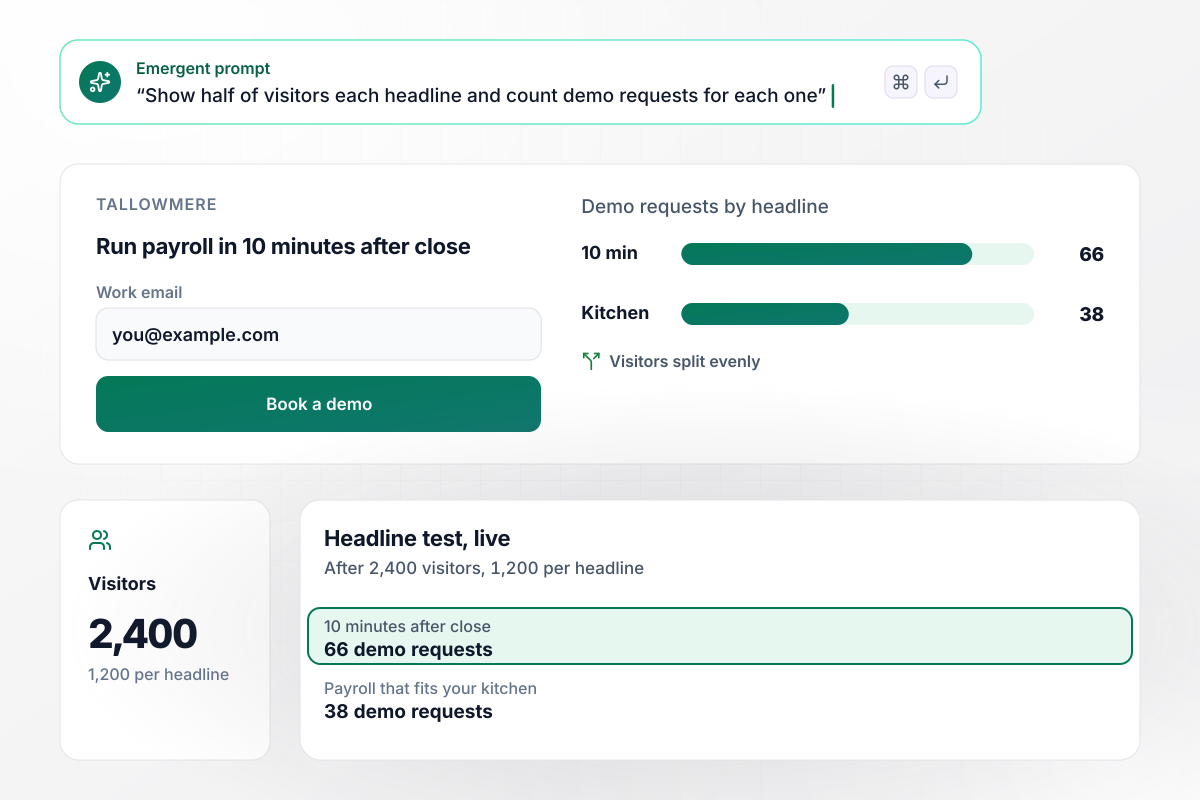
One headline won 66 demo requests, the other 38
Tallowmere sells payroll software to restaurants, and its page shows each visitor one of two headlines. After 2,400 visitors, 1,200 per headline, "Run payroll in 10 minutes after close" had 66 demo requests and "Payroll that fits your kitchen" had 38. The live dashboard still shows both counts.
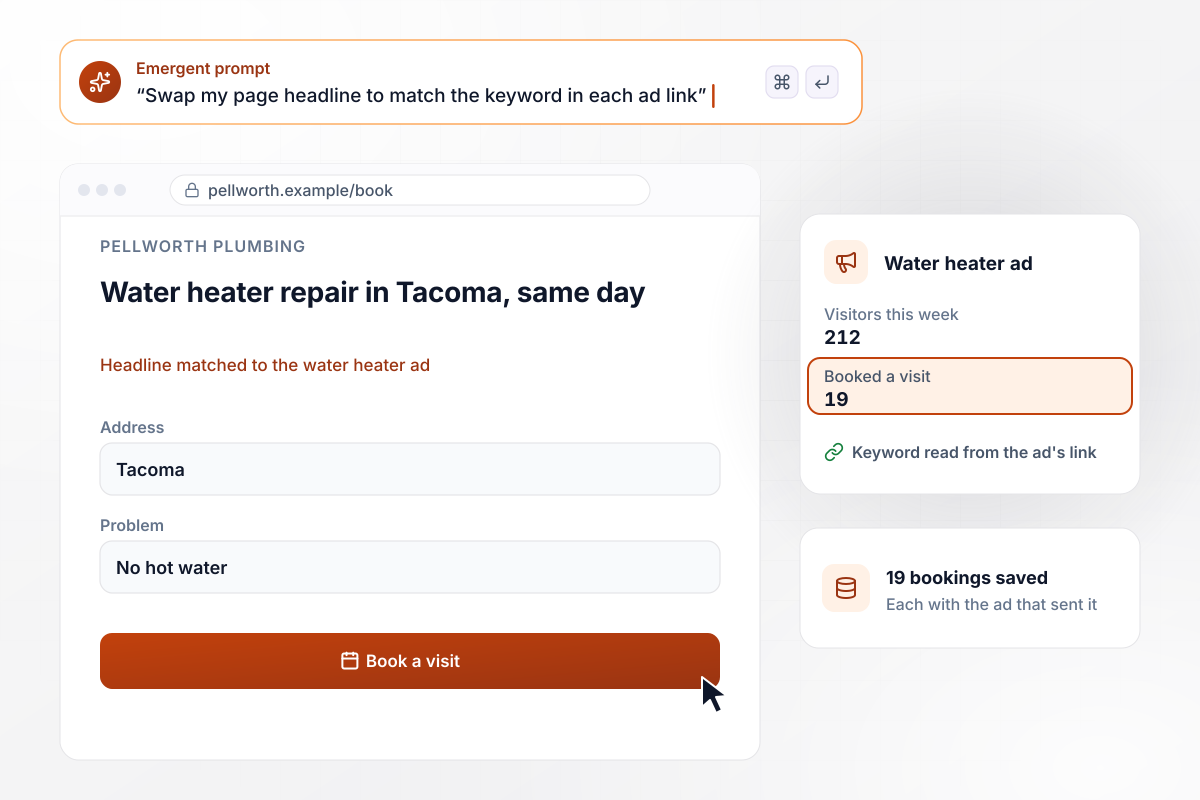
Each ad's keyword becomes the page headline
Pellworth Plumbing pays for a separate ad for each service it offers in Tacoma. The page reads the keyword in the ad's link and swaps in a headline to match it. A click on the water heater ad opens on "Water heater repair in Tacoma, same day." This week that ad sent 212 visitors, and 19 of them booked a visit.
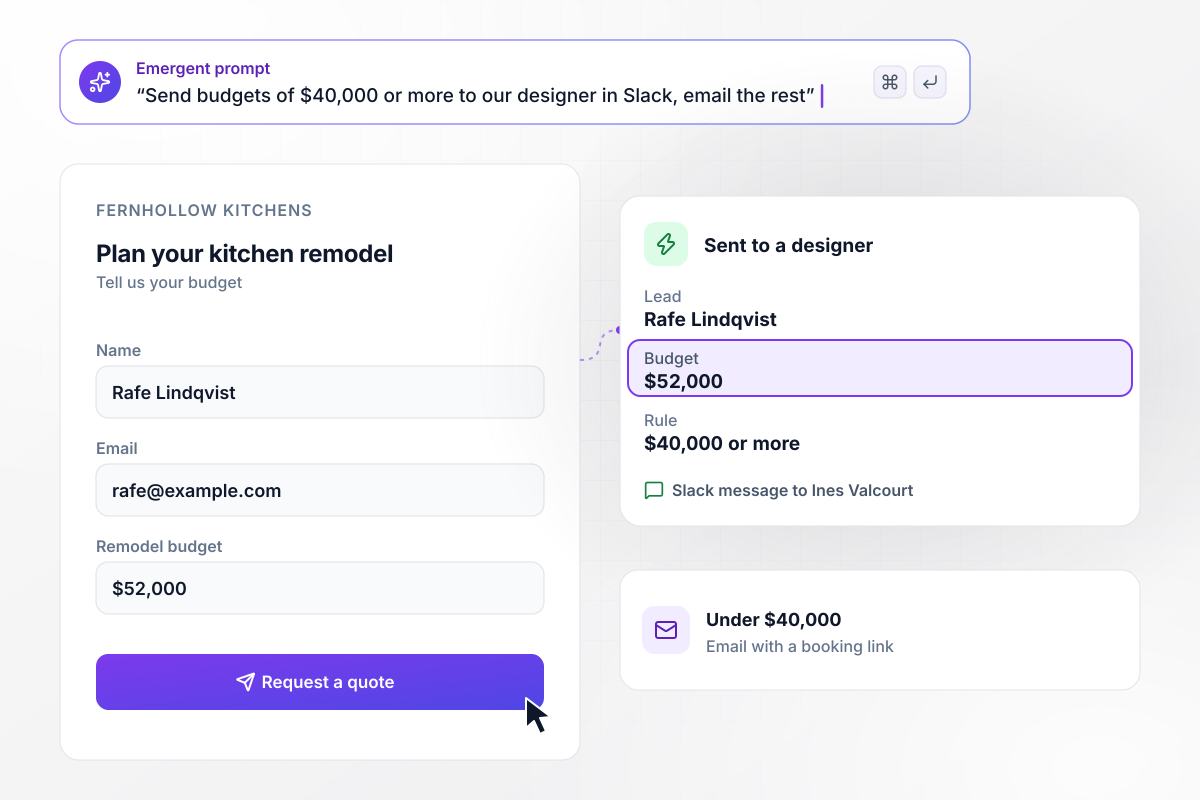
Remodel budgets at $40,000 or more go to a designer
Every quote request on Fernhollow Kitchens' page asks for a budget. A budget of $40,000 or more sends designer Ines Valcourt a Slack message with the answers, and everyone else gets an email with a booking link. On Tuesday, Rafe Lindqvist asked about a $52,000 kitchen, and Ines read his request in Slack.






How to Build a High-Converting Landing Page
Seven steps to a high-converting landing page that asks for one action and tests its headline, then build it with Emergent.
Choose a single action, such as booking a call or requesting a quote. Every section and button on the page should serve that one action. Take other links, such as your blog or careers page, off the page so a visitor has one thing to do.
Name the result a customer gets and how soon they get it. Read your sales call notes and reviews for the phrases people already use, and keep the headline under 10 words so a visitor takes it in at a glance.
List every field on the form and remove each one nobody would use on the first call. A roofer needs a zip code and a phone number before a site visit, not the age of the roof.
Paste the action and the fields into one prompt, along with the headline you wrote. Emergent returns a working page with its form and a leads table behind it. Prompt again to change any section, such as moving a customer quote next to the button.
Place one piece of proof beside the form: a short customer quote with a full name, a review count, or a row of client logos. Ask the customer before you quote them, and keep their exact words instead of a polished version.
Connect Slack or email for the leads that need a call the same day, and your CRM for everyone else. Submit 3 test leads, one of them a lead you would call first, and check that each one lands where it should.
Publish on your own domain (built into Emergent, uses credits) and leave the page alone until traffic builds. Then test one element against a second version, starting with the headline, and keep a note of each test and its result for the next page you build.
Why Test Your Landing Page on Emergent?
Every lead lands in a database you own, and a second headline to test or a new alert rule takes one prompt, not another tool.

|
Instapage | Landingi | Leadpages | |
|---|---|---|---|---|
| How you build | Prompt for a campaign page | Templates and drag-and-drop, AI copy assist | Templates and drag-and-drop, AI assist | AI page creation, templates, and drag-and-drop |
| Where submissions go | A database table you own, plus integrations | Instapage contacts and integrations | Vendor lead storage and integrations | Leadpages lead storage and integrations |
| Visitor limits | No per-visitor pricing | Monthly visitor caps by plan | Tiered by traffic on most plans | No traffic caps |
| A/B testing | Generate variants by prompt | A/B testing on higher-tier plans only | Higher plans | A/B testing on higher-tier plans only |
| Code ownership | Full code export to GitHub on paid plans | Hosted only, no HTML export | Hosted only | Hosted by Leadpages |



Pick the Pricing Plan That Works for You
Choose the plan that fits your building ambitions. From weekend projects to enterprise applications, we've got you covered.




Find the right landing page for you





Frequently Asked Questions
Your Questions, Answered
Don't change this element unless you know what you are doing
More things you can build
with Emergent









on Emergent today




