

Build a Waitlist Landing Page for Your Next Launch
Build a waitlist landing page that shows each signup a place in line and saves every email to a database you own.
Build a waitlist landing page that saves every signup to a database I own.
Trusted by Builders Worldwide
Active Builders Worldwide
Apps Successfully Created
Countries Globally Reached



What Comes With Each Waitlist Page
Visitors see a short form and their place in line. These six parts cover what sits behind them, through to the code you keep.
A waitlist page written from one prompt
Describe the product, who it is for, and when it opens. Emergent builds the page, the signup form, and the waitlist table behind them, and changes any part when you prompt again.
A place in line for every signup
Each person who joins sees a number and a link to share. You decide how many spots one referral is worth, and the confirmation email repeats the number for anyone who closes the tab.
Signups in a database you own
Each signup is a row in a database you own, with the date, the answers, and the link that brought it. Send those rows to HubSpot or any tool with an API instead of exporting a file.
Alerts for the signups that matter
Choose the signups that deserve a person's attention, such as a team of 50 or more. The page posts each one to Slack or emails the founder who will follow up on it the same day.
A signup count that updates live
The counter on the page and the dashboard behind it update as each signup arrives. Split the count by source or by test version to see which link or headline brings people in.
Your domain today, the code later
Publish the page on your own domain, which is included and uses credits. On paid plans, the full code exports to your GitHub repository, ready for the launch site that comes next.
Four Waitlist Landing Page Examples
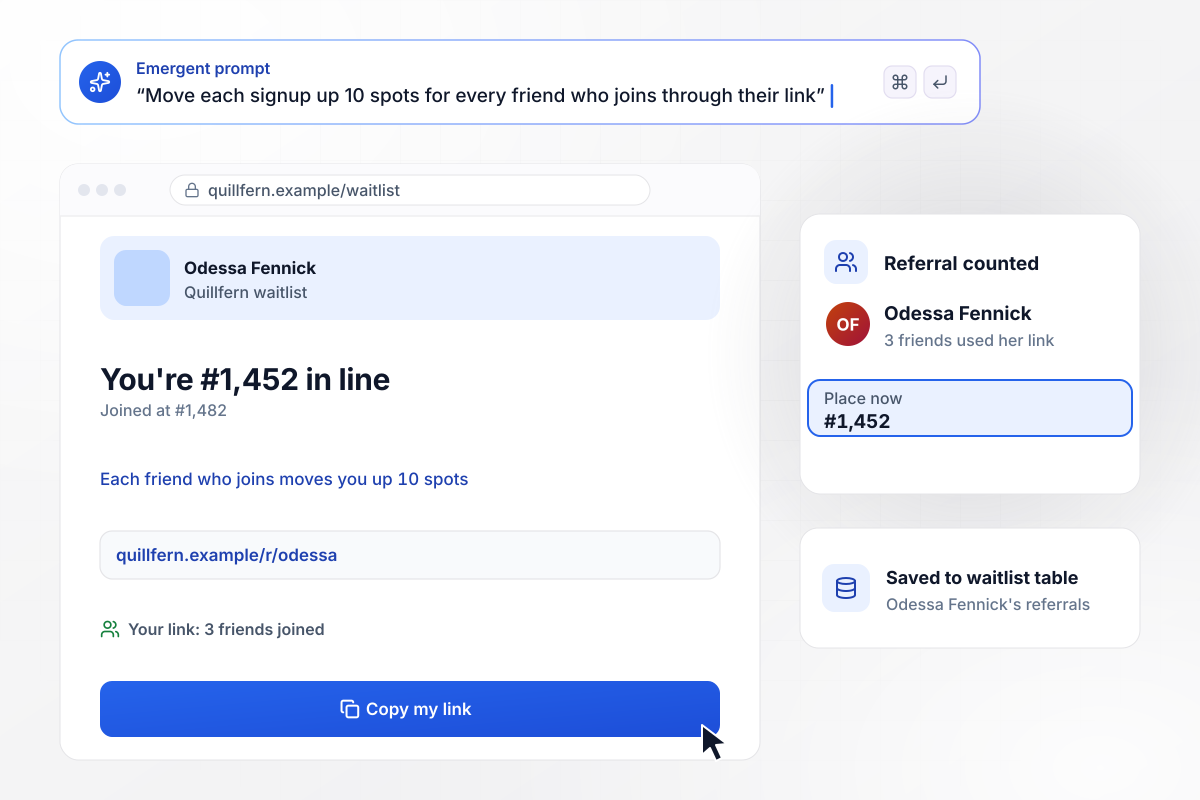
Every friend who joins moves you up 10 spots
Quillfern, an invoicing app for freelancers, gives everyone who joins a number in line and a referral link. Each friend who joins through it moves the link's owner up 10 spots. Odessa Fennick joined at #1,482. Three friends used her link, and she now sits at #1,452. Referrals save to the waitlist table.
window.awbMockup = { referralQueue: "Build a waitlist page for Quillfern, my invoicing app for freelancers. Show each person who joins their place in line and give them a referral link of their own. Every friend who joins through that link moves the referrer up 10 spots. Save each signup and referral in a waitlist table.", earlyAccessBatches: "Make an early access page for Cobaltine, my scheduling software for physical therapy clinics. The form asks for the clinic name, the number of therapists, and a work email. Every Monday at 9 AM, invite the next 200 people in line. Clinics with 10 or more therapists skip ahead to the next batch, and each one sends me, Lennart Sefton, a Slack message.", limitedProductDrop: "I need a waitlist for my pottery studio's spring run of 150 mugs. People join with an email and pick a glaze. On release day, send the first 150 in line a claim link that holds one mug for 24 hours. If a mug goes unclaimed, offer it to number 151, then the next person in line.", mvpPriceTest: "Build a landing page to test demand for Pantrywise, my meal planning app, before I build it. Show half of visitors a price of $8 a month and the other half $12. Save every signup with the price that visitor saw, and give me a dashboard that counts signups per price as they come in." };
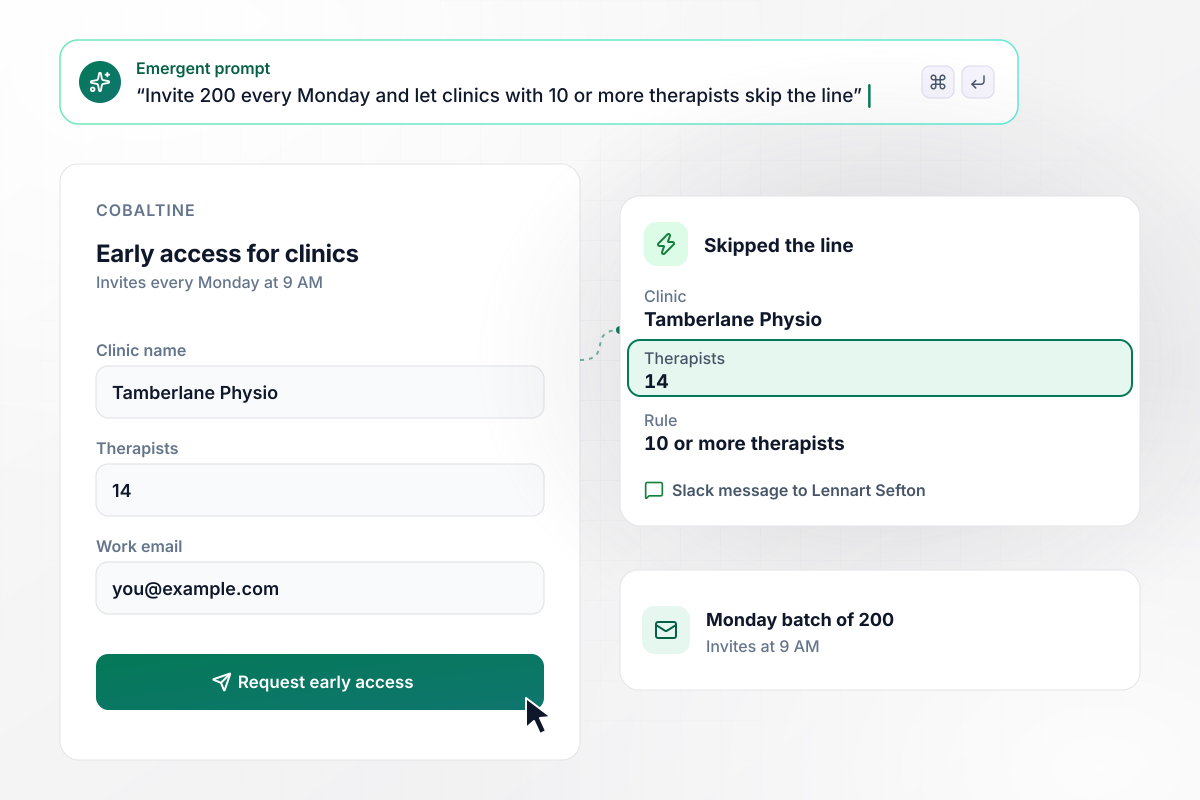
Clinics with 10 or more therapists skip the line
Cobaltine, scheduling software for physical therapy clinics, sends 200 invites every Monday at 9 AM. Its early access form asks how many therapists a clinic has, and clinics with 10 or more skip ahead to the next batch. Tamberlane Physio signed up with 14 therapists, and founder Lennart Sefton got a Slack message.
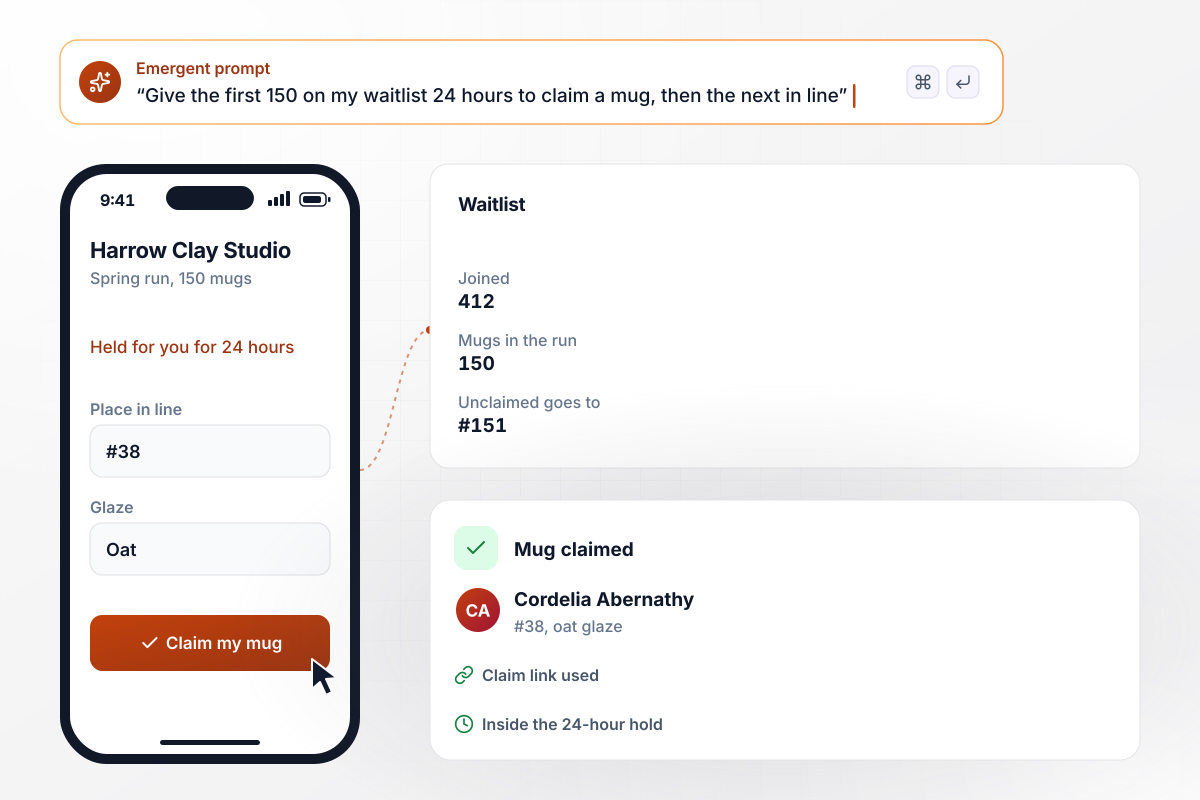
The first 150 in line get 24 hours to claim a mug
Harrow Clay Studio fires one spring run of 150 mugs, and 412 people joined its waitlist, each picking a glaze. On release day, the first 150 get a claim link that holds a mug for 24 hours. A mug left unclaimed passes to #151, then on down the line. Cordelia Abernathy, #38 on the list, claimed hers in oat glaze.
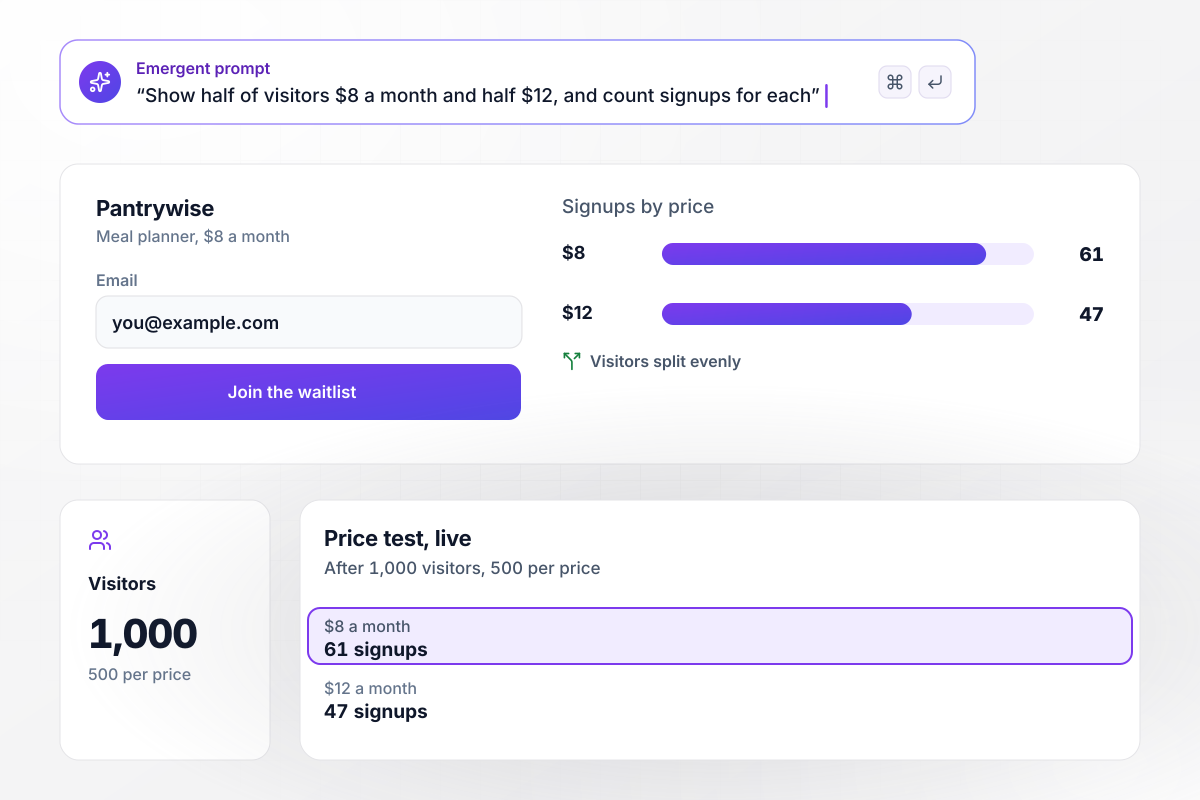
Half of visitors see $8 a month, half see $12
Marguerite Corvell put up a landing page MVP for Pantrywise, a meal planner, before building it. The page splits visitors evenly between the two prices and saves each signup with its price. After 1,000 visitors, 500 per price, the $8 page had 61 signups. The $12 page had 47, both counted live on her dashboard.






How to Create a Waitlist Landing Page
Follow these seven steps to publish a waitlist landing page that numbers every signup and lets people in on a schedule.
Say what the product does, the person it is made for, and when the first invites go out. That line becomes the headline. If you cannot name a month yet, say how invites will work instead, such as weekly batches in signup order.
Ask for an email and at most one more answer you will act on, such as team size or role. Cut any field you would not use to order the list. Ask for a name later, in the invite email, when people have a reason to give it.
Choose referrals or priority. With referrals, each friend who joins moves the person who shared the link up a set number of spots; with priority, an answer such as team size moves a signup forward. Write the number down now: the page and the email will both state it.
Paste the promise, the fields, and the rule into one prompt. Emergent returns a working page with its form, the place-in-line logic, and the waitlist table. Prompt again for the confirmation screen: it should show the new number and the referral link.
Connect the email tool that sends the confirmation, then Slack for the signups you want to hear about as they arrive. If sales will follow up with larger teams, map those rows to your CRM now instead of copying them by hand later.
Sign up with one address, then join twice through its referral link with two others. Check that the first address moved up by the right number of spots, that each confirmation email arrived, and that all three rows sit in the table.
Publish the page and share the link where your first users already spend time. Set the date and size of the first invite batch before the list grows, put both on the page, and email the list the same day.
Why Run Your Waitlist on Emergent?
Your list sits in a database you own, and a new referral rule or a second price to test takes one prompt, not another tool.

|
AI site builders (Wix, Framer) | ConvertFlow | Unbounce | |
|---|---|---|---|---|
| How you build | Prompt for a campaign page | Prompt for a full site | Templates and drag-and-drop, AI remix | Templates and drag-and-drop, AI copy assist |
| Where submissions go | A database table you own, plus integrations | Basic contact form to email | ConvertFlow contact profiles, synced to your CRM | Unbounce lead storage and integrations |
| Visitor limits | No per-visitor pricing | Site plan bandwidth | Monthly view caps by plan | Monthly visitor caps by plan |
| A/B testing | Generate variants by prompt | Limited or add-on | A/B testing on paid plans only | A/B testing on higher-tier plans only |
| Code ownership | Full code export to GitHub on paid plans | Hosted only | Hosted by ConvertFlow or embedded on your site | Hosted only |

Pick the Pricing Plan That Works for You
Choose the plan that fits your building ambitions. From weekend projects to enterprise applications, we've got you covered.




Find the right landing page for you
Frequently Asked Questions
Your Questions, Answered
Don't change this element unless you know what you are doing
More things you can build
with Emergent









on Emergent today




