

Build a Black Friday Landing Page Before the Sale Opens
Build a Black Friday landing page with a countdown to the deal's end and early access signups saved to a database you own.
Build a black friday landing page that saves every signup to a database I own.
Trusted by Builders Worldwide
Active Builders Worldwide
Apps Successfully Created
Countries Globally Reached



What Sits Behind a Black Friday Sale Page
Shoppers see a price and a button. These six parts handle what happens after someone presses it.
A countdown to the hour the deal ends
Give the end time and time zone, such as Monday at 11:59 PM PT. Emergent builds the countdown into the page, and at zero the offer block switches to the message you wrote.
Early access signups in a table you own
Each early access signup saves to a database you own, with the email, the time, and the link that brought the visitor. Read the list by hour, or export it before the sale opens.
A stock count that drops as visitors reserve
Set the number of units for a doorbuster. The page shows how many units are left, updates with each reservation, and swaps the Reserve button for a waitlist form at zero.
One discount code per email address
Load a batch of codes from your checkout. The app gives each email address one code, saves the pair in a codes table, and shows the same code if that address asks again.
Signups sent on to HubSpot or Slack
Built apps connect to any tool with an API, so a signup can join a HubSpot list as it lands. A rule you write, such as 50 or more seats, sends a Slack or email alert to one person.
Back next November with a new offer
Keep the page on your own domain, which is included and uses credits, and change the offer by prompt each year. On paid plans, export the full code to your GitHub repository.
Four Black Friday Landing Page Examples
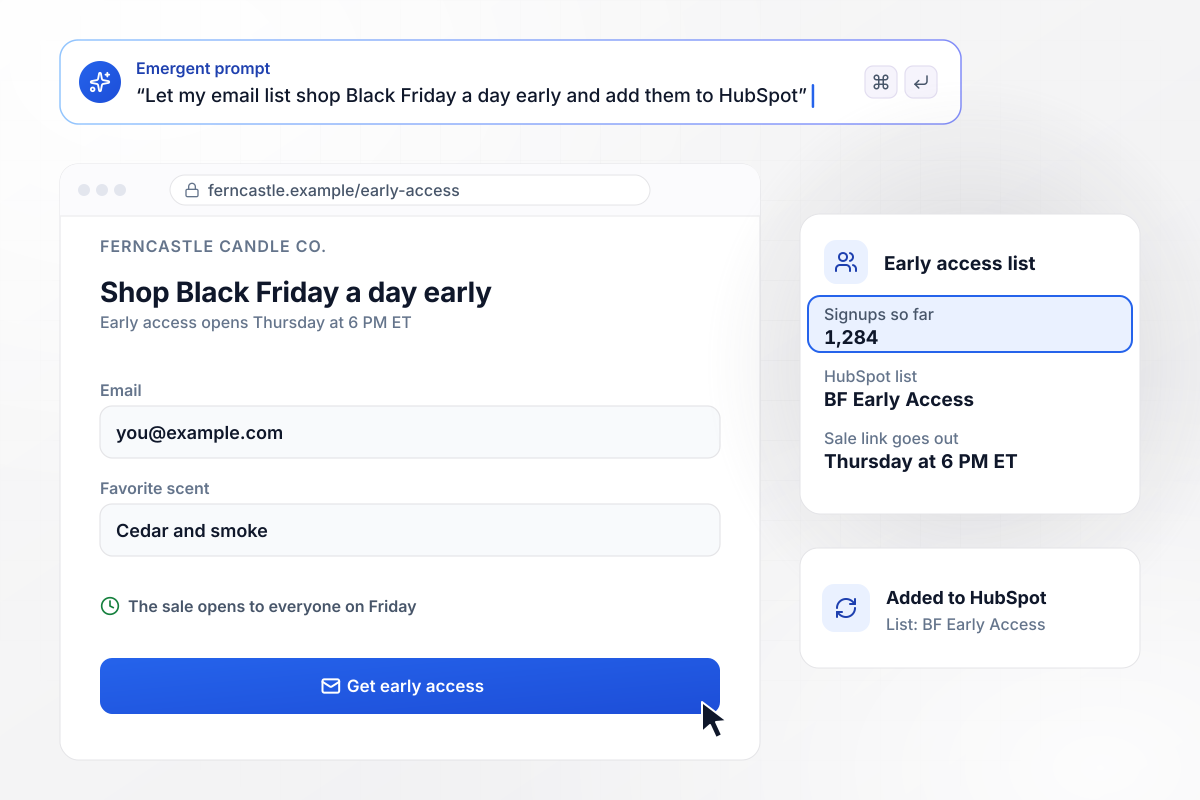
1,284 subscribers in line before the sale opens
Ferncastle Candle Co. lets its list shop Black Friday a day early. The early access page asks for an email and a favorite scent, and 1,284 people have signed up so far. Each signup joins a HubSpot list named BF Early Access, and the store sends that list the sale link on Thursday at 6 PM ET.
window.awbMockup = { earlyAccessList: "Build an early access page for Ferncastle Candle Co., my candle shop, so my email list can shop Black Friday a day early. Ask for an email and a favorite scent. Add each signup to my HubSpot list named BF Early Access, and show me the signup count. The sale link goes out to that list on Thursday at 6 PM ET.", doorbusterPickup: "Make a doorbuster page for Halverline Cookware, my kitchen store. We have 200 cast-iron skillets at $39 for pickup in the store on Black Friday. Take one reservation per email, show how many skillets are left next to the Reserve button, and when none are left, turn the button into a waitlist form.", oneTimeCodes: "Create a Black Friday code page for Brightmoss Outdoor Supply, my outdoor gear store. Each visitor enters a name and email and gets one single-use code for 25% off, good Friday through Cyber Monday. Save each code next to its email in a codes table, and if the same email asks again, show the same code.", annualPlanOffer: "I need a Black Friday offer page for Quillmark, my project tracking software, with 30% off annual plans through Cyber Monday. Ask each team for its company name, work email and seat count. When a team asks for 50 or more seats, send our account executive Ines Varga a Slack direct message with the request." };
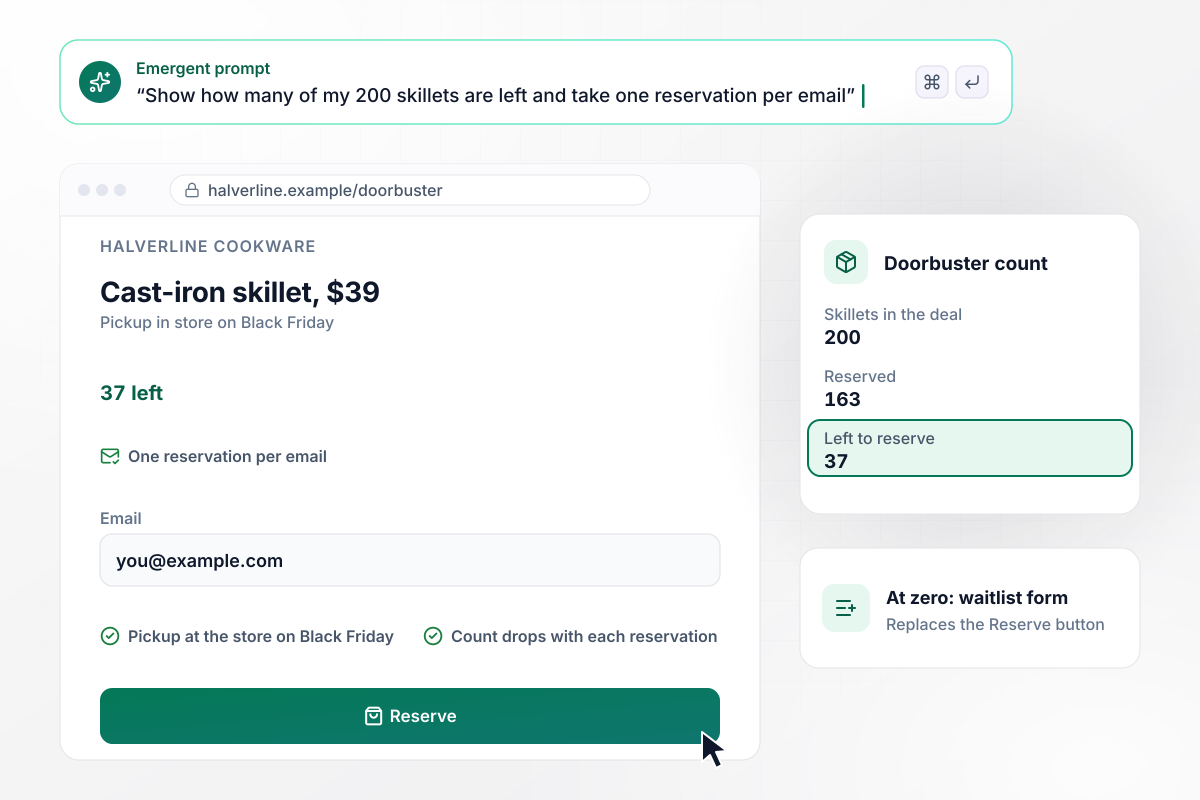
163 skillets claimed and 37 left to reserve
Halverline Cookware has 200 cast-iron skillets at $39 for pickup at its store on Black Friday. The page takes one reservation per email and shows the count beside the Reserve button. After 163 reservations, it reads 37 left. When the count reaches zero, the button turns into a waitlist form.
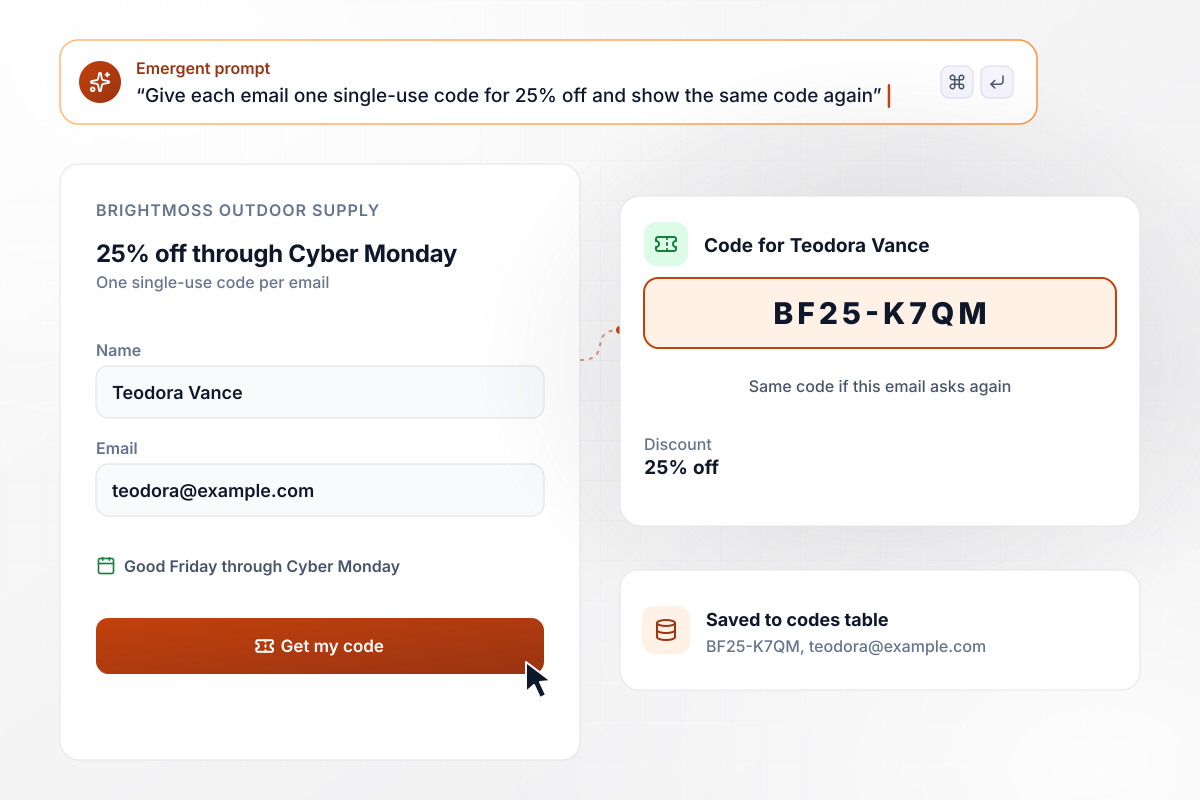
Each email address gets its own single-use code
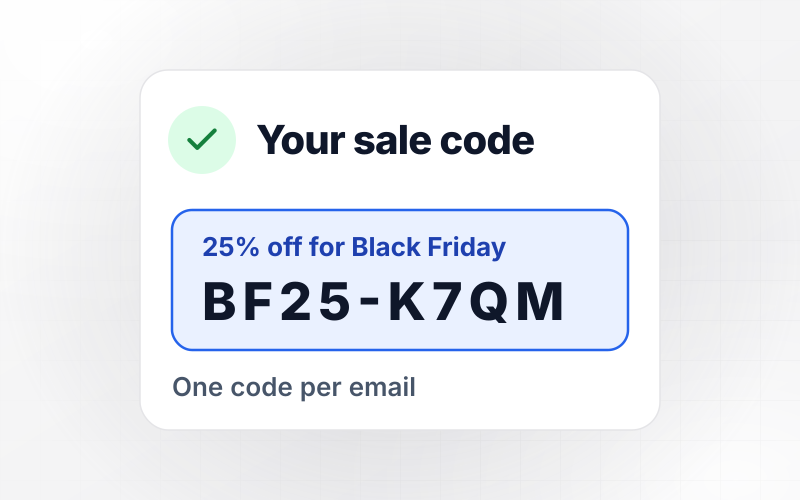
Every email address that reaches Brightmoss Outdoor Supply's page gets one code for 25% off, good from Friday through Cyber Monday. Teodora Vance entered her email and got BF25-K7QM. The code is saved in the codes table next to her address. If she asks again, the page shows her the same code.
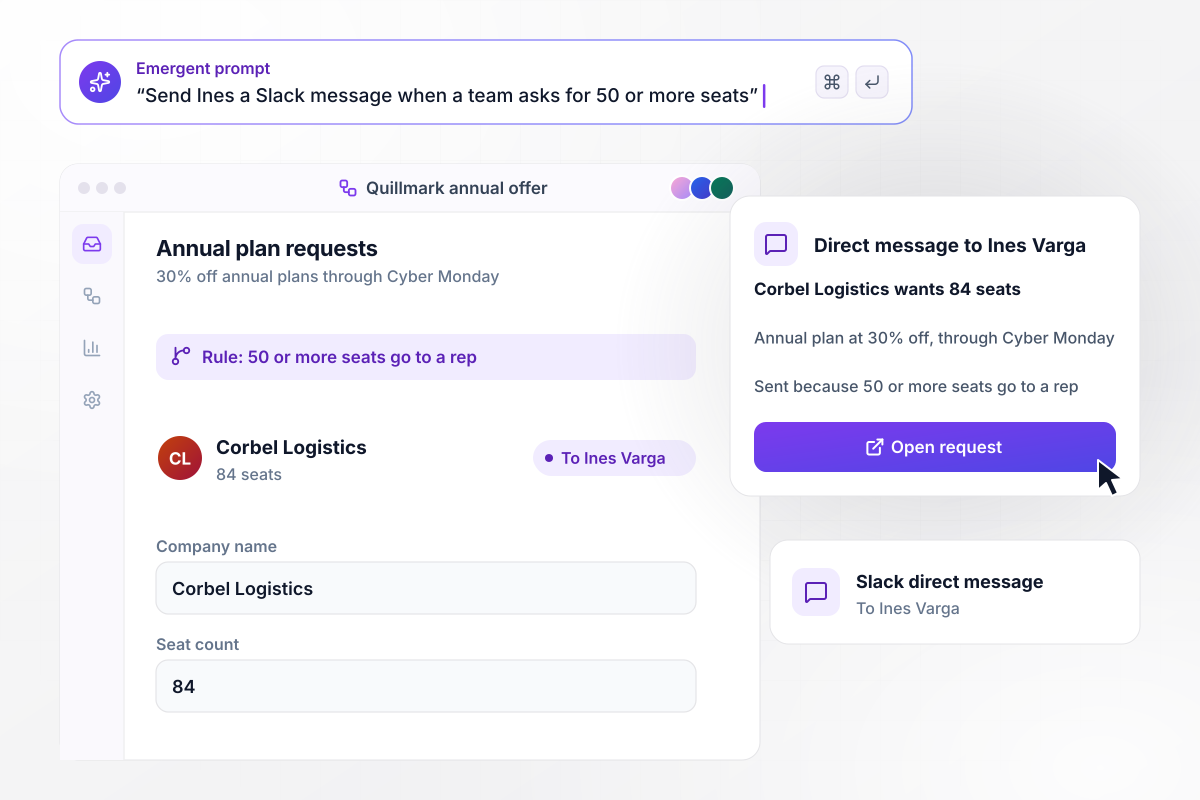
Any request of 50 or more seats goes to a rep
Quillmark sells project tracking software and takes 30% off annual plans through Cyber Monday. The offer page asks each team for its company name and seat count. Corbel Logistics asked for 84 seats, and because 50 or more seats go to a person, Ines Varga got a Slack direct message.






How to Create a Black Friday Landing Page
Seven steps to plan a Black Friday landing page around one offer and a firm end time, then build it with Emergent.
Pick the single deal the page sells, such as 30% off annual plans or a $39 skillet, and put that price or discount in the headline. Shoppers decide in seconds. A page with one offer reads faster than a grid of twelve.
Write the hour the sale opens and the hour it ends, and name the time zone, such as 9 AM ET on Friday. Use the same times in every email and ad that links to the page, and set the countdown to the end time.
If you put a was price next to the sale price, use the price you listed the item at before the sale. The FTC's pricing guide looks for the actual, bona fide price at which the article was offered to the public on a regular basis.
Give your list a head start, such as 24 hours, and say on the signup form when the early link arrives. Ask only for the email and one field you will use later, like a favorite product or a store location.
Paste the offer and its times into one prompt, along with the signup rule. Emergent builds the page with its countdown and the table behind it. Prompt again to change any part, such as the message shoppers see once the sale ends.
Set the end time 10 minutes out and sign up three times, once with a repeated email. Watch the countdown reach zero and the offer block change. Then put back the real end time and delete the test rows.
Publish a couple of weeks before the sale and link to the page from your homepage. Early access signups need those days to build. After Cyber Monday, point the offer block at the next sale instead of taking the page down.
Why Build Your Black Friday Page With Emergent?
Every signup lands in a table you own, and next year's sale, with new prices and a new end time, takes one prompt.

|
Wix | MailerLite | ConvertFlow | |
|---|---|---|---|---|
| How you build | Prompt for a campaign page | Prompt for a full site | Templates and drag-and-drop, AI page generator | Templates and drag-and-drop, AI remix |
| Where submissions go | A database table you own, plus integrations | Wix dashboard submissions and Contacts | MailerLite subscriber list and integrations | ConvertFlow contact profiles, synced to your CRM |
| Visitor limits | No per-visitor pricing | Site plan bandwidth | No traffic caps; priced by subscribers | Monthly view caps by plan |
| A/B testing | Generate variants by prompt | Limited or add-on | A/B testing on paid plans only | A/B testing on paid plans only |
| Code ownership | Full code export to GitHub on paid plans | Hosted only | Hosted by MailerLite | Hosted by ConvertFlow or embedded on your site |



Pick the Pricing Plan That Works for You
Choose the plan that fits your building ambitions. From weekend projects to enterprise applications, we've got you covered.




Find the right landing page for you
Frequently Asked Questions
Your Questions, Answered
Don't change this element unless you know what you are doing
More things you can build
with Emergent









on Emergent today




