

Build a Beta Landing Page That Recruits Real Testers
Build a beta landing page that limits tester seats, asks screening questions, and keeps each signup in a database you own.
Build a beta landing page that saves every signup to a database I own.
Trusted by Builders Worldwide
Active Builders Worldwide
Apps Successfully Created
Countries Globally Reached



What Emergent Builds Into a Beta Page
A beta landing page has one job: find testers who will use the product and say what broke. These six parts do that job.
A pitch that says what testers get
Describe the product, who the beta is for and what testers receive. Emergent builds the page around it: the promise, the start date, the time you ask of testers, and the form.
Screening questions on the form
Ask what a good tester has in common: the phone they carry, the tool they use now, how often they hit the problem. Each answer saves as a column you can sort and filter by.
Seat counts that change as people join
Set a cap for the cohort, or one cap per platform. The page shows how many seats are left and updates the count as testers sign up, so a full group closes on its own.
Every applicant in a table you own
Each signup becomes a row with its answers, the link it came from, and a status. Mark testers accepted or held, and the app emails each group the message you wrote for it.
Alerts in Slack and email
A booked kickoff call or a blocker bug can post to Slack or arrive by email. The app connects to any tool with an API, so accepted testers can also sync to your CRM.
Your domain, and code you can keep
Publish on an address like beta.yourapp.com; custom domains are included in Emergent and use credits. Paid plans also add full code export to your own GitHub repository.
Beta Landing Page Examples
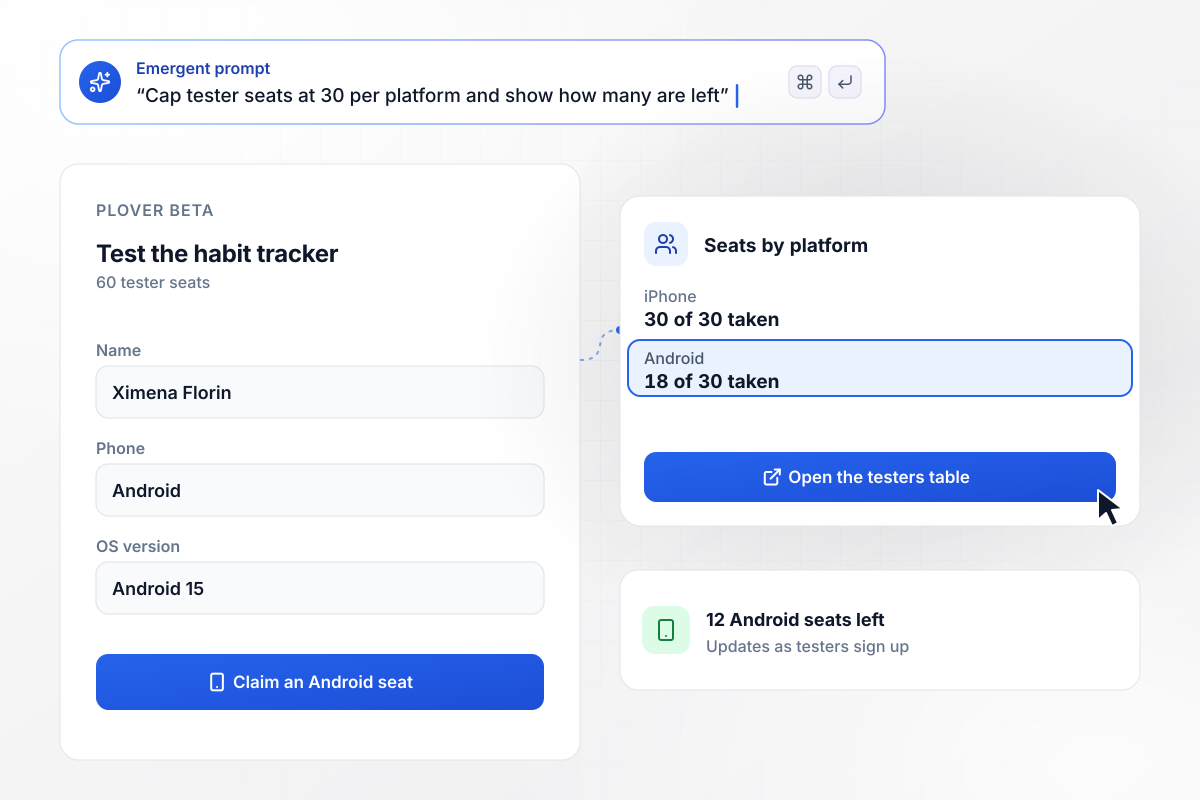
Every iPhone seat is taken, and Android has 12 left
Plover opens 60 tester seats on its habit tracker's beta page, 30 for iPhone and 30 for Android, and the count updates as testers sign up. iPhone filled first. Android has 18 of 30 seats taken, Ximena Florin's among them, and the page now offers only that option. Each tester's phone and OS version save to the testers table.
window.awbMockup = { mobileAppBeta: "Build a beta landing page for Plover, my habit tracker app. Open 60 tester seats, 30 for iPhone and 30 for Android, and show how many are left on each as people sign up. When one platform fills, offer only the other. Save each tester's phone and OS version to a testers table.", closedB2bBeta: "Build a closed beta signup page for Wickmoor, my route planner for landscaping crews. Make the last step a 20-minute kickoff call slot. Mark applicants who book a call for the first build, and send everyone who skips it an email reminder to book one.", hardwareBeta: "Build a beta landing page for Skiff's new bike light. I have 100 test units. Ask each applicant how many times a week they ride and collect a shipping address. Riders who answer 3 or more qualify; give units to the first 100 by signup time and keep the rest as reserves.", testerFeedback: "Build a bug report page for testers in my Velmont beta, an invoicing app for photographers. Ask for the steps, a screenshot, and a severity: Minor, Major, or Blocker. Show every report in a dashboard and post reports marked Blocker to the #beta-bugs channel in Slack." };
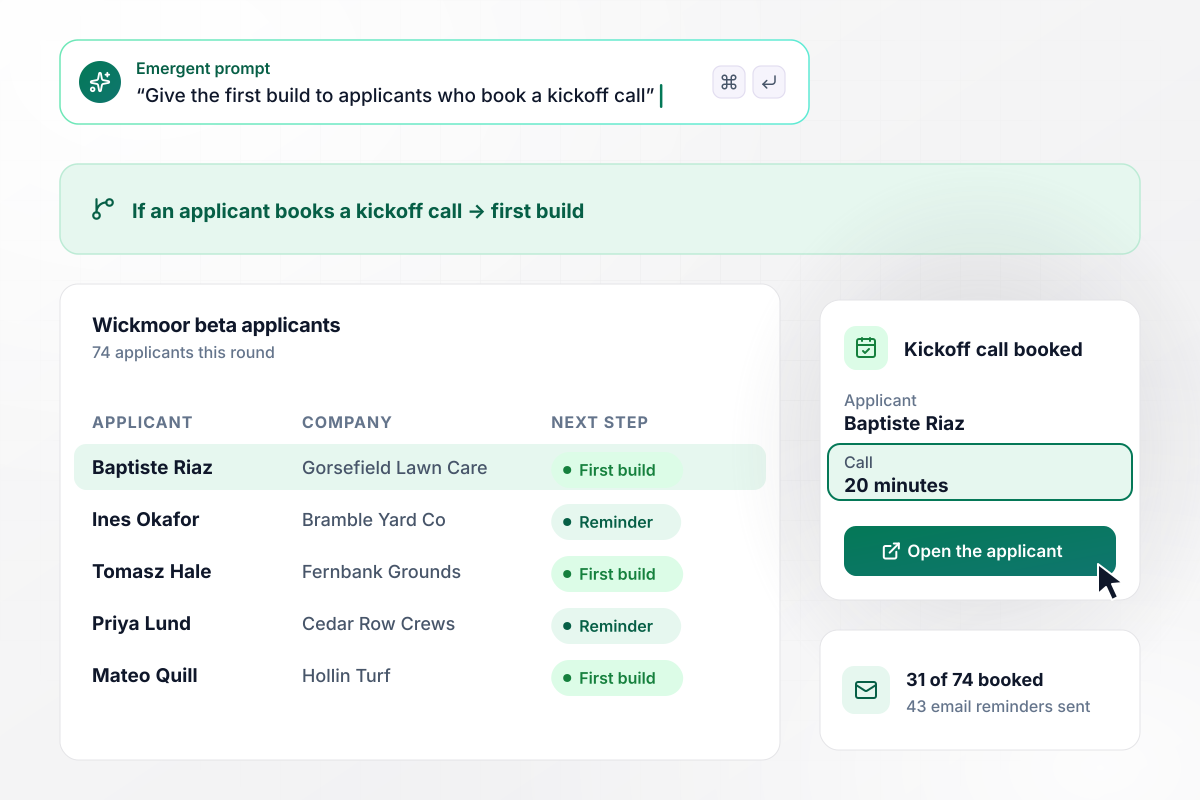
The first build goes to the 31 who booked a call
Wickmoor, a route planner for landscaping crews, ends its beta signup with a 20-minute kickoff call slot. Applicants who book a call get the first build, and the rest get an email reminder. Of 74 applicants, 31 booked, Baptiste Riaz of Gorsefield Lawn Care among them, and 43 got the reminder.
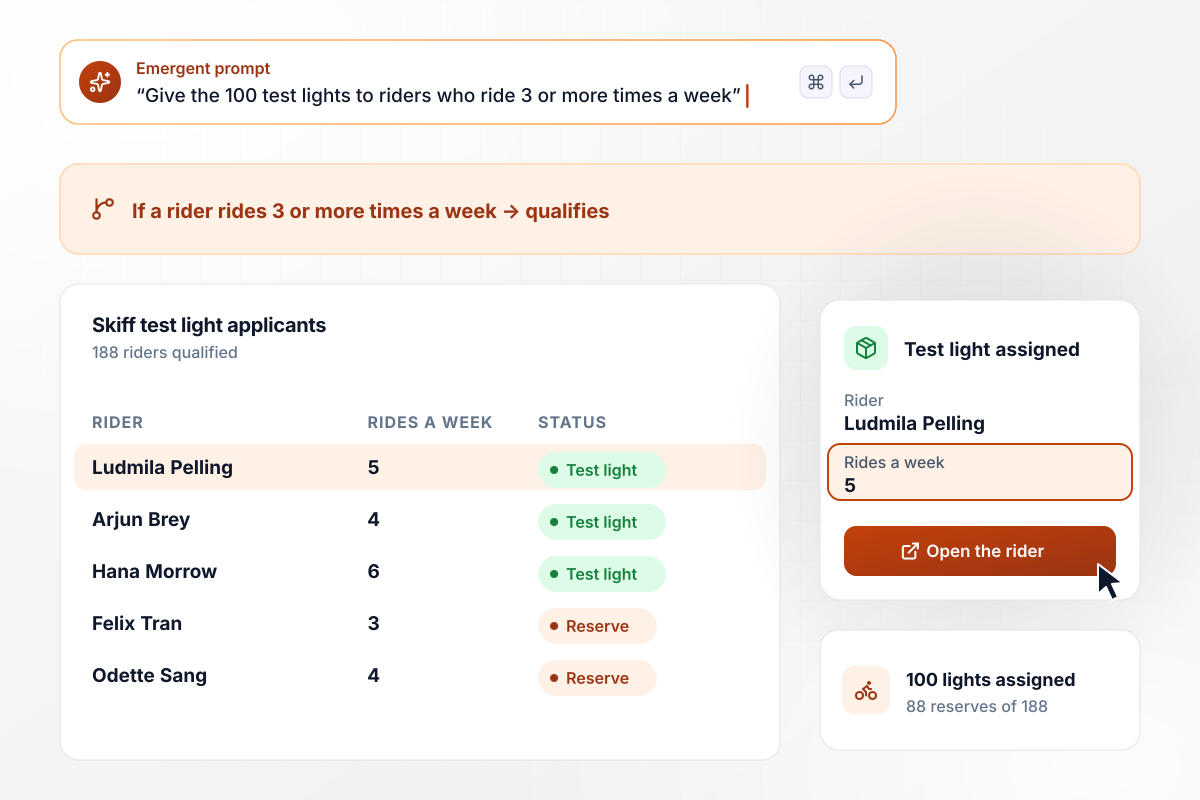
Of 188 riders who qualified, 100 get a test light
Skiff has 100 test lights, and its beta page asks each applicant how many times a week they ride. Riders who answer 3 or more qualify. The first 100 of them by signup time get a light, Ludmila Pelling among them, and the other 88 of the 188 who qualified wait as reserves.
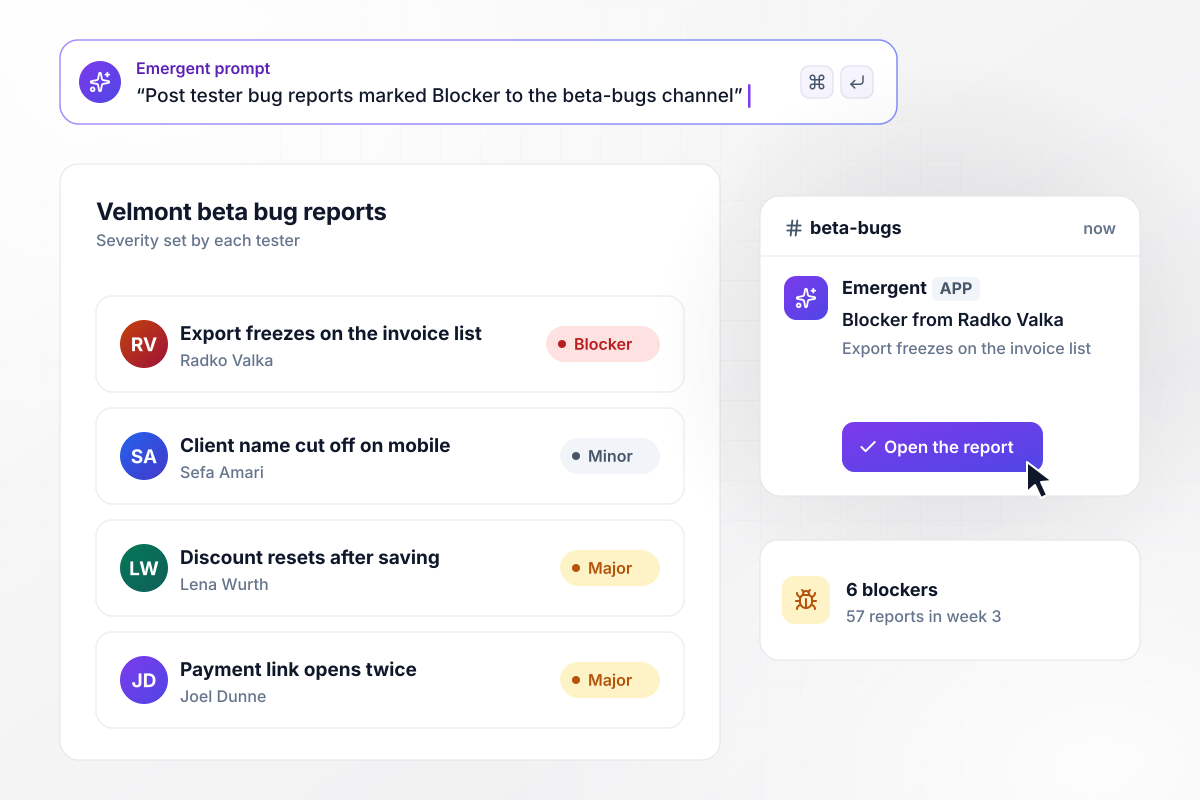
Blocker bugs post to Slack, 6 of them in week 3
Velmont, an invoicing app for photographers, gives each accepted tester a bug report form with a severity field. Every report lands in the app's dashboard, and reports marked Blocker also post to the #beta-bugs Slack channel. In week 3, testers filed 57 reports and 6 were blockers, one of them from Radko Valka.






How to Create a Beta Landing Page
Seven steps to plan a beta landing page around the testers you want, then build and publish it with Emergent.
Before writing any copy, name the tester you want in one line, such as crews of five or more or riders out 3 times a week, and turn that line into the screening questions on the form.
Write down what a tester gets and what you ask in return: early access or a free unit, against a weekly survey or a 20-minute call. Put both near the signup form. Applicants should know the deal before they apply.
Pick a seat count you can talk to in the first two weeks, and split it by platform or plan if that matters. A visible count of seats left shows visitors the beta is real and has a limit.
Paste the tester profile, the trade, and the seat count into Emergent as one prompt. It builds the page, the form with your screening questions, and the testers table, and you change any part of it by prompting again.
Choose what happens after each kind of signup. Accepted testers get the welcome email and the first build; held testers get a note about when the next group opens. Add a Slack or email alert for the applicants worth a call.
Run two test signups on a phone and a laptop, once with answers that qualify and once with answers that do not. Check that both emails arrive, both rows land in the table, and the seat count moves.
Publish the page on its own address, such as beta.yourapp.com, and post the link where likely testers already gather, like your newsletter or an in-app banner. Watch the testers table through the first day and answer early questions fast.
Why Build Your Beta Landing Page With Emergent?
Describe the testers you want. Emergent builds the page, the screening rules, and the table they land in, free to start.

|
Unbounce | Landingi | Wix | |
|---|---|---|---|---|
| How you build | Prompt for a campaign page | Templates and drag-and-drop, AI copy assist | Templates and drag-and-drop, AI assist | Prompt for a full site |
| Where submissions go | A database table you own, plus integrations | Unbounce lead storage and integrations | Vendor lead storage and integrations | Wix dashboard submissions and Contacts |
| Visitor limits | No per-visitor pricing | Monthly visitor caps by plan | Tiered by traffic on most plans | Site plan bandwidth |
| A/B testing | Generate variants by prompt | A/B testing on higher-tier plans only | Higher plans | Limited or add-on |
| Code ownership | Full code export to GitHub on paid plans | Hosted only | Hosted only | Hosted only |



Pick the Pricing Plan That Works for You
Choose the plan that fits your building ambitions. From weekend projects to enterprise applications, we've got you covered.




Find the right landing page for you
Frequently Asked Questions
Your Questions, Answered
Don't change this element unless you know what you are doing
More things you can build
with Emergent









on Emergent today


